voicefixer
fix bugs

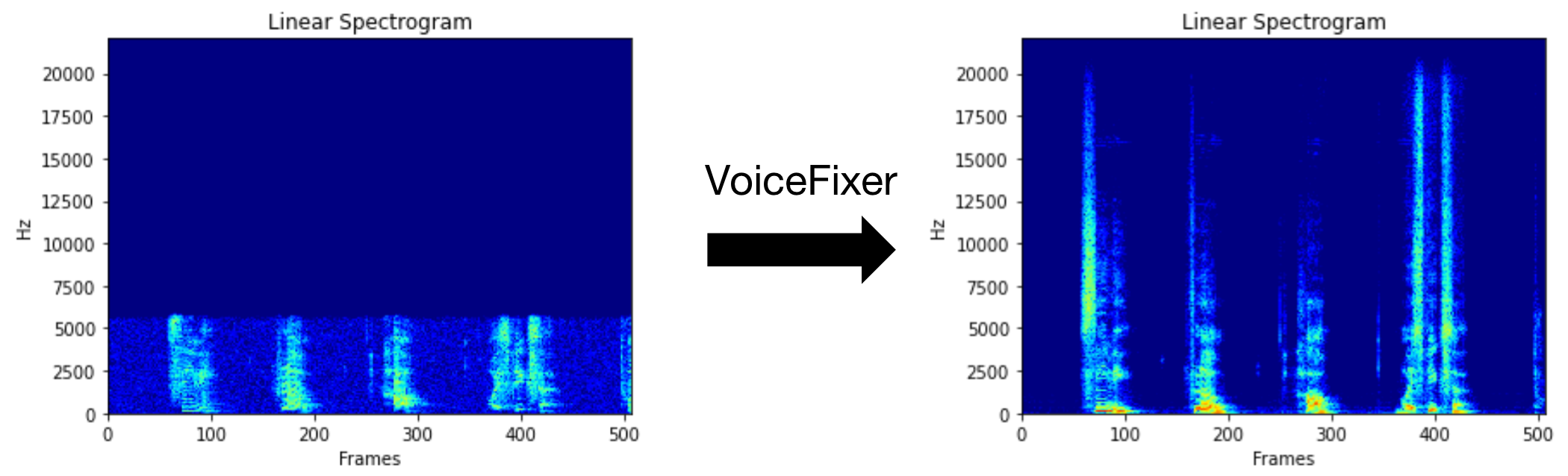
VoiceFixer的目標是恢復人類言論,無論其降級多麼嚴重。它可以在一個模型中處理噪聲,重生,低分辨率(2kHz〜44.1kHz)和剪輯(0.1-1.0閾值)效果。
此軟件包提供:
 @misc { liu2021voicefixer ,
     title = { VoiceFixer: Toward General Speech Restoration With Neural Vocoder } ,
     author = { Haohe Liu and Qiuqiang Kong and Qiao Tian and Yan Zhao and DeLiang Wang and Chuanzeng Huang and Yuxuan Wang } ,
     year = { 2021 } ,
     eprint = { 2109.13731 } ,
     archivePrefix = { arXiv } ,
     primaryClass = { cs.SD }
}請訪問演示頁面以查看VoiceFixer可以做什麼。
| 模式 | 描述 |
|---|---|
0 | 原始型號(默認建議) |
1 | 添加預處理模塊(刪除較高的頻率) |
2 | 火車模式(有時可能在嚴重退化的真實語音上起作用) |
all | 運行所有模式 - 將為每個支持模式輸出1 WAV文件。 |
首先,通過pip安裝語音裝置:
pip install git+https://github.com/haoheliu/voicefixer.git處理文件:
 # Specify the input .wav file. Output file is outfile.wav.
voicefixer --infile test/utterance/original/original.wav
# Or specify a output path
voicefixer --infile test/utterance/original/original.wav --outfile test/utterance/original/original_processed.wav
文件夾中的處理文件:
voicefixer --infolder /path/to/input --outfolder /path/to/output更改模式(默認模式為0):
voicefixer --infile /path/to/input.wav --outfile /path/to/output.wav --mode 1運行所有模式:
 # output file saved to `/path/to/output-modeX.wav`.
voicefixer --infile /path/to/input.wav --outfile /path/to/output.wav --mode all
僅在沒有任何實際處理的情況下預加載權重:
voicefixer --weight_prepare有關更多助手信息,請運行:
voicefixer -hYouTube上的演示(感謝@justin John)
通過PIP安裝VoiceFixer:
pip install voicefixer您可以通過運行網站在桌面上測試音頻樣本(由簡化提供動力)
git clone https://github.com/haoheliu/voicefixer.git
cd voicefixer # Run streamlit
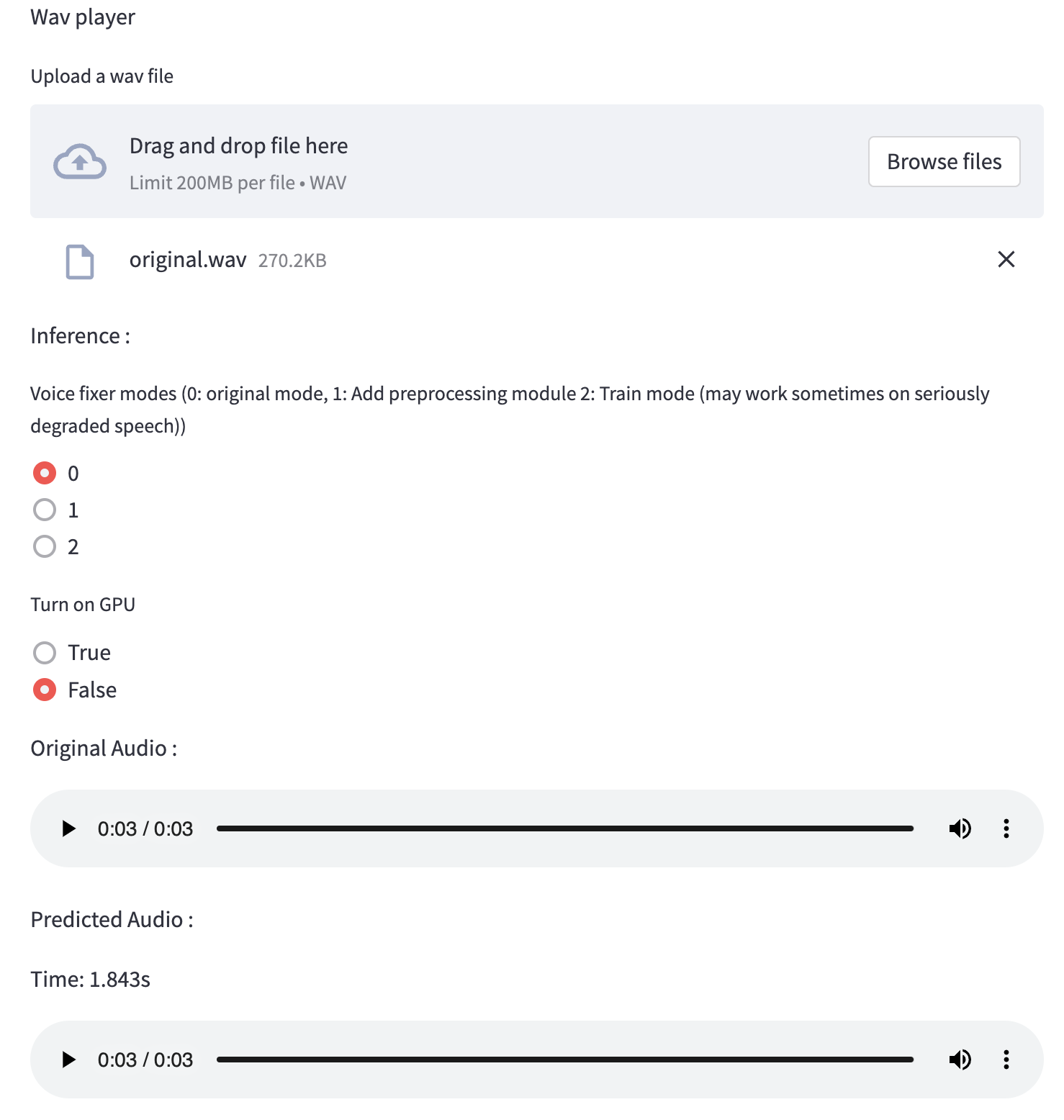
streamlit run test/streamlit.py如果您第一次運行:網頁可能會留空幾分鐘以下載模型。您可以檢查終端以下載進展。
您可以將我們提供的低質量語音文件用於測試運行。處理後的頁面看起來如下。
首先,通過pip安裝語音裝置:
pip install voicefixer然後運行以下腳本進行測試運行:
git clone https://github.com/haoheliu/voicefixer.git ; cd voicefixer
python3 test/test.py # test script
我們希望它將為您提供以下輸出:
Initializing VoiceFixer...
Test voicefixer mode 0, Pass
Test voicefixer mode 1, Pass
Test voicefixer mode 2, Pass
Initializing 44.1kHz speech vocoder...
Test vocoder using groundtruth mel spectrogram...
Passtest/test.py主要包含以下兩個API的測試:
...

# TEST VOICEFIXER
## Initialize a voicefixer
print ( "Initializing VoiceFixer..." )
voicefixer = VoiceFixer ()
# Mode 0: Original Model (suggested by default)
# Mode 1: Add preprocessing module (remove higher frequency)
# Mode 2: Train mode (might work sometimes on seriously degraded real speech)
for mode in [ 0 , 1 , 2 ]:
    print ( "Testing mode" , mode )
    voicefixer . restore ( input = os . path . join ( git_root , "test/utterance/original/original.flac" ), # low quality .wav/.flac file
                       output = os . path . join ( git_root , "test/utterance/output/output_mode_" + str ( mode ) + ".flac" ), # save file path
                       cuda = False , # GPU acceleration
                       mode = mode )
    if ( mode != 2 ):
        check ( "output_mode_" + str ( mode ) + ".flac" )
    print ( "Pass" )

# TEST VOCODER
## Initialize a vocoder
print ( "Initializing 44.1kHz speech vocoder..." )
vocoder = Vocoder ( sample_rate = 44100 )

### read wave (fpath) -> mel spectrogram -> vocoder -> wave -> save wave (out_path)
print ( "Test vocoder using groundtruth mel spectrogram..." )
vocoder . oracle ( fpath = os . path . join ( git_root , "test/utterance/original/p360_001_mic1.flac" ),
               out_path = os . path . join ( git_root , "test/utterance/output/oracle.flac" ),
               cuda = False ) # GPU acceleration

...您可以克隆此倉庫,並嘗試在測試文件夾中運行test.py。
目前,尚未發布Docker映像,需要在本地構建,但是這樣您就可以確保使用所有預期的配置運行它。生成的圖像大小約為10GB,這主要是由於獨立消耗9.8GB的依賴項。
但是,包含
voicefixer的層是最後一個添加的層,如果您更改源相對較小(一次〜200MB,隨著重量在圖像構建中得到刷新),則進行任何重建。
可以在此處查看Dockerfile 。
克隆倉庫後:
 # To build the image
cd voicefixer
docker build -t voicefixer:cpu .

# To run the image
docker run --rm -v " $( pwd ) /data:/opt/voicefixer/data " voicefixer:cpu < all_other_cli_args_here >

# # Example: docker run --rm -v "$(pwd)/data:/opt/voicefixer/data" voicefixer:cpu --infile data/my-input.wav --outfile data/my-output.mode-all.wav --mode all # To build the image
cd voicefixer
./docker-build-local.sh
# To run the image
./run.sh < all_other_cli_args_here >
# # Example: ./run.sh --infile data/my-input.wav --outfile data/my-output.mode-all.wav --mode all首先,您需要使用模型編寫以下助手功能。類似於此倉庫中的助手功能:https://github.com/haoheliu/voicefixer/blob/main/main/voicefixer/vocoder/vocoder/base.py#l35
    def convert_mel_to_wav(mel):
        " " "
        :param non normalized mel spectrogram: [batchsize, 1, t-steps, n_mel]
        :return: [batchsize, 1, samples]
        " " "
return wav然後將此函數傳遞給VoiceFixer.restore ,例如:
 voicefixer.restore(input="", # input wav file path
                   output="", # output wav file path
                   cuda=False, # whether to use gpu acceleration
                   mode = 0,
                   your_vocoder_func = convert_mel_to_wav)
筆記:
請參閱ChangElog.md。







