OpenDiscoverPlatformCaseStudy
1.0.0

See Open Discover® SDK for .NET Examples GitHub Repository
A single instance of Open Discover Platform API is typically capable of processing document sets at 40-70 GB/hour rate* (* rates will be dependent on user hardware and file types in the dataset). It is very fast at processing documents while also extracting more content than most eDiscovery software (e.g., sensitive item/entity detection and de-NIST-ing while processing). An Open Discover Platform API demo application, PlatformAPIDemo.exe, was used to process the Enron Outlook PST dataset. The PlatformAPIDemo.exe demo application wraps one instance of the Platform API document processing class. Screen shots of example PlatformAPIDemo.exe processing output are shown in the next section below.
The PlatformAPIDemo.exe is distributed with the Open Discover Platform evaluation along with:
In a recent performance test, the Open Discover SDK processed the 53 GB Enron Microsoft Outlook PST dataset and bulk inserted the Platform API output (text/metadata/sensitive (PXI) items/etc) into RavenDB in a little over 30 minutes using a single 4-core Windows desktop PC.
** This case study processing rate was for the .NET 4.62 version of SDK, the new .NET 6 version is > 100% faster on average, all the PST processing tasks on the .NET 6 version of OpenDiscoverPlatform processed their PST dataset tasks between 90-100+GB/hr rates (based on input size) WITH sensitive item detection enabled (processing rates are hardware dependent - in these numbers we used a single desktop PC with Intel i7 CPU and 16GB RAM).
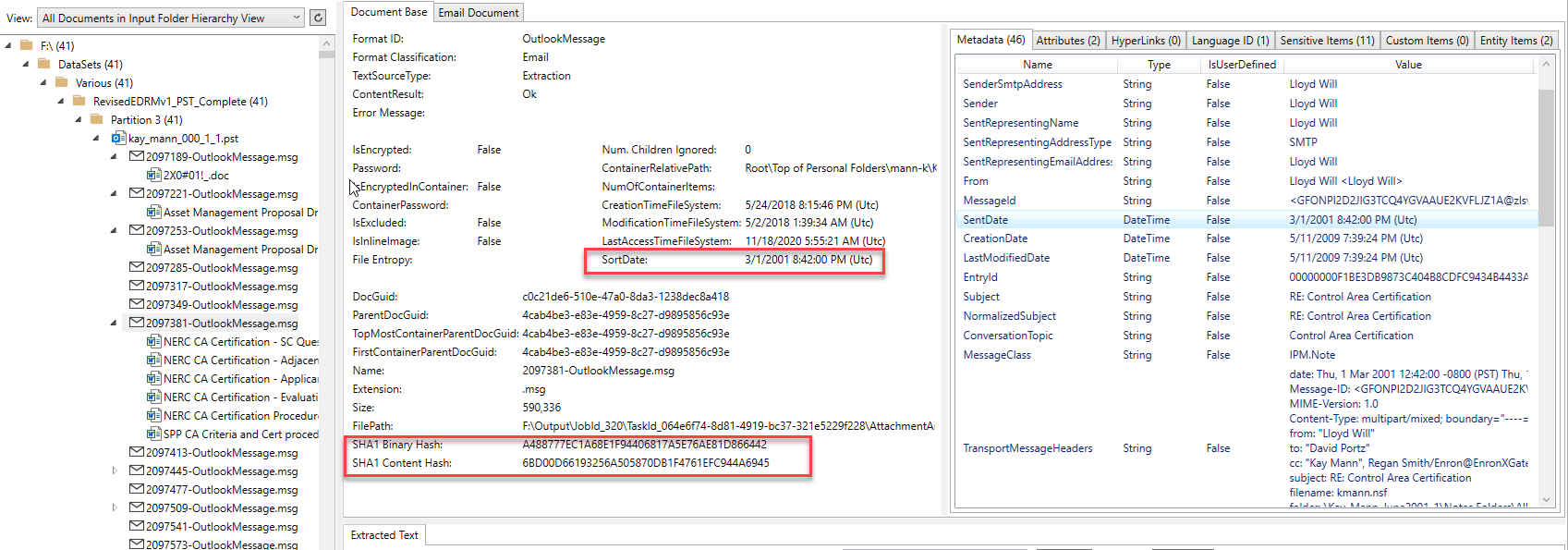
The screen shot below shows an email item (and its attachments) that was extracted from its Outlook PST container and processed by the PlatformAPIDemo.exe application. The email is from one of the Enron Microsoft Outlook PSTs. The tree view control on the left side of the image shows the parent/child hierarchy of all processed documents/containers, and clicking on a item in the tree control will show its extracted content. For the selected Outlook email item in the tree view, we can see that it has 6 MS Office Word documents as attachments that were extracted from the email. Each and every attachment/embedded item also had their content extracted (processing fully unrolls any parent child hierarchy, no matter how complex). Note the file format identification results, calculated "SortDate", various document hashes, the extracted metadata, and other tab items on the top right-hand side of image that contain other extracted content:
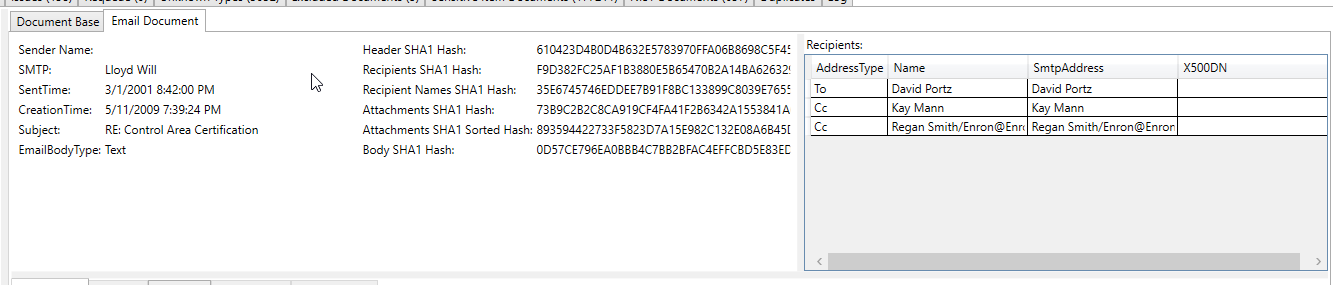
Email specific content like all recipients and extra hashes:
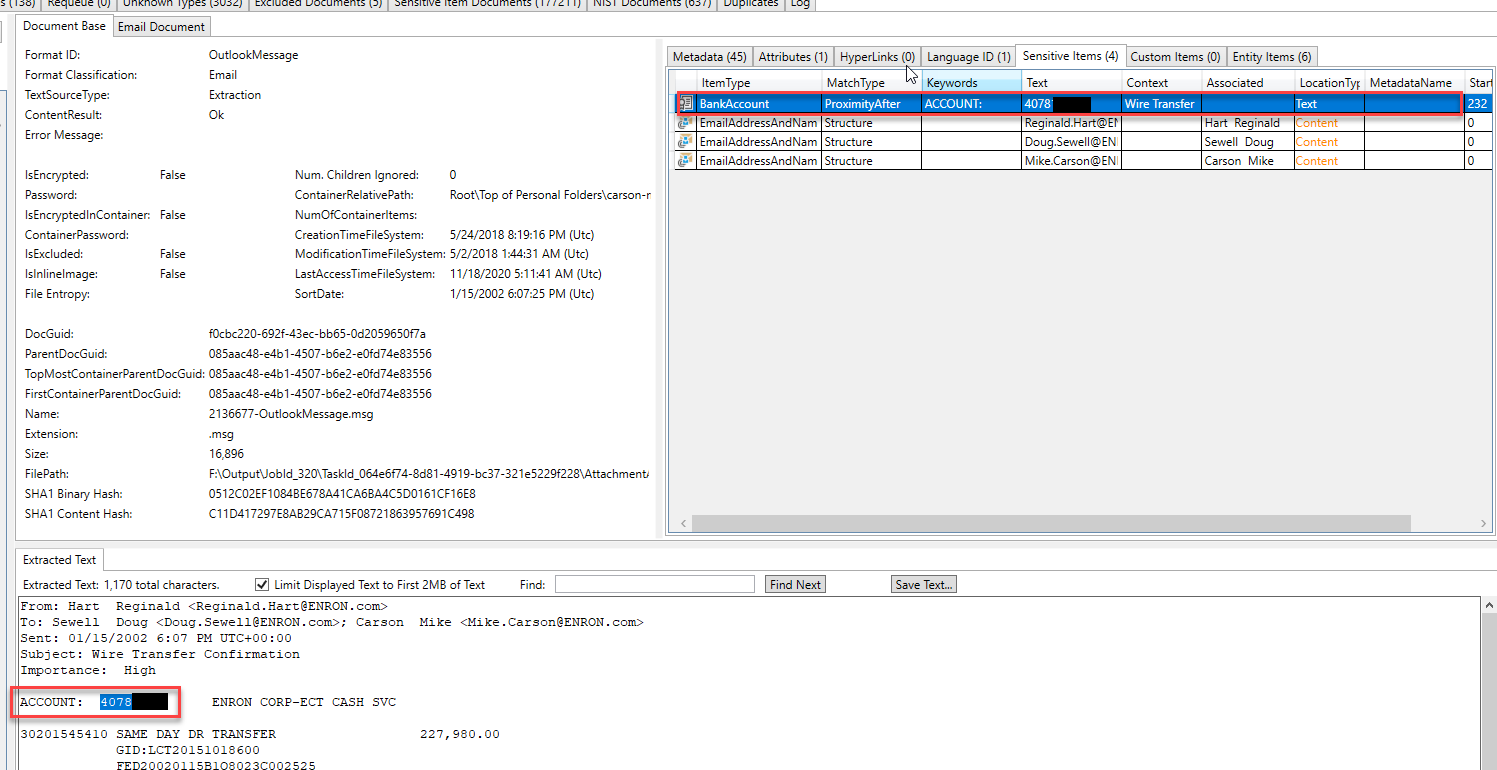
This processed email screen shot shows a bank account number that was extracted/identified as a "sensitive item" in the email's extracted text (all extracted text and all metadata are scanned for sensitive items):
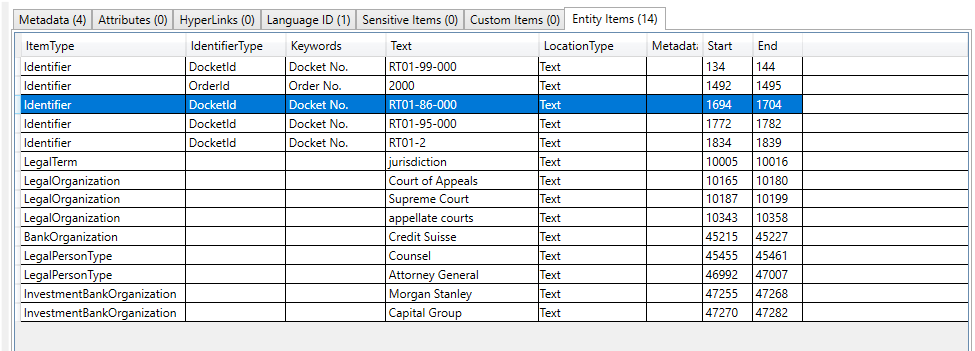
Some "entities" identified and extracted in a different email. By inspecting the types of entities found in this email, we can surmise that the email is discussing a legal matter:
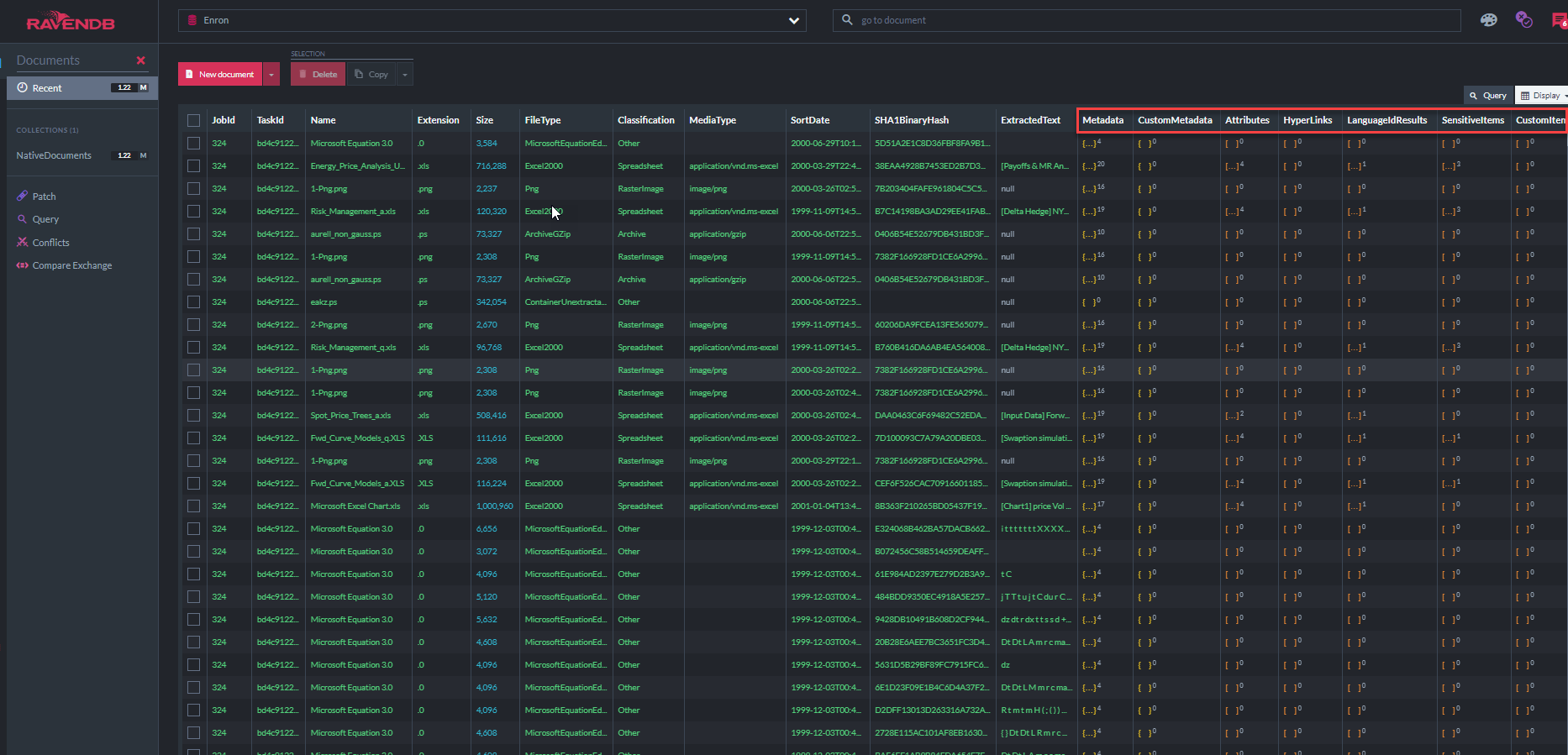
The screen shot below shows the Enron database in RavenDB Studio populated with Platform API processed output. Only some of the database document fields stored in RavenDB could fit into the screen shot, there are many more fields. The column names with a red border annotation are collections of objects:
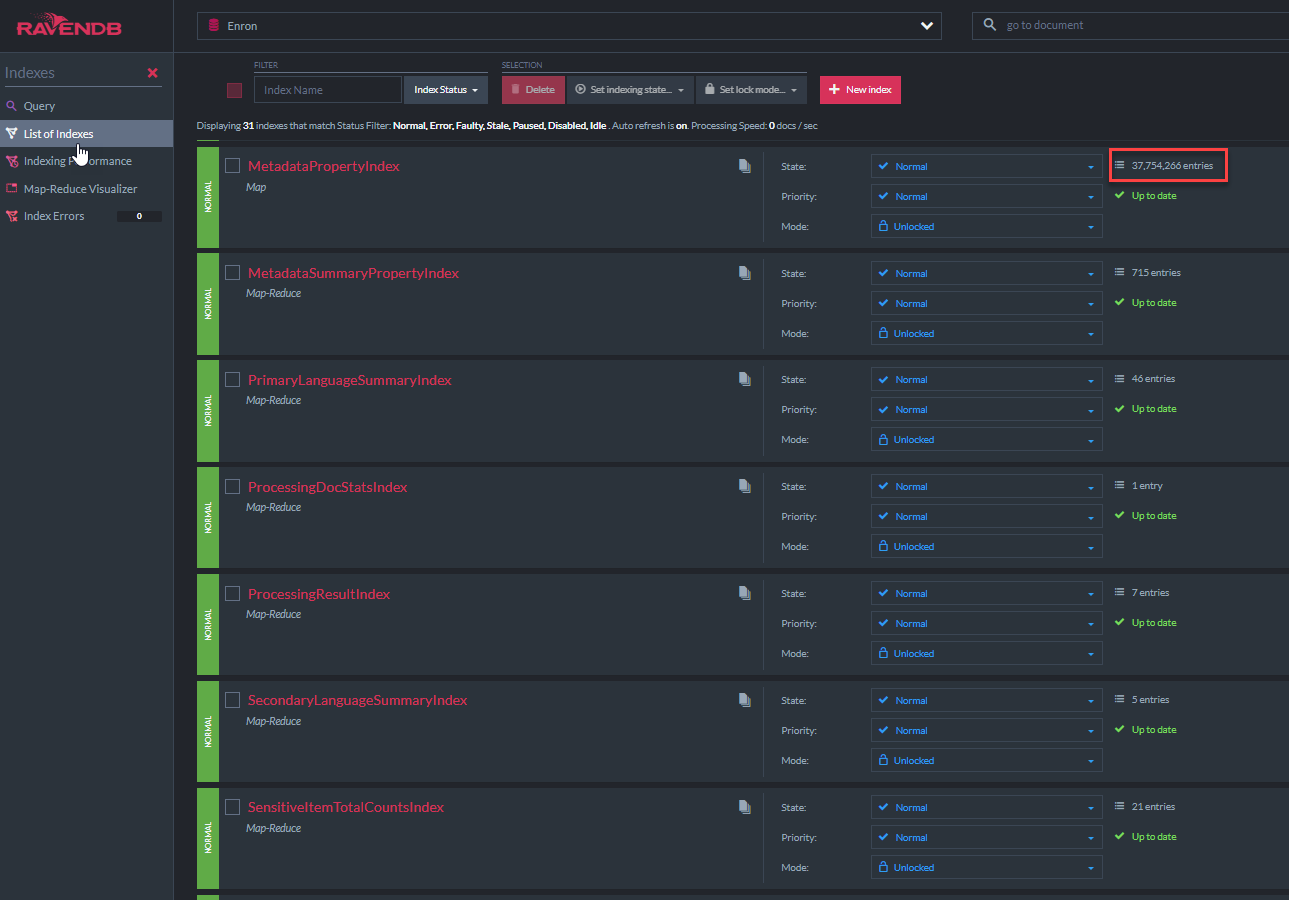
The screen shot below shows some of the 31 RavenDB indexes that the "ECA Demo App" uses to query the document store (note that the "MetadataPropertyIndex" shows that there are 37.7 million metadata properties stored in this database, mostly email metadata, in addition to all of the extracted text):
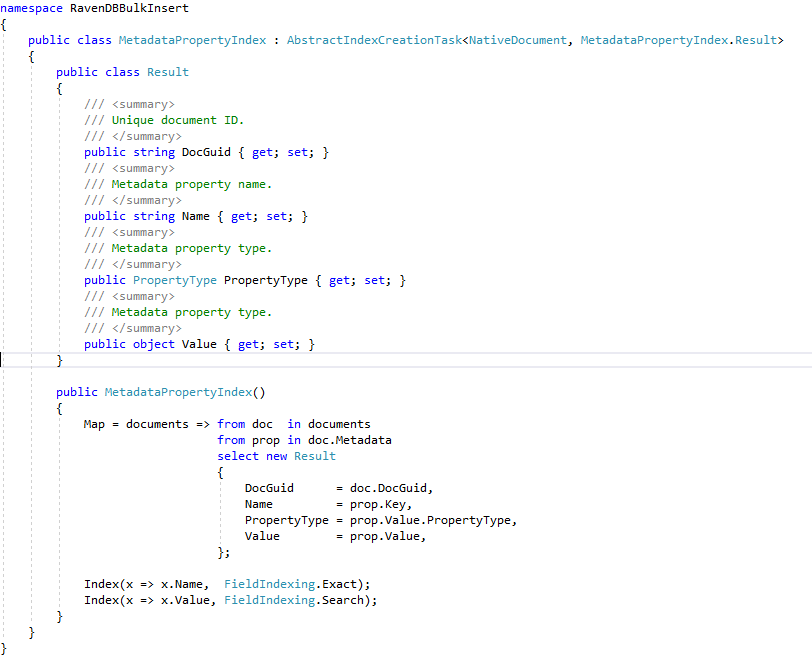
The "MetadataPropertyIndex" C# class code is displayed below. This index class derives from RavenDB's AbstractIndexCreationTask (as do all other indexes in this demo). This index will allow Lucene 'like' queries on all metadata fields. A similar index for NativeDocument.CustomMetadata exists:
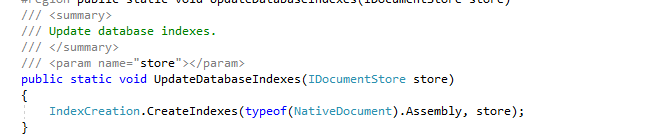
All C# defined RavenDB indexes get created in the RavenDB Enron database from the "ECA Demo App" via a simple RavenDB API call:
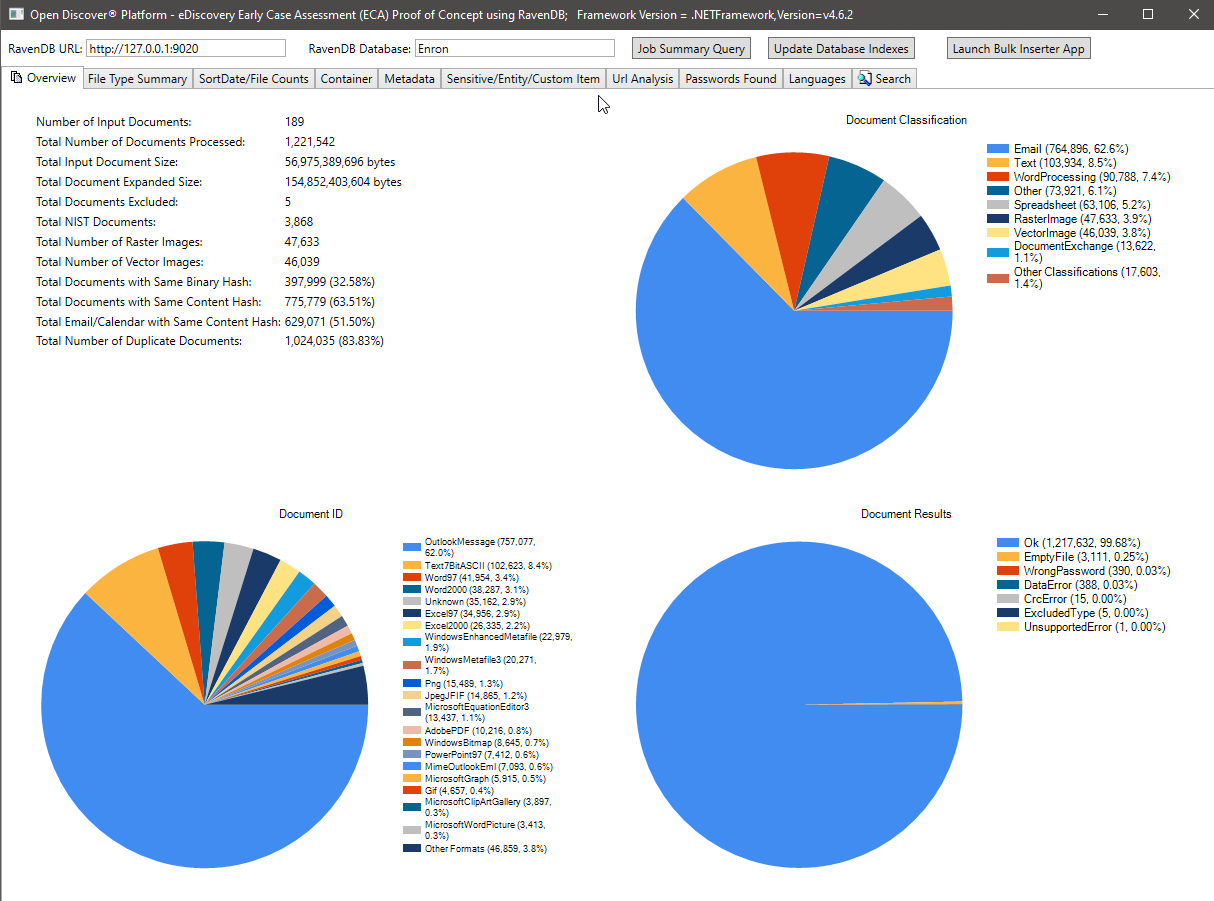
The screen shot below shows the processing summary statistics of the 189 Microsoft Outlook PST Enron data set (1,221,542 emails and attachments processed in total). Most of the emails and attachments in this dataset are duplicate documents due to the fact that the Enron employees whose data was collected during the legal discovery phase were emailing each other back and forth - the deduplication statistics shown in image below was based on binary/content hash, in the future, we will update this case study (along with RavenDB indexes) to include the legal industry prefered "family deduplication". Note the file format classification pie chart, summary of specific file format pie chart, and summary of processing results (enumeration type with values of Ok/WrongPassword/DataError/etc) pie chart.
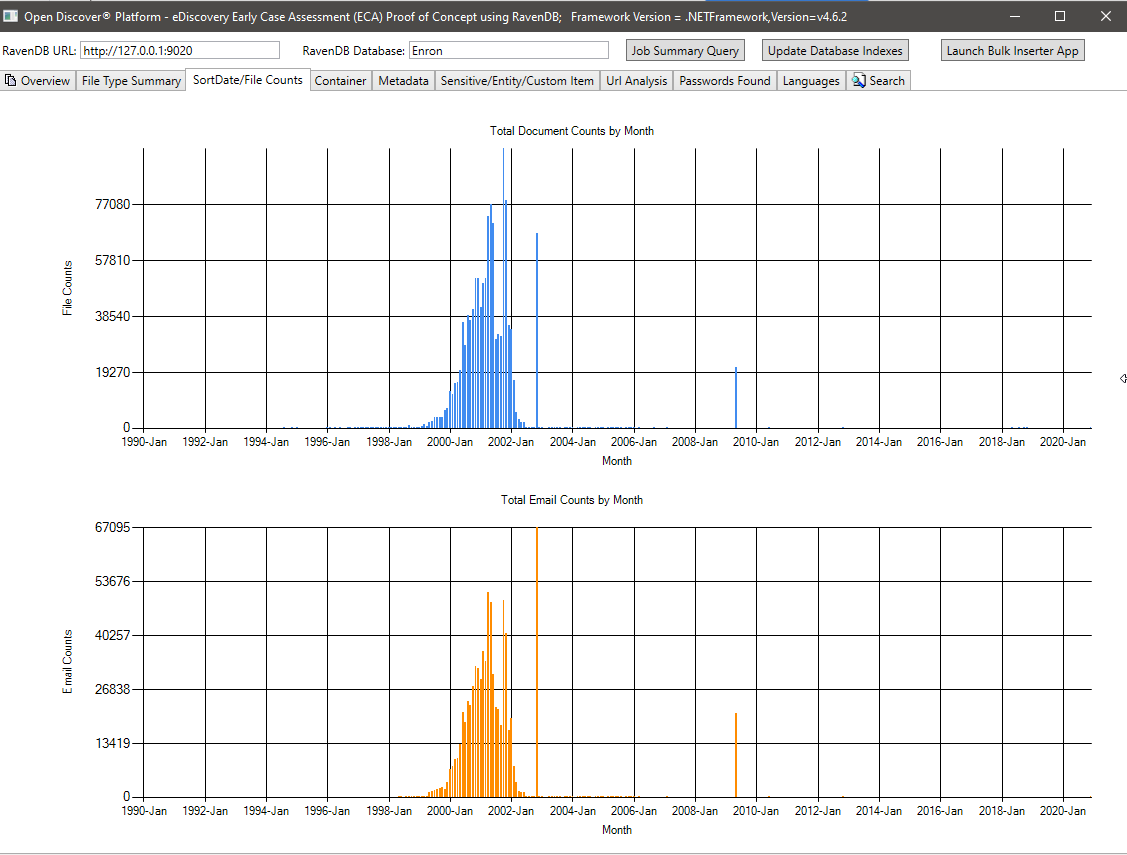
File counts by SortDate summary charts:
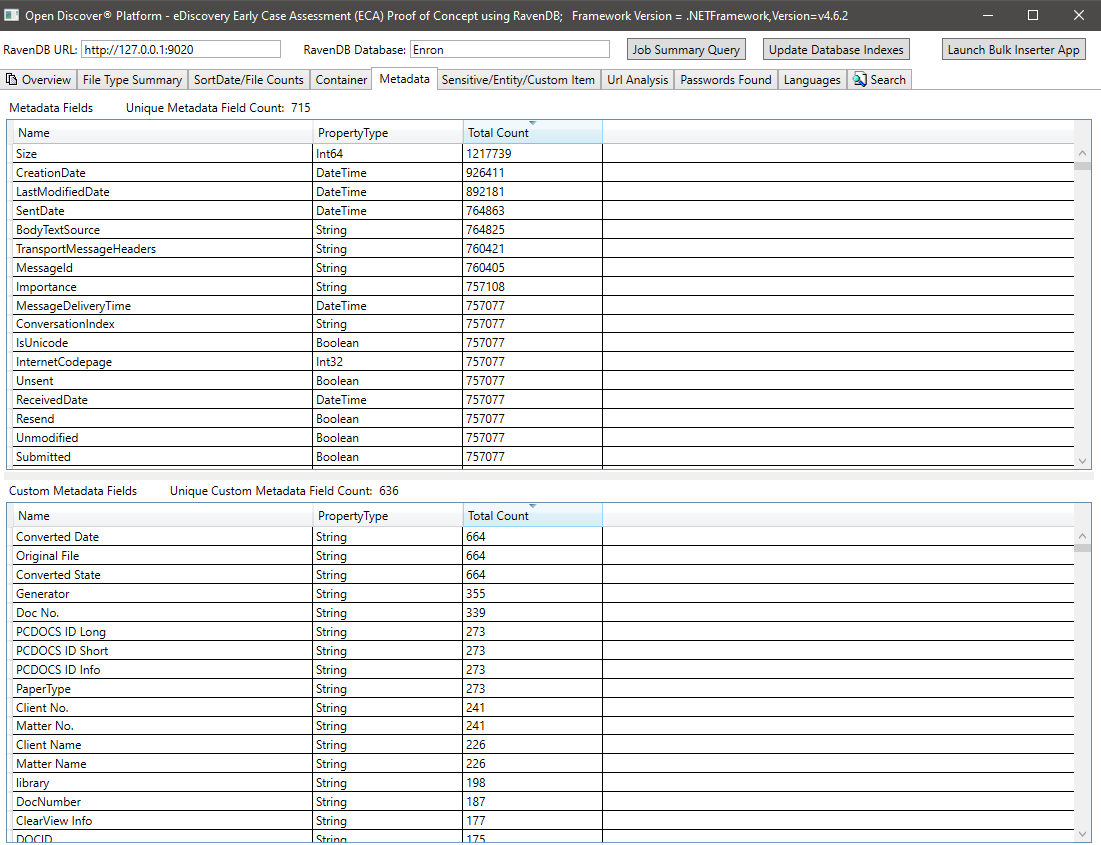
Metadata summary (metadata field name/total number of documents) - 715 known unique metadata field names across all documents and 636 custom (user defined) metadata fields. This query can help legal case managers know what metadata fields are available in the collection to search on:
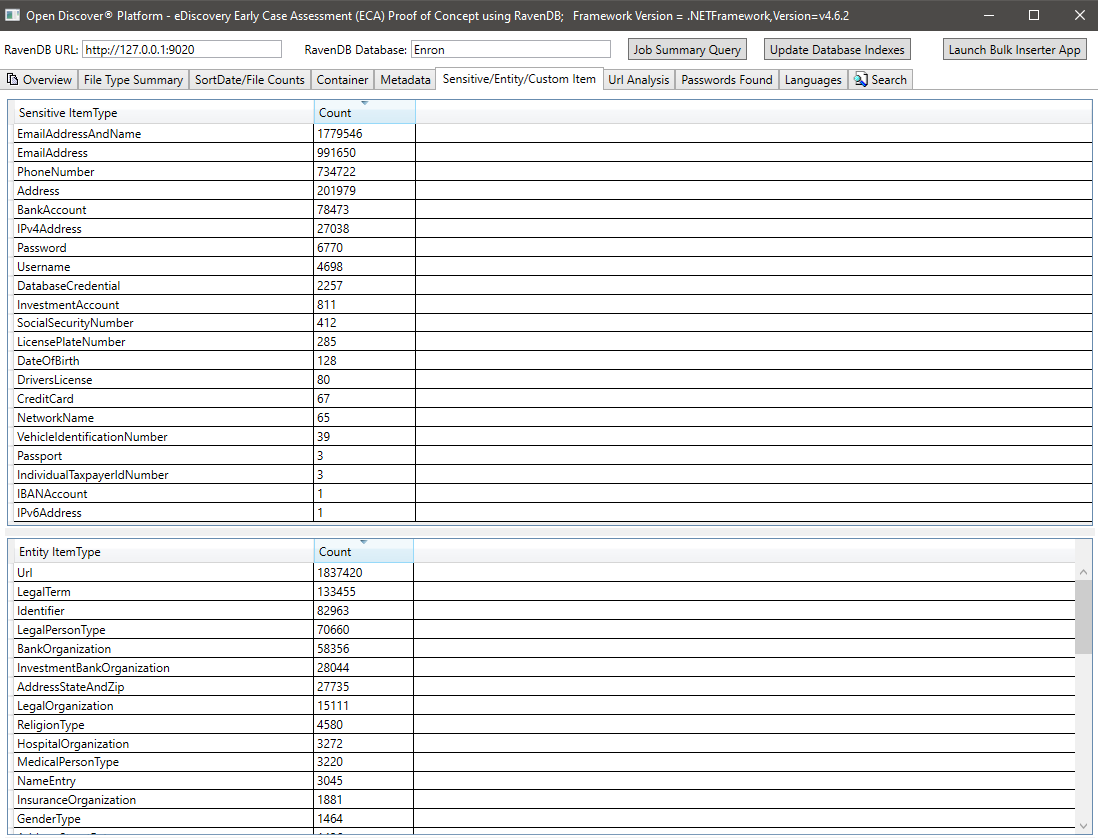
Sensitive Item/Entity Item Summary for all documents:
Summary of all unique URLs found in all documents (URLs from every document may be useful, for example, if a company wants to track down potential malicious url entry points). Open Discover SDK detects all URLs from document hyperlinks and in document text (i.e., non-hyperlink):
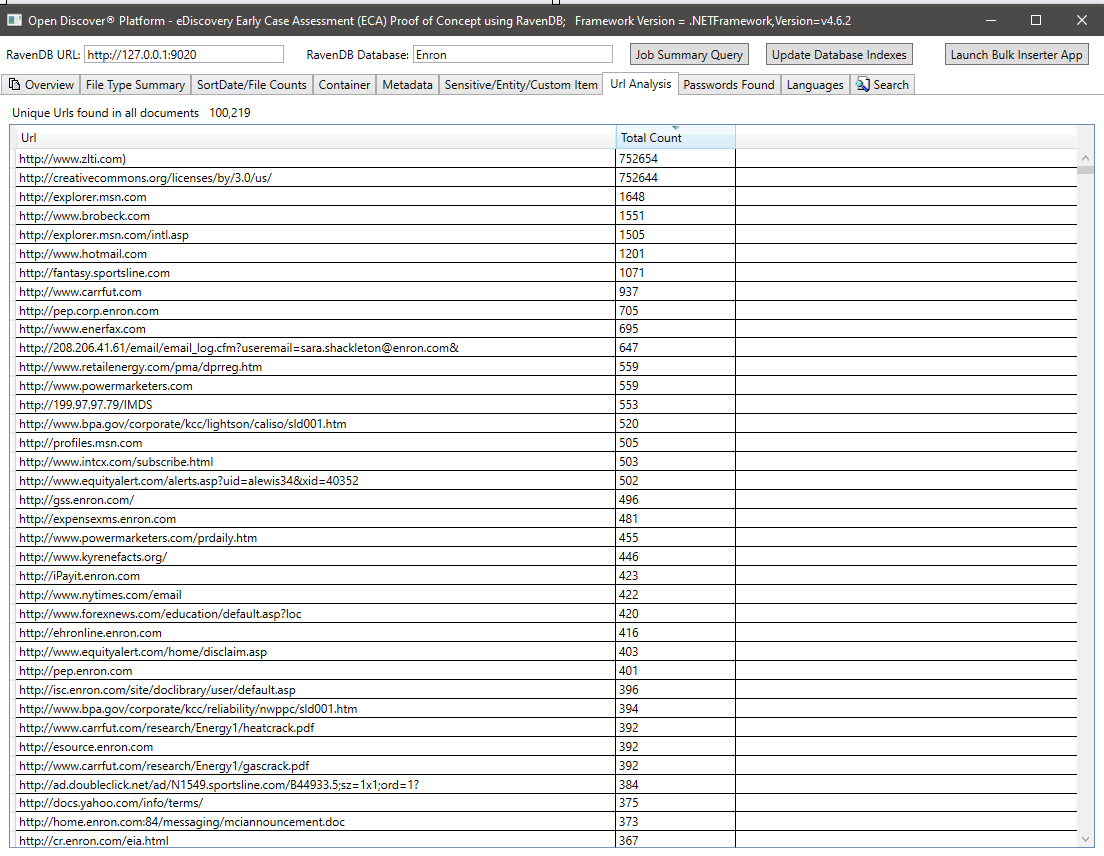
Summary of all passwords found in all documents. Passwords and usernames are just 2 out of 25 built-in 'sensitive item' types supported by the Open Discover SDK/Platform. Password/username credentials in documents can be a security risk, they can also be used to re-process any document that has a processing result of 'WrongPassword' (as employees in the same company often email each other passwords to shared encrypted office documents):
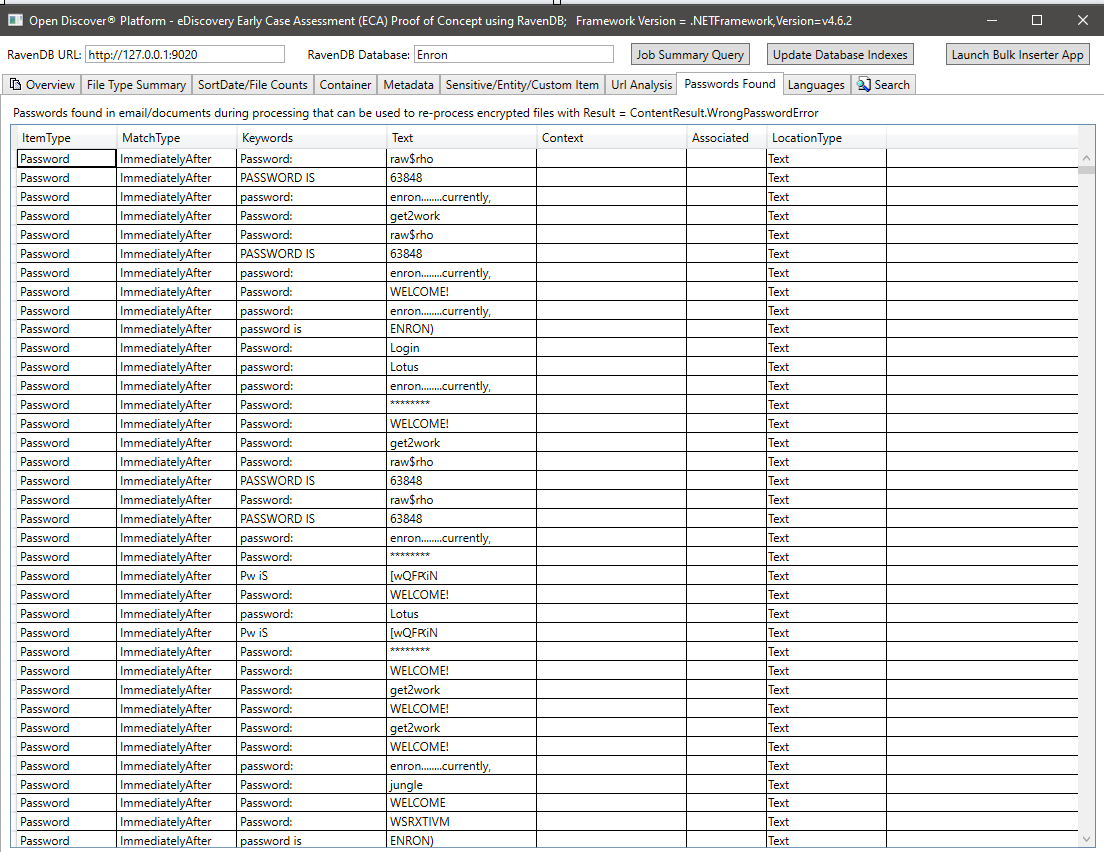
Summary of languages detected in the extracted text of the processed documents:
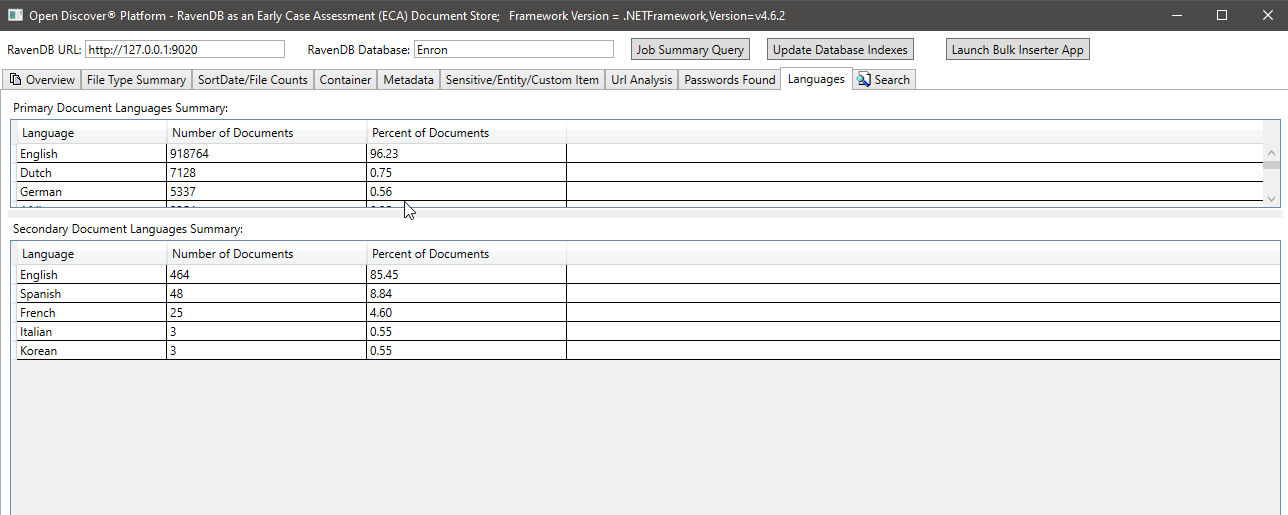
Example full-text search query (Note: RavenDB supports Lucene queries):
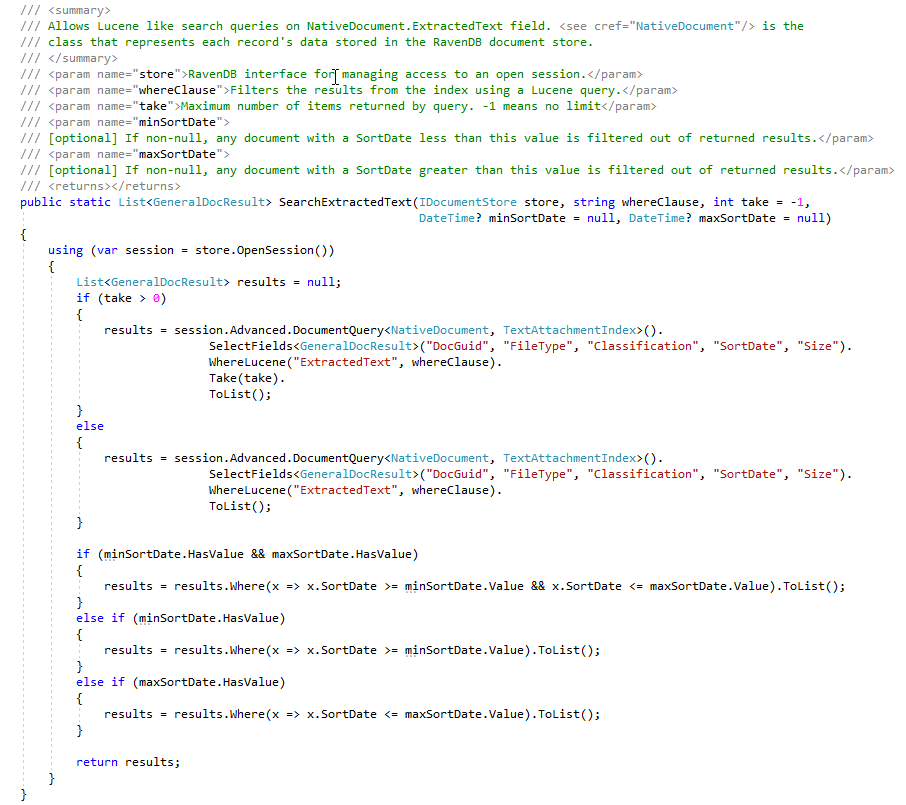
The above Lucene query, queries the ExtractedText field and uses (optionally) min/max document SortDate to filter the returned search results. It would be very easy to also add filtering of results by document FileType or document format Classification (WordProcessing/Spreadsheet/Email/etc). The C# code that performs the Lucene query looks like this:
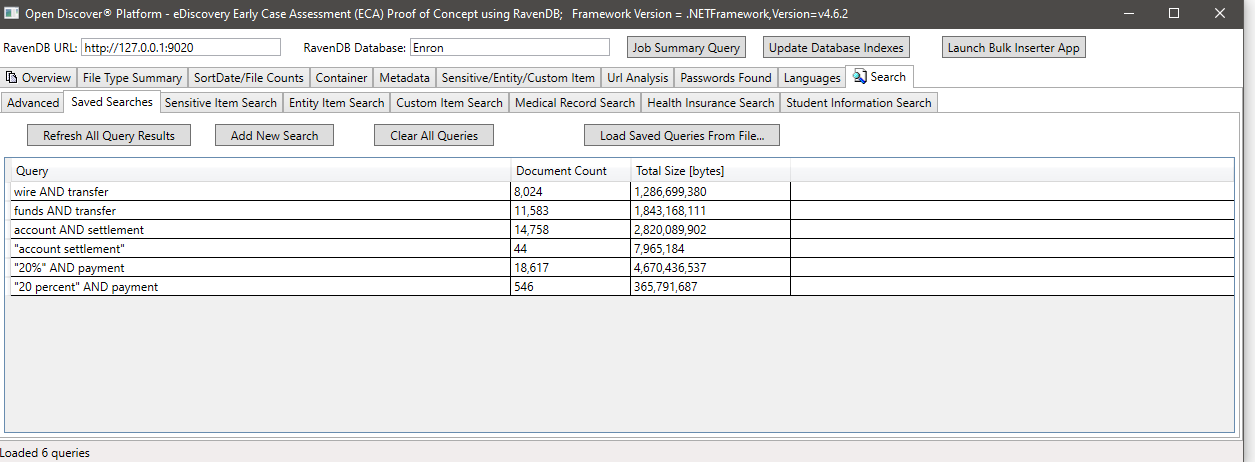
During the ECA phase, legal review lawyers like to create many different search queries to find responding documents. The screen shot below shows a few saved Lucene queries and the results (number of document hits and total size of the documents). Note that the document counts in these user created searches contain duplicate document counts, although we have RavenDB indexes that count the number of duplicate documents, for this proof of concept, we have not yet "marked" documents in document store with a flag indicating master/duplicate (this is a 'TODO' by user):
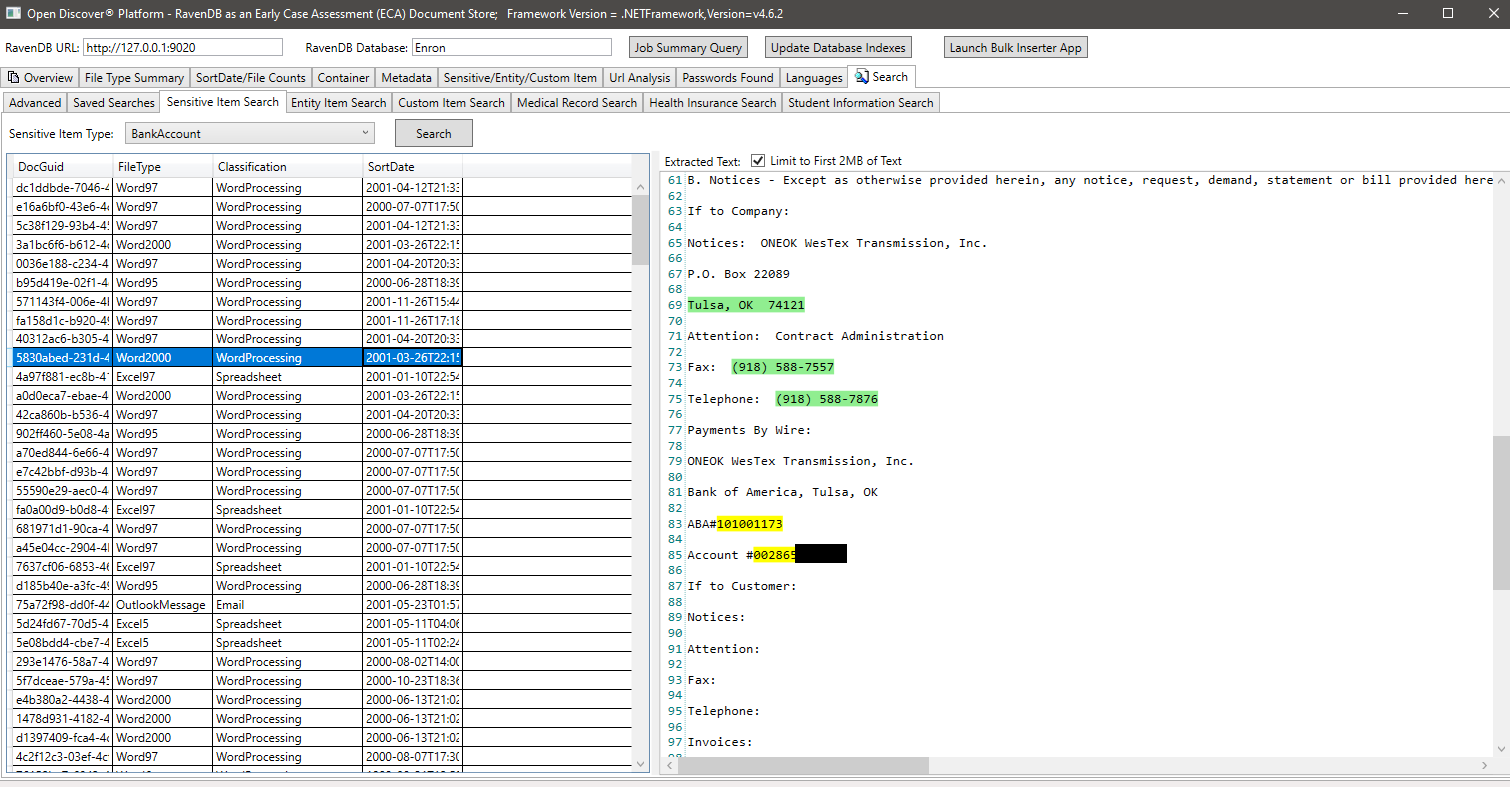
Example search by SensitiveItemType (a property on detected SensitiveItem objects that identifies the type of sensitive item), in this example we search for all documents that have a sensitive item of type SensitiveItemType.BankAccount:
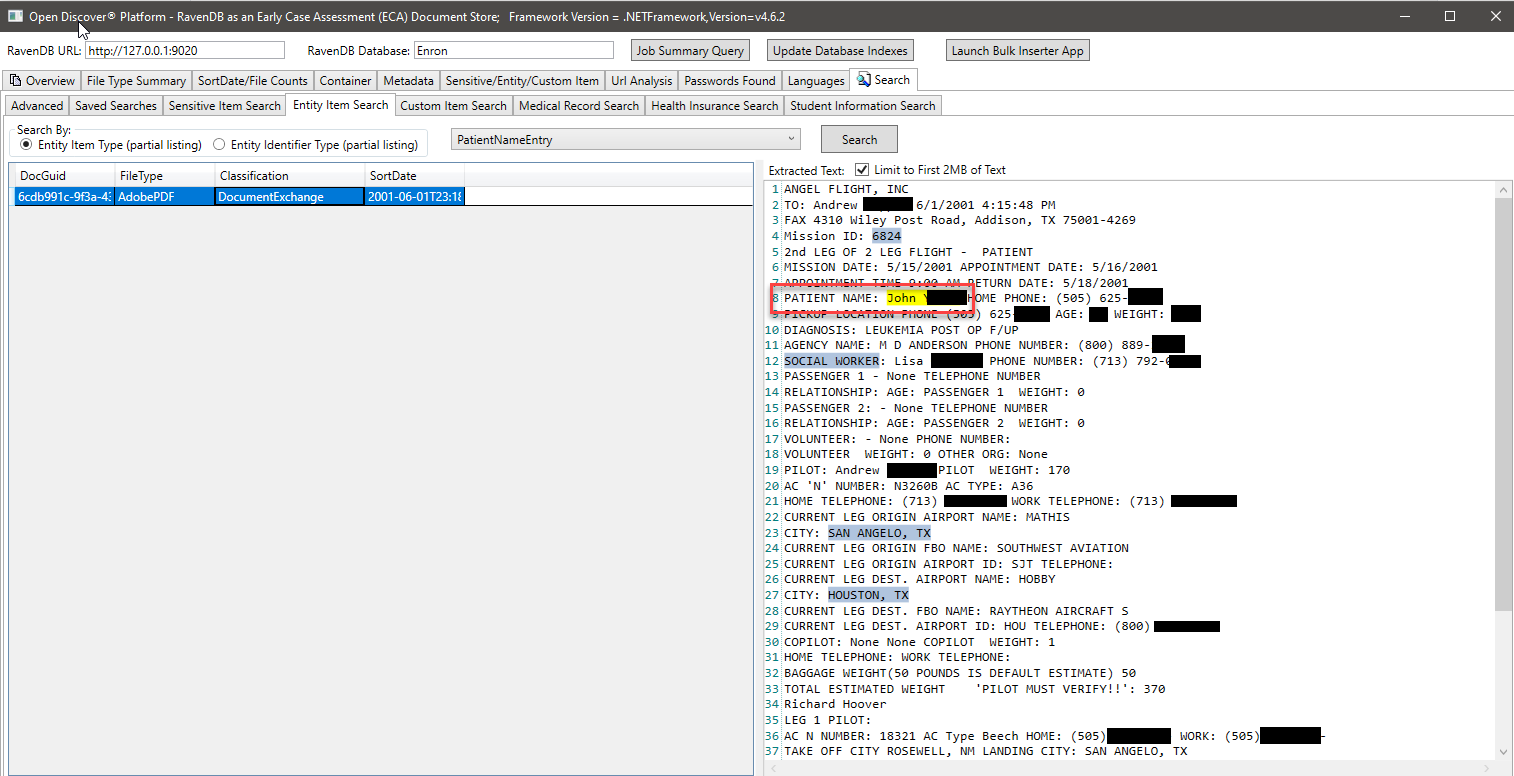
Example search by EntityItemType (a property on detected EntityItem objects that identifies the type of entity item), in this example we search for all documents that have a entity item of type EntityItemType.PatientNameEntry:
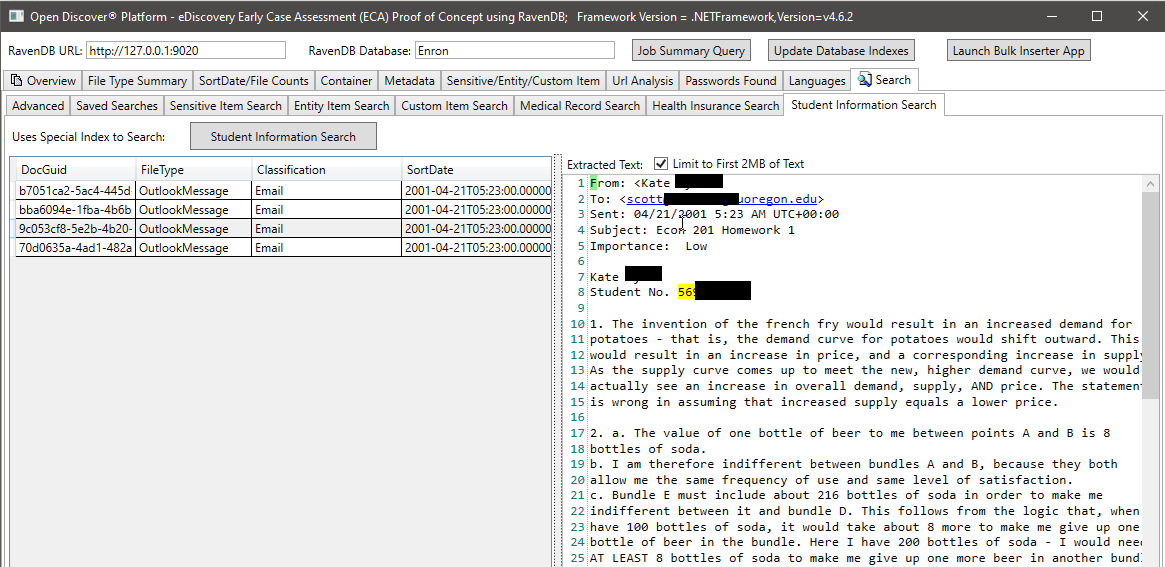
In the screen shot below, we use a specially created RavenDB index that indexes specific Open Discover SDK extracted entity types related to student information to find documents that may have student information (in the screen shot, the student's name and student ID are blacked out, the student ID appears to be a social security number which was common before the 2000's). Likewise, we have other special indexes to search for medical records and patient information:
Open Discover® Platform output stored in a document database such as RavenDB can lead to very powerful and rapidly developed legal early case assessment (ECA) applications. In addition, applications such as the following can also be rapidly developed:
If this case study had used a relational database instead of a document database such as RavenDB, it would have taken months of database schema design and store procedure development and not the 2 weeks in time it took the author to develop this Early Case Assessment (ECA) proof of concept.





