harbor
v0.2.18 -


Jalankan dengan mudah LLM Backends, API, Frontends, dan Layanan dengan satu perintah.
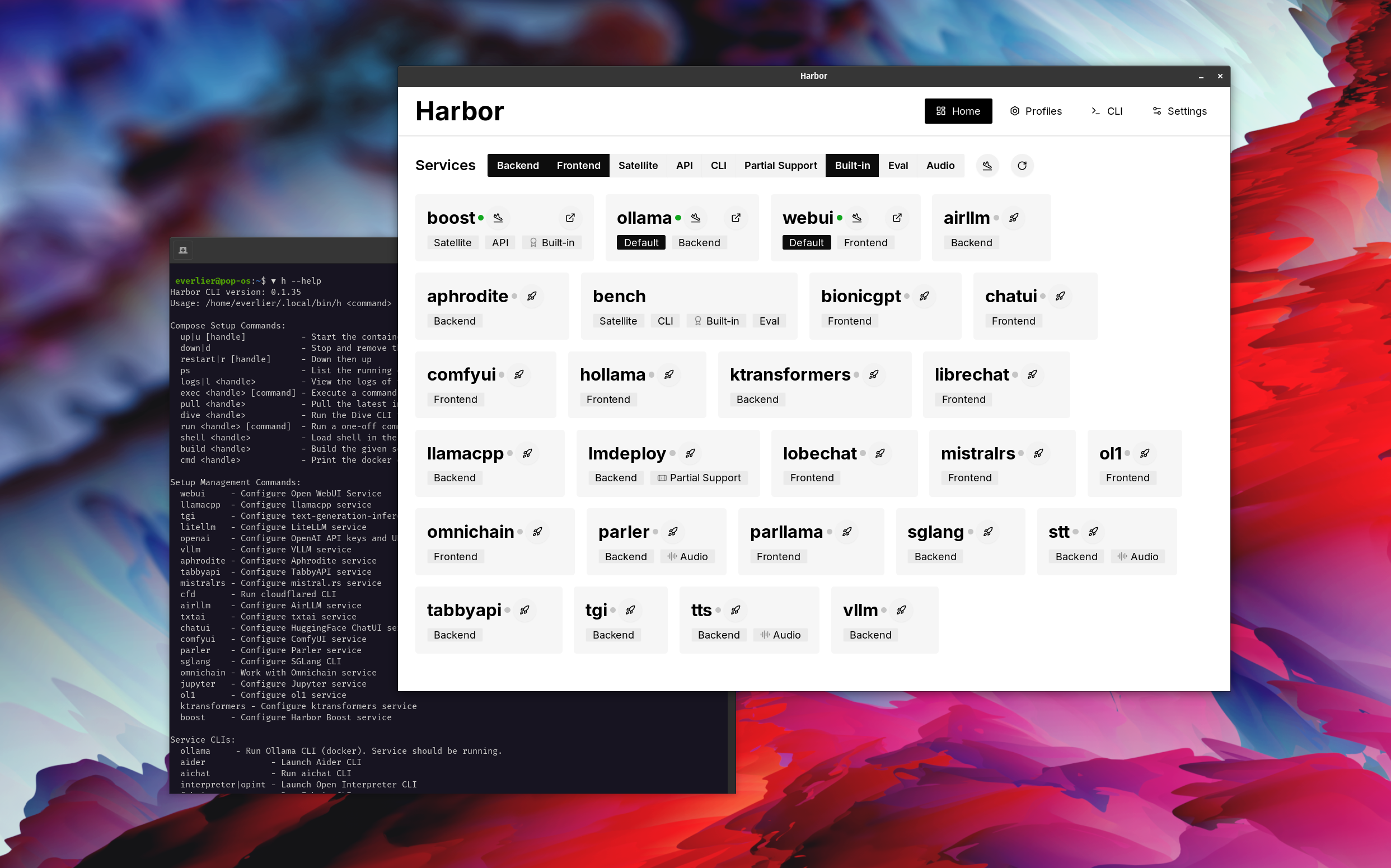
Harbor adalah toolkit LLM yang dikemukakan yang memungkinkan Anda menjalankan LLM dan layanan tambahan. Ini terdiri dari CLI dan aplikasi pendamping yang memungkinkan Anda untuk mengelola dan menjalankan layanan AI dengan mudah.
Buka WebUi ⦁︎ COMFYUI ⦁︎ Librechat ⦁︎ Huggingface Chatui ⦁︎ Lobe Chat ⦁︎ Hollama ⦁︎ Parllama ⦁︎ Bionicgpt ⦁︎ AnythingllM ⦁︎ Chat Nio
Ollama ⦁︎ llama.cpp ⦁︎ vllm ⦁︎ Tabbyapi ⦁︎ engine aphrodite ⦁︎ Mistral.rs ⦁︎ Openedai-speech ⦁︎ lebih cepat-whisper-server ⦁︎ Parler ⦁︎ Teks-Generasi-Inferensi ⦁︎ lmdeploy ⦁︎ airllm ⦁ ︎ sglang ⦁︎ ktransformers ⦁︎ nexa sdk
Bench Harbor ⦁︎ BOOST HARBOR ⦁︎ searxng ⦁︎ perplexica ⦁︎ diifes ⦁︎ plandeks ⦁︎ litellm ⦁︎ langfuse ⦁︎ juru bahasa terbuka ⦁ ︎cloudflared ⦁︎ cmdh ⦁︎ kain ⦁︎ txtai rag ⦁︎ textgrad ⦁︎ aider ⦁︎ auchat ⦁ ︎ omnichain ⦁︎ evaluasi lm-harness ⦁︎ jupyterlab ⦁︎ ol1 ⦁︎ Openhands ⦁︎ LitLytics ⦁︎ Repopack ⦁︎ n8n ⦁︎ baut.new ⦁︎ Buka pipa webUi ⦁︎ qdrant ⦁︎ k6 ⦁︎ promptfoo ⦁︎ webtop ⦁︎ omniparser ⦁︎ flowise
Lihat Dokumentasi Layanan untuk tinjauan singkat masing -masing.
 # Run Harbor with default services:
# Open WebUI and Ollama
harbor up

# Run Harbor with additional services
# Running SearXNG automatically enables Web RAG in Open WebUI
harbor up searxng

# Run additional/alternative LLM Inference backends
# Open Webui is automatically connected to them.
harbor up llamacpp tgi litellm vllm tabbyapi aphrodite sglang ktransformers

# Run different Frontends
harbor up librechat chatui bionicgpt hollama

# Get a free quality boost with
# built-in optimizing proxy
harbor up boost

# Use FLUX in Open WebUI in one command
harbor up comfyui

# Use custom models for supported backends
harbor llamacpp model https://huggingface.co/user/repo/model.gguf

# Shortcut to HF Hub to find the models
harbor hf find gguf gemma-2
# Use HFDownloader and official HF CLI to download models
harbor hf dl -m google/gemma-2-2b-it -c 10 -s ./hf
harbor hf download google/gemma-2-2b-it

# Where possible, cache is shared between the services
harbor tgi model google/gemma-2-2b-it
harbor vllm model google/gemma-2-2b-it
harbor aphrodite model google/gemma-2-2b-it
harbor tabbyapi model google/gemma-2-2b-it-exl2
harbor mistralrs model google/gemma-2-2b-it
harbor opint model google/gemma-2-2b-it
harbor sglang model google/gemma-2-2b-it

# Convenience tools for docker setup
harbor logs llamacpp
harbor exec llamacpp ./scripts/llama-bench --help
harbor shell vllm

# Tell your shell exactly what you think about it
harbor opint
harbor aider
harbor aichat
harbor cmdh

# Use fabric to LLM-ify your linux pipes
cat ./file.md | harbor fabric --pattern extract_extraordinary_claims | grep " LK99 "

# Access service CLIs without installing them
harbor hf scan-cache
harbor ollama list

# Open services from the CLI
harbor open webui
harbor open llamacpp
# Print yourself a QR to quickly open the
# service on your phone
harbor qr
# Feeling adventurous? Expose your harbor
# to the internet
harbor tunnel

# Config management
harbor config list
harbor config set webui.host.port 8080

# Create and manage config profiles
harbor profile save l370b
harbor profile use default

# Lookup recently used harbor commands
harbor history

# Eject from Harbor into a standalone Docker Compose setup
# Will export related services and variables into a standalone file.
harbor eject searxng llamacpp > docker-compose.harbor.yml

# Run a build-in LLM benchmark with
# your own tasks
harbor bench run

# Gimmick/Fun Area

# Argument scrambling, below commands are all the same as above
# Harbor doesn't care if it's "vllm model" or "model vllm", it'll
# figure it out.
harbor model vllm
harbor vllm model

harbor config get webui.name
harbor get config webui_name

harbor tabbyapi shell
harbor shell tabbyapi

# 50% gimmick, 50% useful
# Ask harbor about itself
harbor how to ping ollama container from the webui ? Dalam demo, aplikasi Harbor digunakan untuk meluncurkan tumpukan default dengan Ollama dan Open WebUI Services. Kemudian, searxng juga dimulai, dan WebUi dapat menghubungkannya untuk kain web langsung dari kotak. Setelah itu, Harbor Boost juga dimulai dan terhubung ke WebUI secara otomatis untuk menginduksi output yang lebih kreatif. Sebagai langkah terakhir, pelabuhan konfigurasi disesuaikan dalam aplikasi untuk modul klmbr di Boost Harbour, yang membuat output tidak dapat diselesaikan untuk LLM (namun masih tidak dapat dibatalkan untuk manusia).
Jika Anda merasa nyaman dengan administrasi Docker dan Linux - Anda mungkin tidak perlu pelabuhan per se untuk mengelola lingkungan LLM lokal Anda. Namun, Anda juga kemungkinan besar akan sampai pada solusi serupa. Saya tahu ini pasti, karena saya mengguncang pengaturan yang cukup mirip, hanya tanpa semua peluit dan lonceng.
Harbor tidak dirancang sebagai solusi penyebaran, melainkan sebagai penolong untuk lingkungan pengembangan LLM lokal. Ini adalah titik awal yang baik untuk bereksperimen dengan LLM dan layanan terkait.
Anda kemudian dapat mengeluarkan dari pelabuhan dan menggunakan layanan dalam pengaturan Anda sendiri, atau terus menggunakan pelabuhan sebagai basis untuk konfigurasi Anda sendiri.
Proyek ini terdiri dari shell CLI yang cukup besar, file .env yang cukup kecil dan jumlah file docker-compose (untuk satu repo).
hf , ollama , dll.) Melalui Docker tanpa instalharbor eject




