harbor
v0.2.18 -


Ejecute sin esfuerzo LLM Backends, API, frontends y servicios con un solo comando.
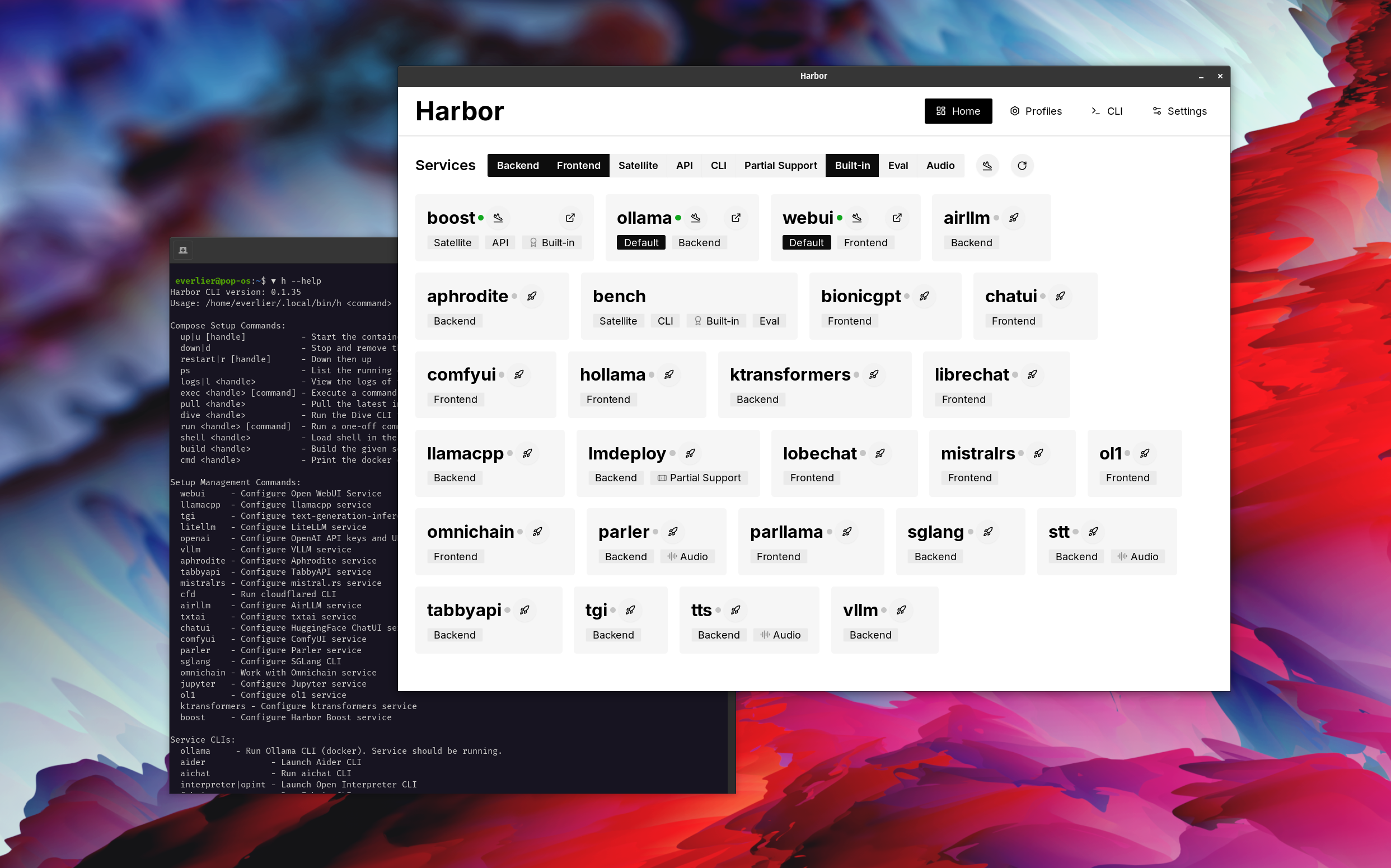
Harbor es un kit de herramientas LLM contenedorizado que le permite ejecutar LLM y servicios adicionales. Consiste en una CLI y una aplicación complementaria que le permite administrar y ejecutar servicios de IA con facilidad.
Abra Webui ⦁︎ Comfyui ⦁︎ Librechat ⦁︎ Huggingface Chatui ⦁︎ Lobbe Chat ⦁︎ Hollama ⦁︎ Parllama ⦁︎ Bionicgpt ⦁︎ Anythinglm ⦁︎ Chat Nio
Ollama ⦁︎ llama.cpp ⦁︎ vllm ⦁︎ Tabbyapi ⦁︎ Motor de Afrodita ⦁︎ Mistral.rs ⦁︎ Openedai-speche ⦁︎ más rápido ⦁︎ ⦁︎ ⦁︎ ⦁︎ ⦁︎ ⦁︎ ⦁︎ ⦁︎ ⦁︎ lmdeploy ⦁︎ airllm ⦁ ︎ Sglang ⦁︎ Ktransformers ⦁︎ Nexa SDK
Harbor Bench ⦁︎ Harbor Boost ⦁︎ Searxng ⦁︎ Perplexica ⦁︎ DiFy ⦁︎ plandex ⦁︎ litellm ⦁︎ langfuse ⦁︎ intérprete abierto ⦁ ︎ ⦁︎ cmdh ⦁︎ tela ⦁︎ txtai rag ⦁︎ textgrad ⦁︎ aider ⦁︎ aichat ⦁ ︎ omnichain ⦁︎ LM-Evaluation-Harness ⦁︎ Jupyterlab ⦁︎ OL1 ⦁︎ OpenHands ⦁︎ Letlytics ⦁︎ Repopack ⦁︎ N8n ⦁︎ Bolt. NUEVO ⦁︎ Open Webui Pipelines ⦁︎ Qdrant ⦁︎ K6 ⦁︎ Prolticfoo ⦁︎ Webtop ⦁︎ omniparser ⦁︎ flujo
Consulte la documentación de los servicios para obtener una breve descripción de cada uno.
 # Run Harbor with default services:
# Open WebUI and Ollama
harbor up

# Run Harbor with additional services
# Running SearXNG automatically enables Web RAG in Open WebUI
harbor up searxng

# Run additional/alternative LLM Inference backends
# Open Webui is automatically connected to them.
harbor up llamacpp tgi litellm vllm tabbyapi aphrodite sglang ktransformers

# Run different Frontends
harbor up librechat chatui bionicgpt hollama

# Get a free quality boost with
# built-in optimizing proxy
harbor up boost

# Use FLUX in Open WebUI in one command
harbor up comfyui

# Use custom models for supported backends
harbor llamacpp model https://huggingface.co/user/repo/model.gguf

# Shortcut to HF Hub to find the models
harbor hf find gguf gemma-2
# Use HFDownloader and official HF CLI to download models
harbor hf dl -m google/gemma-2-2b-it -c 10 -s ./hf
harbor hf download google/gemma-2-2b-it

# Where possible, cache is shared between the services
harbor tgi model google/gemma-2-2b-it
harbor vllm model google/gemma-2-2b-it
harbor aphrodite model google/gemma-2-2b-it
harbor tabbyapi model google/gemma-2-2b-it-exl2
harbor mistralrs model google/gemma-2-2b-it
harbor opint model google/gemma-2-2b-it
harbor sglang model google/gemma-2-2b-it

# Convenience tools for docker setup
harbor logs llamacpp
harbor exec llamacpp ./scripts/llama-bench --help
harbor shell vllm

# Tell your shell exactly what you think about it
harbor opint
harbor aider
harbor aichat
harbor cmdh

# Use fabric to LLM-ify your linux pipes
cat ./file.md | harbor fabric --pattern extract_extraordinary_claims | grep " LK99 "

# Access service CLIs without installing them
harbor hf scan-cache
harbor ollama list

# Open services from the CLI
harbor open webui
harbor open llamacpp
# Print yourself a QR to quickly open the
# service on your phone
harbor qr
# Feeling adventurous? Expose your harbor
# to the internet
harbor tunnel

# Config management
harbor config list
harbor config set webui.host.port 8080

# Create and manage config profiles
harbor profile save l370b
harbor profile use default

# Lookup recently used harbor commands
harbor history

# Eject from Harbor into a standalone Docker Compose setup
# Will export related services and variables into a standalone file.
harbor eject searxng llamacpp > docker-compose.harbor.yml

# Run a build-in LLM benchmark with
# your own tasks
harbor bench run

# Gimmick/Fun Area

# Argument scrambling, below commands are all the same as above
# Harbor doesn't care if it's "vllm model" or "model vllm", it'll
# figure it out.
harbor model vllm
harbor vllm model

harbor config get webui.name
harbor get config webui_name

harbor tabbyapi shell
harbor shell tabbyapi

# 50% gimmick, 50% useful
# Ask harbor about itself
harbor how to ping ollama container from the webui ? En la demostración, la aplicación Harbor se utiliza para lanzar una pila predeterminada con Ollama y abrir los servicios de WebUI. Más tarde, también se inicia Searxng, y WebUI puede conectarse a él para el trapo web desde el principio. Después de eso, Harbor Boost también se inicia y se conecta a la WebUI automáticamente para inducir salidas más creativas. Como paso final, Harbor Config se ajusta en la aplicación para el módulo klmbr en el Boost de puerto, lo que hace que la salida sea imparable para el LLM (pero aún no se puede ser inestable para los humanos).
Si se siente cómodo con la administración de Docker y Linux, es probable que no necesite puerto per se para administrar su entorno LLM local. Sin embargo, también es probable que eventualmente llegue a una solución similar. Sé esto de hecho, ya que estaba sacudiendo una configuración prácticamente similar, solo sin todos los silbidos y campanas.
Harbor no está diseñado como una solución de implementación, sino como un ayudante para el entorno local de desarrollo de LLM. Es un buen punto de partida para experimentar con LLM y servicios relacionados.
Más tarde, puede expulsar desde Harbour y usar los servicios en su propia configuración, o continuar usando Harbor como base para su propia configuración.
Este proyecto consiste en una CLI de shell bastante grande, un archivo .env bastante pequeño y una cantidad enourmous (para un repositorio) de archivos docker-compose .
hf , ollama , etc.) a través de Docker sin instalarharbor eject




