harbor
v0.2.18 -


قم بتشغيل LLM الخلفية ، واجهات برمجة التطبيقات ، والواجهة ، والخدمات بأمر واحد.
Harbour عبارة عن مجموعة أدوات LLM التي تتيح لك تشغيل LLMs وخدمات إضافية. وهو يتألف من تطبيق CLI وتطبيق مصاحب يتيح لك إدارة خدمات الذكاء الاصطناعي وتشغيلها بسهولة.
افتح webui ⦁︎ comfyui ⦁︎ Librechat ⦁︎ uggingface chatui ⦁︎ lebe chat ⦁︎ hollama ⦁︎ parllama ⦁︎ bionicgpt ⦁︎ anhyllm ⦁︎ chat nio
Ollama ⦁︎ llama.cpp ⦁︎ vllm ⦁︎ tabbyapi ⦁︎ ephrodite engine ⦁︎ mistral.rs ⦁︎ openedai-Specte ⦁︎ ⦁︎ ⦁︎ ⦁︎ ⦁︎ ⦁︎ parler ⦁︎ parler ⦁︎ ⦁︎ ⦁︎ lmdeploy ⦁︎ airllm ⦁ ⦁ ︎ sglang ⦁︎ ktransformers ⦁︎ nexa sdk
Harbour Bench ⦁︎ Harbour Boost ⦁︎ searxng ⦁︎ perplexica ⦁︎ اختلاف ⦁︎ plandex ⦁︎ litellm ⦁︎ langfuse ⦁︎ مترجم مفتوح ⦁ ︎ ccloudflared ⦁︎ cmdh ⦁︎ fact ︎ Omnichain ⦁︎ LM-Evaluation-Harness ⦁︎ jupyterlab ⦁︎ ol1 ⦁︎ OpenHands ⦁︎ litlytics ⦁︎ repopack ⦁︎ n8n ⦁︎ bolt.new ⦁︎ Open Webui Pipelines ⦁︎ Qdrant ⦁︎ K6 ⦁︎ prompresto ⦁︎ WebTop ⦁︎ Omniparser ⦁︎ flowise
انظر وثائق الخدمات للحصول على نظرة عامة موجزة على كل منها.
 # Run Harbor with default services:
# Open WebUI and Ollama
harbor up

# Run Harbor with additional services
# Running SearXNG automatically enables Web RAG in Open WebUI
harbor up searxng

# Run additional/alternative LLM Inference backends
# Open Webui is automatically connected to them.
harbor up llamacpp tgi litellm vllm tabbyapi aphrodite sglang ktransformers

# Run different Frontends
harbor up librechat chatui bionicgpt hollama

# Get a free quality boost with
# built-in optimizing proxy
harbor up boost

# Use FLUX in Open WebUI in one command
harbor up comfyui

# Use custom models for supported backends
harbor llamacpp model https://huggingface.co/user/repo/model.gguf

# Shortcut to HF Hub to find the models
harbor hf find gguf gemma-2
# Use HFDownloader and official HF CLI to download models
harbor hf dl -m google/gemma-2-2b-it -c 10 -s ./hf
harbor hf download google/gemma-2-2b-it

# Where possible, cache is shared between the services
harbor tgi model google/gemma-2-2b-it
harbor vllm model google/gemma-2-2b-it
harbor aphrodite model google/gemma-2-2b-it
harbor tabbyapi model google/gemma-2-2b-it-exl2
harbor mistralrs model google/gemma-2-2b-it
harbor opint model google/gemma-2-2b-it
harbor sglang model google/gemma-2-2b-it

# Convenience tools for docker setup
harbor logs llamacpp
harbor exec llamacpp ./scripts/llama-bench --help
harbor shell vllm

# Tell your shell exactly what you think about it
harbor opint
harbor aider
harbor aichat
harbor cmdh

# Use fabric to LLM-ify your linux pipes
cat ./file.md | harbor fabric --pattern extract_extraordinary_claims | grep " LK99 "

# Access service CLIs without installing them
harbor hf scan-cache
harbor ollama list

# Open services from the CLI
harbor open webui
harbor open llamacpp
# Print yourself a QR to quickly open the
# service on your phone
harbor qr
# Feeling adventurous? Expose your harbor
# to the internet
harbor tunnel

# Config management
harbor config list
harbor config set webui.host.port 8080

# Create and manage config profiles
harbor profile save l370b
harbor profile use default

# Lookup recently used harbor commands
harbor history

# Eject from Harbor into a standalone Docker Compose setup
# Will export related services and variables into a standalone file.
harbor eject searxng llamacpp > docker-compose.harbor.yml

# Run a build-in LLM benchmark with
# your own tasks
harbor bench run

# Gimmick/Fun Area

# Argument scrambling, below commands are all the same as above
# Harbor doesn't care if it's "vllm model" or "model vllm", it'll
# figure it out.
harbor model vllm
harbor vllm model

harbor config get webui.name
harbor get config webui_name

harbor tabbyapi shell
harbor shell tabbyapi

# 50% gimmick, 50% useful
# Ask harbor about itself
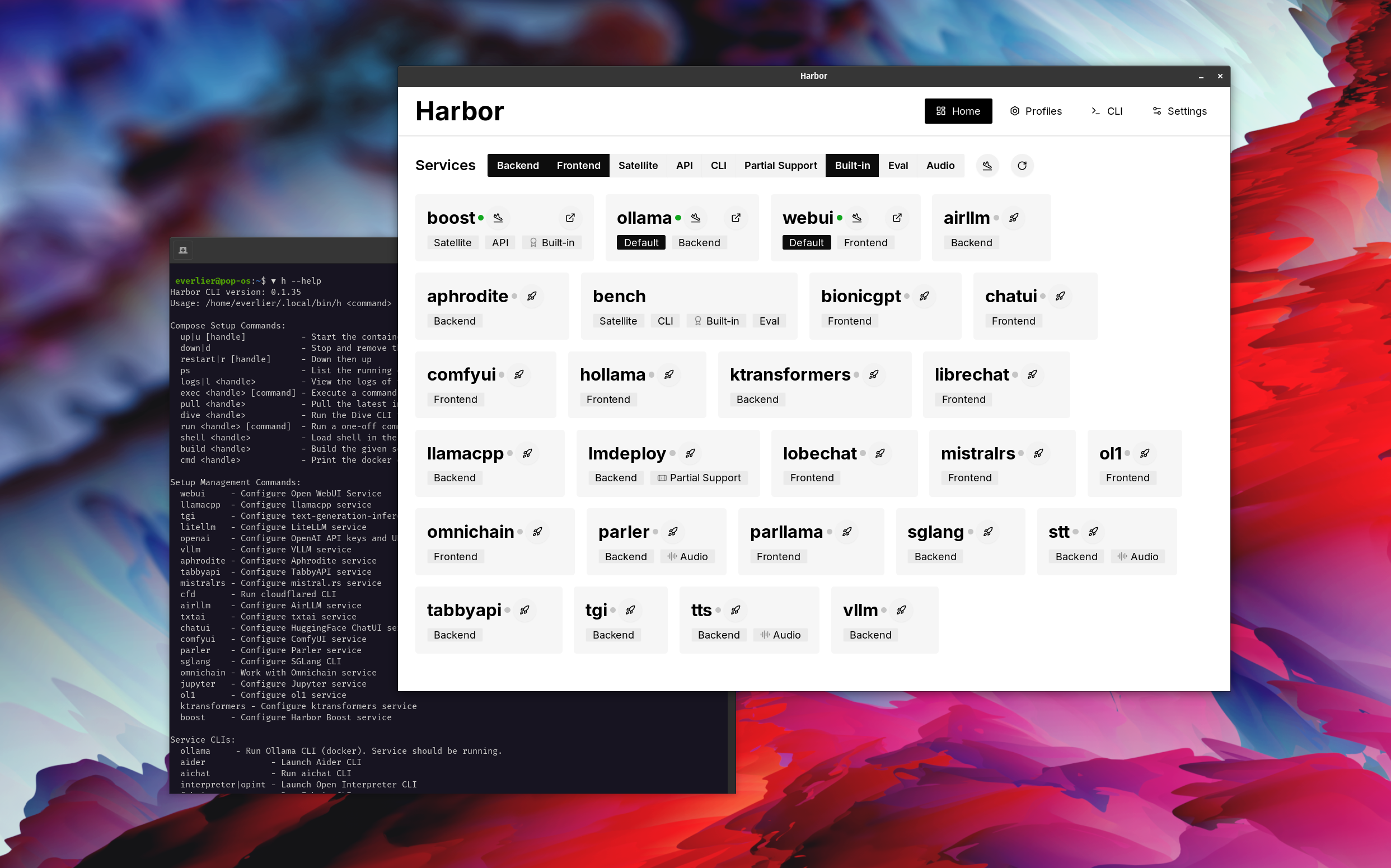
harbor how to ping ollama container from the webui ? في العرض التوضيحي ، يتم استخدام تطبيق Harbour لإطلاق مكدس افتراضي مع Ollama و Open Webui Services. في وقت لاحق ، تم بدء SEARXNG أيضًا ، ويمكن لـ WebUI الاتصال به للحصول على خرقة الويب مباشرة خارج المربع. بعد ذلك ، يتم تشغيل Harbour Boost أيضًا وتوصيله بـ WebUI تلقائيًا للحث على مخرجات أكثر إبداعًا. كخطوة أخيرة ، يتم تعديل تكوين Harbour في التطبيق لوحدة klmbr في دفعة الميناء ، مما يجعل الإخراج غير قابل للشفاء لـ LLM (ولكن لا يزال غير قابل للإلغاء للبشر).
إذا كنت مرتاحًا لإدارة Docker و Linux - فمن المحتمل ألا تحتاج إلى ميناء في حد ذاته لإدارة بيئة LLM المحلية. ومع ذلك ، من المحتمل أيضًا أن تصل في النهاية إلى حل مماثل. أنا أعرف هذا عن حقيقة ، لأنني كنت أرتجف إعدادًا متشابهًا إلى حد كبير ، فقط بدون كل الصرارات والأجراس.
لم يتم تصميم Harbour كحل نشر ، بل كمساعد لبيئة تطوير LLM المحلية. إنها نقطة انطلاق جيدة لتجربة LLMs والخدمات ذات الصلة.
يمكنك لاحقًا الخروج من Harbour واستخدام الخدمات في الإعداد الخاص بك ، أو متابعة استخدام Harbour كقاعدة لتكوينك الخاص.
يتألف هذا المشروع من قذيفة كبيرة إلى حد ما ، ملف صغير إلى حد ما .env Enourmous (لملف واحد) من ملفات docker-compose .
hf ، ollama ، إلخ) عبر Docker بدون تثبيتharbor eject




