tacotron2
1.0.0

This Repository contains a sample code for Tacotron 2, WaveGlow with multi-speaker, emotion embeddings together with a script for data preprocessing.
Checkpoints and code originate from following sources:
configs/experiments folderThe following section lists the requirements in order to start training the Tacotron 2 and WaveGlow models.
Clone the repository:
git clone https://github.com/ide8/tacotron2
cd tacotron2
PROJDIR=$(pwd)
export PYTHONPATH=$PROJDIR:$PYTHONPATHThis repository contains Dockerfile which extends the PyTorch NGC container and encapsulates some dependencies. Aside from these dependencies, ensure you have the following components:
Build an image from Docker file:
docker build --tag taco .Run docker container:
docker run --shm-size=8G --runtime=nvidia -v /absolute/path/to/your/code:/app -v /absolute/path/to/your/training_data:/mnt/train -v /absolute/path/to/your/logs:/mnt/logs -v /absolute/path/to/your/raw-data:/mnt/raw-data -v /absolute/path/to/your/pretrained-checkpoint:/mnt/pretrained -detach taco sleep infCheck container id:
docker psSelect container id of image with tag taco and log into container with:
docker exec -it container_id bash
Folders tacotron2 and waveglow have scripts for Tacotron 2, WaveGlow models and consist of:
<model_name>/model.py - model architecture<model_name>/data_function.py - data loading functions<model_name>/loss_function.py - loss functionFolder common contains common layers for both models (common/layers.py), utils (common/utils.py) and audio processing (common/audio_processing.py and common/stft.py).
Folder router is used by training script to select an appropriate model
In the root directory:
train.py - script for model trainingpreprocess.py - performs audio processing and creates training and validation datasetsinference.ipynb - notebook for running inferenceFolder configs contains __init__.py with all parameters needed for training and data processing. Folder configs/experiments consists of all the experiments. waveglow.py and tacotron2.py are provided as examples for WaveGlow and Tacotron 2.
On training or data processing start, parameters are copied from your experiment (in our case - from waveglow.py or from tacotron2.py) to __init__.py, from which they are used by the system.
wavs folder and metadata.csv file with the next line format: file_name.wav|text.configs/experiments/waveglow.py or in configs/experiments/tacotron2.py, in the class PreprocessingConfig.start_from_preprocessed flag to False. preprocess.py performs trimming of audio files up to PreprocessingConfig.top_db (cuts the silence in the beginning and the end), applies ffmpeg command in order to mono, make same sampling rate and bit rate for all the wavs in dataset.wavs with processed audio files and data.csv file in PreprocessingConfig.output_directory with the following format: path|text|speaker_name|speaker_id|emotion|text_len|duration.process_audio is True. Speakers with flag emotion_present is False, are treated as with emotion neutral-normal.start_from_preprocessed = False once you finish running preprocessing script. Only exception in case of new raw data comes in.start_from_preprocessed is set to True, script loads file data.csv (created by the start_from_preprocessed = False run), and forms train.txt and val.txt out from data.csv.PreprocessingConfig parameters:
cpus - defines number of cores for batch generatorsr - defines sample ratio for reading and writing audioemo_id_map - dictionary for emotion name to emotion_id mappingdata[{'path'}] - is path to folder named with speaker name and containing wavs folder and metadata.csv with the following line format: file_name.wav|text|emotion (optional)PreprocessingConfig.limit_by (this step is needed for proper batch size)PreprocessingConfig.text_limit and PreprocessingConfig.dur_limit. Lower limit for audio is defined by PreprocessingConfig.minimum_viable_durPreprocessingConfig.text_limit to linda_jonsontrain : val = 0.95 : 0.05PreprocessingConfig.n - samples n rowstrain.txt and val.txt to PreprocessingConfig.output_directoryemotion_coefficients.json and speaker_coefficients.json with coefficients for loss balancing (used by train.py).Since both scripts waveglow.py and tacotron2.py contain the class PreprocessingConfig, training and validation dataset can be produced by running any of them:
python preprocess.py --exp tacotron2
or
python preprocess.py --exp waveglow
In configs/experiment/tacotron2.py, in the class Config set:
training_files and validation_files - paths to train.txt, val.txt;tacotron_checkpoint - path to pretrained Tacotron 2 if it exist (we were able to restore Waveglow from Nvidia, but Tacotron 2 code was edited to add speakers and emotions, so Tacotron 2 needs to be trained from scratch);speaker_coefficients - path to speaker_coefficients.json;emotion_coefficients - path to emotion_coefficients.json;output_directory - path for writing logs and checkpoints;use_emotions - flag indicating emotions usage;use_loss_coefficients - flag indicating loss scaling due to possible data disbalance in terms of both speakers and emotions; for balancing loss, set paths to jsons with coefficients in emotion_coefficients and speaker_coefficients;model_name - "Tacotron2".python train.py --exp tacotron2
python -m multiproc train.py --exp tacotron2
In configs/experiment/waveglow.py, in the class Config set:
training_files and validation_files - paths to train.txt, val.txt;waveglow_checkpoint - path to pretrained Waveglow, restored from Nvidia. Download checkopoint.output_directory - path for writing logs and checkpoints;use_emotions - False;use_loss_coefficients - False;model_name - "WaveGlow".python train.py --exp waveglow
python -m multiproc train.py --exp waveglow
Once you made your model start training, you might want to see some progress of training:
docker ps
Select container id of image with tag taco and run:
docker exec -it container_id bash
Start Tensorboard:
tensorboard --logdir=path_to_folder_with_logs --host=0.0.0.0
Loss is being written into tensorboard:
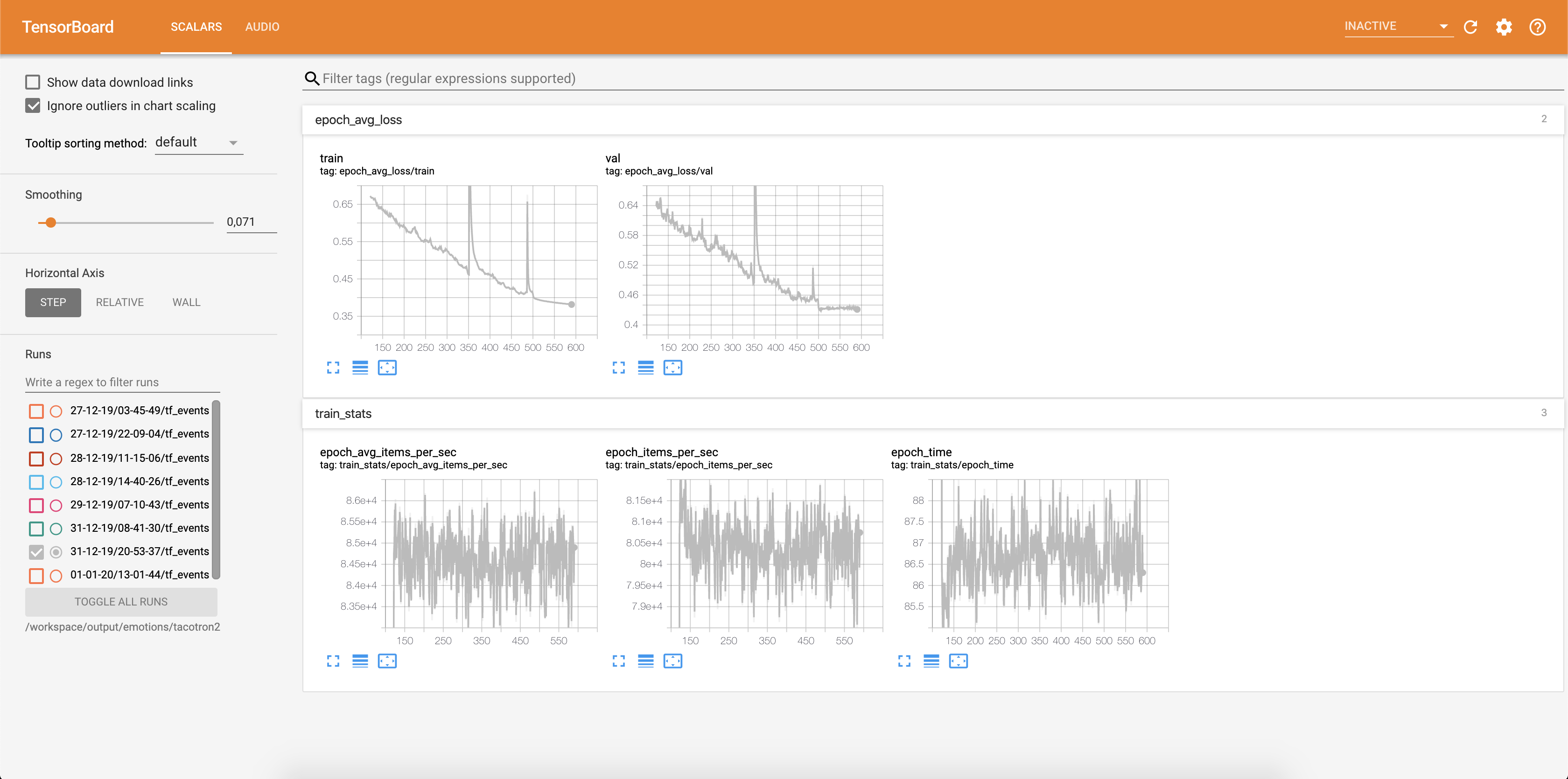
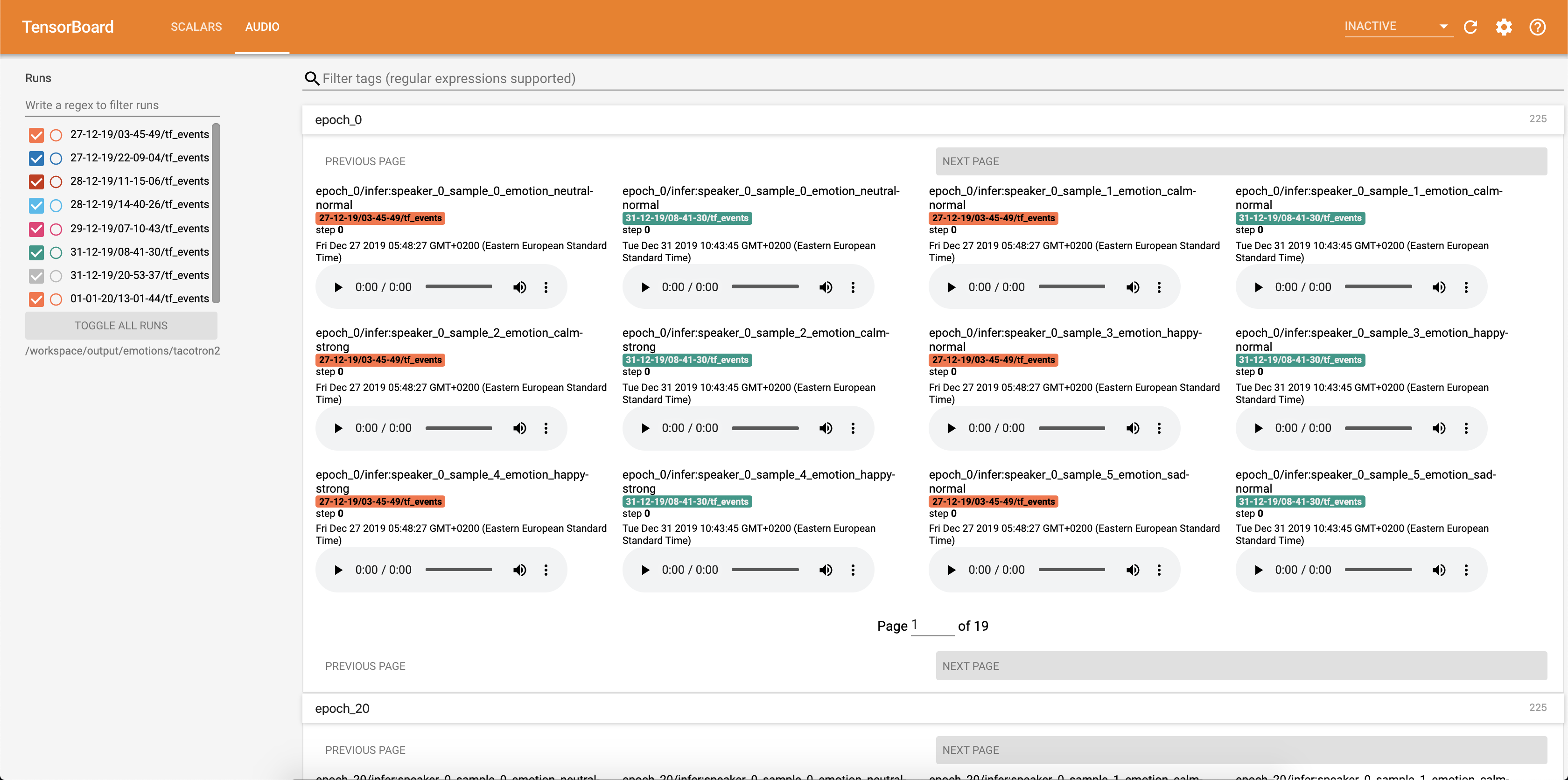
Audio samples together with attention alignments are saved into tensorbaord each Config.epochs_per_checkpoint. Transcripts for audios are listed in Config.phrases
Running inference with the inference.ipynb notebook.
Run Jupyter Notebook:
jupyter notebook --ip 0.0.0.0 --port 6006 --no-browser --allow-root
output:
root@04096a19c266:/app# jupyter notebook --ip 0.0.0.0 --port 6006 --no-browser --allow-root
[I 09:31:25.393 NotebookApp] JupyterLab extension loaded from /opt/conda/lib/python3.6/site-packages/jupyterlab
[I 09:31:25.393 NotebookApp] JupyterLab application directory is /opt/conda/share/jupyter/lab
[I 09:31:25.395 NotebookApp] Serving notebooks from local directory: /app
[I 09:31:25.395 NotebookApp] The Jupyter Notebook is running at:
[I 09:31:25.395 NotebookApp] http://(04096a19c266 or 127.0.0.1):6006/?token=bbd413aef225c1394be3b9de144242075e651bea937eecce
[I 09:31:25.395 NotebookApp] Use Control-C to stop this server and shut down all kernels (twice to skip confirmation).
[C 09:31:25.398 NotebookApp]

    To access the notebook, open this file in a browser:
        file:///root/.local/share/jupyter/runtime/nbserver-15398-open.html
    Or copy and paste one of these URLs:
        http://(04096a19c266 or 127.0.0.1):6006/?token=bbd413aef225c1394be3b9de144242075e651bea937eecce
Select adress with 127.0.0.1 and put it in the browser.
In this case:
http://127.0.0.1:6006/?token=bbd413aef225c1394be3b9de144242075e651bea937eecce
This script takes text as input and runs Tacotron 2 and then WaveGlow inference to produce an audio file. It requires pre-trained checkpoints from Tacotron 2 and WaveGlow models, input text, speaker_id and emotion_id.
Change paths to checkpoints of pretrained Tacotron 2 and WaveGlow in the cell [2] of the inference.ipynb.
Write a text to be displayed in the cell [7] of the inference.ipynb.
In this section, we list the most important hyperparameters, together with their default values that are used to train Tacotron 2 and WaveGlow models.
epochs - number of epochs (Tacotron 2: 1501, WaveGlow: 1001)learning-rate - learning rate (Tacotron 2: 1e-3, WaveGlow: 1e-4)batch-size - batch size (Tacotron 2: 64, WaveGlow: 11)grad_clip_thresh - gradient clipping treshold (0.1)sampling-rate - sampling rate in Hz of input and output audio (22050)filter-length - (1024)hop-length - hop length for FFT, i.e., sample stride between consecutive FFTs (256)win-length - window size for FFT (1024)mel-fmin - lowest frequency in Hz (0.0)mel-fmax - highest frequency in Hz (8.000)anneal-steps - epochs at which to anneal the learning rate (500/ 1000/ 1500)anneal-factor - factor by which to anneal the learning rate (0.1)
These two parameters are used to change learning rate at the points defined in anneal-steps according to:learning_rate = learning_rate * ( anneal_factor ** p),p = 0 at the first step and increments by 1 each step.segment-length - segment length of input audio processed by the neural network (8000). Before passing to input, audio is padded or croped to segment-length.wn_config - dictionary with parameters of affine coupling layers. Contains n_layers, n_chanels, kernel_size.If you've ever wanted to contribute to open source, and a great cause, now is your chance!
See the contributing docs for more information







