LLM Finetuning Toolkit
v0.2.3

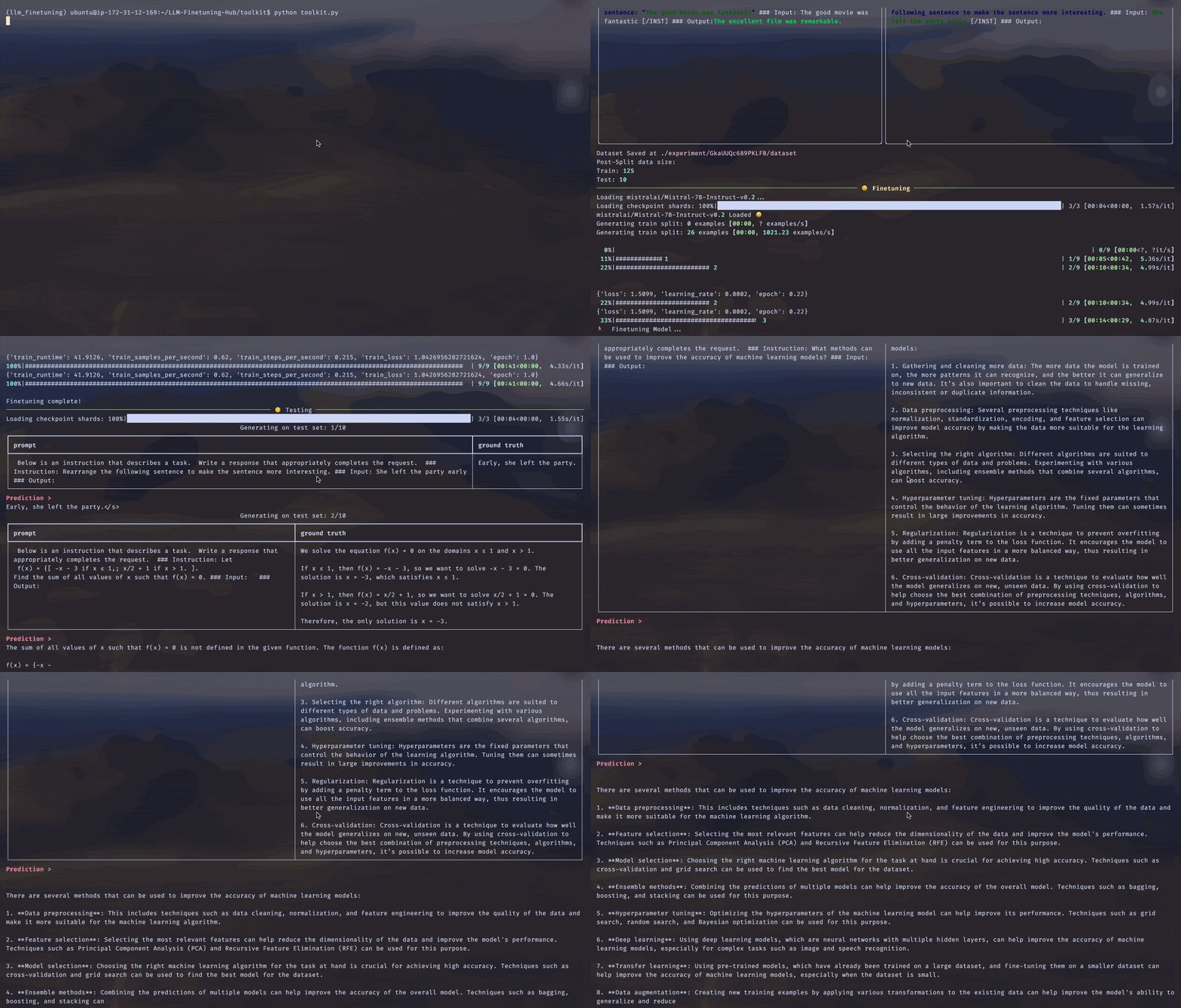
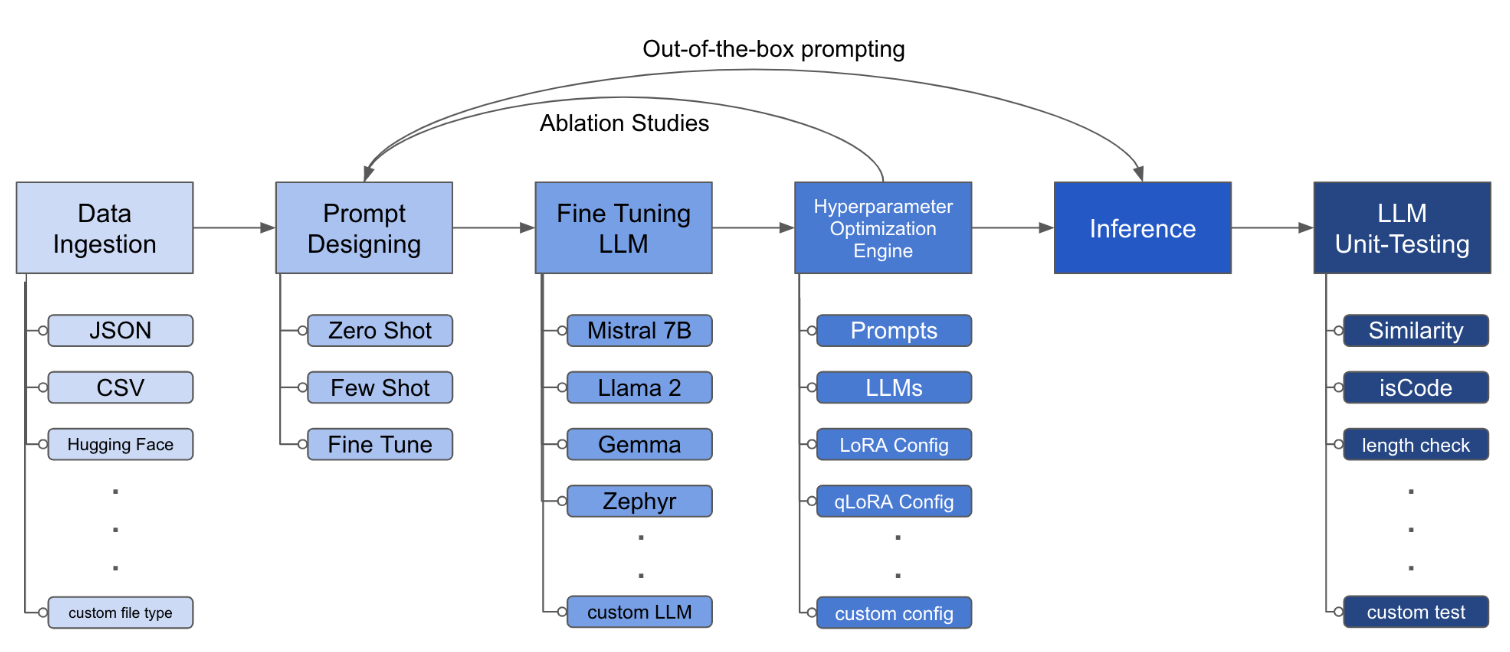
LLM Finetuning Toolkit是一種基於配置的CLI工具,用於在您的數據上啟動一系列LLM微調實驗並收集結果。從一個yaml配置文件中,控制典型實驗管道的所有元素 -提示,開源LLM ,優化策略和LLM測試。
PIPX在單獨的虛擬環境中安裝軟件包和依賴項
pipx install llm-toolkitpip install llm-toolkit本指南包含3個階段,可以使您能夠充分利用此工具包!
llmtune generate config
llmtune run ./config.yml第一個命令生成有用的啟動器config.yml文件,並保存在當前工作目錄中。提供給用戶快速入門,並作為進一步修改的基礎。
然後,第二個命令使用默認YAML Configuration config.yaml中指定的設置來啟動微調過程。
配置文件是定義工具包行為的中心部分。它以YAML格式編寫,由幾個部分組成,這些部分控製過程的不同方面,例如數據攝入,模型定義,培訓,推理和質量保證。我們重點介紹了一些關鍵部分。
啟用閃存注意力的支持模型。首先安裝flash-attn :
pipx
pipx inject llm-toolkit flash-attn --pip-args=--no-build-isolationpip
pip install flash-attn --no-build-isolation
然後,添加到配置文件。
 model :
  torch_dtype : " bfloat16 " # or "float16" if using older GPU
attn_implementation : " flash_attention_2 " 數據攝入可能是什麼樣子:
 data :
  file_type : " huggingface "
  path : " yahma/alpaca-cleaned "
  prompt :
    # ## Instruction: {instruction}
    # ## Input: {input}
    # ## Output:
  prompt_stub : { output }
  test_size : 0.1 # Proportion of test as % of total; if integer then # of samples
  train_size : 0.9 # Proportion of train as % of total; if integer then # of samples
train_test_split_seed : 42 file_type : " json "
path : " <path to your data file> file_type : " csv "
path : " <path to your data file>提示字段有助於創建說明以微調LLM。它讀取數據集中存在的{}括號中提到的特定列中的數據。在提供的示例中,可以預期數據文件具有列名: instruction , input和output 。
在微調過程中,提示字段同時使用prompt和prompt_stub 。但是,在測試過程中,僅prompt部分用作微調LLM的輸入。
 model :
  hf_model_ckpt : " NousResearch/Llama-2-7b-hf "
  quantize : true
  bitsandbytes :
    load_in_4bit : true
    bnb_4bit_compute_dtype : " bf16 "
    bnb_4bit_quant_type : " nf4 "

# LoRA Params -------------------
lora :
  task_type : " CAUSAL_LM "
  r : 32
  lora_dropout : 0.1
  target_modules :
    - q_proj
    - v_proj
    - k_proj
    - o_proj
    - up_proj
    - down_proj
- gate_proj hf_model_ckpt : " mistralai/Mistral-7B-v0.1 " hf_model_ckpt : " tiiuae/falcon-7b "r和輟學。 lora :
r : 64
lora_dropout : 0.25 qa :
llm_metrics :
- length_test
- word_overlap_test此配置將在目錄中進行微調並保存結果./experiment/[unique_hash] 。每種唯一的配置都會生成一個唯一的哈希,以便我們的工具可以自動拾取其關閉的位置。例如,如果您需要在培訓的中間退出,則通過重新啟動腳本,該程序將自動加載在目錄下生成的現有數據集,而不是再次進行。
腳本完成後,您將看到這些獨特的文物:
/dataset # generated pkl file in hf datasets format
/model # peft model weights in hf format
/results # csv of prompt, ground truth, and predicted values
/qa # csv of test results: e.g. vector similarity between ground truth and prediction
一旦將所有更改都合併到YAML文件中,您就可以使用它來運行自定義微調實驗!
python toolkit.py --config-path < path to custom YAML file >微調工作流程通常涉及在各種LLM上進行消融研究,及時設計和優化技術。可以更改配置文件以支持運行消融研究。
 data :
  file_type : " huggingface "
  path : " yahma/alpaca-cleaned "
  prompt :
    - >-
      This is the first prompt template to iterate over
      ### Input: {input}
      ### Output:
    - >-
      This is the second prompt template
      ### Instruction: {instruction}
      ### Input: {input}
      ### Output:
  prompt_stub : { output }
  test_size : 0.1 # Proportion of test as % of total; if integer then # of samples
  train_size : 0.9 # Proportion of train as % of total; if integer then # of samples
train_test_split_seed : 42 model :
hf_model_ckpt :
[
" NousResearch/Llama-2-7b-hf " ,
mistralai/Mistral-7B-v0.1",
" tiiuae/falcon-7b " ,
]
quantize : true
bitsandbytes :
load_in_4bit : true
bnb_4bit_compute_dtype : " bf16 "
bnb_4bit_quant_type : " nf4 " lora :
r : [16, 32, 64]
lora_dropout : [0.25, 0.50] 該工具包提供了模塊化且可擴展的體系結構,使開發人員可以自定義和增強其功能以適應其特定需求。工具包的每個組件,例如數據攝入,微調,推理和質量保證測試,旨在易於擴展。
歡迎和鼓勵對該工具包的開源供款。如果您想做出貢獻,請參閱parduting.md。





