SHARK Studio
nod.ai SHARK 20240531.1300

高性能机器学习分布
我们目前正在重建鲨鱼以利用涡轮机。在完成此操作之前,请确保您使用.exe释放或SHARK-1.0分支的结帐,以进行工作鲨鱼
其他用户请确保您从这里使用最新的供应商驱动程序和Vulkan SDK,如果您使用的是Vulkan Check Check vulkaninfo在终端窗口中工作
从(先决条件)[https://github.com/nod-ai/shark-studio#install-your-hardware-drivers]中安装驱动程序
下载稳定版本或最新的鲨鱼1.0预释放。
双击.EXE,或从命令行(推荐)运行,您应该在浏览器中使用UI。
如果您有自定义模型,则将它们放在.exe所在的models/目录中。
享受。
cd )更改为.EXE文件夹。然后从命令提示符中运行EXE。这样,如果发生错误,您将能够将其剪切并寻求帮助。 (如果它总是为您工作而没有错误,则可以双击EXE)--ui=web命令参数。 git clone https://github.com/nod-ai/SHARK.git
cd SHARK目前,鲨鱼正在main分支上为涡轮机重建。目前,除非您正在进行重建工作,否则您强烈不鼓励使用main ,并且不应该期望那里的代码生成图像生成的工作应用程序,因此现在您需要切换到SHARK-1.0分支并使用稳定的代码。
git checkout SHARK-1.0以下设置说明假定您在此分支上。
set-executionpolicy remotesigned. / setup_venv.ps1 # You can re-run this script to get the latest version./setup_venv.sh
source shark1.venv/bin/activate(shark1.venv) PS C:gshark > cd .appsstable_diffusionweb
(shark1.venv) PS C:gsharkappsstable_diffusionweb > python .index.py(shark1.venv) > cd apps/stable_diffusion/web
(shark1.venv) > python index.py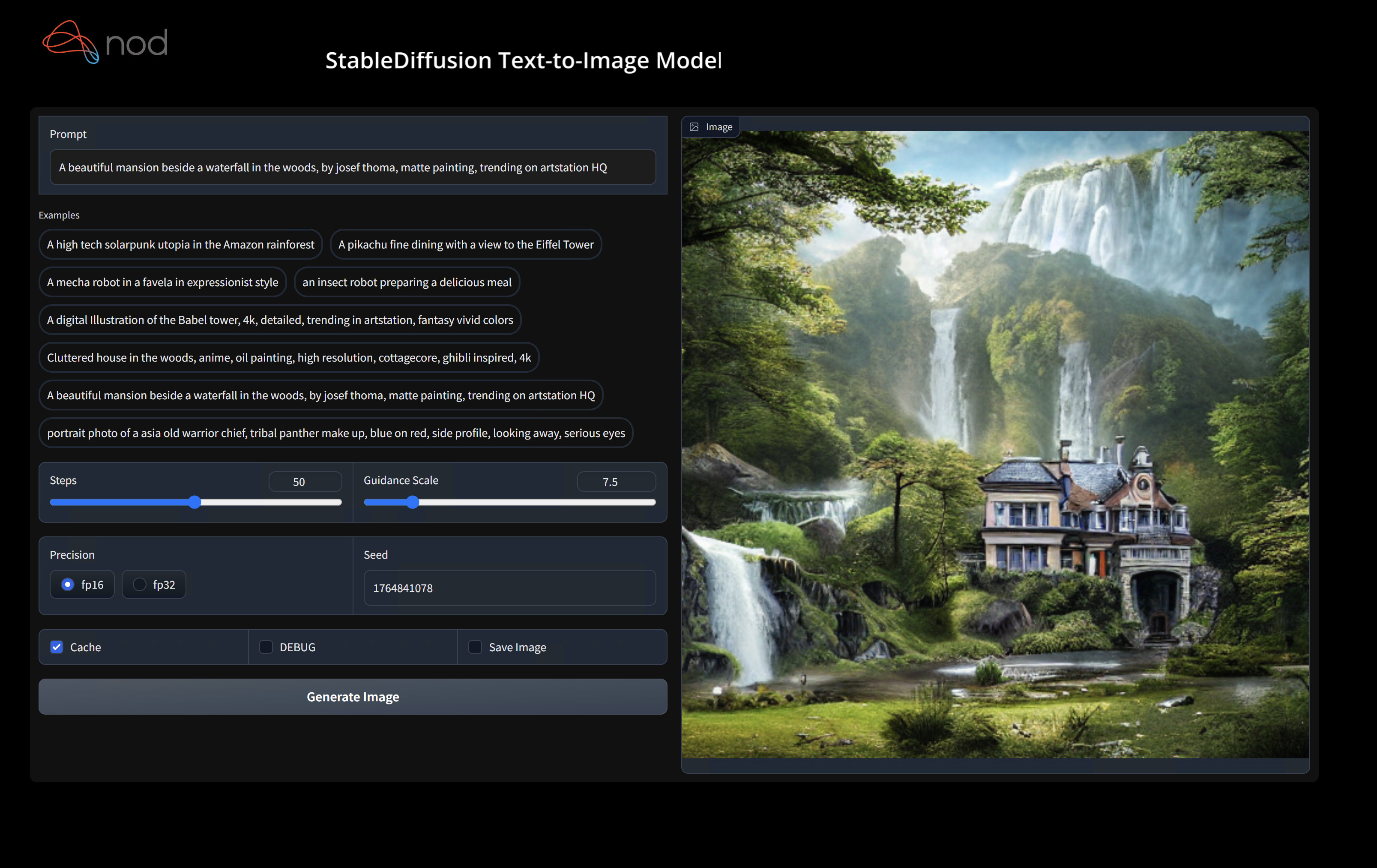
(shark1.venv) PS C:gshark > python .appsstable_diffusionscriptsmain.py -- app = " txt2img " -- precision = " fp16 " -- prompt = " tajmahal, snow, sunflowers, oil on canvas " -- device = " vulkan " python3.11 apps/stable_diffusion/scripts/main.py --app=txt2img --precision=fp16 --device=vulkan --prompt= " tajmahal, oil on canvas, sunflowers, 4k, uhd "您可以用cpu替换vulkan ,以在CPU上或使用cuda运行以在CUDA设备上运行。如果您有多个Vulkan设备,则可以使用--device=vulkan://1等来解决它们
AMD 7900XTX上的输出看起来像:
Average step time: 47.19188690185547ms/it
Clip Inference time (ms) = 109.531
VAE Inference time (ms): 78.590

Total image generation time: 2.5788655281066895sec
这是生成的一些样本:

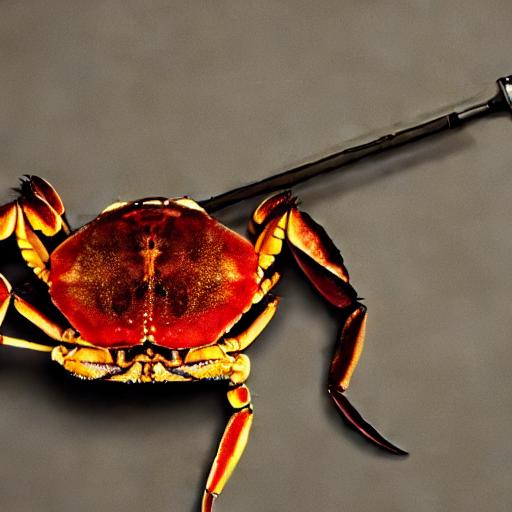
如果您在硬件上运行它有任何麻烦,请在Shark Discord服务器上找到我们。
此步骤为Python设置了一个新的Virtualenv
python --version # Check you have 3.11 on Linux, macOS or Windows Powershell
python -m venv shark_venv
source shark_venv/bin/activate   # Use shark_venv/Scripts/activate on Windows

# If you are using conda create and activate a new conda env

# Some older pip installs may not be able to handle the recent PyTorch deps
python -m pip install --upgrade pipMACOS金属用户请安装https://sdk.lunarg.com/sdk/download/latest/mac/vulkan-sdk.dmg,并启用“系统宽安装”
此步骤PIP在Linux Python 3.8、3.10和3.11以及MacOS / Windows Python 3.11上安装鲨鱼和相关软件包
pip install nodai-shark -f https://nod-ai.github.io/SHARK/package-index/ -f https://llvm.github.io/torch-mlir/package-index/ -f https://nod-ai.github.io/SRT/pip-release-links.html --extra-index-url https://download.pytorch.org/whl/nightly/cpupytest tank/test_models.py有关我们的Pytest Suite和CLI的更详细的演练,请参见Tank/readme.md。
curl -O https://raw.githubusercontent.com/nod-ai/SHARK/main/shark/examples/shark_inference/resnet50_script.py
# Install deps for test script
pip install --pre torch torchvision torchaudio tqdm pillow gsutil --extra-index-url https://download.pytorch.org/whl/nightly/cpu
python ./resnet50_script.py --device= " cpu " # use cuda or vulkan or metalcurl -O https://raw.githubusercontent.com/nod-ai/SHARK/main/shark/examples/shark_inference/minilm_jit.py
# Install deps for test script
pip install transformers torch --extra-index-url https://download.pytorch.org/whl/nightly/cpu
python ./minilm_jit.py --device= " cpu " # use cuda or vulkan or metal如果要使用python3.11并使用TF导入工具,则可以使用以下环境变量,例如:set USE_IREE=1用于上游iree
# PYTHON=python3.11 VENV_DIR=0617_venv IMPORTER=1 ./setup_venv.sh
python -m  shark.examples.shark_inference.resnet50_script --device= " cpu " # Use gpu | vulkan
# Or a pytest
pytest tank/test_models.py -k " MiniLM "如果您是Torch-Mlir开发人员或IREE开发人员,并且希望测试本地更改,则可以使用pip uninstall torch-mlir和 /或pip uninstall iree-compiler iree-runtime ,并在本地构建Python bitthon bitthon,并在此处提到的IREE和此处提到的Torch-Mlir,并将其设置为Pythonth。
如何将本地建造的火炬与鲨鱼一起使用:
1.) Run ` ./setup_venv.sh in SHARK ` and activate ` shark.venv ` virtual env.
2.) Run ` pip uninstall torch-mlir ` .
3.) Go to your local Torch-MLIR directory.
4.) Activate mlir_venv virtual envirnoment.
5.) Run ` pip uninstall -r requirements.txt ` .
6.) Run ` pip install -r requirements.txt ` .
7.) Build Torch-MLIR.
8.) Activate shark.venv virtual environment from the Torch-MLIR directory.
8.) Run ` export PYTHONPATH= ` pwd ` /build/tools/torch-mlir/python_packages/torch_mlir: ` pwd ` /examples ` in the Torch-MLIR directory.
9.) Go to the SHARK directory.
现在,鲨鱼将使用您的本地构建火炬 - 马里尔仓库。
要产生单个调度的基准,您可以添加--dispatch_benchmarks=All --dispatch_benchmarks_dir=<output_dir>到您的pytest命令行参数。如果您只想编译特定的调度,则可以用空格分离字符串而不是"All"指定它们。例如 - --dispatch_benchmarks="0 1 2 10"
例如,在CUDA上生成和运行Minilm的调度基准:
pytest -k "MiniLM and torch and static and cuda" --benchmark_dispatches=All -s --dispatch_benchmarks_dir=./my_dispatch_benchmarks
给定命令将填充<dispatch_benchmarks_dir>/<model_name>/带有ordered_dispatches.txt ,列出并列出并订购了调度及其潜伏期,以及包含.mlir,.vmfb的每个调度文件夹,以及该调度的基准标记的结果。
如果您想将其合并到Python脚本中,则可以在初始化SharkInference时传递dispatch_benchmarks和dispatch_benchmarks_dir命令,并且在编译时将生成基准测试。例如:
 shark_module = SharkInference(
        mlir_model,
        device=args.device,
        mlir_dialect="tm_tensor",
        dispatch_benchmarks="all",
        dispatch_benchmarks_dir="results"
    )
输出将包括:
有关如何从鲨鱼罐中运行模型测试和基准测试的进一步说明,请参见Tank/readme.md。
from shark.shark_importer import SharkImporter

# SharkImporter imports mlir file from the torch, tensorflow or tf-lite module.

mlir_importer = SharkImporter(
    torch_module,
    (input),
    frontend="torch",  #tf, #tf-lite
)
torch_mlir, func_name = mlir_importer.import_mlir(tracing_required=True)

# SharkInference accepts mlir in linalg, mhlo, and tosa dialect.

from shark.shark_inference import SharkInference
shark_module = SharkInference(torch_mlir, device="cpu", mlir_dialect="linalg")
shark_module.compile()
result = shark_module.forward((input))
 from shark.shark_inference import SharkInference
import numpy as np

mhlo_ir = r"""builtin.module  {
      func.func @forward(%arg0: tensor<1x4xf32>, %arg1: tensor<4x1xf32>) -> tensor<4x4xf32> {
        %0 = chlo.broadcast_add %arg0, %arg1 : (tensor<1x4xf32>, tensor<4x1xf32>) -> tensor<4x4xf32>
        %1 = "mhlo.abs"(%0) : (tensor<4x4xf32>) -> tensor<4x4xf32>
        return %1 : tensor<4x4xf32>
      }
}"""

arg0 = np.ones((1, 4)).astype(np.float32)
arg1 = np.ones((4, 1)).astype(np.float32)
shark_module = SharkInference(mhlo_ir, device="cpu", mlir_dialect="mhlo")
shark_module.compile()
result = shark_module.forward((arg0, arg1))
鲨鱼的维持是为了支持ML模型中的最新创新:
| TF拥抱面模型 | 鲨鱼CPU | 鲨鱼库达 | 鲨鱼金属 |
|---|---|---|---|
| 伯特 | |||
| Distilbert | |||
| GPT2 | |||
| 盛开 | |||
| 稳定的扩散 | |||
| 视觉变压器 | |||
| RESNET50 |
有关鲨鱼支持的模型的完整列表,请参阅Tank/readme.md。
#torch-mlir频道 - 这是最活跃的通信频道torch-mlir部分NOD.AI鲨鱼已根据Apache 2.0许可证的条款获得许可,其LLVM例外。有关更多信息,请参见许可证。








