folderify
v4.0.1

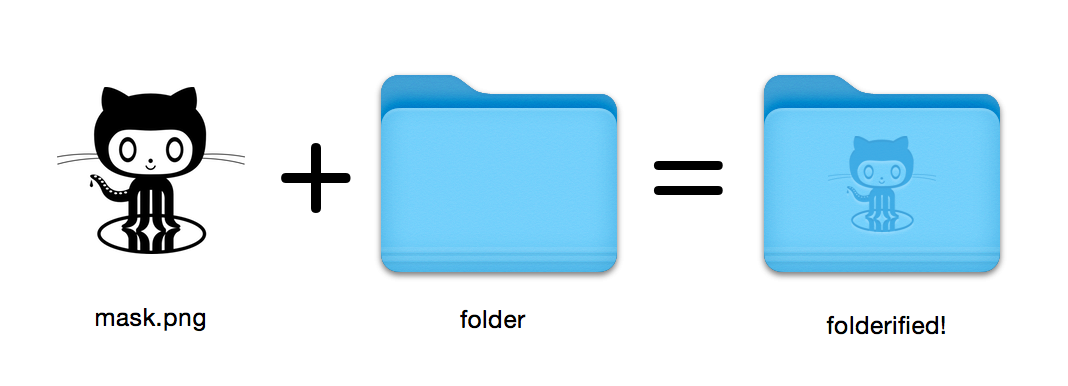
以本机样式生成像素完美的MacOS文件夹图标。
16x16到512x512@2x所有图标尺寸。使用folderify ?让我知道或让我知道,我很想展示一些现实世界的用途!
使用Homebrew安装folderify :
brew install folderify建议使用Homebrew Install,并自动为您的外壳安装folderify参数完成。
有关其他安装选项,请参见下文。
使用掩码将图标分配给文件夹:
folderify mask.png /path/to/folder生成mask.icns和mask.iconset文件:
folderify mask.png默认情况下, folderify使用系统的当前灯/暗模式。使用--color-scheme来覆盖以下内容:
folderify --color-scheme dark mask.png笔记:
为了获得最佳结果:
.png面膜。--no-trim标志并使用掩码: v3的文件夹样式不再由folderify支持:
要生成这些,请使用folderify V2。例如:
pip3 install folderify
python3 -m folderify --macOS 10.5 path/to/icon.png如果您没有自制的,但是您的系统上已经有ImageMagick( magick二进制),则可以使用以下内容:
cargo install folderify或直接下载代码:
git clone https://github.com/lgarron/folderify && cd folderify

# Run directly
cargo run -- --reveal examples/src/folder_outline.png .

# Install (assuming the `cargo` bin is in your path)
cargo install --path .
folderify --reveal examples/src/folder_outline.png .
存储库文件夹现在应具有自定义图标。
 for file in examples/src/ * .png ; do cargo run -- $file ; done
open examples/src/您应该看到一堆新的.iconset文件夹和.icns文件,这些文件自动从.png masks生成。
magick并identify )。iconutilfileiconsips , DeRez , Rez , SetFile (其中一些需要Xcode命令行工具。) Generate a native-style macOS folder icon from a mask file.
Usage: folderify [OPTIONS] [MASK] [TARGET]
Arguments:
[MASK]
Mask image file. For best results:
- Use a .png mask.
- Use a solid black design over a transparent background.
- Make sure the corner pixels of the mask image are transparent. They are used for empty margins.
- Make sure the non-transparent pixels span a height of 384px, using a 16px grid.
If the height is 384px and the width is a multiple of 128px, each 64x64 tile will exactly align with 1 pixel at the smallest folder size.
[TARGET]
Target file or folder. If a target is specified, the resulting icon will
be applied to the target file/folder. Else (unless --output-icns or
--output-iconset is specified), a .iconset folder and .icns file will be
created in the same folder as the mask (you can use "Get Info" in Finder
to copy the icon from the .icns file).
Options:
--output-icns <ICNS_FILE>
Write the `.icns` file to the given path.
(Will be written even if a target is also specified.)
--output-iconset <ICONSET_FOLDER>
Write the `.iconset` folder to the given path.
(Will be written even if a target is also specified.)
-r, --reveal
Reveal either the target, `.icns`, or `.iconset` (in that order of preference) in Finder
--macOS <MACOS_VERSION>
Version of the macOS folder icon, e.g. "14.2.1". Defaults to the version currently running
--color-scheme <COLOR_SCHEME>
Color scheme — auto matches the current system value
[default: auto]
[possible values: auto, light, dark]
--no-trim
Don't trim margins from the mask.
By default (i.e. without this flag), transparent margins are trimmed from all 4 sides.
--no-progress
Don't show progress bars
--badge <BADGE>
Add a badge to the icon. Currently only supports one badge at a time
[possible values: alias, locked]
-v, --verbose
Detailed output. Also sets `--no-progress`
--completions <SHELL>
Print completions for the given shell (instead of generating any icons).
These can be loaded/stored permanently (e.g. when using Homebrew), but they can also be sourced directly, e.g.:
folderify --completions fish | source # fish
source <(folderify --completions zsh) # zsh
[possible values: bash, elvish, fish, powershell, zsh]
-h, --help
Print help (see a summary with '-h')
-V, --version
Print version
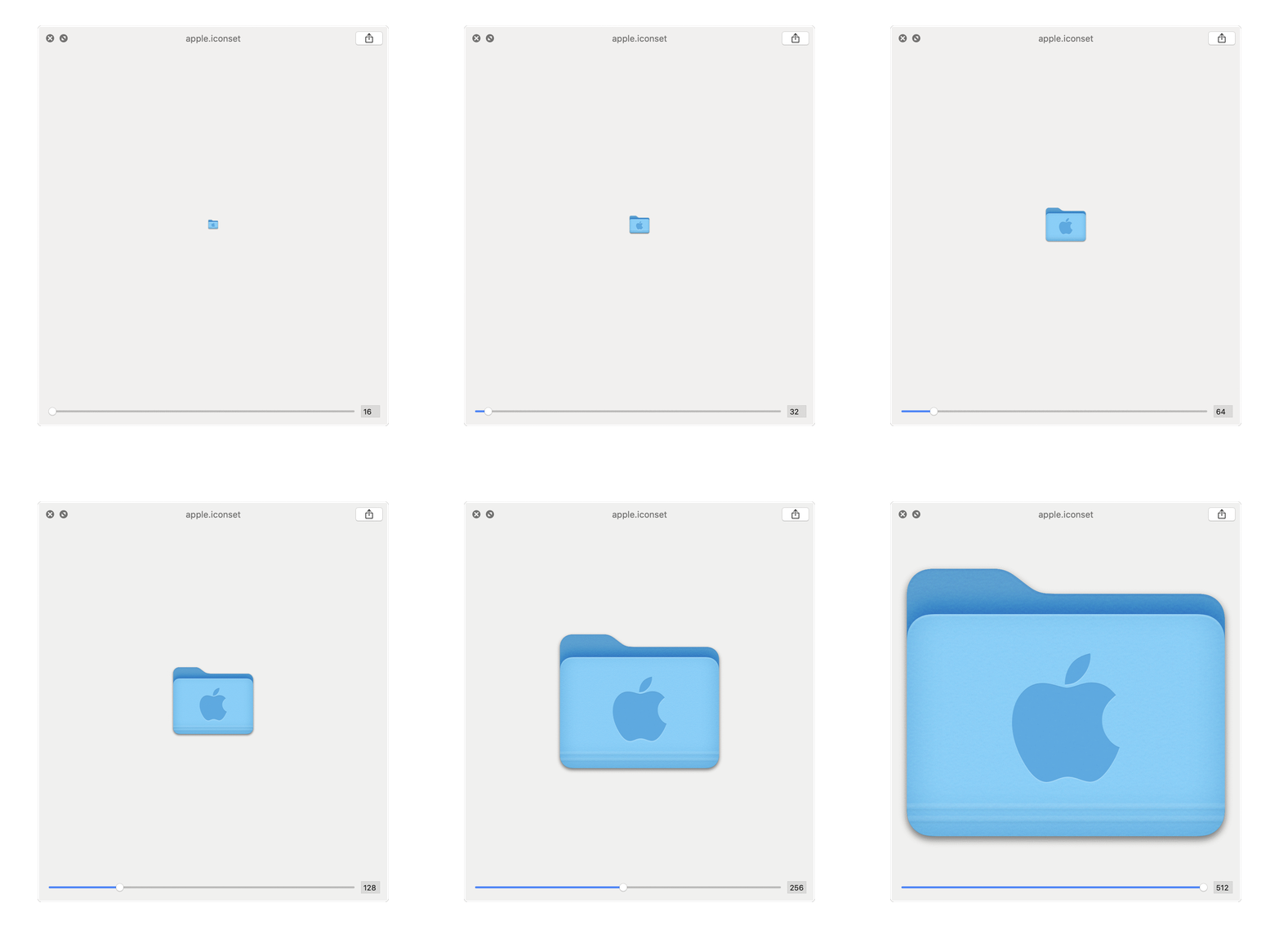
从Apple徽标生成的示例: