image_search
1.0.0

The advent of the internet revolutionized the way we access information through potent search engines such as Google, Bing, and Yandex. With just a few keywords, we can swiftly locate web pages pertinent to our queries. As technology, particularly AI, advances, many search engines now facilitate online image searches.
Various techniques for image searching have emerged, including:
In this project, we will use a pre-trained Convolutional Neural Network (CNN) to extract valuable features from the images. This methodology, a key component of content-based image search, provides the following benefits:
In summary, in this study we will like to answer the following question: Are two similar images associated embedding are still similar?
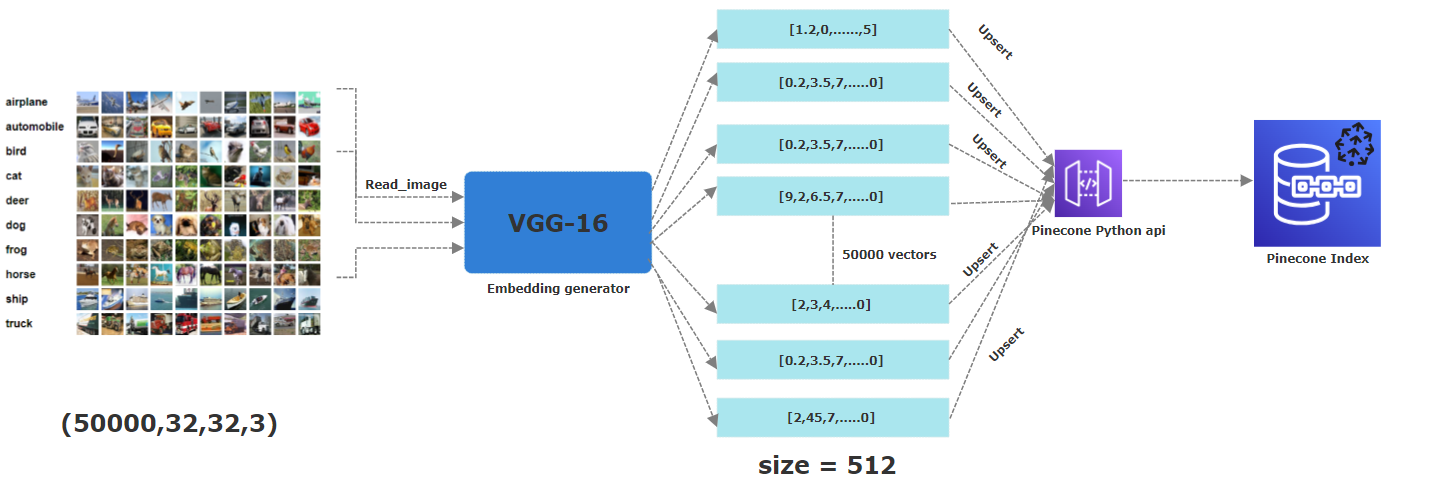
For this project, we've used the Cifar-10. It's is a freely available dataset comprising 60,000 color images, each measuring 32x32 pixels. These images belong to 10 distinct categories: Airplane, Automobile, Bird, Cat, Deer, Dog, Frog, Horse, Ship, and Truck. To obtain their corresponding embeddings, we applied a pre-trained CNN model, specifically VGG-16, to extract essential features. The resulting vector is 512-dimensional. Within Pinecone, we created an index named "images" with a dimension of 512, where all these vectors will be stored.
THe idea behind this project is to find if similar images of Birds for example have similar embeddings. To do so,we've uploaded 50,000 out of the total 60,000 images associated embedding to a pinecone index . This partition was made to ensure that we have entirely new and distinct images compared to those already stored as vectors in Pinecone. Also note that this paritioning is already done by the cifar-10 dataset into train and test batches representing the serialized versions of the original images arrays.
The picutre below describe the whole process of storing the embeddings to a pinecone index. From the first step of reading the images, applying a pre-trained VGG16 neural network to generate 512 dimensional embbedings which are then upserted (ie stored) in a pinecone index.
In this project, we are handling 50 thousand images, which pose some challenges in terms of compution especially when reading images, unpickle (we've downlaoded the CIFAR-10 dataset serialized version) them and extracting features via a CNN.
We tried to leverage the power of parrallel computing when running our code so that everything runs as fast as possible on multiple CPU cores via multithreading.
Note: If possible, run this project on a GPU powered environment for faster computations.
Create a pinecone account for free here.
Get the api key and environement associated to your pinecone account
Clone this repo (for help see this tutorial).
Create a virtual environment in the project folder (for help see this tutorial).
Run the following command to install the necessary packages.
pip3 install -r requirements.txt
pip install -r requirements.txt
python insert_data.py -key <API_KEY> -env <ENV> -metric <METRIC>
Replace <ENV> and <API_KEY> with the values you get from your pinecone account. Wait for the script to be done. 7. Launch the app using the following.
streamlit run app.py -- -key <API_KEY> -env <ENV>
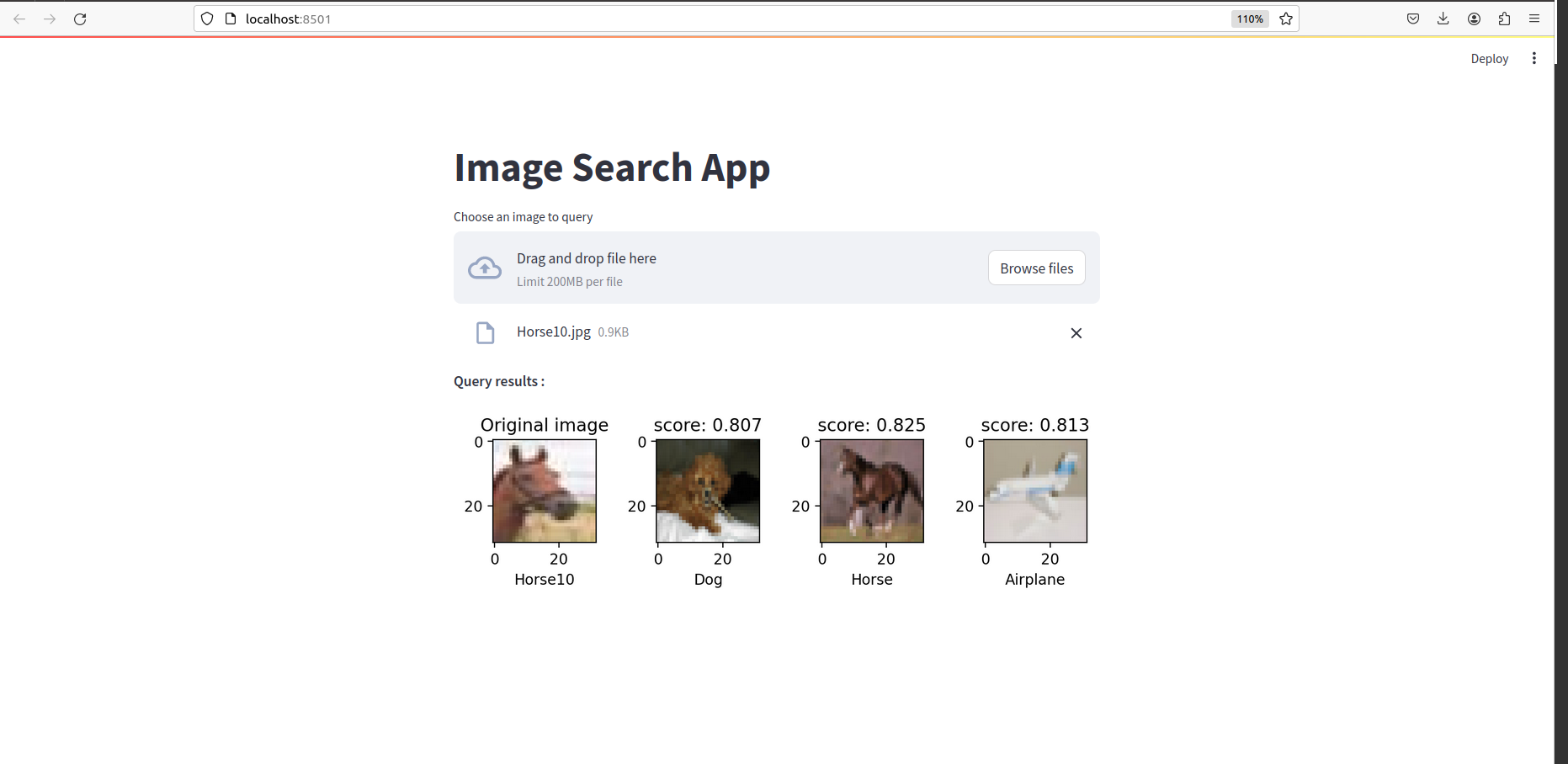
Once everything is done, you should see something like this: