coast_audio
1.0.0

coast_audio是用DART編寫的高性能音頻處理庫。
該軟件包的目的是提供低級音頻功能,而無需撲動依賴性。
| 安卓 | ios | macos | 視窗 | Linux | 網絡 |
|---|---|---|---|---|---|
| ✅ | ✅ | ✅ | ✅ |
coast_audio建在dart:ffi的頂部。
因此,它可以在支持FFI的任何飛鏢環境中使用。
某些功能是在使用Miniaudio的本機代碼中實現的。
該存儲庫包含每個受支持平台的預構建二進製文件。
將以下內容添加到您的pubspec.yaml :
coast_audio : ^1.0.0android/src/main/jniLibs 。{ABI}/libcoast_audio.so從native/prebuilt/android目錄複製到jniLibs目錄。將以下內容添加到您的Podfile :
 target 'Runner' do
  ...
  pod 'CoastAudio' , :git => 'https://github.com/SKKbySSK/coast_audio.git' , :tag => '1.0.0'
end打開AppDelegate.swift文件,並添加以下Import和CoastAudioSymbolKeeper.keep()致電:
import CoastAudio // 1. Add import

@ UIApplicationMain
@ objc class AppDelegate : FlutterAppDelegate {
  override func application (
    _ application : UIApplication ,
    didFinishLaunchingWithOptions launchOptions : [ UIApplication . LaunchOptionsKey : Any ] ?
  ) -> Bool {
    CoastAudioSymbolKeeper . keep ( ) // 2. Add this line to prevent native symbols from being stripped (You can place this anywhere inside your iOS/macOS code)
    GeneratedPluginRegistrant . register ( with : self )
    return super . application ( application , didFinishLaunchingWithOptions : launchOptions )
  }
}{ARCH}/libcoast_audio.so從native/prebuilt/linux目錄中的文件複製到項目中的linux/libs目錄。linux/CMakeLists.txt : install ( FILES "linux/libs/ ${CMAKE_SYSTEM_PROCESSOR} /libcoast_audio.so" DESTINATION " ${INSTALL_BUNDLE_LIB_DIR} " COMPONENT Runtime)托多
Windows還沒有預先構建的本地庫。
您需要手動構建它。
coast_audio提供了各種音頻節點,可輕鬆生成/過程音頻數據。
此示例代碼使用FunctionNode生成440Hz正弦波。
 // define the audio format with 48khz sample rate and stereo channels.
final format = AudioFormat (sampleRate : 48000 , channels : 1 , sampleFormat : SampleFormat .int16);

// create a sine wave function node with 440hz frequency.
final functionNode = FunctionNode (
  function : const SineFunction (),
  frequency : 440 ,
);

AllocatedAudioFrames (length : 1024 , format : format). acquireBuffer ((buffer) {
  // read the audio data from the function node to the buffer.
  functionNode.outputBus. read (buffer);

  // floatList contains sine wave audio data.
  final floatList = buffer. asFloat32ListView ();
});您可以使用WavAudioEncoder編碼音頻數據。
 // define the audio format with 48khz sample rate and stereo channels.
final format = AudioFormat (sampleRate : 48000 , channels : 1 , sampleFormat : SampleFormat .int16);

// create a sine wave function node with 440hz frequency.
final functionNode = FunctionNode (
  function : const SineFunction (),
  frequency : 440 ,
);

final fileOutput = AudioFileDataSource (
  file : File ( 'output.wav' ),
  mode : FileMode .write,
);

// create a wav audio encoder.
final encoder = WavAudioEncoder (dataSource : fileOutput, inputFormat : format);

encoder. start ();

final duration = AudioTime ( 10 );
AllocatedAudioFrames (length : duration. computeFrames (format), format : format). acquireBuffer ((buffer) {
  // read the audio data from the function node to the buffer.
  final result = functionNode.outputBus. read (buffer);

  // encode the audio data to the wav file.
  encoder. encode (buffer. limit (result.frameCount));
});

encoder. finalize ();AudioNode可以連接到其他節點以構建音頻圖。
此示例代碼演示瞭如何混合兩個正弦波並寫入WAV文件。
 const format = AudioFormat (sampleRate : 48000 , channels : 1 );
final mixerNode = MixerNode (format : format);

// Initialize sine wave nodes and connect them to mixer's input
for ( final freq in [ 264.0 , 330.0 , 396.0 ]) {
  final sineNode = FunctionNode (function : const SineFunction (), format : format, frequency : freq);
  final mixerInputBus = mixerNode. appendInputBus ();
  sineNode.outputBus. connect (mixerInputBus);
}

AllocatedAudioFrames (length : 1024 , format : format).bufferFrames. acquireBuffer ((buffer) {
  // read the audio data from the function node to the buffer.
  functionNode.outputBus. read (buffer);

  // floatList contains mixed sine wave audio data.
  final floatList = buffer. asFloat32ListView ();
});coast_audio提供AudioDevice類來處理音頻設備I/O。
請參閱以下示例:
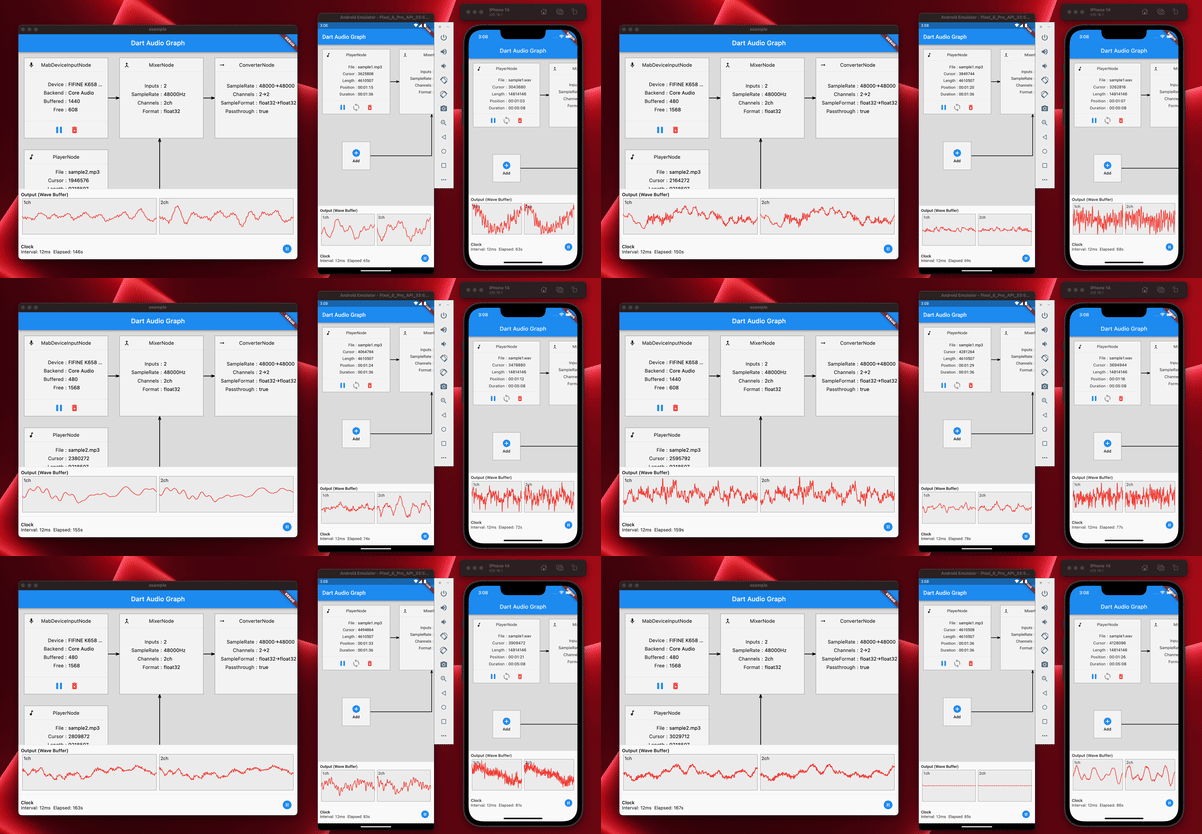
是的,您可以將coast_audio在撲朔迷離中使用。
coast_audio大部分操作都是同步的,它可能會阻止撲飛的主要分離株。
因此,建議在單獨的分離株中使用coast_audio 。
請參閱示例應用程序實現以獲取更多詳細信息。
coast_audio嗎?簡而言之,不,
您應該使用dart:web_audio 。
但是,如果在Web平台上支持FFI,它可能會可用。





