coast_audio
1.0.0

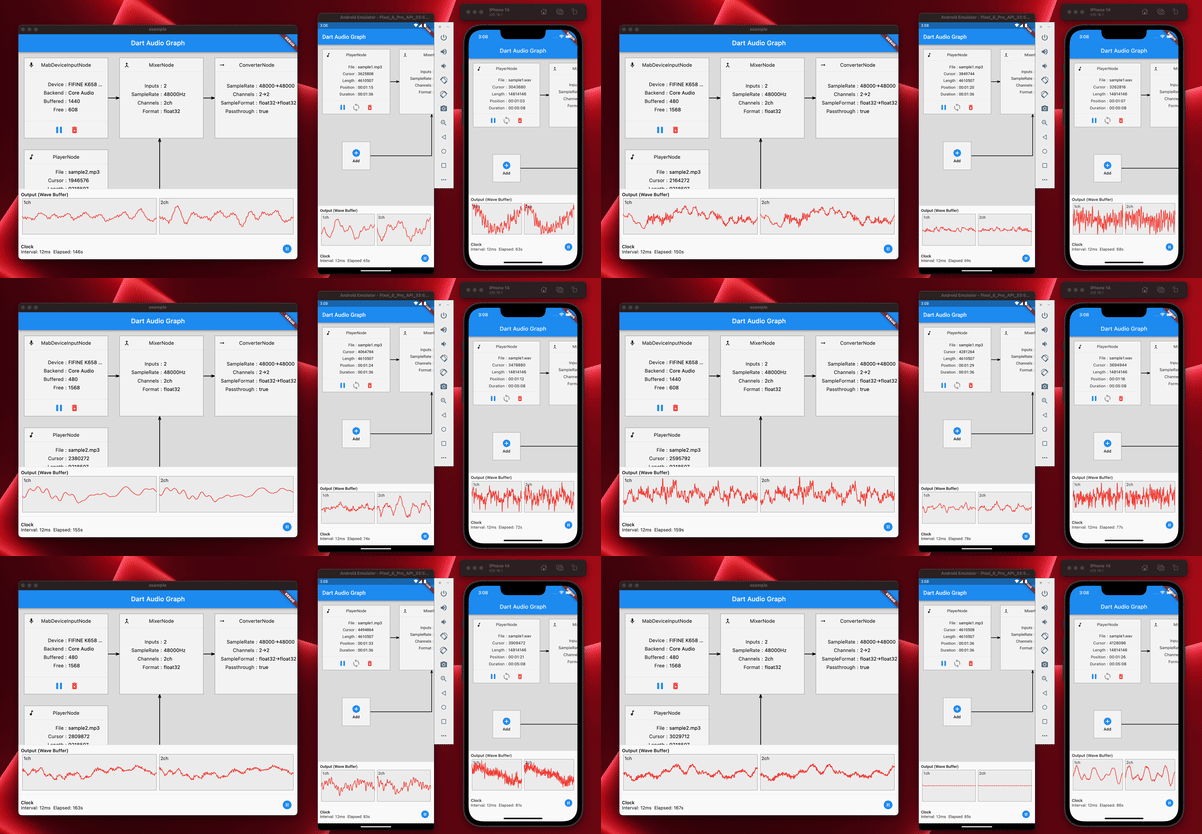
coast_audio é uma biblioteca de processamento de áudio de alto desempenho escrita em Dart.
Este pacote tem como objetivo fornecer funcionalidades de áudio de baixo nível sem dependência de vibração .
| Android | iOS | macos | Windows | Linux | Web |
|---|---|---|---|---|---|
| ✅ | ✅ | ✅ | ✅ |
coast_audio é construído sobre dart:ffi .
Assim, pode ser usado em qualquer ambiente de dardo que suporta FFI.
Algumas das funcionalidades são implementadas no código nativo que usa miniaudio.
Este repositório contém binários pré-construídos para cada plataforma suportada.
Adicione o seguinte ao seu pubspec.yaml :
coast_audio : ^1.0.0android/src/main/jniLibs em seu projeto.{ABI}/libcoast_audio.so do diretório native/prebuilt/android para o diretório jniLibs . Adicione o seguinte ao seu Podfile :
 target 'Runner' do
  ...
  pod 'CoastAudio' , :git => 'https://github.com/SKKbySSK/coast_audio.git' , :tag => '1.0.0'
end
Abra o arquivo AppDelegate.swift e adicione a seguinte importação e CoastAudioSymbolKeeper.keep() Chamada:
import CoastAudio // 1. Add import

@ UIApplicationMain
@ objc class AppDelegate : FlutterAppDelegate {
  override func application (
    _ application : UIApplication ,
    didFinishLaunchingWithOptions launchOptions : [ UIApplication . LaunchOptionsKey : Any ] ?
  ) -> Bool {
    CoastAudioSymbolKeeper . keep ( ) // 2. Add this line to prevent native symbols from being stripped (You can place this anywhere inside your iOS/macOS code)
    GeneratedPluginRegistrant . register ( with : self )
    return super . application ( application , didFinishLaunchingWithOptions : launchOptions )
  }
}{ARCH}/libcoast_audio.so do diretório native/prebuilt/linux para o diretório linux/libs em seu projeto.linux/CMakeLists.txt : install ( FILES "linux/libs/ ${CMAKE_SYSTEM_PROCESSOR} /libcoast_audio.so" DESTINATION " ${INSTALL_BUNDLE_LIB_DIR} " COMPONENT Runtime)PENDÊNCIA
Ainda não há biblioteca nativa pré-criada para o Windows.
Você precisa construí -lo manualmente.
coast_audio fornece vários nós de áudio para gerar/processar dados de áudio facilmente.
Este código de exemplo gera uma onda senoidal de 440Hz usando FunctionNode .
 // define the audio format with 48khz sample rate and stereo channels.
final format = AudioFormat (sampleRate : 48000 , channels : 1 , sampleFormat : SampleFormat .int16);

// create a sine wave function node with 440hz frequency.
final functionNode = FunctionNode (
  function : const SineFunction (),
  frequency : 440 ,
);

AllocatedAudioFrames (length : 1024 , format : format). acquireBuffer ((buffer) {
  // read the audio data from the function node to the buffer.
  functionNode.outputBus. read (buffer);

  // floatList contains sine wave audio data.
  final floatList = buffer. asFloat32ListView ();
}); Você pode usar WavAudioEncoder para codificar dados de áudio.
 // define the audio format with 48khz sample rate and stereo channels.
final format = AudioFormat (sampleRate : 48000 , channels : 1 , sampleFormat : SampleFormat .int16);

// create a sine wave function node with 440hz frequency.
final functionNode = FunctionNode (
  function : const SineFunction (),
  frequency : 440 ,
);

final fileOutput = AudioFileDataSource (
  file : File ( 'output.wav' ),
  mode : FileMode .write,
);

// create a wav audio encoder.
final encoder = WavAudioEncoder (dataSource : fileOutput, inputFormat : format);

encoder. start ();

final duration = AudioTime ( 10 );
AllocatedAudioFrames (length : duration. computeFrames (format), format : format). acquireBuffer ((buffer) {
  // read the audio data from the function node to the buffer.
  final result = functionNode.outputBus. read (buffer);

  // encode the audio data to the wav file.
  encoder. encode (buffer. limit (result.frameCount));
});

encoder. finalize (); AudioNode pode ser conectado a outros nós para criar um gráfico de áudio.
Este código de exemplo demonstra como misturar duas ondas senoidais e gravar em um arquivo WAV.
 const format = AudioFormat (sampleRate : 48000 , channels : 1 );
final mixerNode = MixerNode (format : format);

// Initialize sine wave nodes and connect them to mixer's input
for ( final freq in [ 264.0 , 330.0 , 396.0 ]) {
  final sineNode = FunctionNode (function : const SineFunction (), format : format, frequency : freq);
  final mixerInputBus = mixerNode. appendInputBus ();
  sineNode.outputBus. connect (mixerInputBus);
}

AllocatedAudioFrames (length : 1024 , format : format).bufferFrames. acquireBuffer ((buffer) {
  // read the audio data from the function node to the buffer.
  functionNode.outputBus. read (buffer);

  // floatList contains mixed sine wave audio data.
  final floatList = buffer. asFloat32ListView ();
}); coast_audio fornece aula de AudioDevice para lidar com a E/S do dispositivo de áudio.
Por favor, veja os seguintes exemplos:
Sim, você pode usar coast_audio em Flutter.
A maior parte da operação coast_audio é síncrona e pode bloquear o principal isolado do flutter.
Portanto, é recomendável usar coast_audio em um isolado separado.
Consulte o exemplo de implementação do aplicativo para obter mais detalhes.
coast_audio na web? Em suma, não,
Você deve usar dart:web_audio .
Mas pode estar disponível se o FFI for suportado na plataforma da Web.





