coast_audio
1.0.0

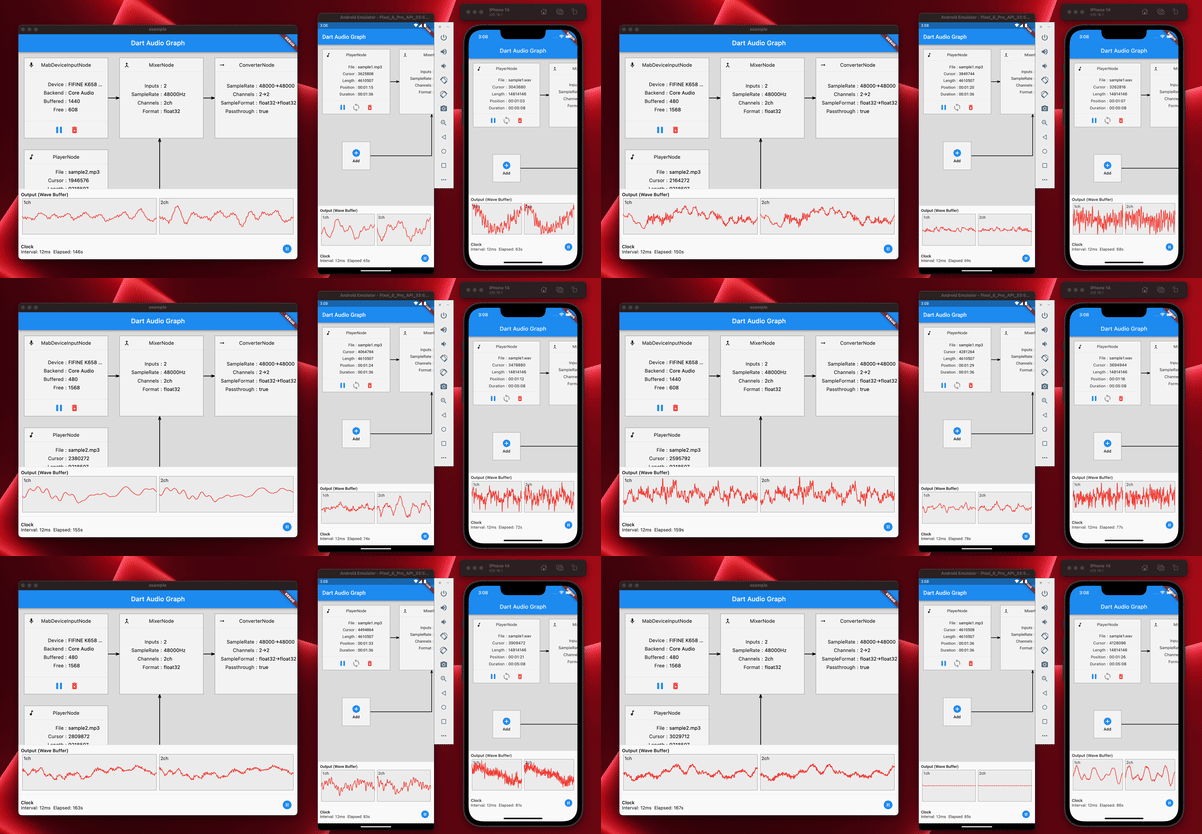
coast_audioは、DARTに書かれた高性能オーディオ処理ライブラリです。
このパッケージは、フラッター依存関係のない低レベルのオーディオ機能を提供することを目的としています。
| アンドロイド | iOS | macos | Windows | Linux | ウェブ |
|---|---|---|---|---|---|
| ✅ | ✅ | ✅ | ✅ |
coast_audioは、 dart:ffi 。
したがって、FFIをサポートする任意のDART環境で使用できます。
機能の一部は、Miniaudioを使用するネイティブコードに実装されています。
このリポジトリには、サポートされているプラットフォームごとに事前に構築されたバイナリが含まれています。
pubspec.yamlに次のものを追加します。
coast_audio : ^1.0.0android/src/main/jniLibsを作成します。{ABI}/libcoast_audio.soファイルをnative/prebuilt/androidディレクトリからjniLibsディレクトリにコピーします。 Podfileに以下を追加します。
 target 'Runner' do
  ...
  pod 'CoastAudio' , :git => 'https://github.com/SKKbySSK/coast_audio.git' , :tag => '1.0.0'
end AppDelegate.swiftファイルを開き、次のImport and CoastAudioSymbolKeeper.keep() callを追加します。
import CoastAudio // 1. Add import

@ UIApplicationMain
@ objc class AppDelegate : FlutterAppDelegate {
  override func application (
    _ application : UIApplication ,
    didFinishLaunchingWithOptions launchOptions : [ UIApplication . LaunchOptionsKey : Any ] ?
  ) -> Bool {
    CoastAudioSymbolKeeper . keep ( ) // 2. Add this line to prevent native symbols from being stripped (You can place this anywhere inside your iOS/macOS code)
    GeneratedPluginRegistrant . register ( with : self )
    return super . application ( application , didFinishLaunchingWithOptions : launchOptions )
  }
}{ARCH}/libcoast_audio.soファイルをnative/prebuilt/linuxディレクトリからプロジェクトのlinux/libsディレクトリにコピーします。linux/CMakeLists.txtに以下を追加します。 install ( FILES "linux/libs/ ${CMAKE_SYSTEM_PROCESSOR} /libcoast_audio.so" DESTINATION " ${INSTALL_BUNDLE_LIB_DIR} " COMPONENT Runtime)トト
Windows用の事前に構築されたネイティブライブラリはまだありません。
手動で構築する必要があります。
coast_audio 、オーディオデータを簡単に生成/処理するためのさまざまなオーディオノードを提供します。
この例コードは、 FunctionNodeを使用して440Hzの正弦波を生成します。
 // define the audio format with 48khz sample rate and stereo channels.
final format = AudioFormat (sampleRate : 48000 , channels : 1 , sampleFormat : SampleFormat .int16);

// create a sine wave function node with 440hz frequency.
final functionNode = FunctionNode (
  function : const SineFunction (),
  frequency : 440 ,
);

AllocatedAudioFrames (length : 1024 , format : format). acquireBuffer ((buffer) {
  // read the audio data from the function node to the buffer.
  functionNode.outputBus. read (buffer);

  // floatList contains sine wave audio data.
  final floatList = buffer. asFloat32ListView ();
});WavAudioEncoderを使用して、オーディオデータをエンコードできます。
 // define the audio format with 48khz sample rate and stereo channels.
final format = AudioFormat (sampleRate : 48000 , channels : 1 , sampleFormat : SampleFormat .int16);

// create a sine wave function node with 440hz frequency.
final functionNode = FunctionNode (
  function : const SineFunction (),
  frequency : 440 ,
);

final fileOutput = AudioFileDataSource (
  file : File ( 'output.wav' ),
  mode : FileMode .write,
);

// create a wav audio encoder.
final encoder = WavAudioEncoder (dataSource : fileOutput, inputFormat : format);

encoder. start ();

final duration = AudioTime ( 10 );
AllocatedAudioFrames (length : duration. computeFrames (format), format : format). acquireBuffer ((buffer) {
  // read the audio data from the function node to the buffer.
  final result = functionNode.outputBus. read (buffer);

  // encode the audio data to the wav file.
  encoder. encode (buffer. limit (result.frameCount));
});

encoder. finalize ();AudioNode他のノードに接続して、オーディオグラフを作成できます。
この例コードは、2つの正弦波を混ぜてWAVファイルに書き込む方法を示しています。
 const format = AudioFormat (sampleRate : 48000 , channels : 1 );
final mixerNode = MixerNode (format : format);

// Initialize sine wave nodes and connect them to mixer's input
for ( final freq in [ 264.0 , 330.0 , 396.0 ]) {
  final sineNode = FunctionNode (function : const SineFunction (), format : format, frequency : freq);
  final mixerInputBus = mixerNode. appendInputBus ();
  sineNode.outputBus. connect (mixerInputBus);
}

AllocatedAudioFrames (length : 1024 , format : format).bufferFrames. acquireBuffer ((buffer) {
  // read the audio data from the function node to the buffer.
  functionNode.outputBus. read (buffer);

  // floatList contains mixed sine wave audio data.
  final floatList = buffer. asFloat32ListView ();
});coast_audio 、オーディオデバイスI/Oを処理するAudioDeviceクラスを提供します。
次の例をご覧ください。
はい、Flutterでcoast_audioを使用できます。
coast_audio操作のほとんどは同期しており、フラッターの主要な分離株をブロックする可能性があります。
したがって、 coast_audio別の分離株で使用することをお勧めします。
詳細については、アプリの実装の実装をご覧ください。
coast_audio Webで使用できますか?要するに、いいえ、
代わりにdart:web_audioを使用する必要があります。
ただし、FFIがWebプラットフォームでサポートされている場合、利用可能になる場合があります。





