coast_audio
1.0.0

coast_audio est une bibliothèque de traitement audio haute performance écrite en fléchette.
Ce package vise à fournir des fonctionnalités audio de bas niveau sans dépendance de flottement .
| Androïde | ios | macos | Fenêtre | Linux | Web |
|---|---|---|---|---|---|
| ✅ | ✅ | ✅ | ✅ |
coast_audio est construit au sommet de dart:ffi .
Ainsi, il peut être utilisé dans n'importe quel environnement DART qui prend en charge FFI.
Certaines fonctionnalités sont implémentées dans le code natif qui utilise Minidio.
Ce référentiel contient des binaires prédéfinis pour chaque plate-forme prise en charge.
Ajoutez ce qui suit à votre pubspec.yaml :
coast_audio : ^1.0.0android/src/main/jniLibs dans votre projet.{ABI}/libcoast_audio.so du répertoire native/prebuilt/android au répertoire jniLibs . Ajoutez ce qui suit à votre Podfile :
 target 'Runner' do
  ...
  pod 'CoastAudio' , :git => 'https://github.com/SKKbySSK/coast_audio.git' , :tag => '1.0.0'
end
Ouvrez le fichier AppDelegate.swift et ajoutez l'importation suivante et CoastAudioSymbolKeeper.keep() Call:
import CoastAudio // 1. Add import

@ UIApplicationMain
@ objc class AppDelegate : FlutterAppDelegate {
  override func application (
    _ application : UIApplication ,
    didFinishLaunchingWithOptions launchOptions : [ UIApplication . LaunchOptionsKey : Any ] ?
  ) -> Bool {
    CoastAudioSymbolKeeper . keep ( ) // 2. Add this line to prevent native symbols from being stripped (You can place this anywhere inside your iOS/macOS code)
    GeneratedPluginRegistrant . register ( with : self )
    return super . application ( application , didFinishLaunchingWithOptions : launchOptions )
  }
}{ARCH}/libcoast_audio.so du répertoire native/prebuilt/linux dans le répertoire linux/libs dans votre projet.linux/CMakeLists.txt : install ( FILES "linux/libs/ ${CMAKE_SYSTEM_PROCESSOR} /libcoast_audio.so" DESTINATION " ${INSTALL_BUNDLE_LIB_DIR} " COMPONENT Runtime)FAIRE
Il n'y a pas encore de bibliothèque native prédéfinie pour Windows.
Vous devez le construire manuellement.
coast_audio fournit divers nœuds audio pour générer / traiter facilement les données audio.
Cet exemple de code génère une onde sinusoïdale 440Hz en utilisant FunctionNode .
 // define the audio format with 48khz sample rate and stereo channels.
final format = AudioFormat (sampleRate : 48000 , channels : 1 , sampleFormat : SampleFormat .int16);

// create a sine wave function node with 440hz frequency.
final functionNode = FunctionNode (
  function : const SineFunction (),
  frequency : 440 ,
);

AllocatedAudioFrames (length : 1024 , format : format). acquireBuffer ((buffer) {
  // read the audio data from the function node to the buffer.
  functionNode.outputBus. read (buffer);

  // floatList contains sine wave audio data.
  final floatList = buffer. asFloat32ListView ();
}); Vous pouvez utiliser WavAudioEncoder pour coder les données audio.
 // define the audio format with 48khz sample rate and stereo channels.
final format = AudioFormat (sampleRate : 48000 , channels : 1 , sampleFormat : SampleFormat .int16);

// create a sine wave function node with 440hz frequency.
final functionNode = FunctionNode (
  function : const SineFunction (),
  frequency : 440 ,
);

final fileOutput = AudioFileDataSource (
  file : File ( 'output.wav' ),
  mode : FileMode .write,
);

// create a wav audio encoder.
final encoder = WavAudioEncoder (dataSource : fileOutput, inputFormat : format);

encoder. start ();

final duration = AudioTime ( 10 );
AllocatedAudioFrames (length : duration. computeFrames (format), format : format). acquireBuffer ((buffer) {
  // read the audio data from the function node to the buffer.
  final result = functionNode.outputBus. read (buffer);

  // encode the audio data to the wav file.
  encoder. encode (buffer. limit (result.frameCount));
});

encoder. finalize (); AudioNode peut être connecté à d'autres nœuds pour créer un graphique audio.
Cet exemple de code montre comment mélanger deux ondes sinusoïdales et écrire dans un fichier wav.
 const format = AudioFormat (sampleRate : 48000 , channels : 1 );
final mixerNode = MixerNode (format : format);

// Initialize sine wave nodes and connect them to mixer's input
for ( final freq in [ 264.0 , 330.0 , 396.0 ]) {
  final sineNode = FunctionNode (function : const SineFunction (), format : format, frequency : freq);
  final mixerInputBus = mixerNode. appendInputBus ();
  sineNode.outputBus. connect (mixerInputBus);
}

AllocatedAudioFrames (length : 1024 , format : format).bufferFrames. acquireBuffer ((buffer) {
  // read the audio data from the function node to the buffer.
  functionNode.outputBus. read (buffer);

  // floatList contains mixed sine wave audio data.
  final floatList = buffer. asFloat32ListView ();
}); coast_audio fournit une classe AudioDevice pour gérer les E / S des périphériques audio.
Veuillez consulter les exemples suivants:
Oui, vous pouvez utiliser coast_audio à Flutter.
La majeure partie de l'opération coast_audio est synchrone et peut bloquer l'isolat principal du flottement.
Ainsi, il est recommandé d'utiliser coast_audio dans un isolat séparé.
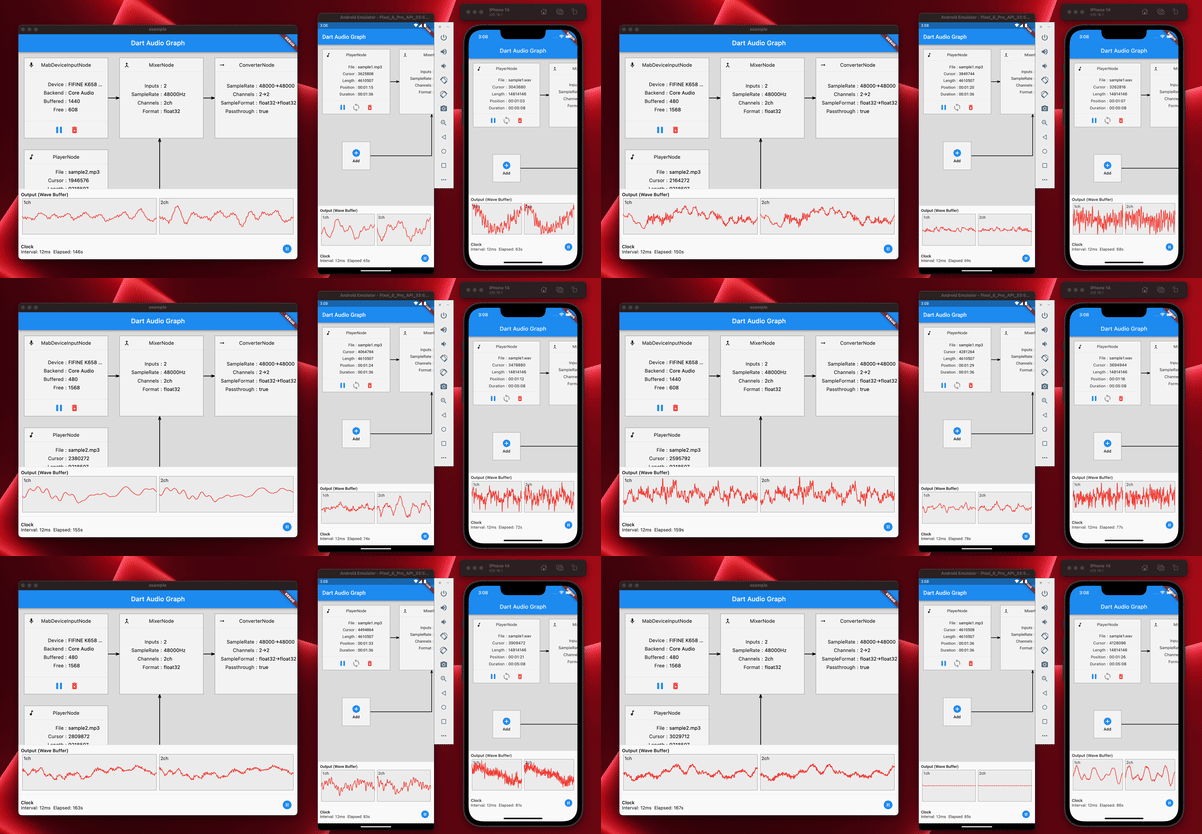
Veuillez consulter l'exemple de l'implémentation de l'application pour plus de détails.
coast_audio dans le Web? Bref, non,
Vous devez utiliser dart:web_audio à la place.
Mais il peut être disponible si le FFI est pris en charge sur la plate-forme Web.





