coast_audio
1.0.0

coast_audio es una biblioteca de procesamiento de audio de alto rendimiento escrita en Dart.
Este paquete tiene como objetivo proporcionar funcionalidades de audio de bajo nivel sin dependencia de Flutter .
| Androide | iOS | macosa | Windows | Linux | Web |
|---|---|---|---|---|---|
| ✅ | ✅ | ✅ | ✅ |
coast_audio está construido sobre dart:ffi .
Por lo tanto, se puede usar en cualquier entorno de DART que admite FFI.
Algunas de las funcionalidades se implementan en código nativo que usa miniaudio.
Este repositorio contiene binarios previos a la construcción para cada plataforma compatible.
Agregue lo siguiente a su pubspec.yaml :
coast_audio : ^1.0.0android/src/main/jniLibs en su proyecto.{ABI}/libcoast_audio.so desde el directorio native/prebuilt/android al directorio jniLibs . Agregue lo siguiente a su Podfile :
 target 'Runner' do
  ...
  pod 'CoastAudio' , :git => 'https://github.com/SKKbySSK/coast_audio.git' , :tag => '1.0.0'
end
Abra el archivo AppDelegate.swift y agregue la siguiente importación y CoastAudioSymbolKeeper.keep() llamar:
import CoastAudio // 1. Add import

@ UIApplicationMain
@ objc class AppDelegate : FlutterAppDelegate {
  override func application (
    _ application : UIApplication ,
    didFinishLaunchingWithOptions launchOptions : [ UIApplication . LaunchOptionsKey : Any ] ?
  ) -> Bool {
    CoastAudioSymbolKeeper . keep ( ) // 2. Add this line to prevent native symbols from being stripped (You can place this anywhere inside your iOS/macOS code)
    GeneratedPluginRegistrant . register ( with : self )
    return super . application ( application , didFinishLaunchingWithOptions : launchOptions )
  }
}{ARCH}/libcoast_audio.so desde el directorio native/prebuilt/linux al directorio linux/libs en su proyecto.linux/CMakeLists.txt : install ( FILES "linux/libs/ ${CMAKE_SYSTEM_PROCESSOR} /libcoast_audio.so" DESTINATION " ${INSTALL_BUNDLE_LIB_DIR} " COMPONENT Runtime)HACER
Todavía no hay una biblioteca nativa preconstruida para Windows.
Necesitas construirlo manualmente.
coast_audio proporciona varios nodos de audio para generar/procesar datos de audio fácilmente.
Este código de ejemplo genera una onda sinusoidal de 440Hz utilizando FunctionNode .
 // define the audio format with 48khz sample rate and stereo channels.
final format = AudioFormat (sampleRate : 48000 , channels : 1 , sampleFormat : SampleFormat .int16);

// create a sine wave function node with 440hz frequency.
final functionNode = FunctionNode (
  function : const SineFunction (),
  frequency : 440 ,
);

AllocatedAudioFrames (length : 1024 , format : format). acquireBuffer ((buffer) {
  // read the audio data from the function node to the buffer.
  functionNode.outputBus. read (buffer);

  // floatList contains sine wave audio data.
  final floatList = buffer. asFloat32ListView ();
}); Puede usar WavAudioEncoder para codificar datos de audio.
 // define the audio format with 48khz sample rate and stereo channels.
final format = AudioFormat (sampleRate : 48000 , channels : 1 , sampleFormat : SampleFormat .int16);

// create a sine wave function node with 440hz frequency.
final functionNode = FunctionNode (
  function : const SineFunction (),
  frequency : 440 ,
);

final fileOutput = AudioFileDataSource (
  file : File ( 'output.wav' ),
  mode : FileMode .write,
);

// create a wav audio encoder.
final encoder = WavAudioEncoder (dataSource : fileOutput, inputFormat : format);

encoder. start ();

final duration = AudioTime ( 10 );
AllocatedAudioFrames (length : duration. computeFrames (format), format : format). acquireBuffer ((buffer) {
  // read the audio data from the function node to the buffer.
  final result = functionNode.outputBus. read (buffer);

  // encode the audio data to the wav file.
  encoder. encode (buffer. limit (result.frameCount));
});

encoder. finalize (); AudioNode se puede conectar a otros nodos para construir un gráfico de audio.
Este código de ejemplo demuestra cómo mezclar dos ondas sinusoidales y escribir en un archivo WAV.
 const format = AudioFormat (sampleRate : 48000 , channels : 1 );
final mixerNode = MixerNode (format : format);

// Initialize sine wave nodes and connect them to mixer's input
for ( final freq in [ 264.0 , 330.0 , 396.0 ]) {
  final sineNode = FunctionNode (function : const SineFunction (), format : format, frequency : freq);
  final mixerInputBus = mixerNode. appendInputBus ();
  sineNode.outputBus. connect (mixerInputBus);
}

AllocatedAudioFrames (length : 1024 , format : format).bufferFrames. acquireBuffer ((buffer) {
  // read the audio data from the function node to the buffer.
  functionNode.outputBus. read (buffer);

  // floatList contains mixed sine wave audio data.
  final floatList = buffer. asFloat32ListView ();
}); coast_audio proporciona la clase AudioDevice para manejar la E/S del dispositivo de audio.
Consulte los siguientes ejemplos:
Sí, puedes usar coast_audio en Flutter.
La mayor parte de la operación coast_audio es sincrónica y puede bloquear el aislado principal del Flutter.
Por lo tanto, se recomienda usar coast_audio en un aislado separado.
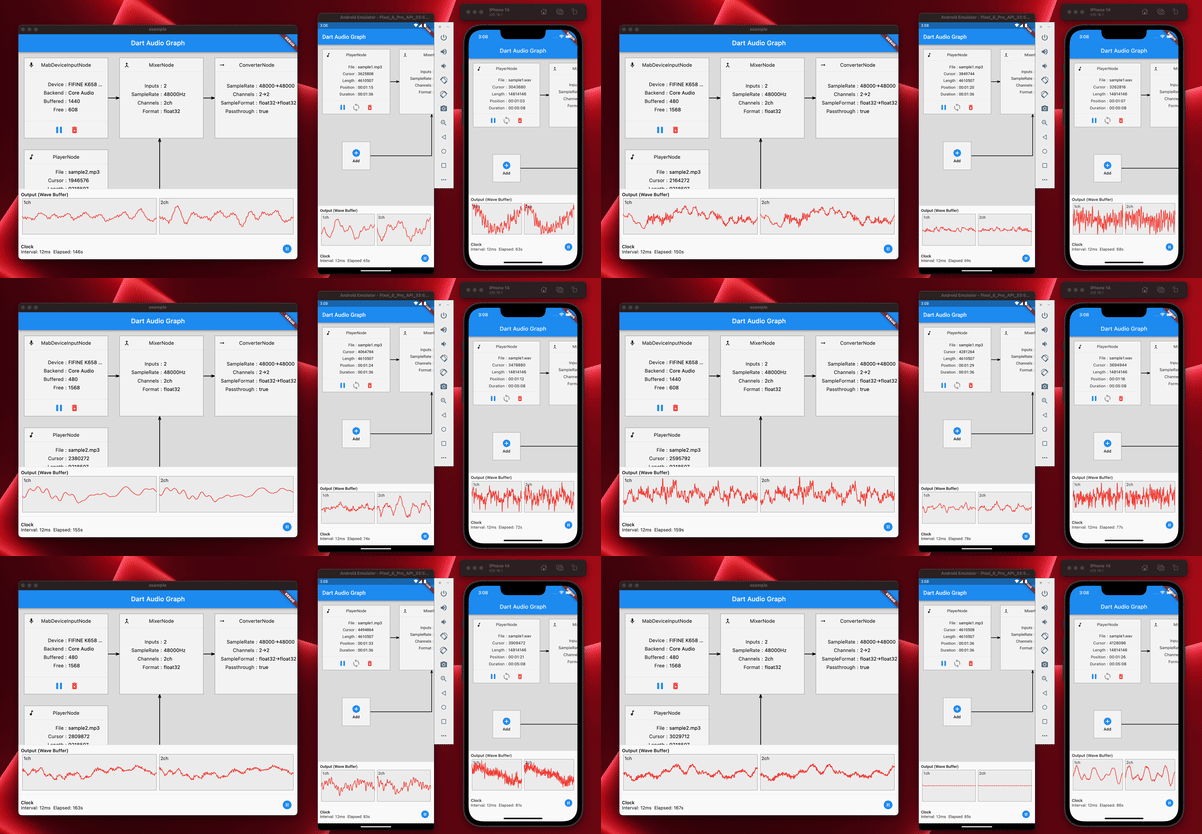
Consulte la implementación de la aplicación de ejemplo para obtener más detalles.
coast_audio en la web? En resumen, no,
Debe usar dart:web_audio en su lugar.
Pero puede estar disponible si el FFI es compatible con la plataforma web.





