coast_audio
1.0.0

coast_audio 는 다트로 작성된 고성능 오디오 프로세싱 라이브러리입니다.
이 패키지는 플러터 의존성이없는 저수준 오디오 기능을 제공하는 것을 목표로합니다.
| 기계적 인조 인간 | iOS | 마코스 | 창 | 리눅스 | 편물 |
|---|---|---|---|---|---|
| ✅ | ✅ | ✅ | ✅ |
coast_audio 는 dart:ffi 위에 제작되었습니다.
따라서 FFI를 지원하는 모든 다트 환경 에서 사용할 수 있습니다.
기능 중 일부는 MiniaUdio를 사용하는 기본 코드로 구현됩니다.
이 저장소에는 각 지원 플랫폼에 대한 사전 제작 된 바이너리가 포함되어 있습니다.
pubspec.yaml 에 다음을 추가하십시오.
coast_audio : ^1.0.0android/src/main/jniLibs 만듭니다.{ABI}/libcoast_audio.so 파일을 native/prebuilt/android 디렉토리에서 jniLibs 디렉토리로 복사하십시오. Podfile 에 다음을 추가하십시오.
 target 'Runner' do
  ...
  pod 'CoastAudio' , :git => 'https://github.com/SKKbySSK/coast_audio.git' , :tag => '1.0.0'
end
AppDelegate.swift 파일을 열고 다음 가져 오기 및 CoastAudioSymbolKeeper.keep() 호출을 추가하십시오.
import CoastAudio // 1. Add import

@ UIApplicationMain
@ objc class AppDelegate : FlutterAppDelegate {
  override func application (
    _ application : UIApplication ,
    didFinishLaunchingWithOptions launchOptions : [ UIApplication . LaunchOptionsKey : Any ] ?
  ) -> Bool {
    CoastAudioSymbolKeeper . keep ( ) // 2. Add this line to prevent native symbols from being stripped (You can place this anywhere inside your iOS/macOS code)
    GeneratedPluginRegistrant . register ( with : self )
    return super . application ( application , didFinishLaunchingWithOptions : launchOptions )
  }
}{ARCH}/libcoast_audio.so 파일을 native/prebuilt/linux 디렉토리에서 프로젝트의 linux/libs 디렉토리로 복사하십시오.linux/CMakeLists.txt 에 다음을 추가하십시오. install ( FILES "linux/libs/ ${CMAKE_SYSTEM_PROCESSOR} /libcoast_audio.so" DESTINATION " ${INSTALL_BUNDLE_LIB_DIR} " COMPONENT Runtime)TODO
아직 Windows 용 사전 구축 된 기본 라이브러리는 없습니다.
수동으로 빌드해야합니다.
coast_audio 다양한 오디오 노드를 제공하여 오디오 데이터를 쉽게 생성/처리합니다.
이 예제 코드는 FunctionNode 사용하여 440Hz 사인파를 생성합니다.
 // define the audio format with 48khz sample rate and stereo channels.
final format = AudioFormat (sampleRate : 48000 , channels : 1 , sampleFormat : SampleFormat .int16);

// create a sine wave function node with 440hz frequency.
final functionNode = FunctionNode (
  function : const SineFunction (),
  frequency : 440 ,
);

AllocatedAudioFrames (length : 1024 , format : format). acquireBuffer ((buffer) {
  // read the audio data from the function node to the buffer.
  functionNode.outputBus. read (buffer);

  // floatList contains sine wave audio data.
  final floatList = buffer. asFloat32ListView ();
}); WavAudioEncoder 사용하여 오디오 데이터를 인코딩 할 수 있습니다.
 // define the audio format with 48khz sample rate and stereo channels.
final format = AudioFormat (sampleRate : 48000 , channels : 1 , sampleFormat : SampleFormat .int16);

// create a sine wave function node with 440hz frequency.
final functionNode = FunctionNode (
  function : const SineFunction (),
  frequency : 440 ,
);

final fileOutput = AudioFileDataSource (
  file : File ( 'output.wav' ),
  mode : FileMode .write,
);

// create a wav audio encoder.
final encoder = WavAudioEncoder (dataSource : fileOutput, inputFormat : format);

encoder. start ();

final duration = AudioTime ( 10 );
AllocatedAudioFrames (length : duration. computeFrames (format), format : format). acquireBuffer ((buffer) {
  // read the audio data from the function node to the buffer.
  final result = functionNode.outputBus. read (buffer);

  // encode the audio data to the wav file.
  encoder. encode (buffer. limit (result.frameCount));
});

encoder. finalize ();
오디오 그래프를 구축하기 위해 AudioNode 다른 노드에 연결할 수 있습니다.
이 예제 코드는 두 개의 사인파를 혼합하고 WAV 파일에 쓸 방법을 보여줍니다.
 const format = AudioFormat (sampleRate : 48000 , channels : 1 );
final mixerNode = MixerNode (format : format);

// Initialize sine wave nodes and connect them to mixer's input
for ( final freq in [ 264.0 , 330.0 , 396.0 ]) {
  final sineNode = FunctionNode (function : const SineFunction (), format : format, frequency : freq);
  final mixerInputBus = mixerNode. appendInputBus ();
  sineNode.outputBus. connect (mixerInputBus);
}

AllocatedAudioFrames (length : 1024 , format : format).bufferFrames. acquireBuffer ((buffer) {
  // read the audio data from the function node to the buffer.
  functionNode.outputBus. read (buffer);

  // floatList contains mixed sine wave audio data.
  final floatList = buffer. asFloat32ListView ();
}); coast_audio 오디오 장치 I/O를 처리하기위한 AudioDevice 클래스를 제공합니다.
다음 예제를 참조하십시오.
예, Flutter에서 coast_audio 사용할 수 있습니다.
coast_audio 작업의 대부분은 동기식이며 Flutter의 주요 분리를 차단할 수 있습니다.
따라서 별도의 분리로 coast_audio 사용하는 것이 좋습니다.
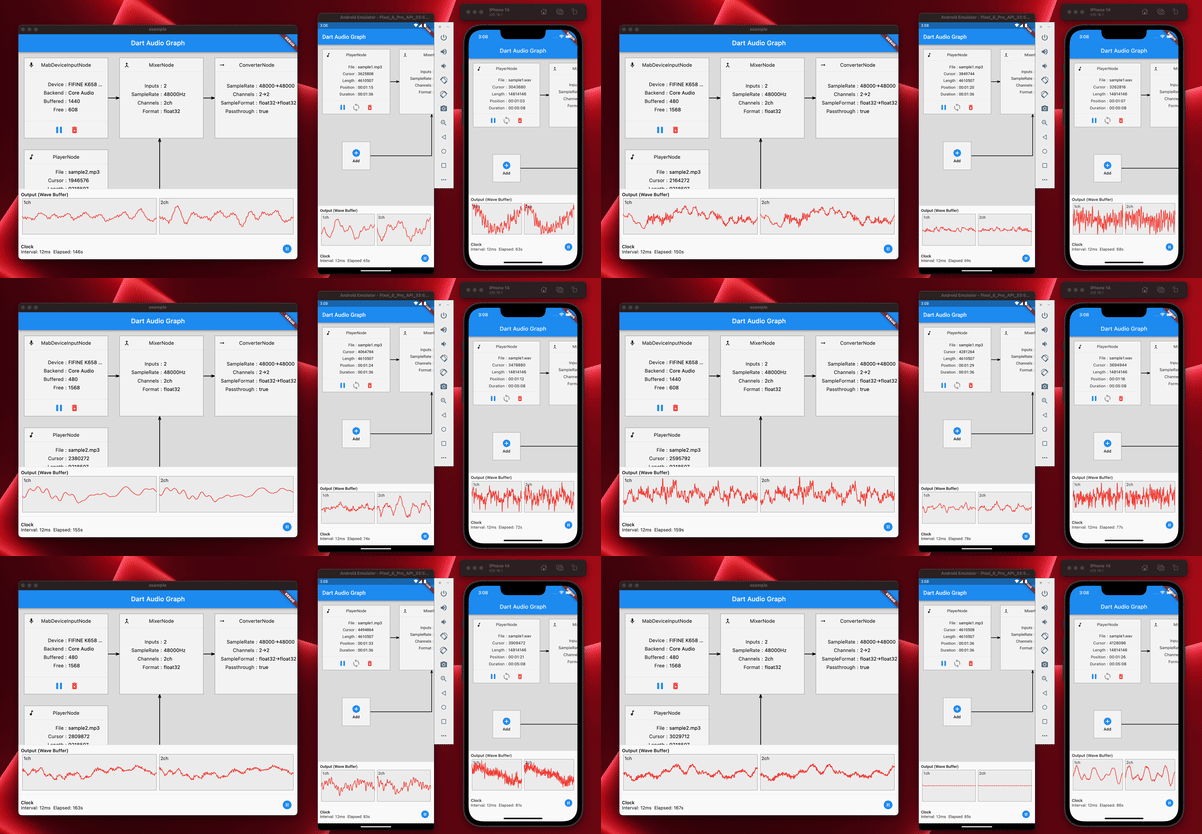
자세한 내용은 예제 앱 구현을 참조하십시오.
coast_audio 사용할 수 있습니까? 요컨대, 아니,
대신 dart:web_audio 사용해야합니다.
그러나 FFI가 웹 플랫폼에서 지원되면 사용할 수 있습니다.





