coast_audio
1.0.0

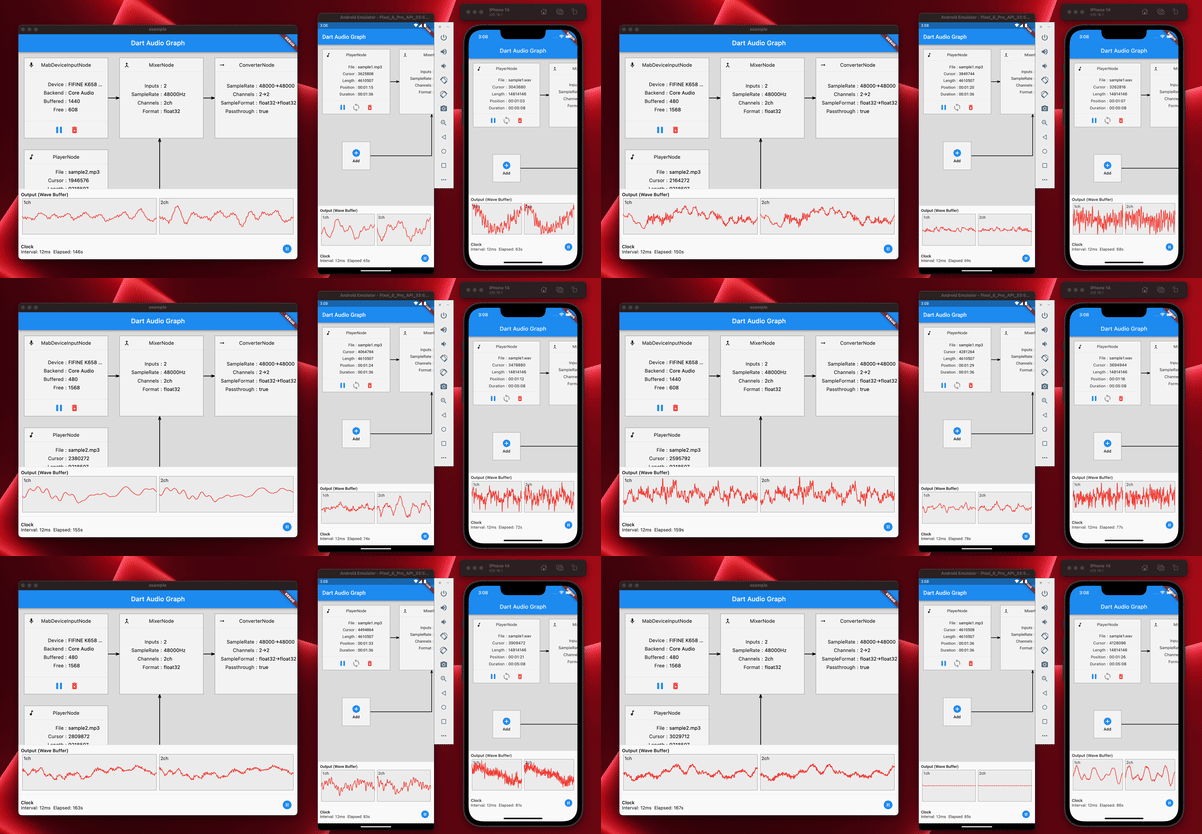
coast_audio هي مكتبة معالجة الصوت عالية الأداء مكتوبة في Dart.
تهدف هذه الحزمة إلى توفير وظائف صوتية منخفضة المستوى مع عدم وجود تبعية رفرفة .
| Android | iOS | ماكوس | النوافذ | Linux | الويب |
|---|---|---|---|---|---|
| ✅ | ✅ | ✅ | ✅ |
تم بناء coast_audio على رأس dart:ffi .
وبالتالي ، يمكن استخدامه في أي بيئة dart التي تدعم FFI.
يتم تنفيذ بعض الوظائف في الكود الأصلي الذي يستخدم miniaudio.
يحتوي هذا المستودع على ثنائيات تم تصميمها مسبقًا لكل منصة مدعومة.
أضف ما يلي إلى pubspec.yaml :
coast_audio : ^1.0.0android/src/main/jniLibs في مشروعك.{ABI}/libcoast_audio.so من الدليل native/prebuilt/android إلى دليل jniLibs . أضف ما يلي إلى Podfile الخاص بك:
 target 'Runner' do
  ...
  pod 'CoastAudio' , :git => 'https://github.com/SKKbySSK/coast_audio.git' , :tag => '1.0.0'
end
افتح ملف AppDelegate.swift وأضف الاستيراد و CoastAudioSymbolKeeper.keep() .
import CoastAudio // 1. Add import

@ UIApplicationMain
@ objc class AppDelegate : FlutterAppDelegate {
  override func application (
    _ application : UIApplication ,
    didFinishLaunchingWithOptions launchOptions : [ UIApplication . LaunchOptionsKey : Any ] ?
  ) -> Bool {
    CoastAudioSymbolKeeper . keep ( ) // 2. Add this line to prevent native symbols from being stripped (You can place this anywhere inside your iOS/macOS code)
    GeneratedPluginRegistrant . register ( with : self )
    return super . application ( application , didFinishLaunchingWithOptions : launchOptions )
  }
}{ARCH}/libcoast_audio.so من دليل native/prebuilt/linux إلى دليل linux/libs في مشروعك.linux/CMakeLists.txt : install ( FILES "linux/libs/ ${CMAKE_SYSTEM_PROCESSOR} /libcoast_audio.so" DESTINATION " ${INSTALL_BUNDLE_LIB_DIR} " COMPONENT Runtime)تودو
لا توجد مكتبة أصلية مسبقة لنظام Windows حتى الآن.
تحتاج إلى بنائه يدويًا.
يوفر coast_audio العديد من العقد الصوتية لإنشاء/معالجة بيانات الصوت بسهولة.
يقوم رمز المثال هذا بإنشاء موجة جيبية 440Hz باستخدام FunctionNode .
 // define the audio format with 48khz sample rate and stereo channels.
final format = AudioFormat (sampleRate : 48000 , channels : 1 , sampleFormat : SampleFormat .int16);

// create a sine wave function node with 440hz frequency.
final functionNode = FunctionNode (
  function : const SineFunction (),
  frequency : 440 ,
);

AllocatedAudioFrames (length : 1024 , format : format). acquireBuffer ((buffer) {
  // read the audio data from the function node to the buffer.
  functionNode.outputBus. read (buffer);

  // floatList contains sine wave audio data.
  final floatList = buffer. asFloat32ListView ();
}); يمكنك استخدام WavAudioEncoder لتشفير بيانات الصوت.
 // define the audio format with 48khz sample rate and stereo channels.
final format = AudioFormat (sampleRate : 48000 , channels : 1 , sampleFormat : SampleFormat .int16);

// create a sine wave function node with 440hz frequency.
final functionNode = FunctionNode (
  function : const SineFunction (),
  frequency : 440 ,
);

final fileOutput = AudioFileDataSource (
  file : File ( 'output.wav' ),
  mode : FileMode .write,
);

// create a wav audio encoder.
final encoder = WavAudioEncoder (dataSource : fileOutput, inputFormat : format);

encoder. start ();

final duration = AudioTime ( 10 );
AllocatedAudioFrames (length : duration. computeFrames (format), format : format). acquireBuffer ((buffer) {
  // read the audio data from the function node to the buffer.
  final result = functionNode.outputBus. read (buffer);

  // encode the audio data to the wav file.
  encoder. encode (buffer. limit (result.frameCount));
});

encoder. finalize (); يمكن توصيل AudioNode بالعقد الأخرى لإنشاء رسم بياني صوتي.
يوضح رمز المثال هذا كيفية خلط موجتين جيبي واكتب إلى ملف WAV.
 const format = AudioFormat (sampleRate : 48000 , channels : 1 );
final mixerNode = MixerNode (format : format);

// Initialize sine wave nodes and connect them to mixer's input
for ( final freq in [ 264.0 , 330.0 , 396.0 ]) {
  final sineNode = FunctionNode (function : const SineFunction (), format : format, frequency : freq);
  final mixerInputBus = mixerNode. appendInputBus ();
  sineNode.outputBus. connect (mixerInputBus);
}

AllocatedAudioFrames (length : 1024 , format : format).bufferFrames. acquireBuffer ((buffer) {
  // read the audio data from the function node to the buffer.
  functionNode.outputBus. read (buffer);

  // floatList contains mixed sine wave audio data.
  final floatList = buffer. asFloat32ListView ();
}); يوفر coast_audio فئة AudioDevice للتعامل مع جهاز الصوت I/O.
يرجى الاطلاع على الأمثلة التالية:
نعم ، يمكنك استخدام coast_audio في رفرفة.
معظم عمليات coast_audio متزامنة وقد تمنع العزلة الرئيسية للرفرف.
لذلك ، يوصى باستخدام coast_audio في عزل منفصل.
يرجى الاطلاع على تطبيق تطبيق المثال لمزيد من التفاصيل.
coast_audio في الويب؟ باختصار ، لا ،
يجب عليك استخدام dart:web_audio بدلاً من ذلك.
ولكن قد يصبح متاحًا إذا تم دعم FFI على منصة الويب.





