coast_audio
1.0.0

coast_audio ist eine Hochleistungs -Audioverarbeitungsbibliothek in Dart.
Dieses Paket zielt darauf ab, Audiofunktionalitäten mit niedrigem Niveau ohne Flatternabhängigkeit bereitzustellen.
| Android | iOS | macos | Fenster | Linux | Netz |
|---|---|---|---|---|---|
| ✅ | ✅ | ✅ | ✅ |
coast_audio basiert auf dart:ffi .
Somit kann es in jeder DART -Umgebung verwendet werden, die FFI unterstützt.
Einige der Funktionen werden in nativem Code implementiert, der Miniaudio verwendet.
Dieses Repository enthält vorgefertigte Binärdateien für jede unterstützte Plattform.
Fügen Sie Ihrem pubspec.yaml Folgendes hinzu:
coast_audio : ^1.0.0android/src/main/jniLibs .{ABI}/libcoast_audio.so aus dem Verzeichnis native/prebuilt/android in das jniLibs -Verzeichnis. Fügen Sie Ihrem Podfile Folgendes hinzu:
 target 'Runner' do
  ...
  pod 'CoastAudio' , :git => 'https://github.com/SKKbySSK/coast_audio.git' , :tag => '1.0.0'
end
Öffnen Sie die Datei AppDelegate.swift und fügen Sie den folgenden Import und CoastAudioSymbolKeeper.keep() auf: Anruf:
import CoastAudio // 1. Add import

@ UIApplicationMain
@ objc class AppDelegate : FlutterAppDelegate {
  override func application (
    _ application : UIApplication ,
    didFinishLaunchingWithOptions launchOptions : [ UIApplication . LaunchOptionsKey : Any ] ?
  ) -> Bool {
    CoastAudioSymbolKeeper . keep ( ) // 2. Add this line to prevent native symbols from being stripped (You can place this anywhere inside your iOS/macOS code)
    GeneratedPluginRegistrant . register ( with : self )
    return super . application ( application , didFinishLaunchingWithOptions : launchOptions )
  }
}{ARCH}/libcoast_audio.so aus dem Verzeichnis native/prebuilt/linux in das linux/libs -Verzeichnis in Ihrem Projekt.linux/CMakeLists.txt Folgendes hinzu: install ( FILES "linux/libs/ ${CMAKE_SYSTEM_PROCESSOR} /libcoast_audio.so" DESTINATION " ${INSTALL_BUNDLE_LIB_DIR} " COMPONENT Runtime)Todo
Es gibt noch keine vorgefertigte native Bibliothek für Windows.
Sie müssen es manuell bauen.
coast_audio bietet verschiedene Audioknoten, um Audiodaten problemlos zu generieren/zu verarbeiten.
Dieser Beispielcode generiert eine 440Hz -Sinuswelle mit FunctionNode .
 // define the audio format with 48khz sample rate and stereo channels.
final format = AudioFormat (sampleRate : 48000 , channels : 1 , sampleFormat : SampleFormat .int16);

// create a sine wave function node with 440hz frequency.
final functionNode = FunctionNode (
  function : const SineFunction (),
  frequency : 440 ,
);

AllocatedAudioFrames (length : 1024 , format : format). acquireBuffer ((buffer) {
  // read the audio data from the function node to the buffer.
  functionNode.outputBus. read (buffer);

  // floatList contains sine wave audio data.
  final floatList = buffer. asFloat32ListView ();
}); Sie können WavAudioEncoder verwenden, um Audiodaten zu codieren.
 // define the audio format with 48khz sample rate and stereo channels.
final format = AudioFormat (sampleRate : 48000 , channels : 1 , sampleFormat : SampleFormat .int16);

// create a sine wave function node with 440hz frequency.
final functionNode = FunctionNode (
  function : const SineFunction (),
  frequency : 440 ,
);

final fileOutput = AudioFileDataSource (
  file : File ( 'output.wav' ),
  mode : FileMode .write,
);

// create a wav audio encoder.
final encoder = WavAudioEncoder (dataSource : fileOutput, inputFormat : format);

encoder. start ();

final duration = AudioTime ( 10 );
AllocatedAudioFrames (length : duration. computeFrames (format), format : format). acquireBuffer ((buffer) {
  // read the audio data from the function node to the buffer.
  final result = functionNode.outputBus. read (buffer);

  // encode the audio data to the wav file.
  encoder. encode (buffer. limit (result.frameCount));
});

encoder. finalize (); AudioNode kann mit anderen Knoten angeschlossen werden, um ein Audiographen zu erstellen.
Dieser Beispielcode zeigt, wie man zwei Sinuswellen mischt und in eine WAV -Datei schreibt.
 const format = AudioFormat (sampleRate : 48000 , channels : 1 );
final mixerNode = MixerNode (format : format);

// Initialize sine wave nodes and connect them to mixer's input
for ( final freq in [ 264.0 , 330.0 , 396.0 ]) {
  final sineNode = FunctionNode (function : const SineFunction (), format : format, frequency : freq);
  final mixerInputBus = mixerNode. appendInputBus ();
  sineNode.outputBus. connect (mixerInputBus);
}

AllocatedAudioFrames (length : 1024 , format : format).bufferFrames. acquireBuffer ((buffer) {
  // read the audio data from the function node to the buffer.
  functionNode.outputBus. read (buffer);

  // floatList contains mixed sine wave audio data.
  final floatList = buffer. asFloat32ListView ();
}); coast_audio stellt AudioDevice -Klasse für die Abwicklung von Audiogerät E/A zur Verfügung.
Bitte beachten Sie die folgenden Beispiele:
Ja, Sie können coast_audio in Flutter verwenden.
Der größte Teil des Betriebs coast_audio ist synchron und kann das Hauptisolat des Flatterns blockieren.
Es wird also empfohlen, coast_audio in einem separaten Isolat zu verwenden.
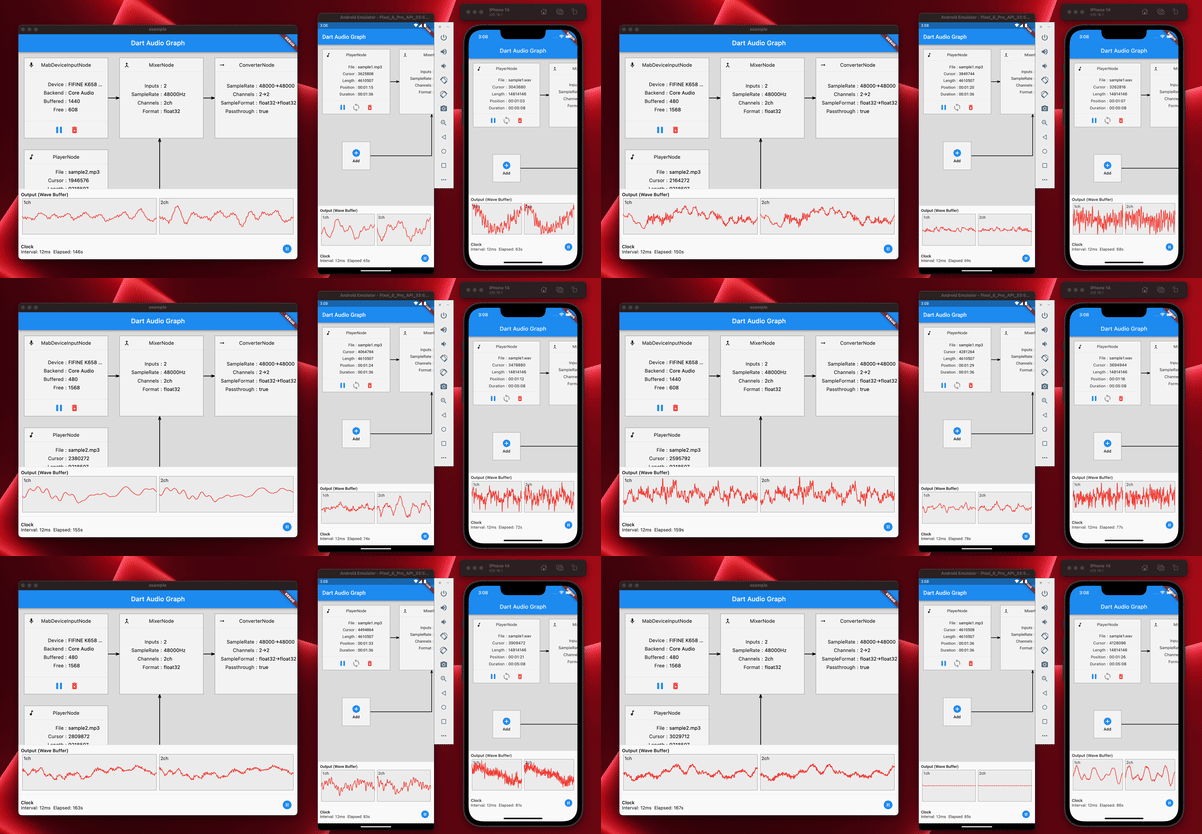
Weitere Informationen finden Sie in der Beispiel -App -Implementierung.
coast_audio im Web verwenden? Kurz gesagt, nein,
Sie sollten stattdessen dart:web_audio verwenden.
Es kann jedoch verfügbar sein, wenn der FFI auf der Webplattform unterstützt wird.





