coast_audio
1.0.0

coast_audio เป็นห้องสมุดการประมวลผลเสียงที่มีประสิทธิภาพสูงที่เขียนใน DART
แพ็คเกจนี้มีวัตถุประสงค์เพื่อให้ฟังก์ชั่นเสียงระดับต่ำโดย ไม่ต้องพึ่งพาการกระพือ
| Android | iOS | แม็กอส | หน้าต่าง | ลินเวกซ์ | เว็บ |
|---|---|---|---|---|---|
coast_audio ถูกสร้างขึ้นบน dart:ffi
ดังนั้นจึงสามารถใช้ใน สภาพแวดล้อมของลูกดอก ที่รองรับ FFI
ฟังก์ชันบางอย่างถูกนำไปใช้ในรหัสดั้งเดิมซึ่งใช้ miniaudio
ที่เก็บนี้มีไบนารีที่สร้างไว้ล่วงหน้าสำหรับแต่ละแพลตฟอร์มที่รองรับ
เพิ่มสิ่งต่อไปนี้ใน pubspec.yaml ของคุณ:
coast_audio : ^1.0.0android/src/main/jniLibs ในโครงการของคุณ{ABI}/libcoast_audio.so จากไดเรกทอรี native/prebuilt/android ไปยังไดเรกทอรี jniLibs เพิ่มสิ่งต่อไปนี้ใน Podfile ของคุณ:
 target 'Runner' do
  ...
  pod 'CoastAudio' , :git => 'https://github.com/SKKbySSK/coast_audio.git' , :tag => '1.0.0'
end
เปิดไฟล์ AppDelegate.swift และเพิ่มการนำเข้าและ CoastAudioSymbolKeeper.keep() โทร:
import CoastAudio // 1. Add import

@ UIApplicationMain
@ objc class AppDelegate : FlutterAppDelegate {
  override func application (
    _ application : UIApplication ,
    didFinishLaunchingWithOptions launchOptions : [ UIApplication . LaunchOptionsKey : Any ] ?
  ) -> Bool {
    CoastAudioSymbolKeeper . keep ( ) // 2. Add this line to prevent native symbols from being stripped (You can place this anywhere inside your iOS/macOS code)
    GeneratedPluginRegistrant . register ( with : self )
    return super . application ( application , didFinishLaunchingWithOptions : launchOptions )
  }
}{ARCH}/libcoast_audio.so จากไดเรกทอรี native/prebuilt/linux ไปยังไดเรกทอรี linux/libs ในโครงการของคุณlinux/CMakeLists.txt : install ( FILES "linux/libs/ ${CMAKE_SYSTEM_PROCESSOR} /libcoast_audio.so" DESTINATION " ${INSTALL_BUNDLE_LIB_DIR} " COMPONENT Runtime)สิ่งที่ต้องทำ
ยังไม่มีไลบรารีดั้งเดิมที่สร้างไว้ล่วงหน้าสำหรับ Windows
คุณต้องสร้างมันด้วยตนเอง
coast_audio จัดเตรียมโหนดเสียงต่าง ๆ เพื่อสร้าง/ประมวลผลข้อมูลเสียงได้อย่างง่ายดาย
รหัสตัวอย่างนี้สร้างคลื่นไซน์ 440Hz โดยใช้ FunctionNode
 // define the audio format with 48khz sample rate and stereo channels.
final format = AudioFormat (sampleRate : 48000 , channels : 1 , sampleFormat : SampleFormat .int16);

// create a sine wave function node with 440hz frequency.
final functionNode = FunctionNode (
  function : const SineFunction (),
  frequency : 440 ,
);

AllocatedAudioFrames (length : 1024 , format : format). acquireBuffer ((buffer) {
  // read the audio data from the function node to the buffer.
  functionNode.outputBus. read (buffer);

  // floatList contains sine wave audio data.
  final floatList = buffer. asFloat32ListView ();
}); คุณสามารถใช้ WavAudioEncoder เพื่อเข้ารหัสข้อมูลเสียง
 // define the audio format with 48khz sample rate and stereo channels.
final format = AudioFormat (sampleRate : 48000 , channels : 1 , sampleFormat : SampleFormat .int16);

// create a sine wave function node with 440hz frequency.
final functionNode = FunctionNode (
  function : const SineFunction (),
  frequency : 440 ,
);

final fileOutput = AudioFileDataSource (
  file : File ( 'output.wav' ),
  mode : FileMode .write,
);

// create a wav audio encoder.
final encoder = WavAudioEncoder (dataSource : fileOutput, inputFormat : format);

encoder. start ();

final duration = AudioTime ( 10 );
AllocatedAudioFrames (length : duration. computeFrames (format), format : format). acquireBuffer ((buffer) {
  // read the audio data from the function node to the buffer.
  final result = functionNode.outputBus. read (buffer);

  // encode the audio data to the wav file.
  encoder. encode (buffer. limit (result.frameCount));
});

encoder. finalize (); AudioNode สามารถเชื่อมต่อกับโหนดอื่น ๆ เพื่อสร้างกราฟเสียง
รหัสตัวอย่างนี้แสดงวิธีผสมคลื่นไซน์สองตัวและเขียนลงในไฟล์ WAV
 const format = AudioFormat (sampleRate : 48000 , channels : 1 );
final mixerNode = MixerNode (format : format);

// Initialize sine wave nodes and connect them to mixer's input
for ( final freq in [ 264.0 , 330.0 , 396.0 ]) {
  final sineNode = FunctionNode (function : const SineFunction (), format : format, frequency : freq);
  final mixerInputBus = mixerNode. appendInputBus ();
  sineNode.outputBus. connect (mixerInputBus);
}

AllocatedAudioFrames (length : 1024 , format : format).bufferFrames. acquireBuffer ((buffer) {
  // read the audio data from the function node to the buffer.
  functionNode.outputBus. read (buffer);

  // floatList contains mixed sine wave audio data.
  final floatList = buffer. asFloat32ListView ();
}); coast_audio จัดเตรียมคลาส AudioDevice เพื่อจัดการอุปกรณ์เสียง I/O
โปรดดูตัวอย่างต่อไปนี้:
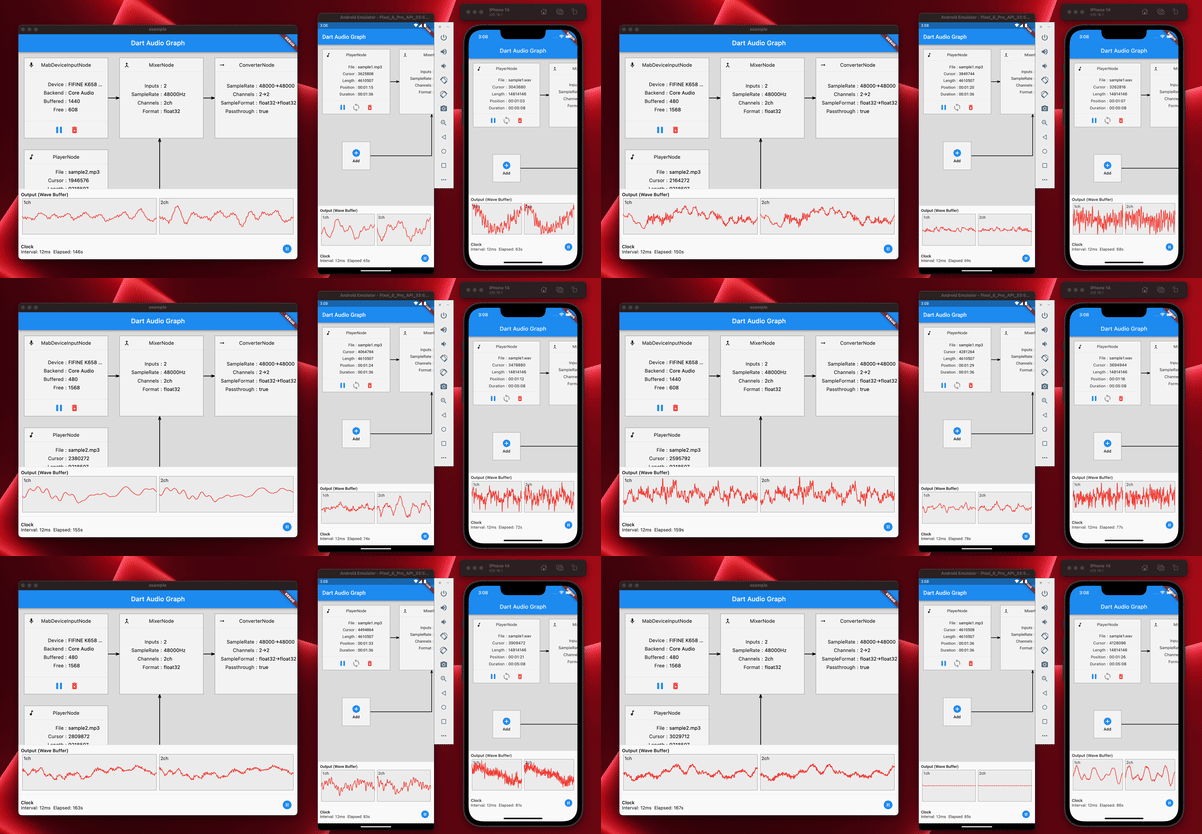
ใช่คุณสามารถใช้ coast_audio ใน Flutter
การดำเนินการ coast_audio ส่วนใหญ่เป็นแบบซิงโครนัสและอาจปิดกั้นไอโซเลทหลักของ Flutter
ดังนั้นขอแนะนำให้ใช้ coast_audio ในแยกแยกต่างหาก
โปรดดูการใช้งานแอปตัวอย่างสำหรับรายละเอียดเพิ่มเติม
coast_audio ในเว็บได้หรือไม่? ในระยะสั้นไม่
คุณควรใช้ dart:web_audio แทน
แต่มันอาจจะพร้อมใช้งานหากรองรับ FFI บนแพลตฟอร์มเว็บ





