Jlama
v0.8.3


Поддержка модели:
Орудия:
Jlama требует Java 20 или позже и использует новый векторный API для более быстрого вывода.
Добавьте вывод LLM непосредственно в ваше приложение Java.
Jlama включает в себя инструмент командной строки, который облегчает его использование.
CLI можно запустить с Jbang.
 # Install jbang (or https://www.jbang.dev/download/)
curl -Ls https://sh.jbang.dev | bash -s - app setup

# Install Jlama CLI (will ask if you trust the source)
jbang app install --force jlama@tjake
Теперь, когда у вас установлен Jlama, вы можете скачать модель от Huggingface и пообщаться с ней. ПРИМЕЧАНИЕ У меня есть предварительные модели, доступные по адресу https://hf.co/tjake
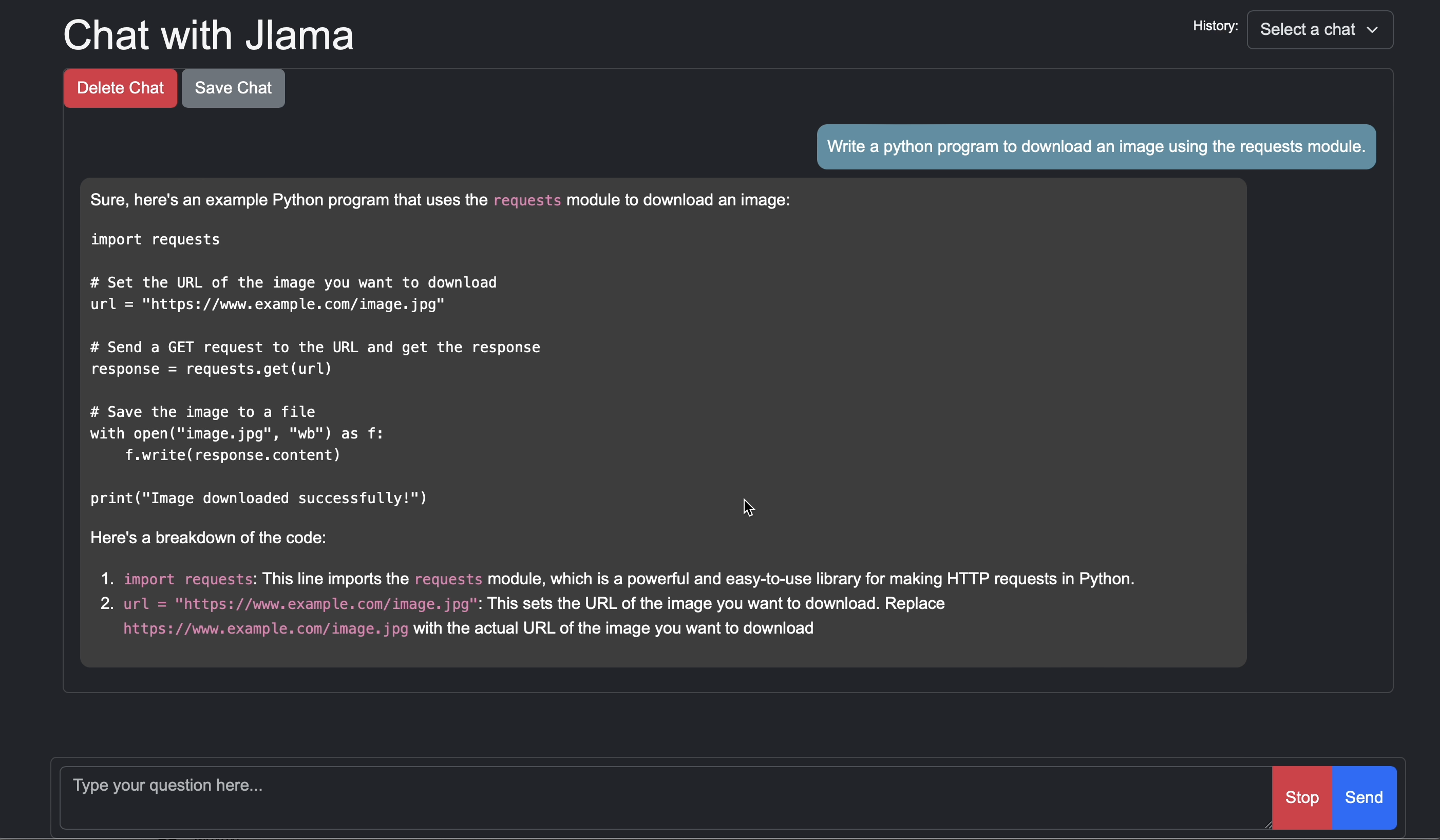
 # Run the openai chat api and UI on a model
jlama restapi tjake/Llama-3.2-1B-Instruct-JQ4 --auto-download
Открыть браузер для http: // localhost: 8080/
Usage:

jlama [COMMAND]

Description:

Jlama is a modern LLM inference engine for Java !
Quantized models are maintained at https://hf.co/tjake

Choose from the available commands:

Inference:
  chat                 Interact with the specified model
  restapi              Starts a openai compatible rest api for interacting with this model
  complete             Completes a prompt using the specified model

Distributed Inference:
  cluster-coordinator  Starts a distributed rest api for a model using cluster workers
  cluster-worker       Connects to a cluster coordinator to perform distributed inference

Other:
  download             Downloads a HuggingFace model - use owner/name format
  list                 Lists local models
quantize Quantize the specified modelОсновная цель JLAMA - обеспечить простой способ использовать большие языковые модели в Java.
Самый простой способ встроить JLAMA в ваше приложение с интеграцией LangChain4J.
Если вы хотите встроить Jlama без Langchain4j, добавьте в свой проект следующие зависимости Maven:
< dependency >
  < groupId >com.github.tjake</ groupId >
  < artifactId >jlama-core</ artifactId >
  < version >${jlama.version}</ version >
</ dependency >

< dependency >
  < groupId >com.github.tjake</ groupId >
  < artifactId >jlama-native</ artifactId >
  <!-- supports linux-x86_64, macos-x86_64/aarch_64, windows-x86_64
       Use https://github.com/trustin/os-maven-plugin to detect os and arch -->
  < classifier >${os.detected.name}-${os.detected.arch}</ classifier >
  < version >${jlama.version}</ version >
</ dependency >
Jlama использует функции предварительного просмотра Java 21. Вы можете включить функции по всему миру с:
export JDK_JAVA_OPTIONS= " --add-modules jdk.incubator.vector --enable-preview "или включите функции предварительного просмотра, настраивая компилятор Maven и плагины сбоев.
Тогда вы можете использовать классы моделей для запуска моделей:
 public void sample () throws IOException {
    String model = "tjake/Llama-3.2-1B-Instruct-JQ4" ;
    String workingDirectory = "./models" ;

    String prompt = "What is the best season to plant avocados?" ;

    // Downloads the model or just returns the local path if it's already downloaded
    File localModelPath = new Downloader ( workingDirectory , model ). huggingFaceModel ();

    // Loads the quantized model and specified use of quantized memory
    AbstractModel m = ModelSupport . loadModel ( localModelPath , DType . F32 , DType . I8 );

    PromptContext ctx ;
    // Checks if the model supports chat prompting and adds prompt in the expected format for this model
    if ( m . promptSupport (). isPresent ()) {
        ctx = m . promptSupport ()
                . get ()
                . builder ()
                . addSystemMessage ( "You are a helpful chatbot who writes short responses." )
                . addUserMessage ( prompt )
                . build ();
    } else {
        ctx = PromptContext . of ( prompt );
    }

    System . out . println ( "Prompt: " + ctx . getPrompt () + " n " );
    // Generates a response to the prompt and prints it
    // The api allows for streaming or non-streaming responses
    // The response is generated with a temperature of 0.7 and a max token length of 256
    Generator . Response r = m . generate ( UUID . randomUUID (), ctx , 0.0f , 256 , ( s , f ) -> {});
    System . out . println ( r . responseText );
}Если вы любите или используете этот проект, чтобы создать свой собственный, пожалуйста, дайте нам звезду. Это бесплатный способ показать вашу поддержку.
Код доступен по лицензии Apache.
Если вы найдете этот проект полезным в своем исследовании, пожалуйста, укажите эту работу в
 @misc{jlama2024,
    title = {Jlama: A modern Java inference engine for large language models},
    url = {https://github.com/tjake/jlama},
    author = {T Jake Luciani},
    month = {January},
    year = {2024}
}





