Jlama
v0.8.3


Suporte ao modelo:
Implementos:
A JLAMA requer Java 20 ou posterior e utiliza a nova API do vetor para uma inferência mais rápida.
Adicione a inferência LLM diretamente ao seu aplicativo Java.
A JLAMA inclui uma ferramenta de linha de comando que facilita o uso.
A CLI pode ser executada com Jbang.
 # Install jbang (or https://www.jbang.dev/download/)
curl -Ls https://sh.jbang.dev | bash -s - app setup

# Install Jlama CLI (will ask if you trust the source)
jbang app install --force jlama@tjake
Agora que você está instalado na JLAMA, você pode baixar um modelo de Huggingface e conversar com ele. Nota, tenho modelos pré-Quantizados disponíveis em https://hf.co/tjake
 # Run the openai chat api and UI on a model
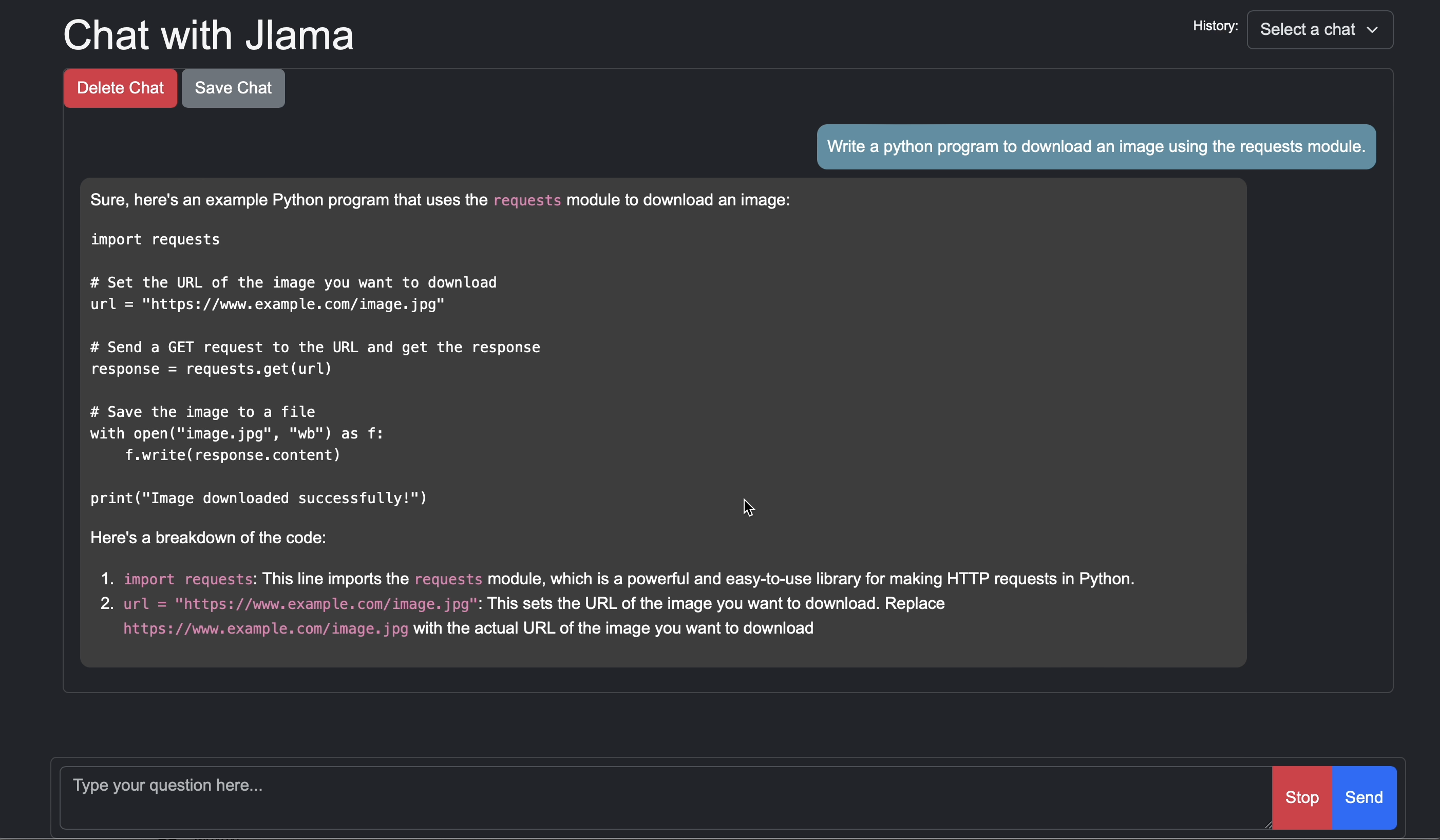
jlama restapi tjake/Llama-3.2-1B-Instruct-JQ4 --auto-download
navegador aberto para http: // localhost: 8080/
Usage:

jlama [COMMAND]

Description:

Jlama is a modern LLM inference engine for Java !
Quantized models are maintained at https://hf.co/tjake

Choose from the available commands:

Inference:
  chat                 Interact with the specified model
  restapi              Starts a openai compatible rest api for interacting with this model
  complete             Completes a prompt using the specified model

Distributed Inference:
  cluster-coordinator  Starts a distributed rest api for a model using cluster workers
  cluster-worker       Connects to a cluster coordinator to perform distributed inference

Other:
  download             Downloads a HuggingFace model - use owner/name format
  list                 Lists local models
quantize Quantize the specified modelO principal objetivo da JLAMA é fornecer uma maneira simples de usar grandes modelos de linguagem em Java.
A maneira mais simples de incorporar JLAMA em seu aplicativo é com a integração Langchain4J.
Se você deseja incorporar JLAMA sem Langchain4J, adicione as seguintes dependências do Maven ao seu projeto:
< dependency >
  < groupId >com.github.tjake</ groupId >
  < artifactId >jlama-core</ artifactId >
  < version >${jlama.version}</ version >
</ dependency >

< dependency >
  < groupId >com.github.tjake</ groupId >
  < artifactId >jlama-native</ artifactId >
  <!-- supports linux-x86_64, macos-x86_64/aarch_64, windows-x86_64
       Use https://github.com/trustin/os-maven-plugin to detect os and arch -->
  < classifier >${os.detected.name}-${os.detected.arch}</ classifier >
  < version >${jlama.version}</ version >
</ dependency >
A JLAMA usa os recursos de visualização do Java 21. Você pode ativar os recursos globalmente com:
export JDK_JAVA_OPTIONS= " --add-modules jdk.incubator.vector --enable-preview "ou Ative os recursos de visualização configurando o compilador Maven e os plug -ins falhas.
Então você pode usar as classes modelo para executar modelos:
 public void sample () throws IOException {
    String model = "tjake/Llama-3.2-1B-Instruct-JQ4" ;
    String workingDirectory = "./models" ;

    String prompt = "What is the best season to plant avocados?" ;

    // Downloads the model or just returns the local path if it's already downloaded
    File localModelPath = new Downloader ( workingDirectory , model ). huggingFaceModel ();

    // Loads the quantized model and specified use of quantized memory
    AbstractModel m = ModelSupport . loadModel ( localModelPath , DType . F32 , DType . I8 );

    PromptContext ctx ;
    // Checks if the model supports chat prompting and adds prompt in the expected format for this model
    if ( m . promptSupport (). isPresent ()) {
        ctx = m . promptSupport ()
                . get ()
                . builder ()
                . addSystemMessage ( "You are a helpful chatbot who writes short responses." )
                . addUserMessage ( prompt )
                . build ();
    } else {
        ctx = PromptContext . of ( prompt );
    }

    System . out . println ( "Prompt: " + ctx . getPrompt () + " n " );
    // Generates a response to the prompt and prints it
    // The api allows for streaming or non-streaming responses
    // The response is generated with a temperature of 0.7 and a max token length of 256
    Generator . Response r = m . generate ( UUID . randomUUID (), ctx , 0.0f , 256 , ( s , f ) -> {});
    System . out . println ( r . responseText );
}Se você gosta ou está usando este projeto para construir o seu próprio, dê -nos uma estrela. É uma maneira gratuita de mostrar seu apoio.
O código está disponível na licença Apache.
Se você achar este projeto útil em sua pesquisa, cite este trabalho em
 @misc{jlama2024,
    title = {Jlama: A modern Java inference engine for large language models},
    url = {https://github.com/tjake/jlama},
    author = {T Jake Luciani},
    month = {January},
    year = {2024}
}





