Jlama
v0.8.3


モデルサポート:
実装:
Jlamaは20以降のJavaを必要とし、より速い推論のために新しいベクトルAPIを利用します。
LLM推論をJavaアプリケーションに直接追加します。
Jlamaには、使いやすいコマンドラインツールが含まれています。
CLIはJbangで実行できます。
 # Install jbang (or https://www.jbang.dev/download/)
curl -Ls https://sh.jbang.dev | bash -s - app setup

# Install Jlama CLI (will ask if you trust the source)
jbang app install --force jlama@tjake
Jlamaがインストールされたので、Huggingfaceからモデルをダウンロードしてチャットできます。注私はhttps://hf.co/tjakeで入手可能な事前に定量化されたモデルを持っています
 # Run the openai chat api and UI on a model
jlama restapi tjake/Llama-3.2-1B-Instruct-JQ4 --auto-download
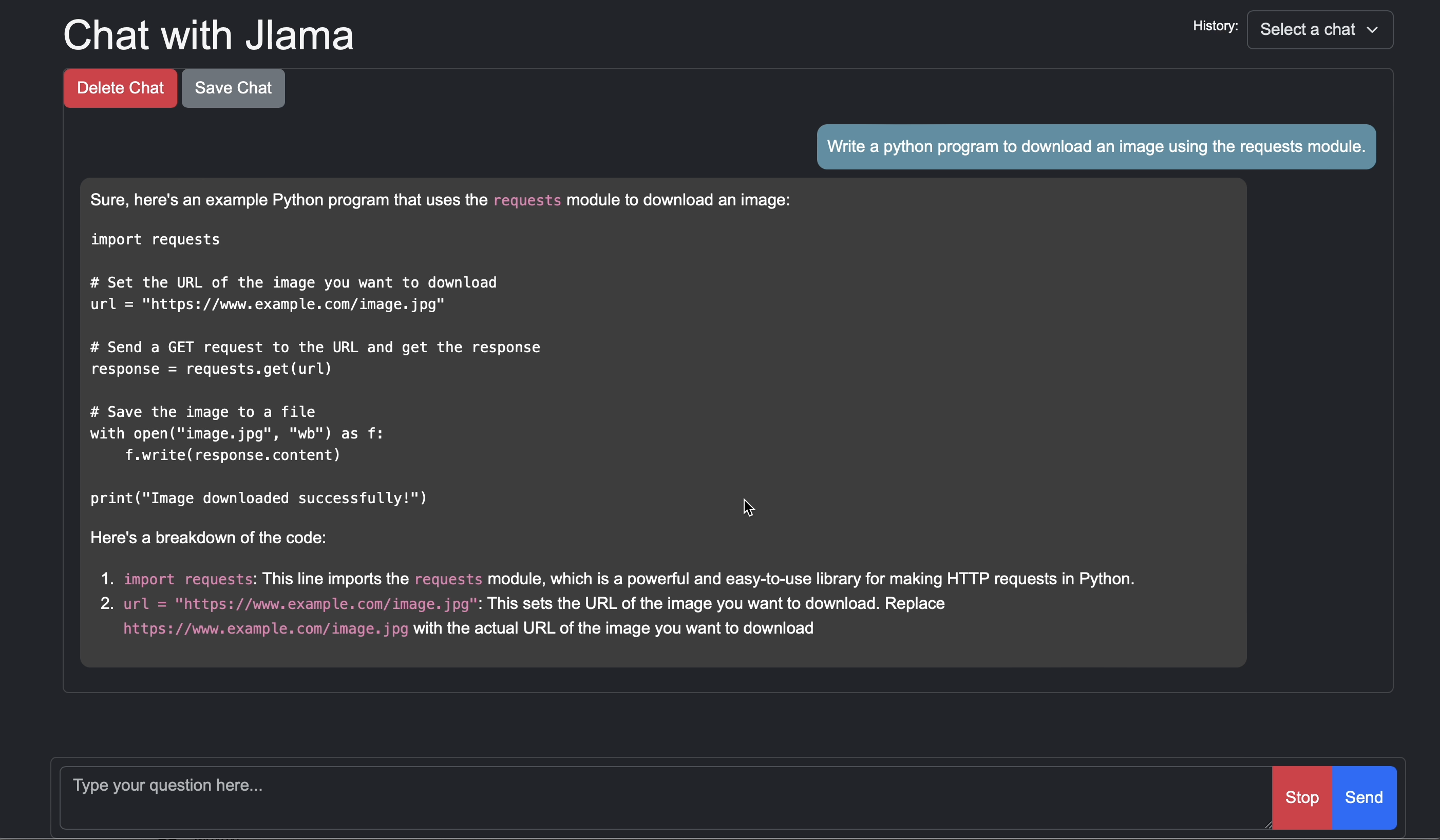
http:// localhostへのブラウザを開く:8080/
Usage:

jlama [COMMAND]

Description:

Jlama is a modern LLM inference engine for Java !
Quantized models are maintained at https://hf.co/tjake

Choose from the available commands:

Inference:
  chat                 Interact with the specified model
  restapi              Starts a openai compatible rest api for interacting with this model
  complete             Completes a prompt using the specified model

Distributed Inference:
  cluster-coordinator  Starts a distributed rest api for a model using cluster workers
  cluster-worker       Connects to a cluster coordinator to perform distributed inference

Other:
  download             Downloads a HuggingFace model - use owner/name format
  list                 Lists local models
quantize Quantize the specified modelJlamaの主な目的は、Javaで大規模な言語モデルを使用する簡単な方法を提供することです。
アプリにJlamaを埋め込む最も簡単な方法は、LangChain4J統合を使用することです。
Langchain4JなしでJlamaを埋めたい場合は、プロジェクトに次のMaven依存関係を追加します。
< dependency >
  < groupId >com.github.tjake</ groupId >
  < artifactId >jlama-core</ artifactId >
  < version >${jlama.version}</ version >
</ dependency >

< dependency >
  < groupId >com.github.tjake</ groupId >
  < artifactId >jlama-native</ artifactId >
  <!-- supports linux-x86_64, macos-x86_64/aarch_64, windows-x86_64
       Use https://github.com/trustin/os-maven-plugin to detect os and arch -->
  < classifier >${os.detected.name}-${os.detected.arch}</ classifier >
  < version >${jlama.version}</ version >
</ dependency >
JlamaはJava 21プレビュー機能を使用しています。あなたは以下で世界的に機能を有効にすることができます:
export JDK_JAVA_OPTIONS= " --add-modules jdk.incubator.vector --enable-preview "または、MavenコンパイラとFailSafeプラグインを構成して、プレビュー機能を有効にします。
その後、モデルクラスを使用してモデルを実行できます。
 public void sample () throws IOException {
    String model = "tjake/Llama-3.2-1B-Instruct-JQ4" ;
    String workingDirectory = "./models" ;

    String prompt = "What is the best season to plant avocados?" ;

    // Downloads the model or just returns the local path if it's already downloaded
    File localModelPath = new Downloader ( workingDirectory , model ). huggingFaceModel ();

    // Loads the quantized model and specified use of quantized memory
    AbstractModel m = ModelSupport . loadModel ( localModelPath , DType . F32 , DType . I8 );

    PromptContext ctx ;
    // Checks if the model supports chat prompting and adds prompt in the expected format for this model
    if ( m . promptSupport (). isPresent ()) {
        ctx = m . promptSupport ()
                . get ()
                . builder ()
                . addSystemMessage ( "You are a helpful chatbot who writes short responses." )
                . addUserMessage ( prompt )
                . build ();
    } else {
        ctx = PromptContext . of ( prompt );
    }

    System . out . println ( "Prompt: " + ctx . getPrompt () + " n " );
    // Generates a response to the prompt and prints it
    // The api allows for streaming or non-streaming responses
    // The response is generated with a temperature of 0.7 and a max token length of 256
    Generator . Response r = m . generate ( UUID . randomUUID (), ctx , 0.0f , 256 , ( s , f ) -> {});
    System . out . println ( r . responseText );
}このプロジェクトが好きまたは使用して独自のプロジェクトを構築している場合は、星を教えてください。それはあなたのサポートを示す無料の方法です。
コードはApacheライセンスの下で利用できます。
このプロジェクトがあなたの研究で役立つと思うなら、この作業を引用してください
 @misc{jlama2024,
    title = {Jlama: A modern Java inference engine for large language models},
    url = {https://github.com/tjake/jlama},
    author = {T Jake Luciani},
    month = {January},
    year = {2024}
}





