generative turbulence
1.0.0

Marten Lienen,DavidLüdke,Jan Hansen-Palmus,StephanGünnemann
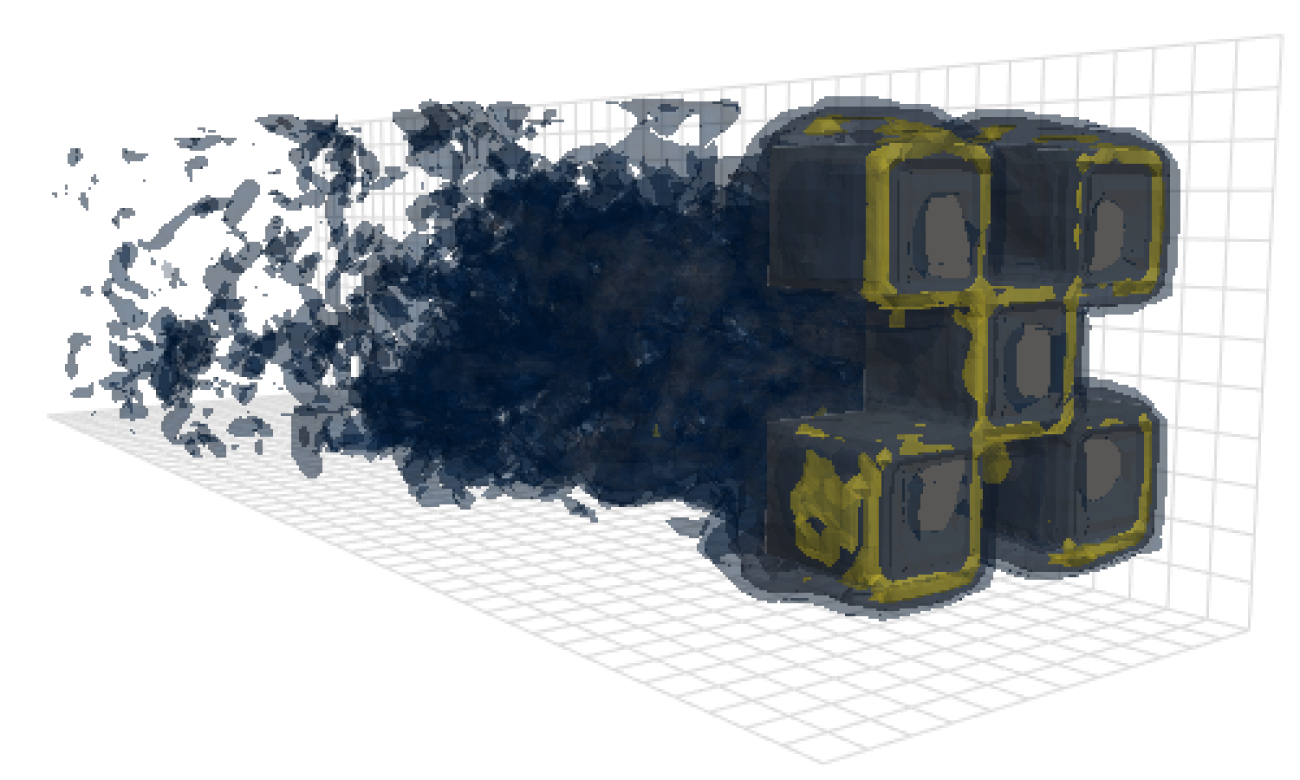
该存储库包含用于在我们的论文中产生结果的代码:OpenReview,Arxiv。
除模型,数据加载和培训代码外,该存储库还包含用于配置和运行OpenFOAM并后进程输出的代码。对于该领域的其他研究人员来说,这些工具可能是非常有用的起点。特别是
 # Clone the repository
git clone https://github.com/martenlienen/generative-turbulence.git

# Change into the repository
cd generative-turbulence

# Install package editably with dependencies
pip install -e .

# If you need a specific pytorch version, e.g. CPU-only or an older CUDA version, check
#
#     https://pytorch.org/get-started/locally/
#
# and run, for example,
#
# pip install torch --extra-index-url https://download.pytorch.org/whl/cu117
#
# before installing this package. 形状数据集托管在Tum大学图书馆。要下载它,请按照其页面上的说明进行操作或执行以下步骤。首先,下载文件。
 # Download all archives to data/shapes/download
scripts/download-dataset.sh请注意,这可能需要很长时间,因为处理后的数据大约为2TB。该脚本使用rsync ,因此您可以恢复部分下载。如果您还想下载RAW OpenFOAM案例数据,请改用
scripts/download-dataset.sh --with-raw下载Invidual档案后,您需要提取文件。以下脚本为您服务
scripts/extract-dataset.sh之后,您可以按照以下所述开始训练模型。
以下片段从data.h5集中的任何数据中加载数据。H5文件供您探索和实验。
 import numpy as np
import h5py as h5

def load_data ( path , idx , features = [ "u" , "p" ]):
    """Load data from a data.h5 file into an easily digestible matrix format.

    Arguments
    ---------
    path
        Path to a data.h5 file in the `shapes` dataset
    idx
        Index or indices of sample to load. Can be a number, list, boolean mask or a slice.
    features
        Features to load. By default loads only velocity and pressure but you can also
        access the LES specific k and nut variables.

    Returns
    -------
    t: np.ndarray of shape T
        Time steps of the loaded data frames
    data_3d: np.ndarray of shape T x W x H x D x F
        3D data with all features concatenated in the order that they are requested, i.e.
        in the default case the first 3 features will be the velocity vector and the fourth
        will be the pressure
    inside_mask: np.ndarray of shape W x H x D
        Boolean mask that marks the inside cells of the domain, i.e. cells that are not part
        of walls, inlets or outlets
    boundary_masks: dict of str to nd.ndarray of shape W x H x D
        Masks that mark cells belonging to each type of boundary
    boundary_values: dict[str, dict[str, np.ndarray]]
        Prescribed values for variables and boundaries with Dirichlet boundary conditions
    """

    with h5 . File ( path , mode = "r" ) as f :
        t = np . array ( f [ "data/times" ])

        cell_data = np . concatenate ([ np . atleast_3d ( f [ "data" ][ name ][ idx ]) for name in features ], axis = - 1 )
        padded_cell_counts = np . array ( f [ "grid/cell_counts" ])
        cell_idx = np . array ( f [ "grid/cell_idx" ])

        n_steps , n_features = cell_data . shape [ 0 ], cell_data . shape [ - 1 ]
        data_3d = np . zeros (( n_steps , * padded_cell_counts , n_features ))
        data_3d . reshape (( n_steps , - 1 , n_features ))[:, cell_idx ] = cell_data

        inside_mask = np . zeros ( padded_cell_counts , dtype = bool )
        inside_mask . reshape ( - 1 )[ cell_idx ] = 1

        boundary_masks = { name : np . zeros ( padded_cell_counts , dtype = bool ) for name in f [ "grid/boundaries" ]. keys ()}
        for name , mask in boundary_masks . items ():
            mask . reshape ( - 1 )[ np . array ( f [ "grid/boundaries" ][ name ])] = 1

        boundary_values = {
            ft : {
                name : np . atleast_1d ( desc [ "value" ])
                for name , desc in f [ "boundary-conditions" ][ ft ]. items ()
                if desc . attrs [ "type" ] == "fixed-value"
            }
            for ft in features
        }

    return t , data_3d , inside_mask , boundary_masks , boundary_values
你可以像
 from matplotlib . pyplot import matshow

path = "data/shapes/data/2x2-large/data.h5"
t , data_3d , inside_mask , boundary_masks , boundary_values = load_data ( path , [ 50 , 300 ])

matshow ( np . linalg . norm ( data_3d [ - 1 , :, :, 20 , : 3 ], axis = - 1 ). T )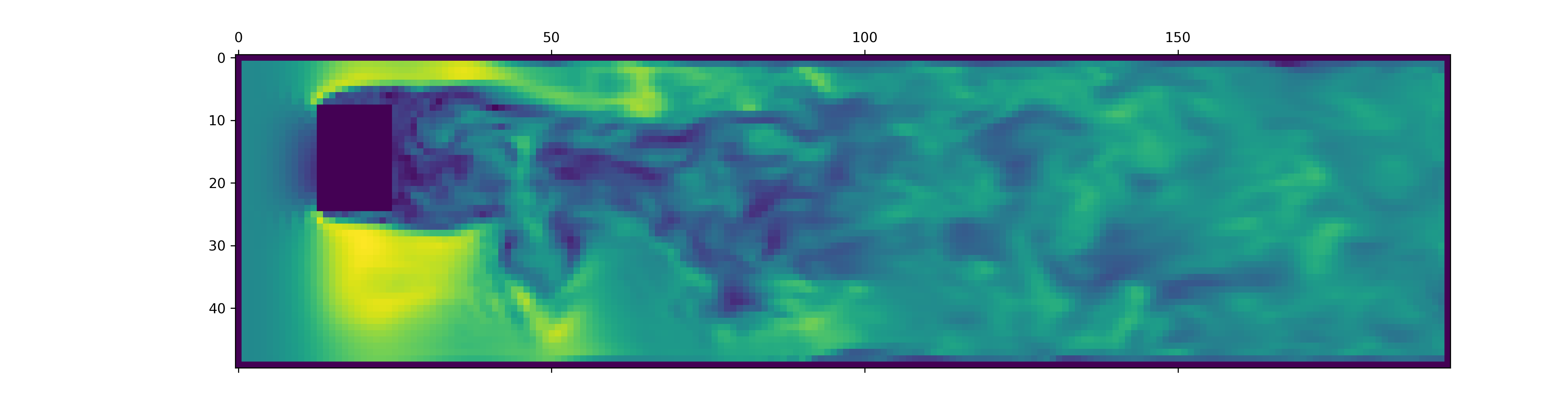
data.h5文件包含的信息比此摘要负载更多。要探索其他可用的东西,请在我们的数据加载程序中戳一下。
要为新的OpenFOAM模拟生成数据,请首先确保您已经安装了额外的依赖项并just可用:
pip install -e " .[data] "如果您不想just使用,也可以阅读justfile并自己运行命令。
首先创建一个安装了OpenFOAM的Docker容器:
just of-docker现在生成一堆新案例。例如,以下设置我们数据集中的所有OpenFOAM案例(仿真):
./scripts/generate-shapes.py data/shapes当然,您可以调整脚本以创建其他形状或全新的数据集。
现在,您可以在本地使用OpenFOAM解决案例(运行模拟)
just of-solve path/to/case或将其中一堆提交您自己的浆液群:
./scripts/solve-slurm.py data/shapes/data/ * /case之后,将后处理(例如HDF5转换)应用于每个模拟,例如
just postprocess data/shapes/data/2x2最后,计算特征归一化的训练集统计数据:
./scripts/dataset-stats.py data/shapes要开始培训,请与您的设置联系train.py ,
./train.py data.batch_size=128培训脚本使用Hydra进行配置,因此请查看config目录中的文件,以了解所有可用的设置。
要重新运行纸的实验,请执行
./train.py -cn shapes_experiment -m它开始使用config/shapes_experiment.yaml中的设置进行培训。如果您没有可用的Slurm群集,请删除与launcher相关的设置。
如果您以这项工作为基础,请如下引用我们的论文。
 @inproceedings{lienen2024zero,
  title = {From {{Zero}} to {{Turbulence}}: {{Generative Modeling}} for {{3D Flow Simulation}}},
  author = {Lienen, Marten and L{"u}dke, David and {Hansen-Palmus}, Jan and G{"u}nnemann, Stephan},
  booktitle = {International {{Conference}} on {{Learning Representations}}},
  year = {2024},
}





