generative turbulence
1.0.0

Marten Lienen, David Lüdke, Jan Hansen-Palmus, Stephan Günnemann
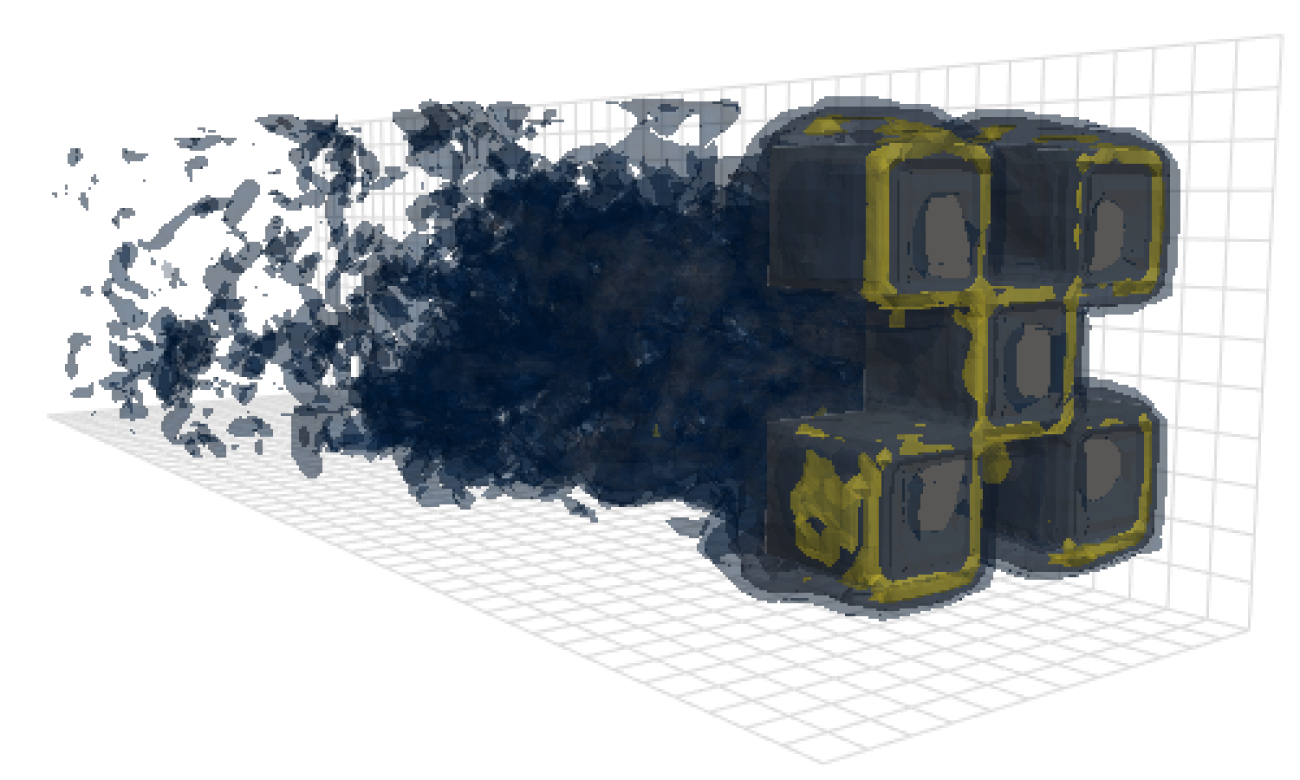
This repository contains the code used to produce the results in our paper: openreview, arxiv.
Besides the model, data loading and training code, this repository also contains code to configure and run OpenFOAM and postprocess its outputs. These tools could be an immensely useful starting point for other researchers in the field. In particular, there is
# Clone the repository
git clone https://github.com/martenlienen/generative-turbulence.git

# Change into the repository
cd generative-turbulence

# Install package editably with dependencies
pip install -e .

# If you need a specific pytorch version, e.g. CPU-only or an older CUDA version, check
#
#     https://pytorch.org/get-started/locally/
#
# and run, for example,
#
# pip install torch --extra-index-url https://download.pytorch.org/whl/cu117
#
# before installing this package.The shapes dataset is hosted at TUM university library. To download it, either follow the instructions on their page or execute the following steps. First, download the files.
# Download all archives to data/shapes/download
scripts/download-dataset.sh
Note, that this can take a long time as the processed data is roughly 2TB. The script uses rsync, so you can resume partial downloads. If you also want to download the raw OpenFOAM case data, run instead
scripts/download-dataset.sh --with-rawAfter downloading the invididual archives, you need to extract the files. The following script does so for you
scripts/extract-dataset.shAfterwards, you can start training the model as described below.
The following snippet loads data from any of the data.h5 files in the dataset for you to explore and experiment with.
import numpy as np
import h5py as h5

def load_data(path, idx, features = ["u", "p"]):
    """Load data from a data.h5 file into an easily digestible matrix format.

    Arguments
    ---------
    path
        Path to a data.h5 file in the `shapes` dataset
    idx
        Index or indices of sample to load. Can be a number, list, boolean mask or a slice.
    features
        Features to load. By default loads only velocity and pressure but you can also
        access the LES specific k and nut variables.

    Returns
    -------
    t: np.ndarray of shape T
        Time steps of the loaded data frames
    data_3d: np.ndarray of shape T x W x H x D x F
        3D data with all features concatenated in the order that they are requested, i.e.
        in the default case the first 3 features will be the velocity vector and the fourth
        will be the pressure
    inside_mask: np.ndarray of shape W x H x D
        Boolean mask that marks the inside cells of the domain, i.e. cells that are not part
        of walls, inlets or outlets
    boundary_masks: dict of str to nd.ndarray of shape W x H x D
        Masks that mark cells belonging to each type of boundary
    boundary_values: dict[str, dict[str, np.ndarray]]
        Prescribed values for variables and boundaries with Dirichlet boundary conditions
    """

    with h5.File(path, mode="r") as f:
        t = np.array(f["data/times"])

        cell_data = np.concatenate([np.atleast_3d(f["data"][name][idx]) for name in features], axis=-1)
        padded_cell_counts = np.array(f["grid/cell_counts"])
        cell_idx = np.array(f["grid/cell_idx"])

        n_steps, n_features = cell_data.shape[0], cell_data.shape[-1]
        data_3d = np.zeros((n_steps, *padded_cell_counts, n_features))
        data_3d.reshape((n_steps, -1, n_features))[:, cell_idx] = cell_data

        inside_mask = np.zeros(padded_cell_counts, dtype=bool)
        inside_mask.reshape(-1)[cell_idx] = 1

        boundary_masks = {name: np.zeros(padded_cell_counts, dtype=bool) for name in f["grid/boundaries"].keys()}
        for name, mask in boundary_masks.items():
            mask.reshape(-1)[np.array(f["grid/boundaries"][name])] = 1

        boundary_values = {
            ft: {
                name: np.atleast_1d(desc["value"])
                for name, desc in f["boundary-conditions"][ft].items()
                if desc.attrs["type"] == "fixed-value"
            }
            for ft in features
        }

    return t, data_3d, inside_mask, boundary_masks, boundary_values
You can use it like
from matplotlib.pyplot import matshow

path = "data/shapes/data/2x2-large/data.h5"
t, data_3d, inside_mask, boundary_masks, boundary_values = load_data(path, [50, 300])

matshow(np.linalg.norm(data_3d[-1, :, :, 20, :3], axis=-1).T)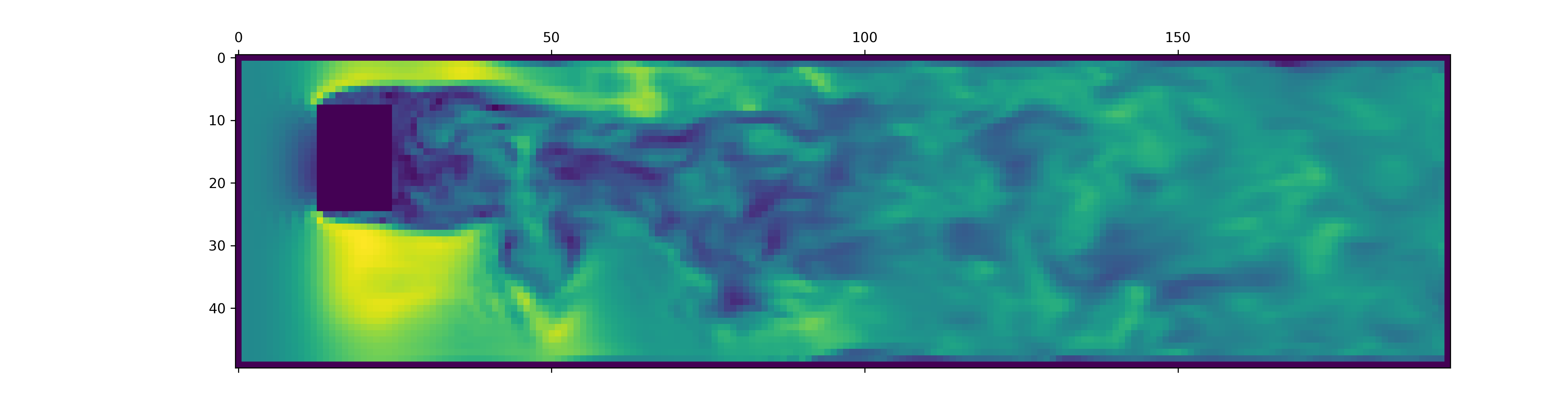
The data.h5 files contain more information than this snippet loads. To explore what else is available, poke around in our data loader.
To generate data for new OpenFOAM simulations, first make sure that you have installed the extra dependencies and have just available:
pip install -e ".[data]"If you don't want to use just, you can also read the justfile and run the commands yourself.
Begin by creating a docker container with OpenFOAM installed:
just of-dockerNow generate a bunch of new cases. For example, the following sets up all the OpenFOAM cases (simulations) from our dataset:
./scripts/generate-shapes.py data/shapesOf course, you can adapt the script to create other shapes or completely new datasets.
Now you can solve the case (run the simulation) with OpenFOAM locally
just of-solve path/to/caseor submit a whole bunch of them to your own SLURM cluster:
./scripts/solve-slurm.py data/shapes/data/*/caseAfterwards, apply the postprocessing, e.g. the HDF5 conversion, to each simulation, for example
just postprocess data/shapes/data/2x2Finally, compute the training set statistics for feature normalization:
./scripts/dataset-stats.py data/shapesTo start a training, call train.py with the your settings, for example
./train.py data.batch_size=128The training script uses hydra for configuration, so check out the files in the config directory, to learn about all available settings.
To re-run the experiments from the paper, execute
./train.py -cn shapes_experiment -mwhich starts training with the settings in config/shapes_experiment.yaml. If you don't have a SLURM cluster available, remove the settings related to launcher.
If you build upon this work, please cite our paper as follows.
@inproceedings{lienen2024zero,
  title = {From {{Zero}} to {{Turbulence}}: {{Generative Modeling}} for {{3D Flow Simulation}}},
  author = {Lienen, Marten and L{"u}dke, David and {Hansen-Palmus}, Jan and G{"u}nnemann, Stephan},
  booktitle = {International {{Conference}} on {{Learning Representations}}},
  year = {2024},
}





