generative turbulence
1.0.0

Marten Lienen, David Lüdke, Jan Hansen-Palmus, Stephan Günnemann
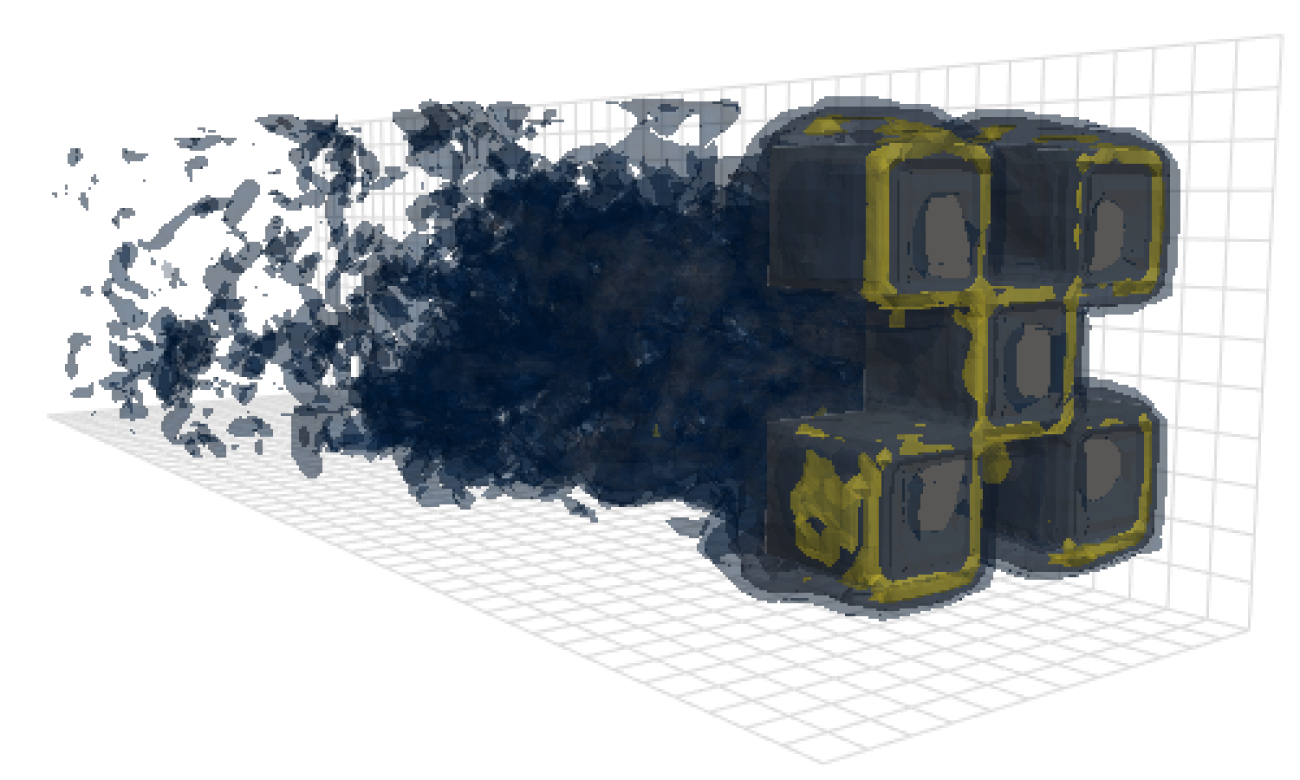
Repositori ini berisi kode yang digunakan untuk menghasilkan hasil dalam makalah kami: OpenReview, Arxiv.
Selain model, pemuatan data dan kode pelatihan, repositori ini juga berisi kode untuk mengonfigurasi dan menjalankan OpenFoam dan postprocess outputnya. Alat -alat ini bisa menjadi titik awal yang sangat berguna bagi para peneliti lain di lapangan. Secara khusus, ada
 # Clone the repository
git clone https://github.com/martenlienen/generative-turbulence.git

# Change into the repository
cd generative-turbulence

# Install package editably with dependencies
pip install -e .

# If you need a specific pytorch version, e.g. CPU-only or an older CUDA version, check
#
#     https://pytorch.org/get-started/locally/
#
# and run, for example,
#
# pip install torch --extra-index-url https://download.pytorch.org/whl/cu117
#
# before installing this package.
Dataset Bentuk di -host di Tum University Library. Untuk mengunduhnya, ikuti instruksi di halaman mereka atau jalankan langkah -langkah berikut. Pertama, unduh file.
 # Download all archives to data/shapes/download
scripts/download-dataset.sh
Perhatikan, bahwa ini bisa memakan waktu lama karena data yang diproses kira -kira 2TB. Script menggunakan rsync , sehingga Anda dapat melanjutkan unduhan parsial. Jika Anda juga ingin mengunduh data kasus Raw OpenFoam, jalankan sebagai gantinya
scripts/download-dataset.sh --with-rawSetelah mengunduh arsip invididual, Anda perlu mengekstrak file. Skrip berikut melakukannya untuk Anda
scripts/extract-dataset.shSetelah itu, Anda dapat mulai melatih model seperti yang dijelaskan di bawah ini.
Cuplikan berikut memuat data dari salah satu file data.h5 dalam dataset untuk Anda jelajahi dan bereksperimen.
 import numpy as np
import h5py as h5

def load_data ( path , idx , features = [ "u" , "p" ]):
    """Load data from a data.h5 file into an easily digestible matrix format.

    Arguments
    ---------
    path
        Path to a data.h5 file in the `shapes` dataset
    idx
        Index or indices of sample to load. Can be a number, list, boolean mask or a slice.
    features
        Features to load. By default loads only velocity and pressure but you can also
        access the LES specific k and nut variables.

    Returns
    -------
    t: np.ndarray of shape T
        Time steps of the loaded data frames
    data_3d: np.ndarray of shape T x W x H x D x F
        3D data with all features concatenated in the order that they are requested, i.e.
        in the default case the first 3 features will be the velocity vector and the fourth
        will be the pressure
    inside_mask: np.ndarray of shape W x H x D
        Boolean mask that marks the inside cells of the domain, i.e. cells that are not part
        of walls, inlets or outlets
    boundary_masks: dict of str to nd.ndarray of shape W x H x D
        Masks that mark cells belonging to each type of boundary
    boundary_values: dict[str, dict[str, np.ndarray]]
        Prescribed values for variables and boundaries with Dirichlet boundary conditions
    """

    with h5 . File ( path , mode = "r" ) as f :
        t = np . array ( f [ "data/times" ])

        cell_data = np . concatenate ([ np . atleast_3d ( f [ "data" ][ name ][ idx ]) for name in features ], axis = - 1 )
        padded_cell_counts = np . array ( f [ "grid/cell_counts" ])
        cell_idx = np . array ( f [ "grid/cell_idx" ])

        n_steps , n_features = cell_data . shape [ 0 ], cell_data . shape [ - 1 ]
        data_3d = np . zeros (( n_steps , * padded_cell_counts , n_features ))
        data_3d . reshape (( n_steps , - 1 , n_features ))[:, cell_idx ] = cell_data

        inside_mask = np . zeros ( padded_cell_counts , dtype = bool )
        inside_mask . reshape ( - 1 )[ cell_idx ] = 1

        boundary_masks = { name : np . zeros ( padded_cell_counts , dtype = bool ) for name in f [ "grid/boundaries" ]. keys ()}
        for name , mask in boundary_masks . items ():
            mask . reshape ( - 1 )[ np . array ( f [ "grid/boundaries" ][ name ])] = 1

        boundary_values = {
            ft : {
                name : np . atleast_1d ( desc [ "value" ])
                for name , desc in f [ "boundary-conditions" ][ ft ]. items ()
                if desc . attrs [ "type" ] == "fixed-value"
            }
            for ft in features
        }

    return t , data_3d , inside_mask , boundary_masks , boundary_values
Anda bisa menggunakannya seperti
 from matplotlib . pyplot import matshow

path = "data/shapes/data/2x2-large/data.h5"
t , data_3d , inside_mask , boundary_masks , boundary_values = load_data ( path , [ 50 , 300 ])

matshow ( np . linalg . norm ( data_3d [ - 1 , :, :, 20 , : 3 ], axis = - 1 ). T )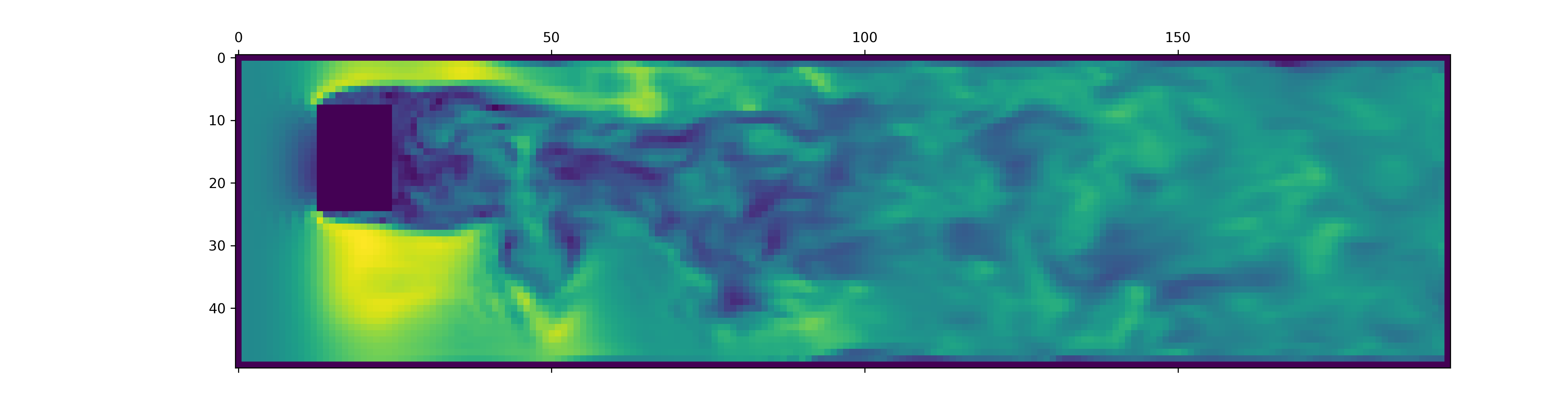
File data.h5 berisi lebih banyak informasi daripada cuplikan ini memuat. Untuk mengeksplorasi apa lagi yang tersedia, tusuk di loader data kami.
Untuk menghasilkan data untuk simulasi OpenFoam baru, pertama -tama pastikan Anda telah menginstal dependensi ekstra dan just tersedia:
pip install -e " .[data] " Jika Anda tidak ingin menggunakannya just , Anda juga dapat membaca justfile dan menjalankan perintah sendiri.
Mulailah dengan membuat wadah Docker dengan OpenFoam terpasang:
just of-dockerSekarang hasilkan banyak kasus baru. Misalnya, yang berikut ini mengatur semua kasus OpenFoam (simulasi) dari dataset kami:
./scripts/generate-shapes.py data/shapesTentu saja, Anda dapat mengadaptasi skrip untuk membuat bentuk lain atau set data yang sama sekali baru.
Sekarang Anda dapat menyelesaikan kasing (jalankan simulasi) dengan OpenFoam secara lokal
just of-solve path/to/caseAtau kirimkan sejumlah besar dari mereka ke cluster slurm Anda sendiri:
./scripts/solve-slurm.py data/shapes/data/ * /caseSetelah itu, terapkan postprocessing, misalnya konversi HDF5, untuk setiap simulasi, misalnya
just postprocess data/shapes/data/2x2Akhirnya, hitung statistik set pelatihan untuk normalisasi fitur:
./scripts/dataset-stats.py data/shapes Untuk memulai pelatihan, hubungi train.py dengan pengaturan Anda, misalnya
./train.py data.batch_size=128 Skrip pelatihan menggunakan Hydra untuk konfigurasi, jadi lihat file di direktori config , untuk mempelajari semua pengaturan yang tersedia.
Untuk menjalankan kembali eksperimen dari kertas, jalankan
./train.py -cn shapes_experiment -m yang memulai pelatihan dengan pengaturan di config/shapes_experiment.yaml . Jika Anda tidak memiliki cluster slurm yang tersedia, hapus pengaturan yang terkait dengan launcher .
Jika Anda membangun pekerjaan ini, silakan mengutip kertas kami sebagai berikut.
 @inproceedings{lienen2024zero,
  title = {From {{Zero}} to {{Turbulence}}: {{Generative Modeling}} for {{3D Flow Simulation}}},
  author = {Lienen, Marten and L{"u}dke, David and {Hansen-Palmus}, Jan and G{"u}nnemann, Stephan},
  booktitle = {International {{Conference}} on {{Learning Representations}}},
  year = {2024},
}





