HiOllama
1.0.0

一个时尚且用户友好的界面,可与Python和Gradio构建的Ollama型号进行交互。
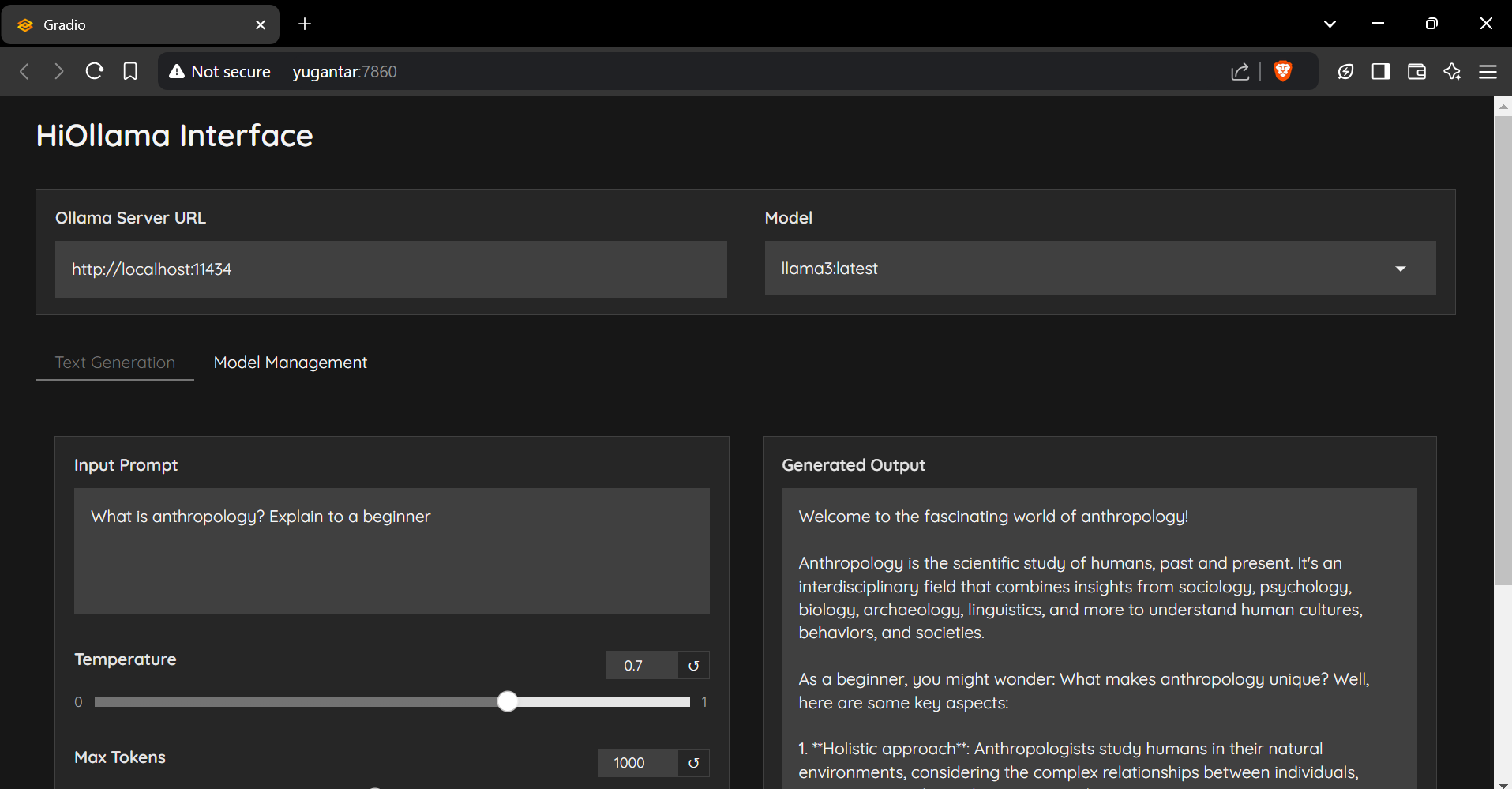
git clone https://github.com/smaranjitghose/HiOllama.git
cd HiOllama # Windows
python -m venv env
. e nv S cripts a ctivate
# Linux/Mac
python3 -m venv env
source env/bin/activatepip install -r requirements.txt # Linux/Mac
curl -fsSL https://ollama.ai/install.sh | sh
# For Windows, install WSL2 first, then run the above command ollama servepython main.py http://localhost:7860
默认设置可以在main.py中修改:
 DEFAULT_OLLAMA_URL = "http://localhost:11434"
DEFAULT_MODEL_NAME = "llama3" 连接错误
ollama serve )找不到模型
ollama pull model_nameollama list港口冲突
main.py的端口: app . launch ( server_port = 7860 ) # Change to another port 欢迎捐款!请随时提交拉动请求。
git checkout -b feature/AmazingFeature )git commit -m 'Add some AmazingFeature' )git push origin feature/AmazingFeature )该项目是根据MIT许可证获得许可的 - 有关详细信息,请参见许可证文件。
由Smaranjit Ghose制成的❤️





