Ckrett package pypi
1.0.0

Available operations in ckret library:
1.syph() -----> cypherises the user input text
2.dsyph() -----> decypherises the user input text to plain text
3.ksyph() ------> cypherises the user input text with unique 6 digit security key
4.kdsyph() -------> decypherises the text only when 6 digit security key is provided correctly
5.morse() -----> converts plain english text into morse code
6.dmorse() -----> converts morse code into plain english text
7.stot() -------> converts speech to text, can be used in place of input()
==> for speech recognition to work that is stot(), pyaudio, speechrecognition must be strictly pre-installed, otherwise you'll get an error.
==> if pyaudio, speechrecognition is already installed you can skip this step and proceed for installation
or
install pyaudio by executing the following commands in cmd before or after installing ckrett:
step-1 : $ pip install pipwin
step-2 : $ pipwin install pyaudio
pipwin is like pip, but it installs precompiled Windows binaries and depencies that are required for building and compiling pyaudio setup files
next install speechrecognition by executing the following commands in cmd
$ pip install speechrecognition
Install from official pypi repo --> https://pypi.org/project/ckrett/
or
$ pip install ckrett
import ckrett
x=input()
msg=ckrett.syph(x)
print(msg)import ckrett
x=ckrett.stot()
msg=ckrett.syph(x)
print(msg)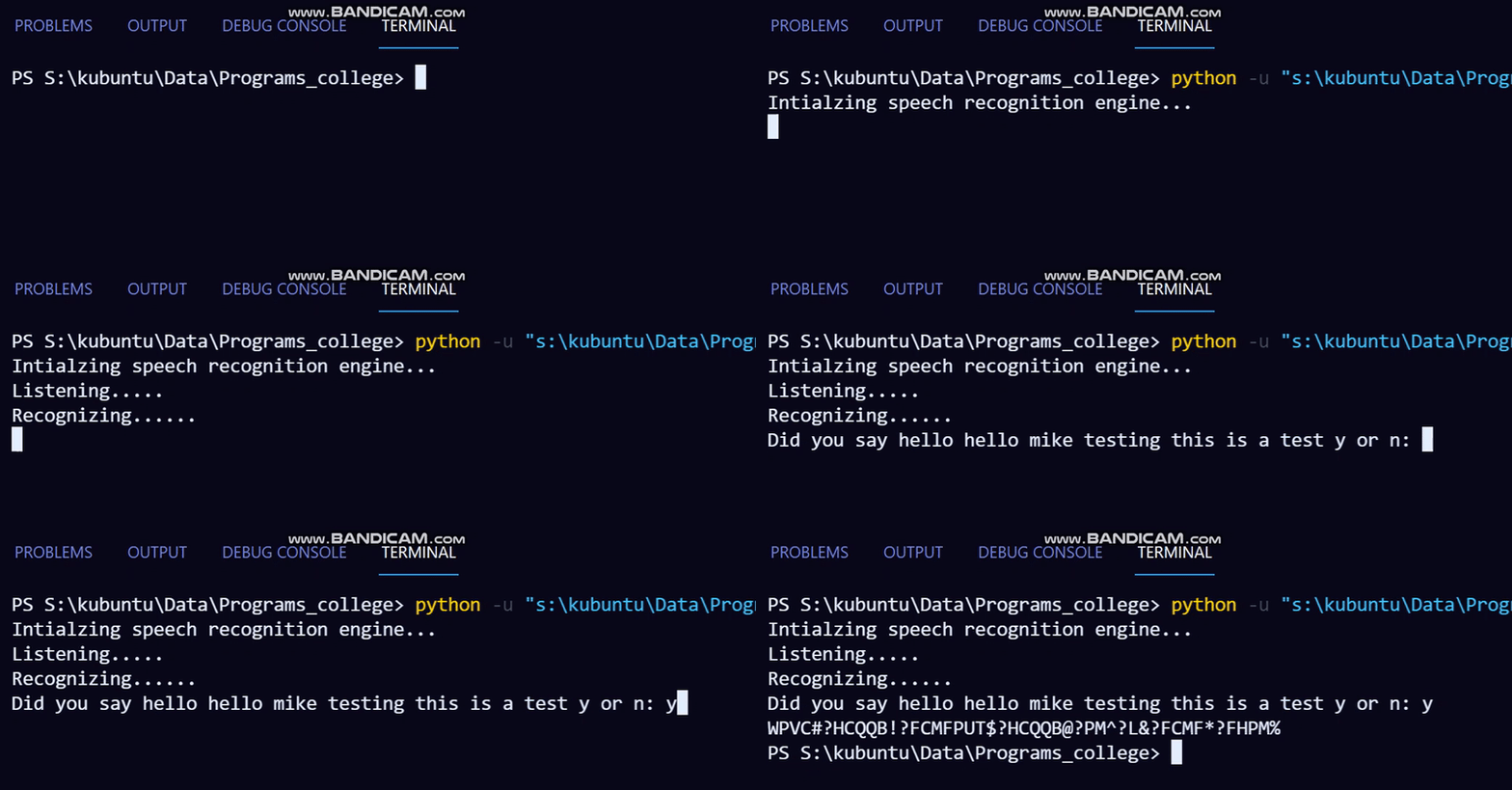
==> Changes in 1.5.0:
$ added morse(),dmorse(),stot()
$ user can now convert plain english text into morse code and vice versa
$ using stot() user can dicate a sentence which is recognized using dependecies-pyaudio,pyttxs3,speech_recognition engine that can be stored in var x which can be used for ciphering directly from speech, instead of typing out the entire sentence using input().
I will also soon be publishing it on GeeksforGeeks
happy ciphering, peace✌.







