BlurringAtlasForUGUI
v0.2.0

Blur effects for UGUI are also effective for atlas images with dynamic fonts.
A blur effect for uGUI that is effective even for atlas images including dynamic fonts.
<< Description | WebGL Demo | Download | Usage | Development Note >>
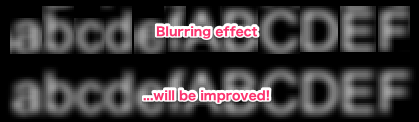
This plugin reduces common artifacts (=by-products, noise) that can occur in blur effects for uGUI.
We will solve the following two artifacts:
NOTE: The artifact name is appropriate.
This plug-in reduces common artifacts in the blur effect for uGUI.
This plug-in solve the following two artifacts.
NOTE: I do not know if the name of the artifact is an exact name;)
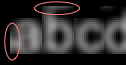
The blur effect combines multiple texels with a fragment shader based on the kernel.
Artifacts will occur when referencing UVs in adjacent sprites, due to large kernel sizes or small padding sizes in the atlas.
The blur effect combines multiple texels based on the kernel size, in the fragment shader.
Artifacts will occur when referencing the UVs of adjacent sprites, for example because the kernel size is large or the padding size of the atlas is small.

Masks UVs that can be referenced for each vertex.
For UI, it matches the UV range of sprites and characters.
If you refer to an unmasked UV (= if you refer to an out-of-range UV), the texel is considered to return the color (0,0,0,0) of the color.
For each vertex, mask UVs that vertices can reference.
In the case of UI element, it will match the UV range of the sprite or the character.
When referring to unmasked UV, the texel returns color (0,0,0,0) .
 float4 mask;  // xy: minimum uv, zw: maximum uv.
float2 uv;
float4 color = tex2D(_MainTex, uv)
                * step(mask.x, uv.x)
                * step(mask.y, uv.y)
                * step(uv.x, mask.z)
                * step(uv.y, mask.w);
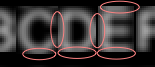
The pixels that can be drawn with the fragment shader are generated by rasterization.
Typically, the UI shader does not draw areas outside the given mesh.
When the kernel size is large or the sprite's margin is small, "artifacts that appear to be clipped in mesh" will occur.
Pixels that can be rendered with fragment shaders are generated by rasterization.
In most cases, the UI shader does not draw areas outside the given mesh.
When the kernel size is large or the margin of the sprite is small, "artifacts that looks like clipped by mesh" will occur.
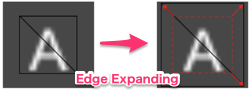
The vertices on the periphery are expanded outside with the UVs, expanding the drawing area.
This solution does not increase the number of vertices. It is also effective for "9-Sliced" and "Tiled".
Expand the drawing area by expanding the coordinates and UV of the vertices on the outer side.
This solution does not increase the number of vertices. It is also available for "9-Slice" and "Tiled".
WebGL Demo
Import Package > Custom Package from the Assets menu.TexCoord1 channel of canvas. See also Development Note.UIBlurringAtlas component to UI element (Image, RawImage, Text, etc...) from Add Component in inspector. In Unity 5.6+, Canvas supports Additional Shader Channels .
Please enable TexCoord1 to use this plugin. 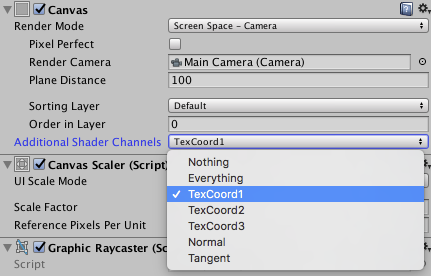
See UIEffect.
This plugin uses 12bit (4096 steps) for each element of the UV range (uMin, vMin, uMax, vMax) and assigns it to the vertex uv1. (This is why TexCoord1 channel should be enabled in Unity 5.6+.)
This plugin uses 12bit (4096 steps) for each element of the UV range (uMin, vMin, uMax, vMax) and assigns it to the vertex uv1. (In Unity 5.6+, it is the reason to activate TexCoord 1 channel.)
uiVertex.uv1 = new Vector2( Packer.ToFloat(uMin, vMin), Packer.ToFloat(uMax, vMax) );
By applying this technique, expressions using uv shifts (glow effects, soft shadows, etc.) can also be used for uGUI elements alone.
We will release the glow effects later.
By applying this technique, effects using uv shift (such as glow effect or soft shadow) can be used for a single uGUI element.
I will release the glow effect later.
(WIP) 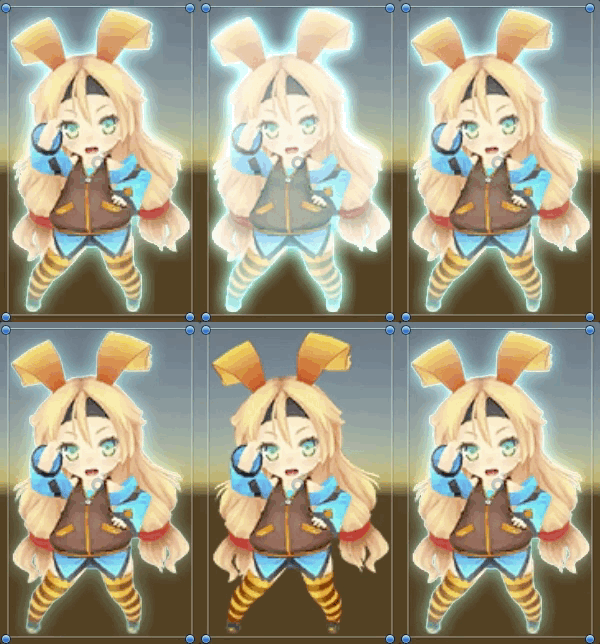
mob-sakai








