comp labs meet
v2022.9.1

Desktop application for Tech Fiddle Meet built with Electron modified from Jitsi Meet Electron App.
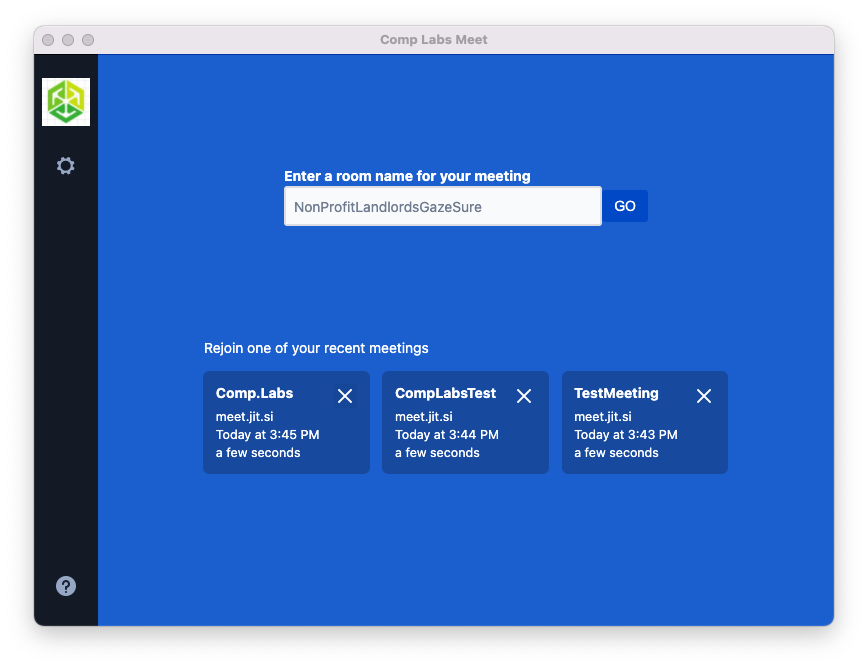
comp-labs-meet://meeting (will open meeting on the configured Jitsi Server URL in the App) or comp-labs-meet://meet.example.com/meeting (will open meeting on the Jitsi Meet Server running on meet.example.com)Download our latest release and you're off to the races!
| Windows | macOS | GNU/Linux (AppImage) | GNU/Linux (Deb) | Snap Store |
|---|---|---|---|---|
| Download | Download | Download | Download |
NOTE: The GNU/Linux builds are 64-bit only.
Content-Security-Policy "frame-ancestors [looks like any value is bad]";
X-Frame-Options "DENY";
A working Content Security Policy looks like that:
Content-Security-Policy "img-src 'self' 'unsafe-inline' data:; script-src 'self' 'unsafe-inline' 'wasm-eval'; style-src 'self' 'unsafe-inline'; font-src 'self'; object-src 'none'; base-uri 'self'; form-action 'none';";
If you want to hack on this project, here is how you do it.
Install Node.js 16 first (or if you use nvm, switch to Node.js 16 by running nvm use).
npm install --global --production windows-build-toolsX11, PNG and ZLIB development packages are necessary. Debian-like systems then can be installed as follows:
sudo apt install libx11-dev zlib1g-dev libpng-dev libxtst-devInstall all required packages:
npm installnpm startThe debugger tools are available when running in dev mode and can be activated with keyboard shortcuts as defined here https://github.com/sindresorhus/electron-debug#features.
It can also be displayed automatically from the SHOW_DEV_TOOLS environment variable such as:
SHOW_DEV_TOOLS=true npm startor from the application --show-dev-tools command line flag.
npm run distjitsi-meet-electron-sdkjitsi-meet-electron-sdk is a helper package that implements many features such as remote control and the always-on-top window. If new features are to be added/tested, running with a local version of these utils is very handy, here is how to do that.
By default, the @jitsi/electron-sdk is built from npm. The default dependency path in package.json is:
"@jitsi/electron-sdk": "^3.0.0"To work with a local copy you must change the path to:
"@jitsi/electron-sdk": "file:///Users/name/jitsi-meet-electron-sdk-copy",To build the project you must force it to take the sources as npm update will
not do it.
npm install @jitsi/electron-sdk --forceNOTE: Also check the jitsi-meet-electron-sdk README to see how to configure your environment.
git checkout -b release-1-2-3, replacing 1-2-3 with the desired release versionnpm version patch, replacing patch with minor or major as requiredgit push -u origin release-1-2-3gh pr creategh release create v1.2.3 --draft --title 1.2.3, replacing v1.2.3 and 1.2.3 with the desired release versionA warning will show up mentioning the app is unsigned upon the first installation. This is expected.
On macOS Catalina and above versions, a warning will be displayed on the first installation. The app won't open unless "open" is pressed. This dialog is only shown once.
If after downloading it, you can't execute the file directly, try running chmod u+x ./comp-labs-meet-x86_64.AppImage
On Ubuntu 22.04 the AppImage will fail with a fuse error (as AppImage uses libfuse2, while 22.04 already comes with libfuse3 by default):
dlopen(): error loading libfuse.so.2
To fix this, install libfuse2 as follows:
sudo apt install libfuse2
Under Wayland, experimental native Wayland support can be enabled with the command-line switch --ozone-platform-hint set to auto:
./jitsi-meet-x86_64.AppImage --ozone-platform-hint=auto
Note that screen sharing is currently not supported under Wayland, eg. the permissions prompt may loop endlessly.
In case you experience a blank page after Jitsi server upgrades, try removing the local cache files:
rm -rf ~/.config/Jitsi Meet/
NOTE for old GNU/Linux distributions
You might get the following error:
FATAL:nss_util.cc(632)] NSS_VersionCheck("3.26") failed. NSS >= 3.26 is required.
Please upgrade to the latest NSS, and if you still get this error, contact your
distribution maintainer.
If you do, please install NSS (example for Debian / Ubuntu):
sudo apt-get install libnss3The JSON files are for all the strings inside the application and can be translated here.
New translations require the addition of a line in index.js And a New Translation file inside the directory /app/i18n/lang/translation.json. language.json to be replaced with the ISO 639-1 standard language codes. Example:
/app/i18n/index.js
import i18n from 'i18next';
import { initReactI18next } from 'react-i18next';
import moment from 'moment';

const languages = {
    en: { translation: require('./lang/language.json') }
    // Example for German (Standard)
    // de: { translation: require('./lang/de.json') }
};

const detectedLocale = navigator.language;

i18n
    .use(initReactI18next)
    .init({
        resources: languages,
        lng: detectedLocale,
        fallbackLng: 'en',
        interpolation: {
            escapeValue: false
        }
    });

moment.locale(detectedLocale);

export default i18n;
/app/i18n/lang/language.json
NOTE: This is not an updated translation for Tech Fiddle Meet. As we Modified the Source Code, but we didn't modify the translation JSON files, so don't open an issue about this translation being incorrect. This will be corrected in the future. Thanks for your cooperation.
{
	"enterConferenceNameOrUrl": "Bitte einen Konferenznamen oder eine Jitsi-Adresse eingeben",
	"go": "LOS",
	"help": "Hilfe",
	"termsLink": "Nutzungsbedingungen",
	"privacyLink": "Datenschutzbedingungen",
	"recentListLabel": "oder einen zuletzt genutzen Konferenzraum betreten",
	"sendFeedbackLink": "Eine Rückmeldung senden",
	"aboutLink": "F&A",
	"sourceLink": "Quelltext",
	"versionLabel": "Version: {{version}}",
	"onboarding": {
		"startTour": "Tour starten",
		"skip": "Überspringen",
		"welcome": "Willkommen in {{appName}}",
		"letUsShowYouAround": "Wir zeigen wie alles funktioniert!",
		"next": "Weiter",
		"conferenceUrl": "Bitte den Namen (oder die vollständige Adresse) des Raumes eingeben, dem beigetreten werden soll. Es kann ein Name ausgedacht werden, diesen bitte anderen mitteilen, damit sie denselben Namen eingeben.",
		"settingsDrawerButton": "Hier klicken, um zu den Einstellungen zu gelangen.",
		"nameSetting": "Das ist der Anzeigename, andere werden Sie unter diesem Namen sehen.",
		"emailSetting": "Die hier eingegebene E-Mail ist Teil des Benutzerprofils.",
		"startMutedToggles": "Hier kann eingestellt werden, ob mit stummgeschaltetem Audio oder Video gestartet wird. Das wird auf alle Konferenzen angewendet.",
		"serverSetting": "Das ist der Server, auf dem die Konferenzen stattfinden werden. Es kann ein eigener verwendet werden, muss aber nicht!",
		"serverTimeout": "Zeitüberschreitung für den Beitritt zu einer Konferenz. Wenn nicht rechtzeitig beigetreten wurde, wird die Konferenz abgebrochen.",
		"alwaysOnTop": "Hier kann eingestellt werden, ob das Fenster »Immer im Vordergrund« aktiviert wird. Dieses wird angezeigt, wenn das Hauptfenster den Fokus verliert. Das wird bei allen Konferenzen angewendet."
	},
	"settings": {
		"back": "Zurück",
		"name": "Name",
		"email": "E-Mail",
		"advancedSettings": "Erweiterte Einstellungen",
		"alwaysOnTopWindow": "Immer im Vordergrund",
		"startWithAudioMuted": "Ohne Audio starten",
		"startWithVideoMuted": "Ohne Video starten",
		"invalidServer": "Falsche Server-Adresse",
		"invalidServerTimeout": "Ungültiger Wert für die Server-Wartezeit",
		"serverUrl": "Server-Adresse",
		"serverTimeout": "Server-Wartezeit (in Sekunden)",
		"disableAGC": "Automatische Mikrofonlautstärkeregelung deaktivieren"
	}
}
You can open a Pull Request in this Repository for Updating or Adding New Translations. Your help will be highly appreciated.
Localizing desktop files on Linux requires the addition of a line in package.json.
Please search for Comment[hu] as an example to help add your translation of the English string Jitsi Meet Desktop App for your language.
MIT License. See the LICENSE file.
Jitsi is built by a large community of developers, if you want to participate, please join the community forum.





