numiner
1.0.0

安裝•如何使用•工作表•貢獻•許可證
這是一個Python庫,可以創建MNIST,例如培訓數據集,用於手寫文本識別與研究
使用軟件包管理器PIP安裝Numiner。
$ pip install numiner使用Package Manager Pipenv安裝Numiner。
$ pipenv install numiner使用軟件包經理詩歌安裝Numiner。
$ poetry add numiner通常,該軟件包具有兩種主要模式。一個是sheet ,另一個是letter 。
sheet - 將一個稱為<source>的路徑送到一個文件夾,該文件夾持有所有掃描的紙板圖像或實際圖像路徑,並將已處理的圖像保存在<result>路徑中
$ numiner -s/--sheet < source > < result > letter - 將一個稱為<source>的路徑送到一個文件夾,該文件夾持有所有裁剪原始圖像或實際圖像路徑,並將已處理的圖像保存在<result>路徑中
$ numiner -l/--letter < source > < result >另外,您可以通過提供json文件來覆蓋默認的表標籤:
$ numiner --labels path/to/labels.json -s path/to/source path/to/result可以肯定的是,您也可以這樣做:
$ numiner --help

usage: numiner [-h] [-v] [-s < source > < result > ] [-l < source > < result > ] [-c < path > ]

optional arguments:
  -h, --help                    show this help message and exit
  -v, --version                 show program ' s version number and exit
  --clean <path>
  -s/--sheet <source> <result>  a path to a folder or file that ' s holding the < source >
                                sheet image(s) & a path to a folder where all < result >
                                images will be saved
  -l/--letter < source > < result > a path to a folder or a file that ' s holding the cropped
                                image(s) & a path to a folder where all <result> images
                                will be saved
  --labels <path>               a path to .json file that ' s holding top to bottom, left
                                to right labels of the sheet with their ids
$ numiner convert --help
usage: numiner convert [-h] -p < src > < dest > SIZE RATIO
positional arguments:
SIZE number of images that each class contains
RATIO test, train or percentage of the test data
in that case the rest of it will become
train data
optional arguments:
-h, --help show this help message and exit
-p < src > < dest > , --paths < src > < dest >
source and destination paths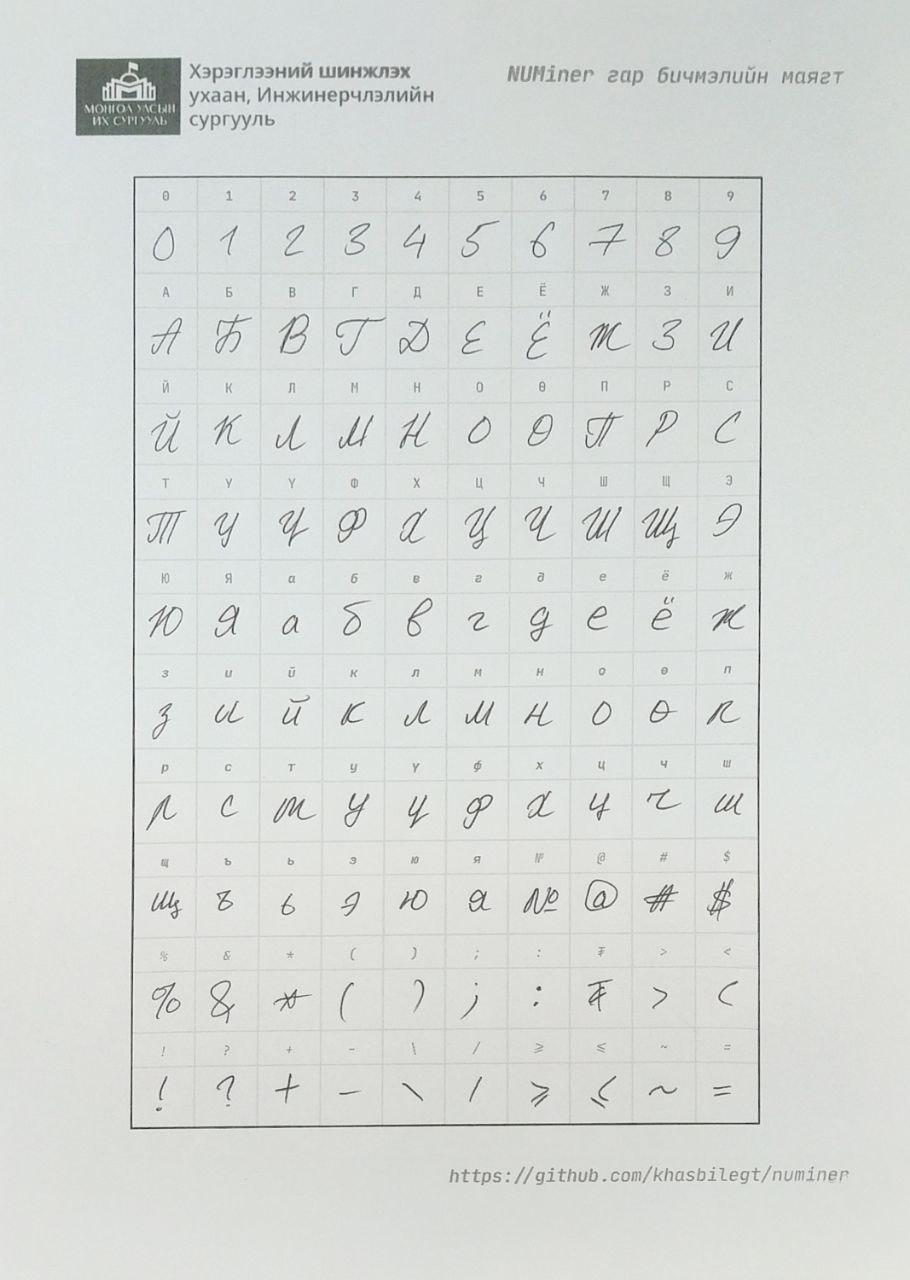
您還可以從這裡獲取空的表文件。
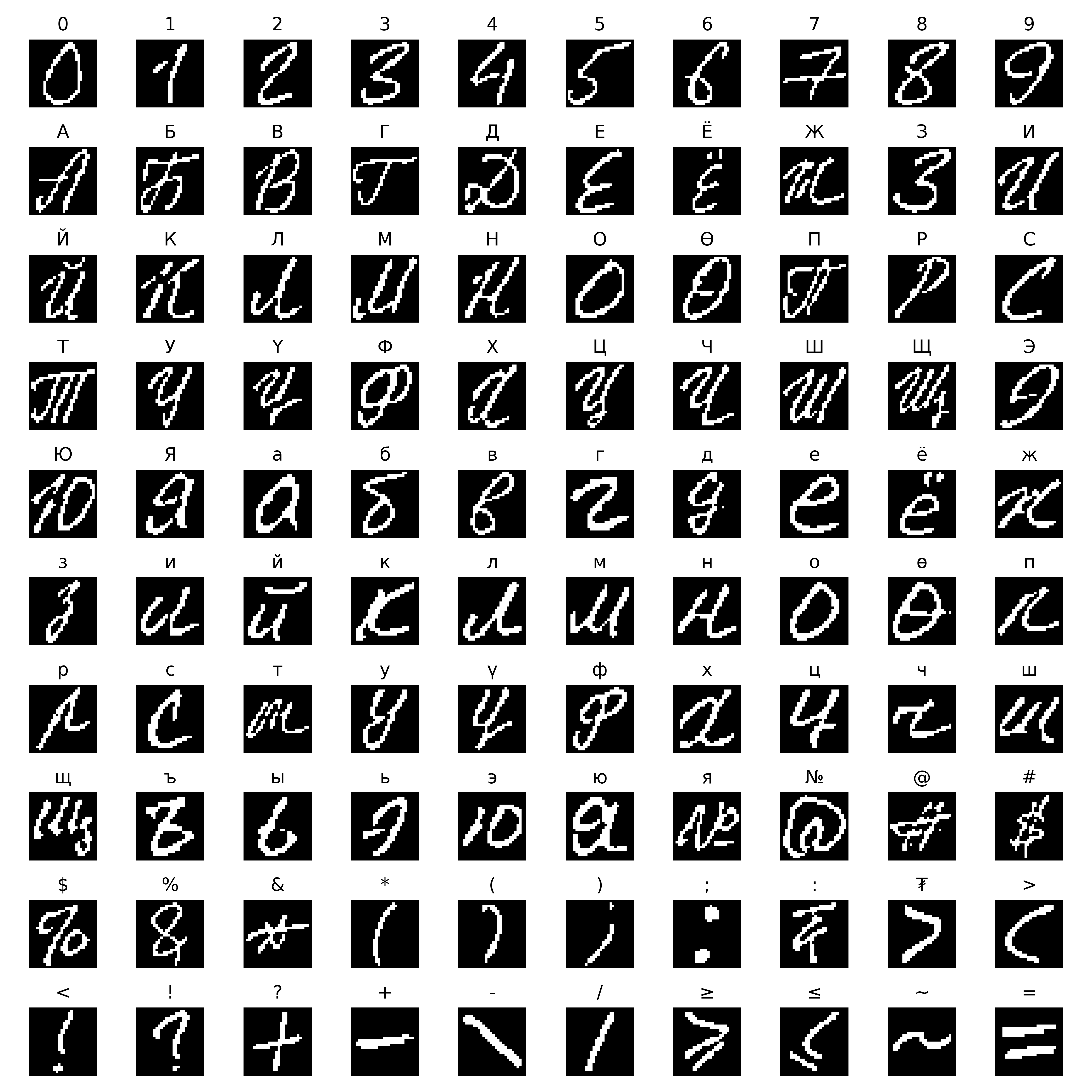
遵循Emnist首次從NIST SD圖像創建數據集時使用的方法。



歡迎拉動請求。對於重大更改,請先開設一個問題,以討論您想更改的內容。
請確保及時更新測試。
如果您想了解有關該項目如何實現的更多信息,則可以查看我的論文報告。
麻省理工學院







