marlin config
2.10.7

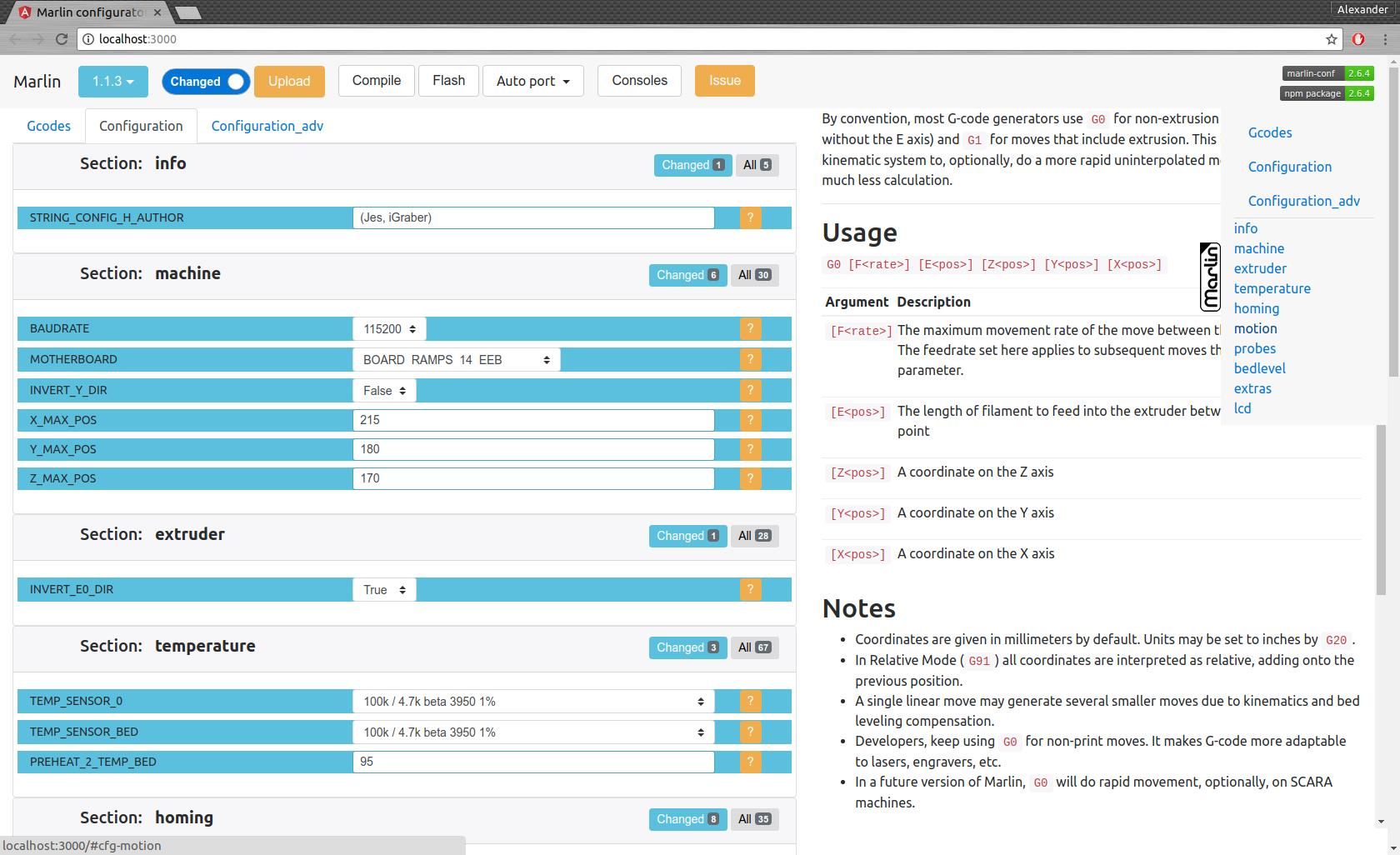
這是一個幫助工具,旨在輕鬆配置Marlin固件
支持的OS:Linux,Mac,Windows
在項目中使用的文檔中的文檔
我們為MACOS,Linux 32 /64和Windows 32 /64提供了預製的二進製文件。這是最新版本。
運行後,出現一個文件對話框,並要求打開任何空文件夾(然後是Github的Marlin的最後版本)或使用Marlin Git存儲庫的文件夾
sudo npm -gi marlin-conf
一些有關Windows安裝的提示
警告!請安裝99-platformio-udev.rules ,並檢查您的板的PID和VID是否在規則中列出。 https://raw.githubusercontent.com/platformio/platformio/develfic/scripts/99-platformio-udev.rules
在空文件夾或帶有Marlin存儲庫的文件夾中的開放終端,然後鍵入
mct並確認行動
 usage: mct help|git|tree|conf|clone
You need to run it in Marlin git repository
commands:
    mct
        asks to 'clone' if current folder has no repository then run 'conf'
    mct conf
        open browser for interactive configuration
    mct clone
        clone current Marlin repository to current working directory
    mct git <git-tag> json|h|txt
        json: compare [gitroot]/Marlin/Configuration*.h files
              between git-tag files and files in folder then
              create .json files with your personal setting
        h:    extend [gitroot]/Marlin/Configuration*.h files
              from git-tag with .json files contained your personal setting
        txt:  like json but create txt files contained only changes
              for publication
    mct tree json|h|rm
      Each of these traverse [gitroot]/Marlin/example_configurations directory
        json: compare configurations with main files [gitroot]/Marlin/Configuration*.h
              and generate .json file with its differences for each
              and .not files for #defines which not present in base files
        h:    recreate .h files based on
              main files [gitroot]/Marlin/Configuration*.h and .json
        rm:   remove .json and .not files
命令接口:
為發行出版物創建文件mct git 1.1.0-RC7 txt (將當前文件與文件夾中的當前文件進行比較,並創建可讀的文本文件)
遷移配置:
mct git 1.1.0-RC7 json (將1.1.0-RC7發布與您的當前文件中的版本中的文件夾和Create .json相比)而不是複制.json文件到另一個文件夾或更改git分支
恢復您的配置
mct git 1.1.0-RC8 h (使用1.1.0-RC8版本,並添加存儲在.json配置中)





