marlin config
2.10.7

นี่คือเครื่องมือช่วยเหลือที่มีไว้สำหรับการกำหนดค่าเฟิร์มแวร์มาร์ลินที่ง่าย
ระบบปฏิบัติการที่รองรับ: Linux, Mac, Windows
ในโครงการที่ใช้เอกสารจาก marlindocumentation
เราให้บริการไบนารี prebuilt สำหรับ MacOS, Linux 32 /64 และ Windows 32 /64 นี่เป็นรุ่นล่าสุด
หลังจากรันจะปรากฏกล่องโต้ตอบไฟล์และขอให้เปิดโฟลเดอร์ว่างเปล่า (จากนั้นจะโคลนสำหรับ Marlin เวอร์ชันสุดท้ายจาก GitHub) หรือโฟลเดอร์ที่มีที่เก็บ Marlin Git
sudo npm -gi marlin-conf
คำแนะนำบางอย่างสำหรับการติดตั้ง windows
คำเตือน! โปรดติดตั้ง 99-platformio-udev.rules และตรวจสอบว่า PID และ VID ของบอร์ดของคุณอยู่ในกฎ https://raw.githubusercontent.com/platformio/platformio/develop/scripts/99-platformio-udev.rules
เปิดเทอร์มินัลในโฟลเดอร์เปล่าหรือในโฟลเดอร์ที่มีที่เก็บ Marlin และพิมพ์
mct และยืนยันการกระทำ
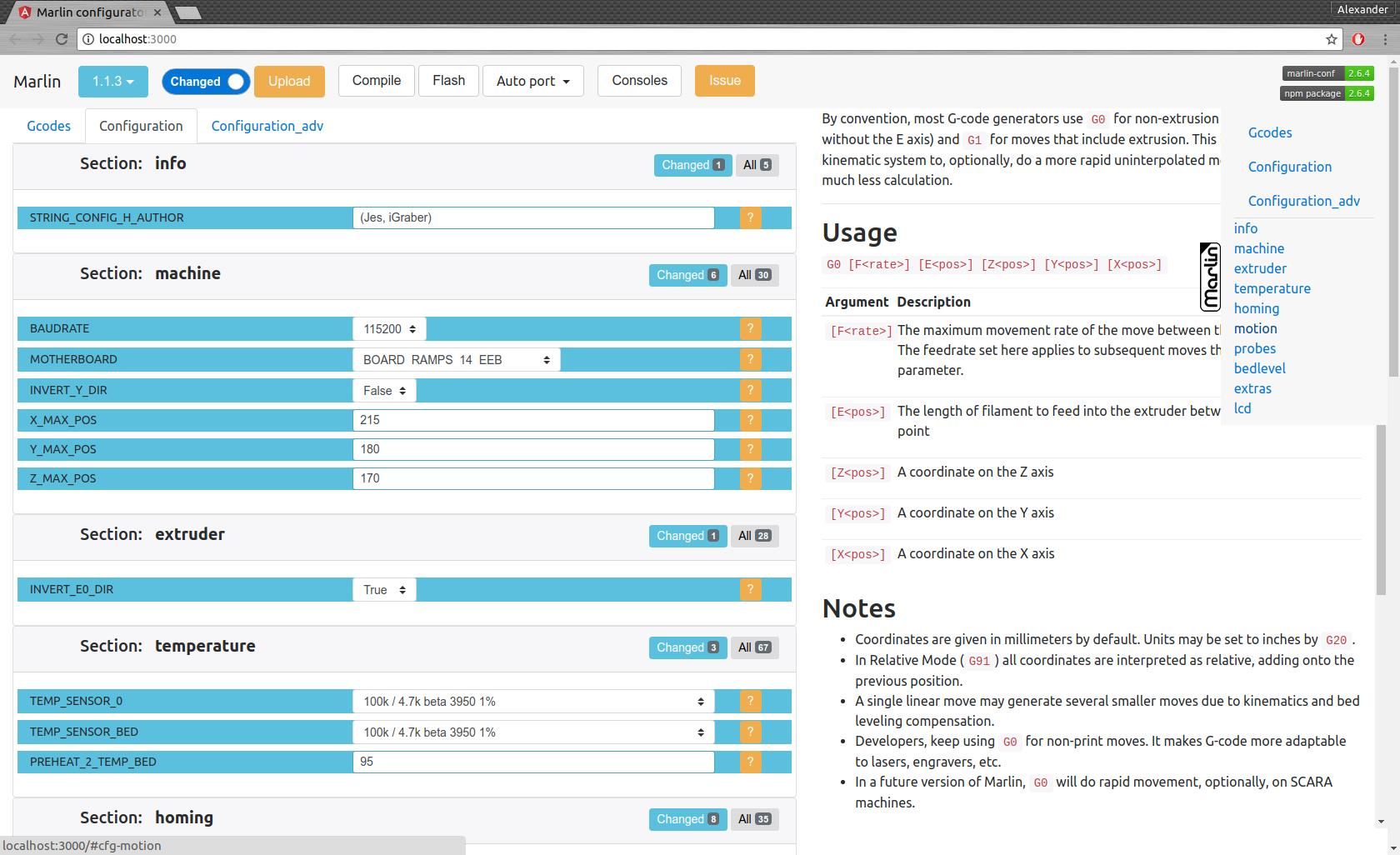
 usage: mct help|git|tree|conf|clone
You need to run it in Marlin git repository
commands:
    mct
        asks to 'clone' if current folder has no repository then run 'conf'
    mct conf
        open browser for interactive configuration
    mct clone
        clone current Marlin repository to current working directory
    mct git <git-tag> json|h|txt
        json: compare [gitroot]/Marlin/Configuration*.h files
              between git-tag files and files in folder then
              create .json files with your personal setting
        h:    extend [gitroot]/Marlin/Configuration*.h files
              from git-tag with .json files contained your personal setting
        txt:  like json but create txt files contained only changes
              for publication
    mct tree json|h|rm
      Each of these traverse [gitroot]/Marlin/example_configurations directory
        json: compare configurations with main files [gitroot]/Marlin/Configuration*.h
              and generate .json file with its differences for each
              and .not files for #defines which not present in base files
        h:    recreate .h files based on
              main files [gitroot]/Marlin/Configuration*.h and .json
        rm:   remove .json and .not files
คำสั่งอินเทอร์เฟซ:
การสร้างไฟล์สำหรับการเผยแพร่ปัญหา mct git 1.1.0-RC7 txt (เปรียบเทียบ 1.1.0-RC7 รีลีสกับไฟล์ปัจจุบันของคุณในโฟลเดอร์และสร้างไฟล์ข้อความที่อ่านได้)
โยกย้ายการกำหนดค่า:
mct git 1.1.0-RC7 json (เปรียบเทียบรุ่น 1.1.0-RC7 กับไฟล์ปัจจุบันของคุณในโฟลเดอร์และสร้าง. json)กว่าคัดลอกไฟล์. json ไปยังโฟลเดอร์อื่นหรือเปลี่ยนสาขา Git
กู้คืนการกำหนดค่าของคุณ
mct git 1.1.0-RC8 h (ใช้ 1.1.0-RC8 รีลีสและเพิ่มการจัดเก็บที่เก็บไว้ใน. JSON)





