marlin config
2.10.7

これは、Marlinファームウェアの簡単な構成を目的としたヘルプツールです
サポートされているOS:Linux、Mac、Windows
Marlindocumentationのプロジェクトで使用されたドキュメント
MacOS、Linux 32 /64およびWindows 32/64の事前に構築されたバイナリを提供します。これは最新リリースです。
実行後、ファイルダイアログが表示され、空のフォルダーを開くように要求します(GithubのMarlinの最終バージョンのクローニング)またはMarlin Gitリポジトリとのフォルダー
sudo npm -gi marlin-conf
Windows-Installationのいくつかのヒント
警告! 99-platformio-udev.rulesをインストールし、ボードのPIDとVIDがルールにリストされていることを確認してください。 https://raw.githubusercontent.com/platformio/platformio/develop/scripts/99-platformio-udev.rules
空のフォルダーまたはMarlinリポジトリとタイプのあるフォルダーで端子を開きます
mctおよびアクションの確認
 usage: mct help|git|tree|conf|clone
You need to run it in Marlin git repository
commands:
    mct
        asks to 'clone' if current folder has no repository then run 'conf'
    mct conf
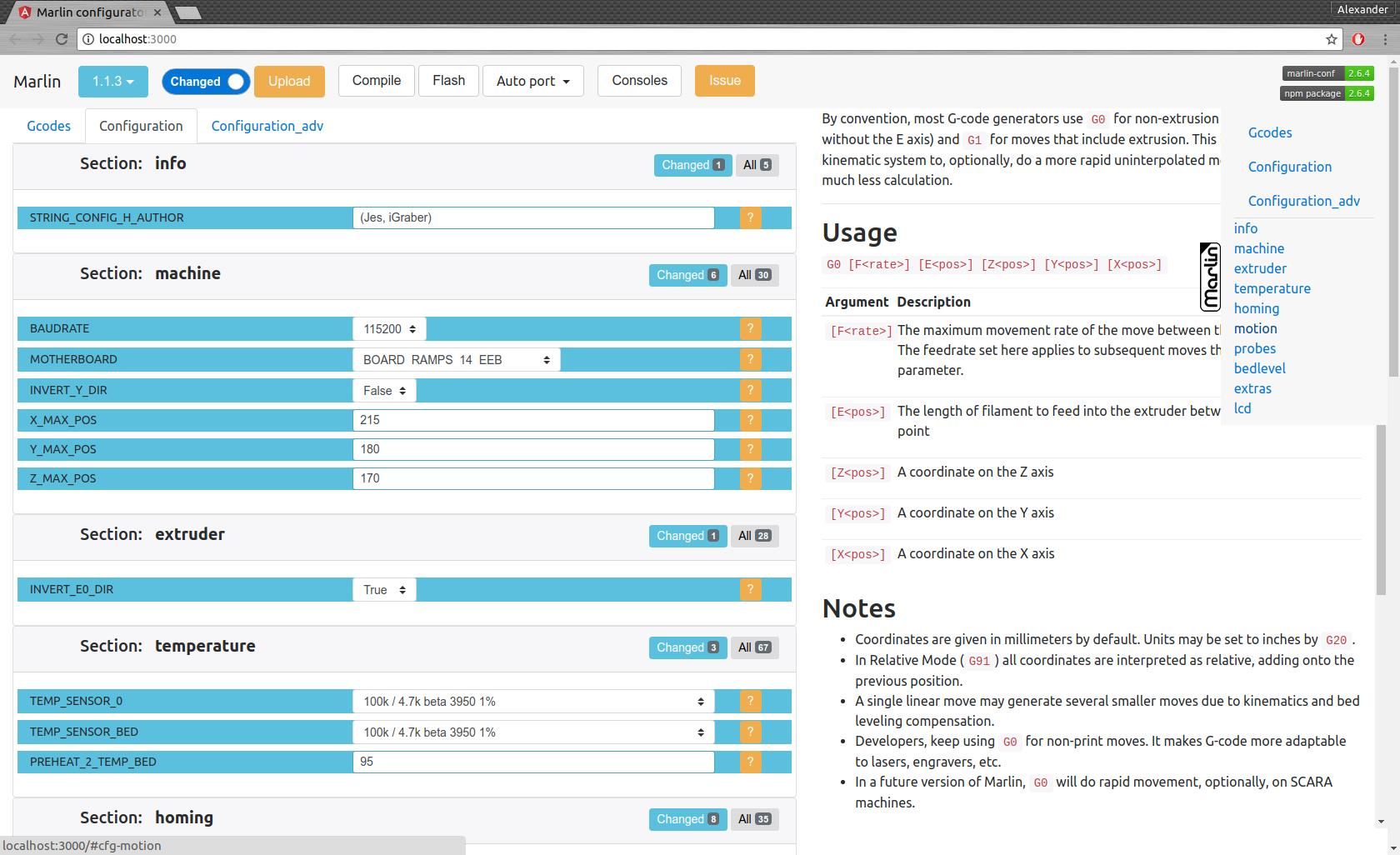
        open browser for interactive configuration
    mct clone
        clone current Marlin repository to current working directory
    mct git <git-tag> json|h|txt
        json: compare [gitroot]/Marlin/Configuration*.h files
              between git-tag files and files in folder then
              create .json files with your personal setting
        h:    extend [gitroot]/Marlin/Configuration*.h files
              from git-tag with .json files contained your personal setting
        txt:  like json but create txt files contained only changes
              for publication
    mct tree json|h|rm
      Each of these traverse [gitroot]/Marlin/example_configurations directory
        json: compare configurations with main files [gitroot]/Marlin/Configuration*.h
              and generate .json file with its differences for each
              and .not files for #defines which not present in base files
        h:    recreate .h files based on
              main files [gitroot]/Marlin/Configuration*.h and .json
        rm:   remove .json and .not files
コマンドインターフェイス:
発行のファイルの作成mct git 1.1.0-RC7 txt (1.1.0-RC7のリリースをフォルダーで現在のファイルと比較し、読み取り可能なテキストファイルを作成します)
構成を移行します:
mct git 1.1.0-RC7 json (1.1.0-RC7のリリースをフォルダーの現在のファイルと比較し、.JSONを作成します).jsonファイルを別のフォルダーにコピーしたり、gitブランチを変更したりするよりも
構成を回復します
mct git 1.1.0-RC8 h (1.1.0-RC8のリリースを使用して、.JSON構成で保存されたものを追加)





