vue document editor
v2.3.2 (Vue3)


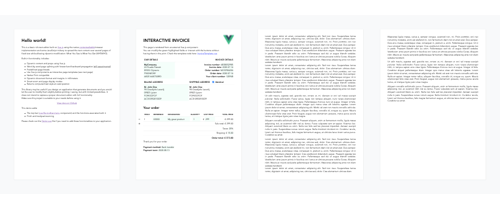
Vue-Document-編輯器是一位富文本編輯器,使用本機滿足瀏覽器實現和一些JavaScript Triptery構建在Vue.js之上,並在紙張大小的頁面上傳播內容。它的設計主要旨在允許使用HTML或Interactive模板進行預定的文檔進行靶向修改。
npm install vue-document-editor
npm install vue-document-editor@1
dist文件夾導入資產< template >
< div style = " font-family : Avenir, sans-serif " >
< vue-document-editor v-model:content = " content " /> <!-- Vue 3 syntax -->
<!-- <vue-document-editor :content.sync="content" /> --> <!-- Vue 2 syntax -->
</ div >
</ template >
< script >
import VueDocumentEditor from ' vue-document-editor '
export default {
components : { VueDocumentEditor },
data () {
return {
content : [ " <h1>Hello!</h1>Fill this page with text and new pages will be created as it overflows. " ]
}
}
}
</ script > < html >
< head >
< script src =" https://cdn.jsdelivr.net/npm/vue@3/dist/vue.global.prod.js " > </ script >
< script src =" https://cdn.jsdelivr.net/npm/vue-document-editor@2/dist/VueDocumentEditor.umd.min.js " > </ script >
< link href =" https://cdn.jsdelivr.net/npm/vue-document-editor@2/dist/VueDocumentEditor.css " rel =" stylesheet " >
</ head >
< body >
< div id =" app " >
< div style =" font-family: Avenir, sans-serif " >
< vue-document-editor v-model:content =" content " />
</ div >
</ div >
< script >
const app = Vue . createApp ( {
components : { VueDocumentEditor } ,
data ( ) {
return {
content : [ "<h1>Hello!</h1>Fill this page with text and new pages will be created as it overflows." ]
}
}
} ) . mount ( '#app' ) ;
</ script >
</ body >
</ html > < html >
< head >
< script src =" https://cdn.jsdelivr.net/npm/vue@2/dist/vue.js " > </ script >
< script src =" https://cdn.jsdelivr.net/npm/vue-document-editor@1/dist/VueDocumentEditor.umd.min.js " > </ script >
< link href =" https://cdn.jsdelivr.net/npm/vue-document-editor@1/dist/VueDocumentEditor.css " rel =" stylesheet " >
</ head >
< body >
< div id =" app " >
< div style =" font-family: Avenir, sans-serif " >
< vue-document-editor :content.sync =" content " />
</ div >
</ div >
< script >
var app = new Vue ( {
el : '#app' ,
components : { VueDocumentEditor } ,
data ( ) {
return {
content : [ "<h1>Hello!</h1>Fill this page with text and new pages will be created as it overflows." ]
}
}
} )
</ script >
</ body >
</ html > 請參閱demo.vue文件和與實時演示相對應的voiceTemplate.ce.vue文件。
對於道具,數據和样式變量的列表:讀取API 。
content更新並將其存儲在堆棧中,然後恢復它們來自己實現。演示實現了這一點。同樣,如果您的交互式模板與content沒有同步,則需要進行自定義的撤消/重做管理。contenteditable="false"和onclick="..."包含您自己的JavaScript代碼的屬性=“ false” =“ false”和ontribute進行交互。 npm run serve彙編,服務和熱線充電演示進行開發npm run build編譯並減少生產文件和演示版權(C)2020 Romain Lamothe,麻省理工學院許可證






