vue document editor
v2.3.2 (Vue3)


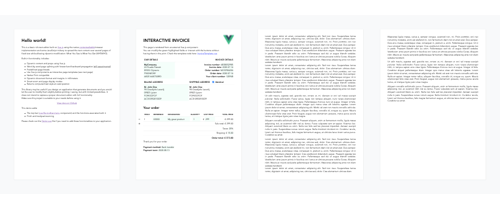
vue-document-editor is a rich-text editor built on top of Vue.js, using the native contenteditable browser implementation and some JavaScript trickery to spread content over paper-sized pages. It is mainly designed to allow targeted modifications to pre-formatted documents using HTML or interactive templates.
npm install vue-document-editor
npm install vue-document-editor@1
dist folder<template>
<div style="font-family: Avenir, sans-serif">
<vue-document-editor v-model:content="content" /> <!-- Vue 3 syntax -->
<!-- <vue-document-editor :content.sync="content" /> --> <!-- Vue 2 syntax -->
</div>
</template>
<script>
import VueDocumentEditor from 'vue-document-editor'
export default {
components: { VueDocumentEditor },
data () {
return {
content: ["<h1>Hello!</h1>Fill this page with text and new pages will be created as it overflows."]
}
}
}
</script><html>
<head>
<script src="https://cdn.jsdelivr.net/npm/vue@3/dist/vue.global.prod.js"></script>
<script src="https://cdn.jsdelivr.net/npm/vue-document-editor@2/dist/VueDocumentEditor.umd.min.js"></script>
<link href="https://cdn.jsdelivr.net/npm/vue-document-editor@2/dist/VueDocumentEditor.css" rel="stylesheet">
</head>
<body>
<div id="app">
<div style="font-family: Avenir, sans-serif">
<vue-document-editor v-model:content="content" />
</div>
</div>
<script>
const app = Vue.createApp({
components: { VueDocumentEditor },
data () {
return {
content: ["<h1>Hello!</h1>Fill this page with text and new pages will be created as it overflows."]
}
}
}).mount('#app');
</script>
</body>
</html><html>
<head>
<script src="https://cdn.jsdelivr.net/npm/vue@2/dist/vue.js"></script>
<script src="https://cdn.jsdelivr.net/npm/vue-document-editor@1/dist/VueDocumentEditor.umd.min.js"></script>
<link href="https://cdn.jsdelivr.net/npm/vue-document-editor@1/dist/VueDocumentEditor.css" rel="stylesheet">
</head>
<body>
<div id="app">
<div style="font-family: Avenir, sans-serif">
<vue-document-editor :content.sync="content" />
</div>
</div>
<script>
var app = new Vue({
el: '#app',
components: { VueDocumentEditor },
data () {
return {
content: ["<h1>Hello!</h1>Fill this page with text and new pages will be created as it overflows."]
}
}
})
</script>
</body>
</html>See the Demo.vue file and the InvoiceTemplate.ce.vue file corresponding to the live demo.
For the list of props, data and styling variables: read the API.
content updates and storing them in a stack, then restoring them. Demo.vue implements this. Also your interactive templates need to have a custom undo/redo management if their editable fields are not synced with the content.contenteditable="false" and onclick="..." containing your own JavaScript code.npm run serve compiles, serves and hot-reloads demo for developmentnpm run build compiles and minifies production files and demoCopyright (c) 2020 Romain Lamothe, MIT License






