vue document editor
v2.3.2 (Vue3)


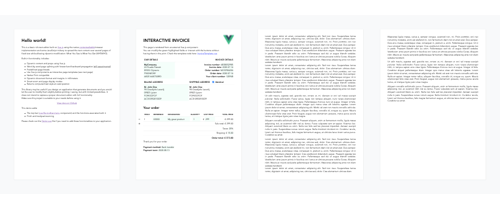
Der Vue-Dokument-Eduitor ist ein Rich-Text-Editor, der auf Vue.js aufgebaut ist und die native inhaltliche Browser-Implementierung und einige JavaScript-Tricks verwendet, um Inhalte über Papierseiten zu verbreiten. Es ist hauptsächlich ausgelegt, um gezielte Änderungen an vorformatierten Dokumenten mithilfe von HTML- oder interaktiven Vorlagen zu ermöglichen.
npm install vue-document-editor
npm install vue-document-editor@1
dist -Ordner < template >
< div style = " font-family : Avenir, sans-serif " >
< vue-document-editor v-model:content = " content " /> <!-- Vue 3 syntax -->
<!-- <vue-document-editor :content.sync="content" /> --> <!-- Vue 2 syntax -->
</ div >
</ template >
< script >
import VueDocumentEditor from ' vue-document-editor '
export default {
components : { VueDocumentEditor },
data () {
return {
content : [ " <h1>Hello!</h1>Fill this page with text and new pages will be created as it overflows. " ]
}
}
}
</ script > < html >
< head >
< script src =" https://cdn.jsdelivr.net/npm/vue@3/dist/vue.global.prod.js " > </ script >
< script src =" https://cdn.jsdelivr.net/npm/vue-document-editor@2/dist/VueDocumentEditor.umd.min.js " > </ script >
< link href =" https://cdn.jsdelivr.net/npm/vue-document-editor@2/dist/VueDocumentEditor.css " rel =" stylesheet " >
</ head >
< body >
< div id =" app " >
< div style =" font-family: Avenir, sans-serif " >
< vue-document-editor v-model:content =" content " />
</ div >
</ div >
< script >
const app = Vue . createApp ( {
components : { VueDocumentEditor } ,
data ( ) {
return {
content : [ "<h1>Hello!</h1>Fill this page with text and new pages will be created as it overflows." ]
}
}
} ) . mount ( '#app' ) ;
</ script >
</ body >
</ html > < html >
< head >
< script src =" https://cdn.jsdelivr.net/npm/vue@2/dist/vue.js " > </ script >
< script src =" https://cdn.jsdelivr.net/npm/vue-document-editor@1/dist/VueDocumentEditor.umd.min.js " > </ script >
< link href =" https://cdn.jsdelivr.net/npm/vue-document-editor@1/dist/VueDocumentEditor.css " rel =" stylesheet " >
</ head >
< body >
< div id =" app " >
< div style =" font-family: Avenir, sans-serif " >
< vue-document-editor :content.sync =" content " />
</ div >
</ div >
< script >
var app = new Vue ( {
el : '#app' ,
components : { VueDocumentEditor } ,
data ( ) {
return {
content : [ "<h1>Hello!</h1>Fill this page with text and new pages will be created as it overflows." ]
}
}
} )
</ script >
</ body >
</ html > Siehe die Demo.vue -Datei und die Datei invoicetemplate.ce.vue, die der Live -Demo entspricht.
Für die Liste der Requisiten, Daten und Stylingvariablen: Lesen Sie die API .
content ansehen und in einem Stapel speichern und dann wiederherstellen. Demo.vue implementiert dies. Auch Ihre interaktiven Vorlagen müssen über eine benutzerdefinierte Rückgängig-/Wiederherstellungsverwaltung verfügen, wenn ihre bearbeitbaren Felder nicht mit dem content synchronisiert werden.contenteditable="false" und onclick="..." verwenden, die Ihren eigenen JavaScript -Code enthält. npm run serve Compiles, Dienste und Heißreladememo für die Entwicklungnpm run build Compiles und Minification Produktionsdateien und Demo Copyright (C) 2020 Romain Lamothe, MIT -Lizenz






