vue document editor
v2.3.2 (Vue3)


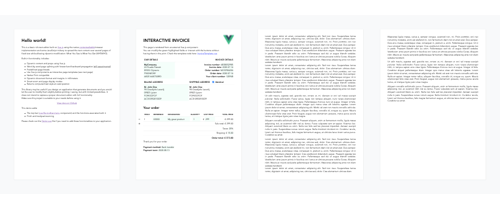
Vue-Document-Editorは、vue.jsの上に構築されたリッチテキストエディターであり、ネイティブのコンテンツブラウザーの実装と、ペーパーサイズのページにコンテンツを広めるためのJavaScriptの策略を使用しています。主に、HTMLまたはインタラクティブなテンプレートを使用して、ターゲットを絞った変更を事前にフォーマットしたドキュメントにできるように設計されています。
npm install vue-document-editor
npm install vue-document-editor@1
distフォルダーからアセットをインポートします< template >
< div style = " font-family : Avenir, sans-serif " >
< vue-document-editor v-model:content = " content " /> <!-- Vue 3 syntax -->
<!-- <vue-document-editor :content.sync="content" /> --> <!-- Vue 2 syntax -->
</ div >
</ template >
< script >
import VueDocumentEditor from ' vue-document-editor '
export default {
components : { VueDocumentEditor },
data () {
return {
content : [ " <h1>Hello!</h1>Fill this page with text and new pages will be created as it overflows. " ]
}
}
}
</ script > < html >
< head >
< script src =" https://cdn.jsdelivr.net/npm/vue@3/dist/vue.global.prod.js " > </ script >
< script src =" https://cdn.jsdelivr.net/npm/vue-document-editor@2/dist/VueDocumentEditor.umd.min.js " > </ script >
< link href =" https://cdn.jsdelivr.net/npm/vue-document-editor@2/dist/VueDocumentEditor.css " rel =" stylesheet " >
</ head >
< body >
< div id =" app " >
< div style =" font-family: Avenir, sans-serif " >
< vue-document-editor v-model:content =" content " />
</ div >
</ div >
< script >
const app = Vue . createApp ( {
components : { VueDocumentEditor } ,
data ( ) {
return {
content : [ "<h1>Hello!</h1>Fill this page with text and new pages will be created as it overflows." ]
}
}
} ) . mount ( '#app' ) ;
</ script >
</ body >
</ html > < html >
< head >
< script src =" https://cdn.jsdelivr.net/npm/vue@2/dist/vue.js " > </ script >
< script src =" https://cdn.jsdelivr.net/npm/vue-document-editor@1/dist/VueDocumentEditor.umd.min.js " > </ script >
< link href =" https://cdn.jsdelivr.net/npm/vue-document-editor@1/dist/VueDocumentEditor.css " rel =" stylesheet " >
</ head >
< body >
< div id =" app " >
< div style =" font-family: Avenir, sans-serif " >
< vue-document-editor :content.sync =" content " />
</ div >
</ div >
< script >
var app = new Vue ( {
el : '#app' ,
components : { VueDocumentEditor } ,
data ( ) {
return {
content : [ "<h1>Hello!</h1>Fill this page with text and new pages will be created as it overflows." ]
}
}
} )
</ script >
</ body >
</ html > demo.vueファイルと、ライブデモに対応するinvoicetemplate.ce.vueファイルを参照してください。
小道具、データ、スタイリング変数のリストについては、 APIを読みます。
content更新を見てスタックに保存してから復元することで、自分で実装する必要があります。 demo.vueはこれを実装します。また、編集可能なフィールドがcontentと同期されていない場合は、インタラクティブなテンプレートにカスタム元を元に戻す/やり直す必要があります。contenteditable="false"およびonclick="..."独自のJavaScriptコードを含む。 npm run serveコンパイル、サーブ、ホットレロードの開発のためのデモnpm run buildコンパイルと制作ファイルとデモを模倣しますCopyright(c)2020 Romain Lamothe、MITライセンス






