WELA
v1.0.0 alpha release


Windows事件日志分析仪)旨在成为Windows事件日志的瑞士军刀。目前,WELA的最大功能是创建一个易于分析的登录时间表,以帮助进行快速取证和事件响应。 WELA的登录时间轴生成器将仅将多个登录日志条目(4624、4634、4647、4672、4776)中的有用信息整合到单个事件中,通过忽略大约90%的噪声来降低数据,并将将任何能力读取的数据(例如hex状态代码)转换为人类可读格式。
在Windows Powershell 5.1上测试,但可能与以前的版本一起使用。不幸的是,它将无法与PowerShell Core一起使用,因为没有内置功能可以读取Windows事件日志。
**注意:** WELA中的最后一个Sigma规则合规性是2021年7月。如果您想使用最新的Sigma规则进行EVTX检测,请使用Hayabusa。
目前,请使用Windows PowerShell 5.1。您将需要本地管理员访问才能进行实时分析。
    Analysis Source (Specify one):
        - LiveAnalysis : Creates a timeline based on the live host ' s log
        -LogFile <path-to-logfile> : Creates a timelime from an offline .evtx file
        -LogDirectory <path-to-logfiles> (Warning: not fully implemented.) : Analyze offline .evtx files
        -RemoteLiveAnalysis : Creates a timeline based on the remote host ' s log

    Analysis Type (Specify one):
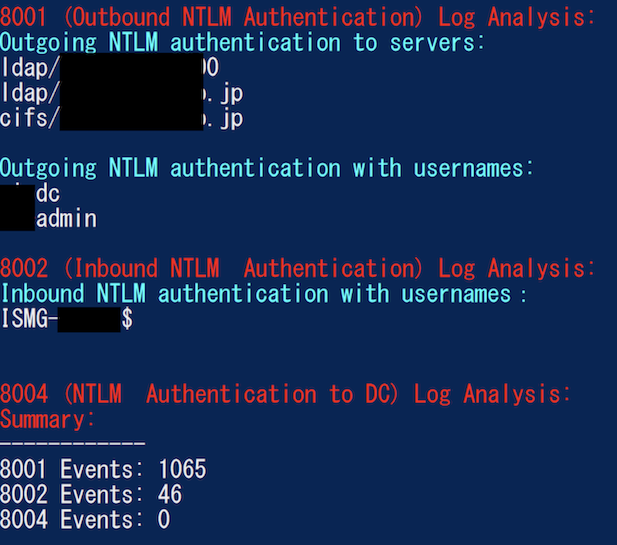
        - AnalyzeNTLM_UsageBasic : Returns basic NTLM usage based on the NTLM Operational log
        - AnalyzeNTLM_UsageDetailed : Returns detailed NTLM usage based on the NTLM Operational log
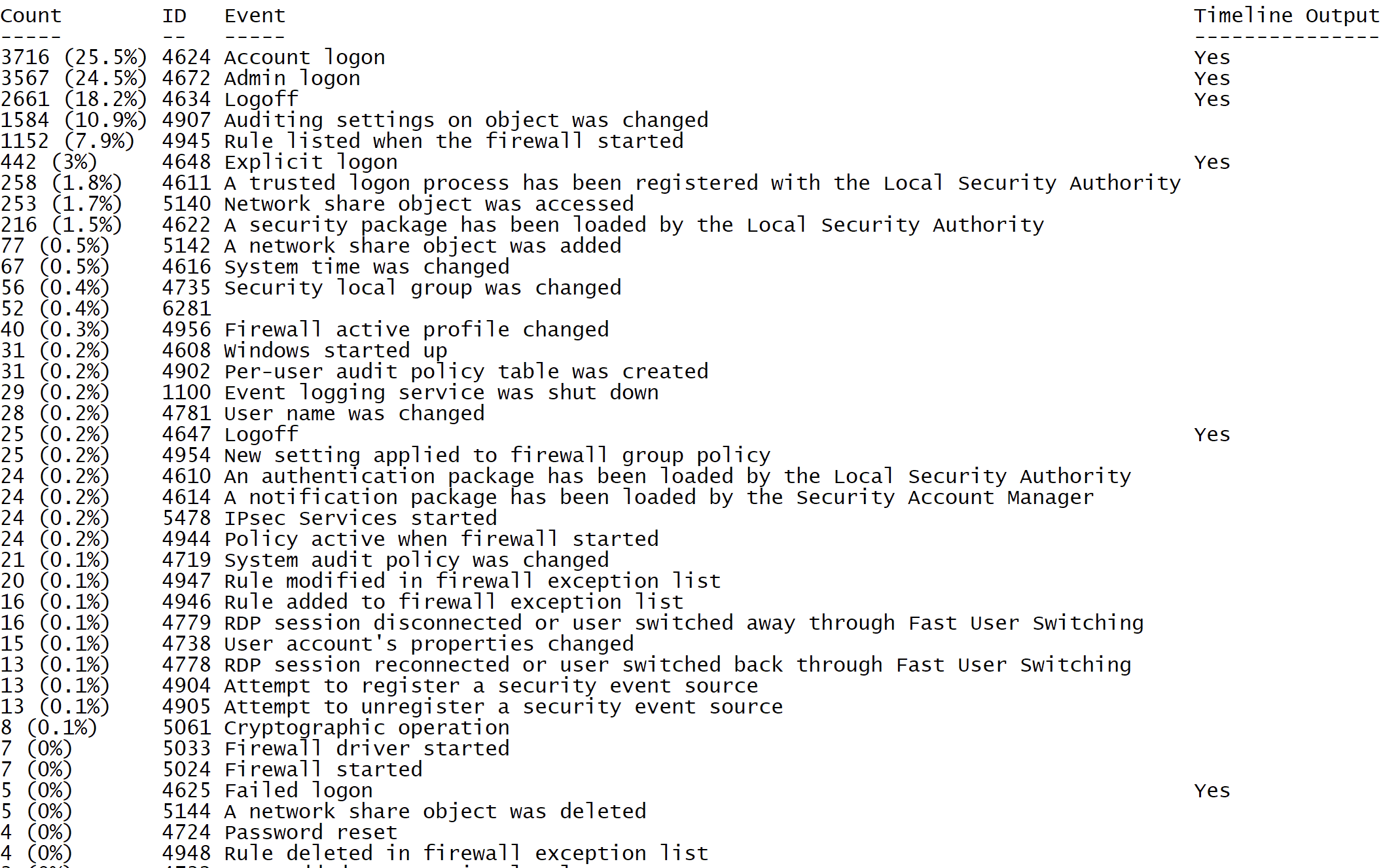
        - SecurityEventID_Statistics : Output event ID statistics
        - EasyToReadSecurityLogonTimeline : Output essy to read event ID statics
        - SecurityLogonTimeline : Output a condensed timeline of user logons based on the Security log
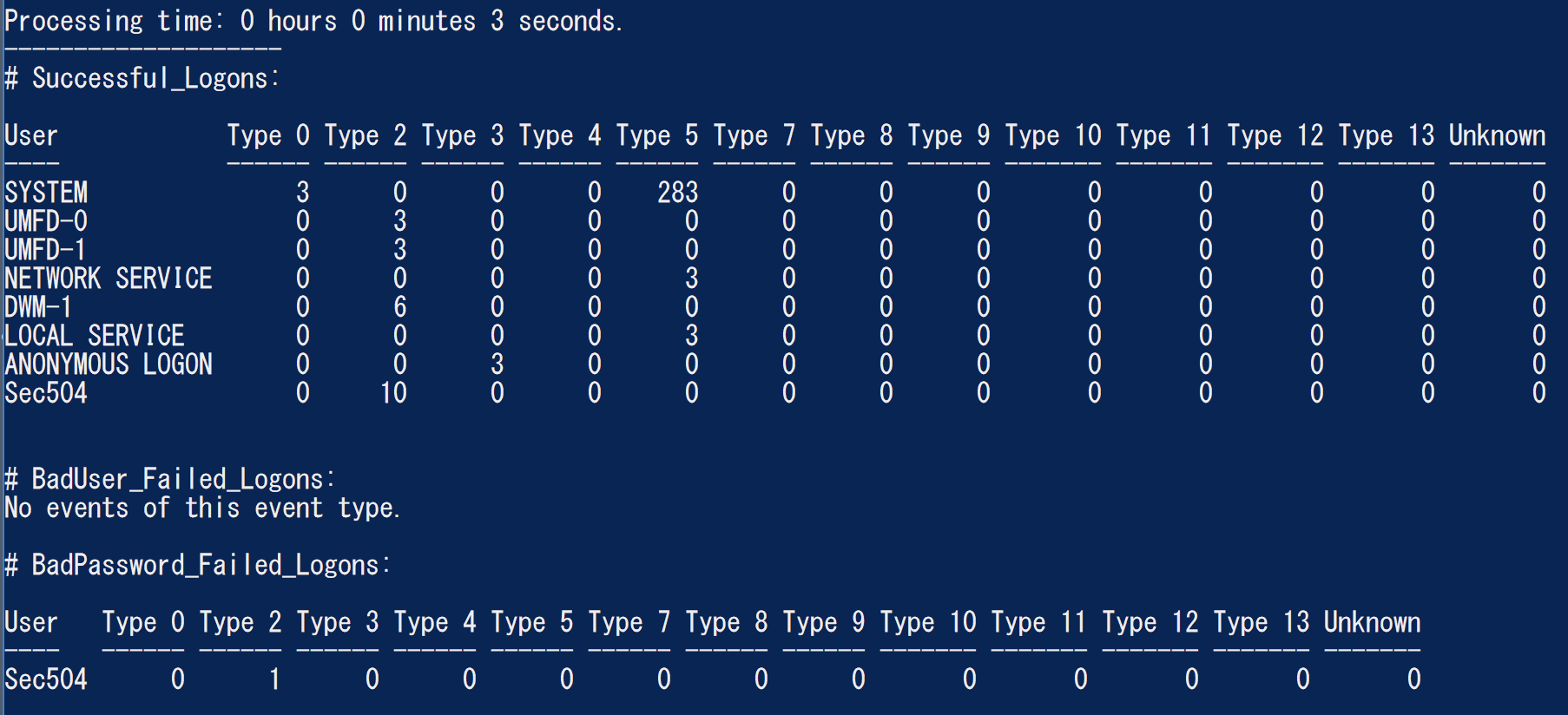
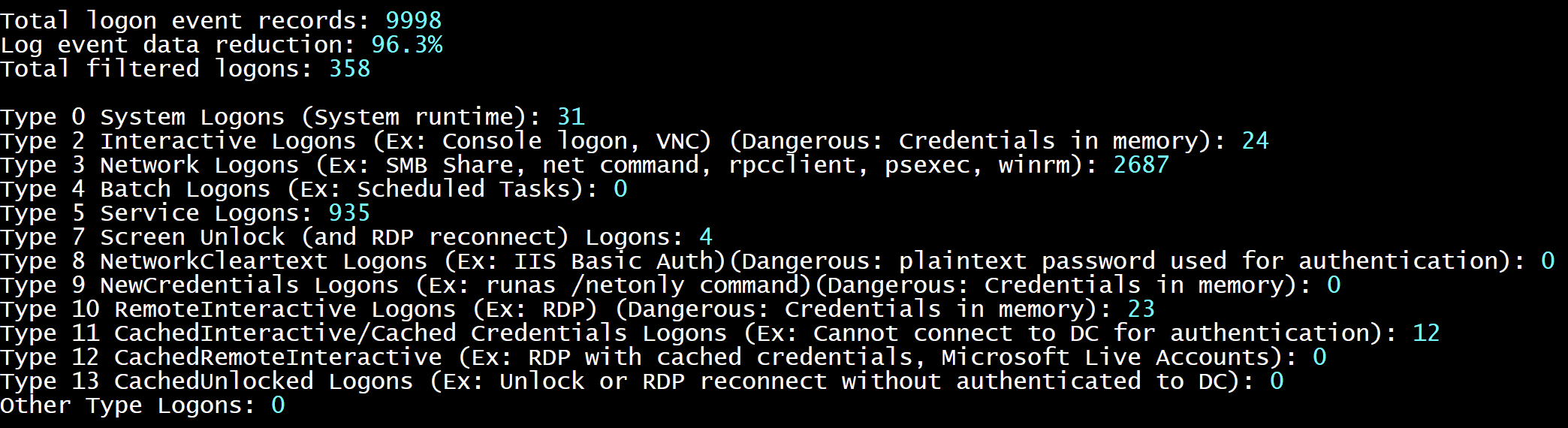
        - SecurityAuthenticationSummary : Output a summary of authentication events for each logon type based on the Security log

    Analysis Options:
        - StartTimeline " <YYYY-MM-DD HH:MM:SS> " : Specify the start of the timeline
        - EndTimeline " <YYYY-MM-DD HH:MM:SS> " : Specify the end of the timeline

    - LogonTimeline Analysis Options:
        - IsDC : Specify if the logs are from a DC

    Output Types ( Default : Standard Output):
        - SaveOutput < outputfile - path > : Output results to a text file
        - OutputCSV : Outputs to CSV
        - OutputGUI : Outputs to the Out-GridView GUI

    General Output Options:
        - USDateFormat : Output the dates in MM - DD - YYYY format ( Default : YYYY - MM - DD)
        - EuropeDateFormat : Output the dates in DD - MM - YYYY format ( Default : YYYY - MM - DD)
        - UTC : Output in UTC time ( default is the local timezone)
        - Japanese : Output in Japanese

    - LogonTimeline Output Options:
        - HideTimezone : Hides the timezone
        - ShowLogonID : Show logon IDs

    Other:
        - ShowContributors : Show the contributors
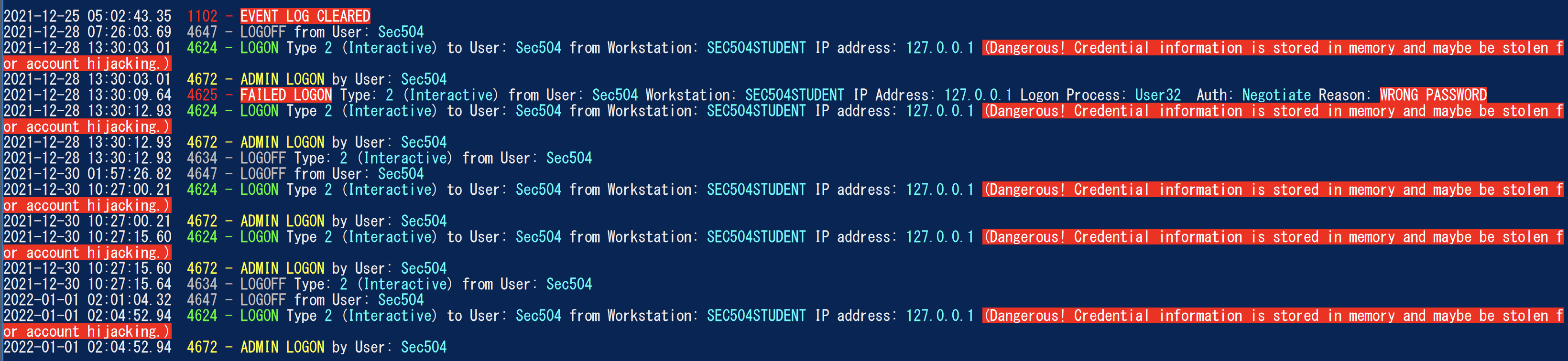
- QuietLogo : Do not display the WELA logo. / WELA.ps1 - LogFile .Security.evtx - SecurityEventID_Statistics.WELA.ps1 - LogFile .Security.evtx - SecurityLogonTimeline - OutputGUI - UTC.WELA.ps1 - LogFile .DC1 - NTLM - Operational.evtx - AnalyzeNTLM_UsageBasic.WELA.ps1 - LiveAnalysis - SecurityAuthenticationSummary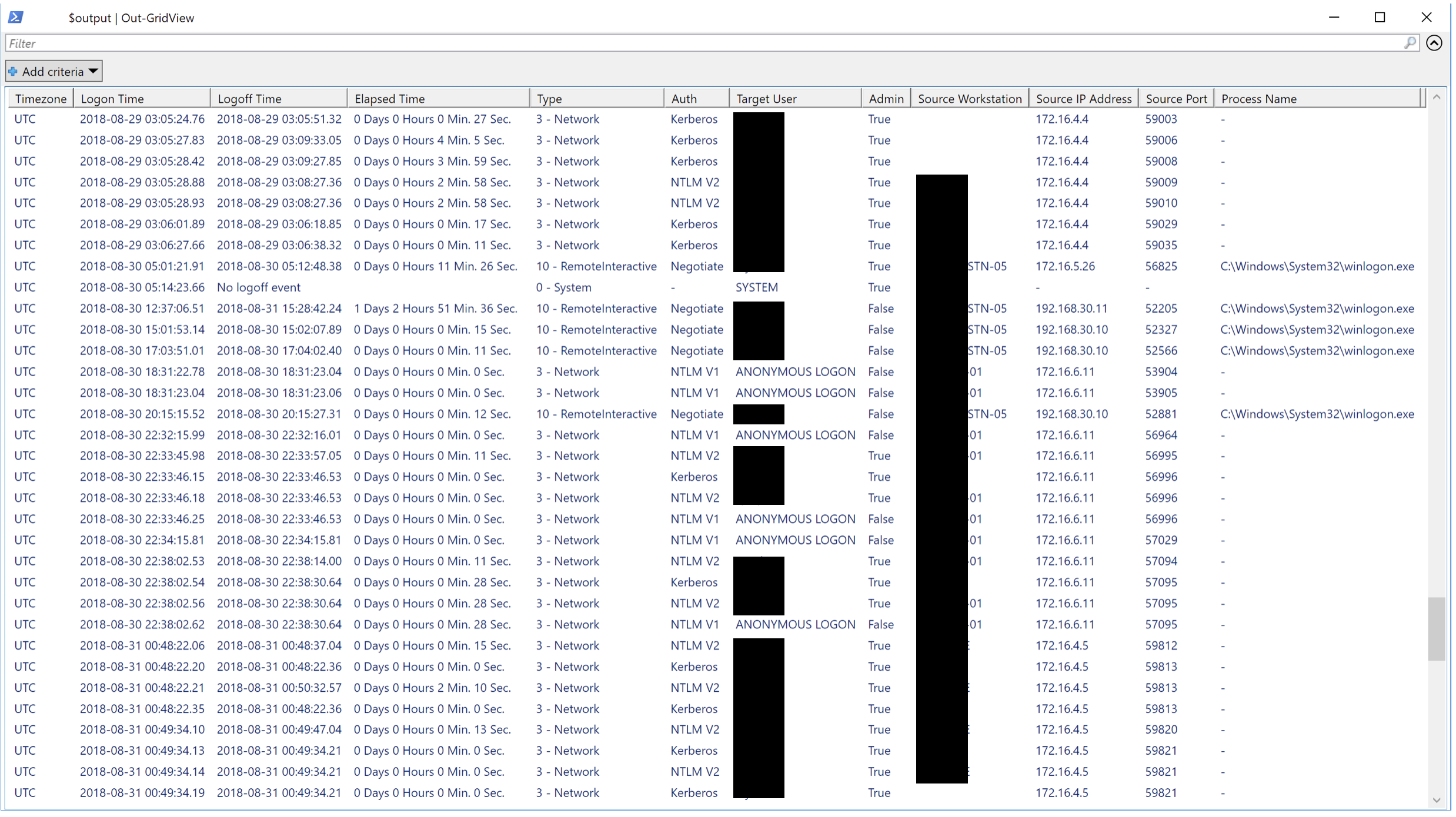
我们希望任何形式的贡献。拉力请求是最好的,但功能请求,通知我们错误等...也非常欢迎。





