WELA
v1.0.0 alpha release


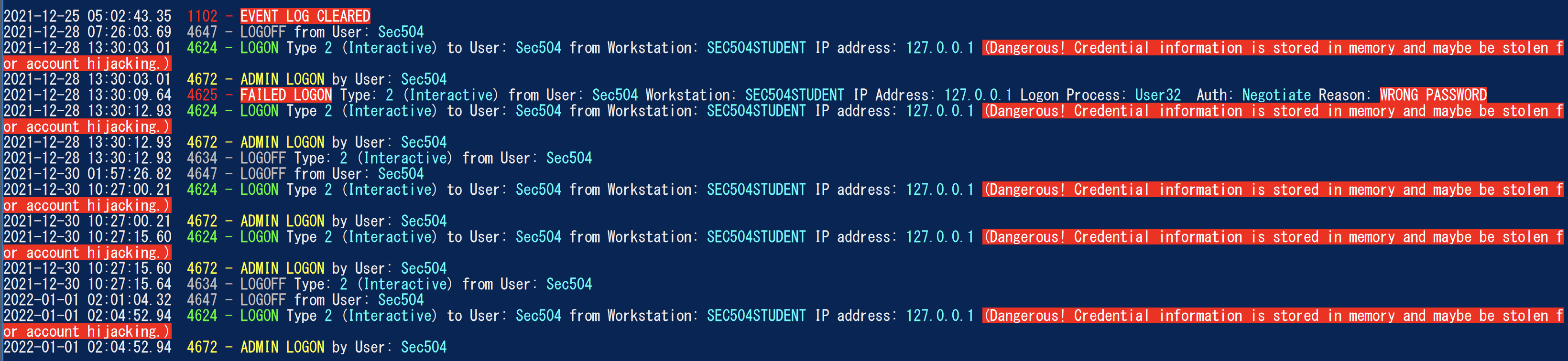
Analyzer журнала событий Windows) - стать швейцарским армейским ножом для журналов событий Windows. В настоящее время величайшая функциональность Wela-это создание простого для анализа временной шкалы, чтобы помочь в быстрой криминалистике и реагировании на инциденты. Генератор временной шкалы входа в Wela будет консолировать только полезную информацию в нескольких записях журнала журнала (4624, 4634, 4647, 4672, 4776) в отдельные события, выполняют снижение данных, игнорируя около 90% от шума и преобразует любые трудные данные для чтения данных (такие как коды Hex Statest) в чтение человеческого формата.
Протестировано на Windows PowerShell 5.1, но может работать с предыдущими версиями. К сожалению, он не будет работать с PowerShell Core, так как нет встроенных функций для чтения журналов событий Windows.
** Примечания: ** Последнее соответствие правила сигмы в Веле - июль 2021 года. Если вы хотите использовать последние правила Sigma для обнаружения EVTX, используйте Hayabusa. **
На данный момент, пожалуйста, используйте Windows PowerShell 5.1. Вам понадобится доступ местного администратора для анализа в прямом эфире.
    Analysis Source (Specify one):
        - LiveAnalysis : Creates a timeline based on the live host ' s log
        -LogFile <path-to-logfile> : Creates a timelime from an offline .evtx file
        -LogDirectory <path-to-logfiles> (Warning: not fully implemented.) : Analyze offline .evtx files
        -RemoteLiveAnalysis : Creates a timeline based on the remote host ' s log

    Analysis Type (Specify one):
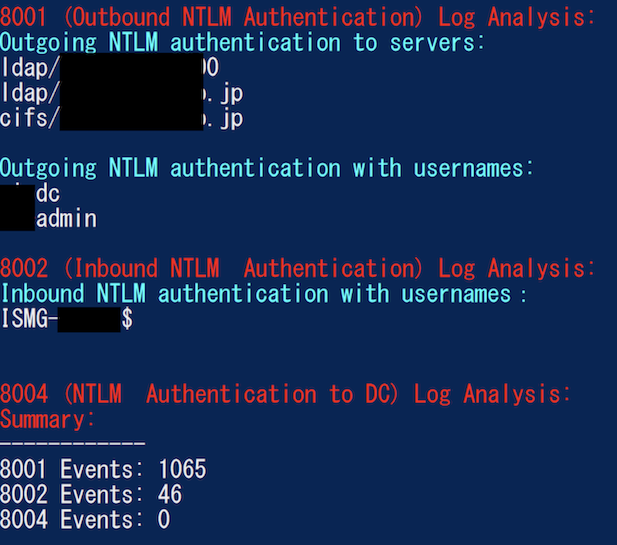
        - AnalyzeNTLM_UsageBasic : Returns basic NTLM usage based on the NTLM Operational log
        - AnalyzeNTLM_UsageDetailed : Returns detailed NTLM usage based on the NTLM Operational log
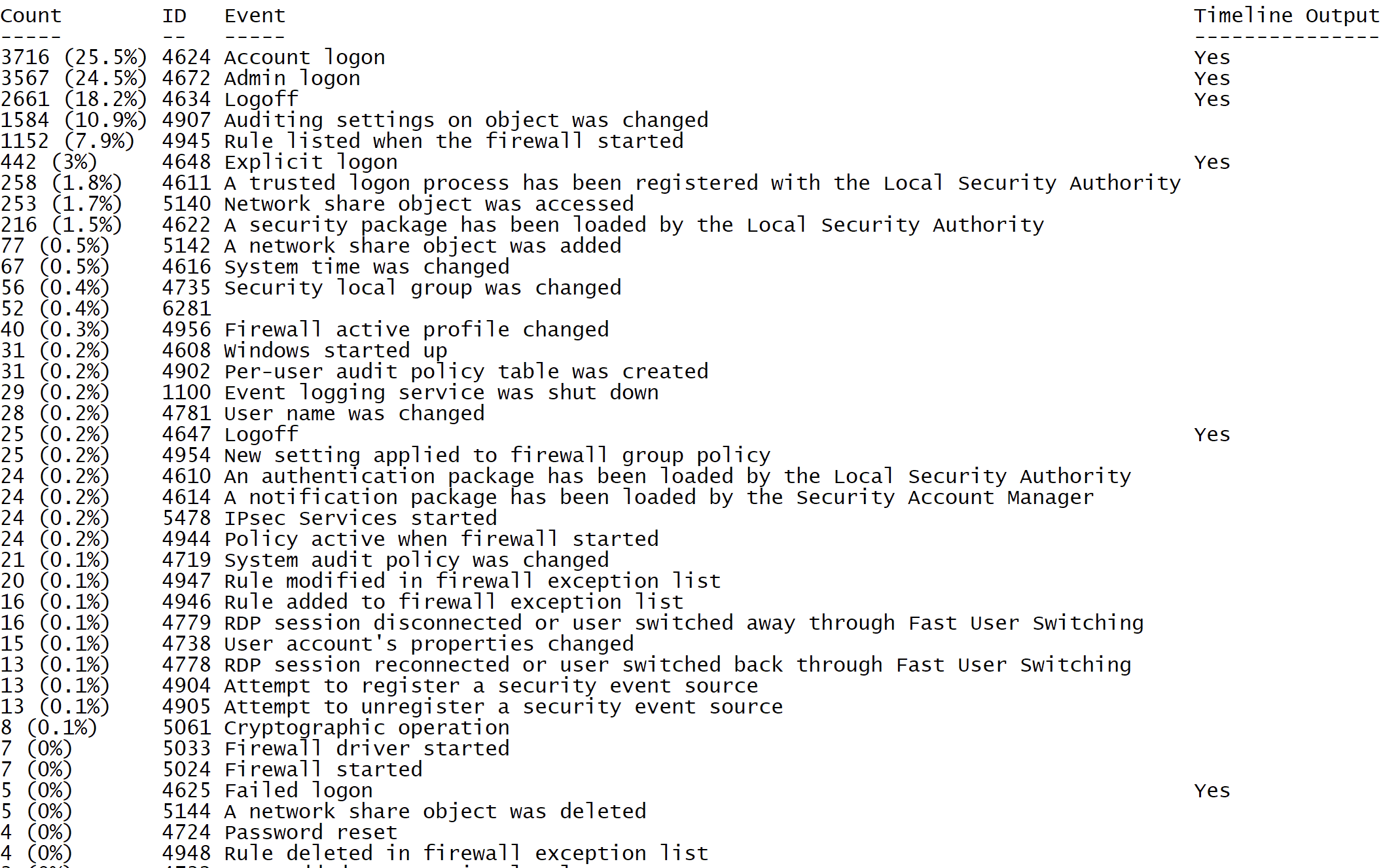
        - SecurityEventID_Statistics : Output event ID statistics
        - EasyToReadSecurityLogonTimeline : Output essy to read event ID statics
        - SecurityLogonTimeline : Output a condensed timeline of user logons based on the Security log
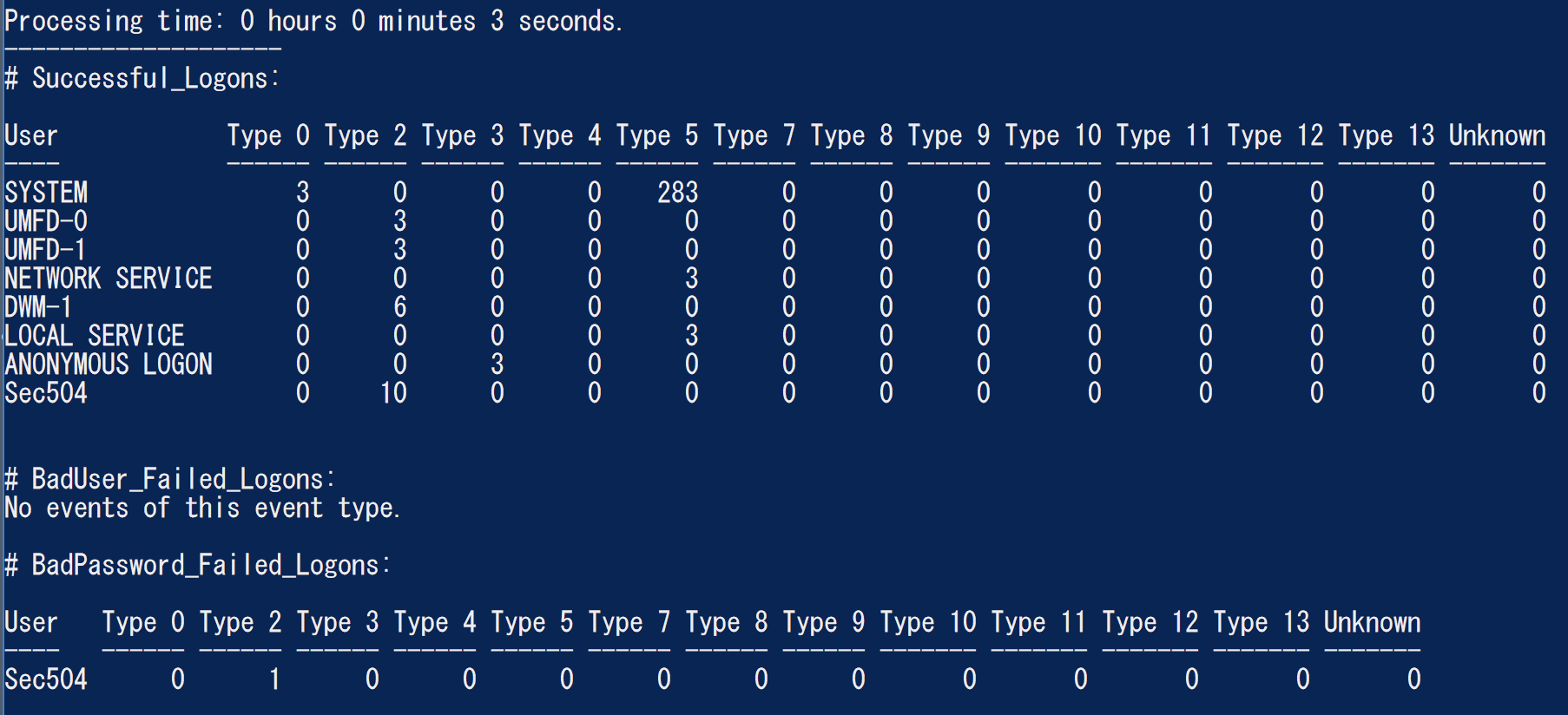
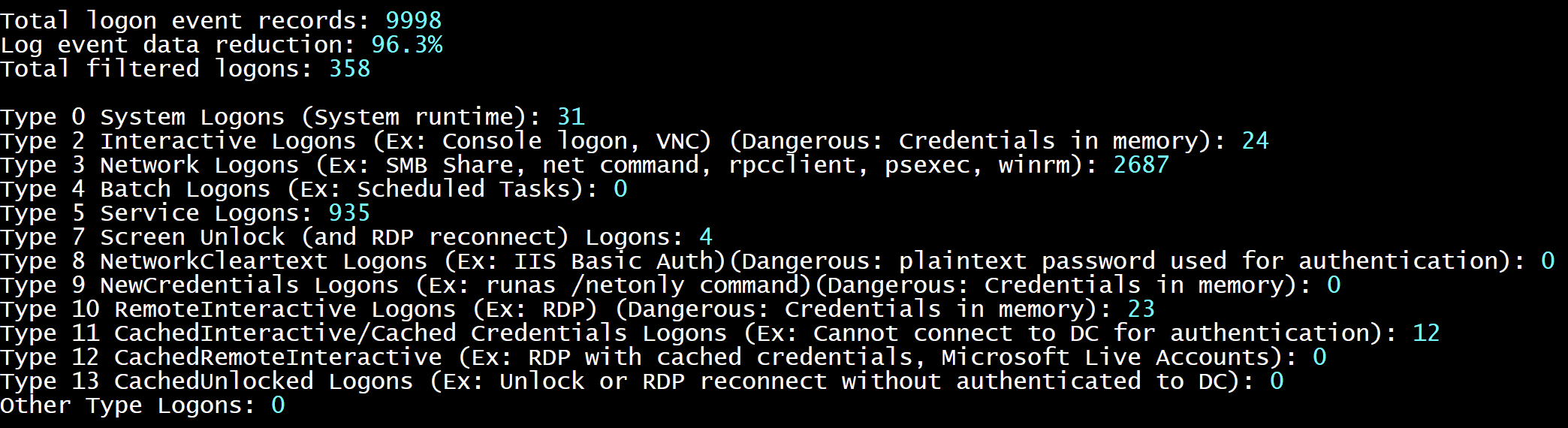
        - SecurityAuthenticationSummary : Output a summary of authentication events for each logon type based on the Security log

    Analysis Options:
        - StartTimeline " <YYYY-MM-DD HH:MM:SS> " : Specify the start of the timeline
        - EndTimeline " <YYYY-MM-DD HH:MM:SS> " : Specify the end of the timeline

    - LogonTimeline Analysis Options:
        - IsDC : Specify if the logs are from a DC

    Output Types ( Default : Standard Output):
        - SaveOutput < outputfile - path > : Output results to a text file
        - OutputCSV : Outputs to CSV
        - OutputGUI : Outputs to the Out-GridView GUI

    General Output Options:
        - USDateFormat : Output the dates in MM - DD - YYYY format ( Default : YYYY - MM - DD)
        - EuropeDateFormat : Output the dates in DD - MM - YYYY format ( Default : YYYY - MM - DD)
        - UTC : Output in UTC time ( default is the local timezone)
        - Japanese : Output in Japanese

    - LogonTimeline Output Options:
        - HideTimezone : Hides the timezone
        - ShowLogonID : Show logon IDs

    Other:
        - ShowContributors : Show the contributors
- QuietLogo : Do not display the WELA logo. / WELA.ps1 - LogFile .Security.evtx - SecurityEventID_Statistics.WELA.ps1 - LogFile .Security.evtx - SecurityLogonTimeline - OutputGUI - UTC.WELA.ps1 - LogFile .DC1 - NTLM - Operational.evtx - AnalyzeNTLM_UsageBasic.WELA.ps1 - LiveAnalysis - SecurityAuthenticationSummary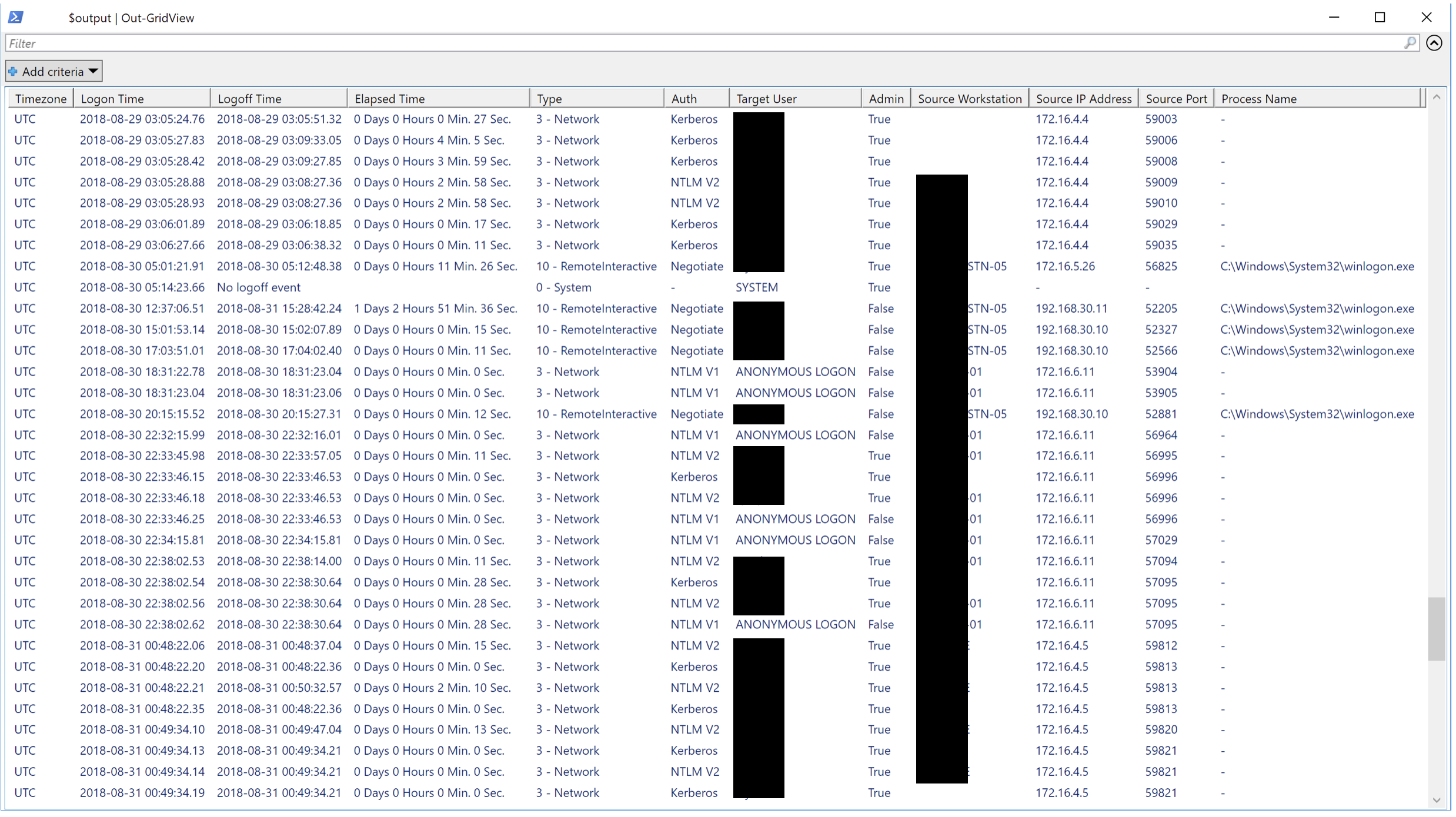
Мы хотели бы любой формы внесения. Запросы на тягу являются лучшими, но запросами функций, уведомляющие нас о ошибках и т. Д. Также очень желанные.





