WELA
v1.0.0 alpha release


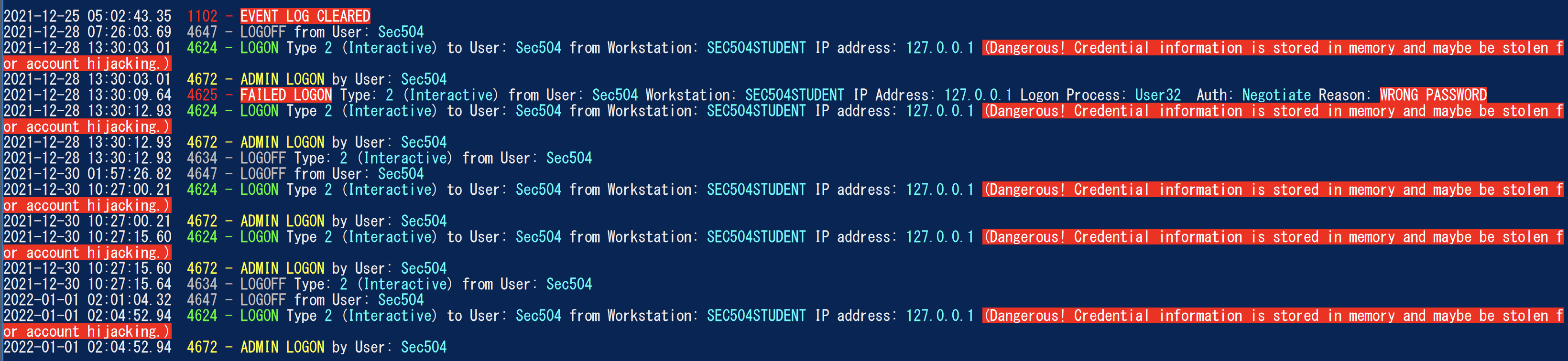
Analisador de log de eventos do Windows) pretende ser a faca do Exército suíço para os logs de eventos do Windows. Atualmente, a maior funcionalidade de Wela está criando uma linha do tempo de logon de fácil análise para ajudar a ajudar em uma resposta forense rápida e na resposta a incidentes. O gerador da linha do tempo de logon da WELA consoloda apenas as informações úteis em várias entradas de log de logon (4624, 4634, 4647, 4672, 4776) em eventos únicos, executará a redução de dados ignorando cerca de 90% do ruído e converterá os dados difíceis de leitura (como status como Hex) em folhos humanos.
Testado no Windows PowerShell 5.1, mas pode funcionar com versões anteriores. Infelizmente, não funcionará com o PowerShell Core, pois não há funcionalidade interna para ler os logs de eventos do Windows.
** Notas: ** A última conformidade com a regra Sigma em Wela é julho de 2021. Se você deseja usar as últimas regras do Sigma para detecção de EVTX, use Hayabusa. **
No momento, use um Windows PowerShell 5.1. Você precisará de acesso ao administrador local para análise ao vivo.
    Analysis Source (Specify one):
        - LiveAnalysis : Creates a timeline based on the live host ' s log
        -LogFile <path-to-logfile> : Creates a timelime from an offline .evtx file
        -LogDirectory <path-to-logfiles> (Warning: not fully implemented.) : Analyze offline .evtx files
        -RemoteLiveAnalysis : Creates a timeline based on the remote host ' s log

    Analysis Type (Specify one):
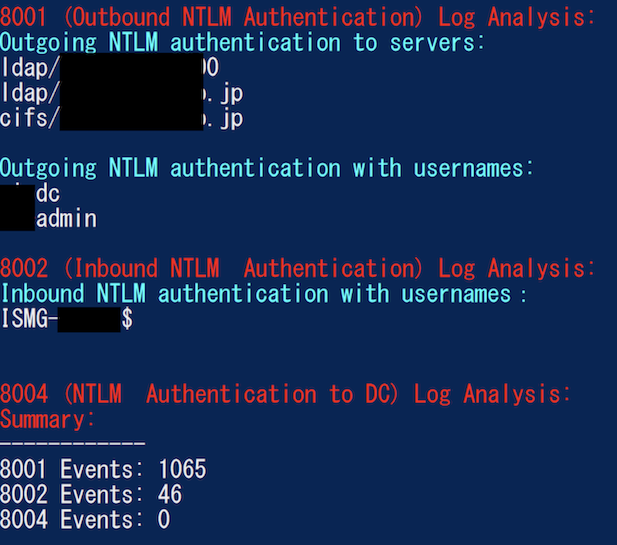
        - AnalyzeNTLM_UsageBasic : Returns basic NTLM usage based on the NTLM Operational log
        - AnalyzeNTLM_UsageDetailed : Returns detailed NTLM usage based on the NTLM Operational log
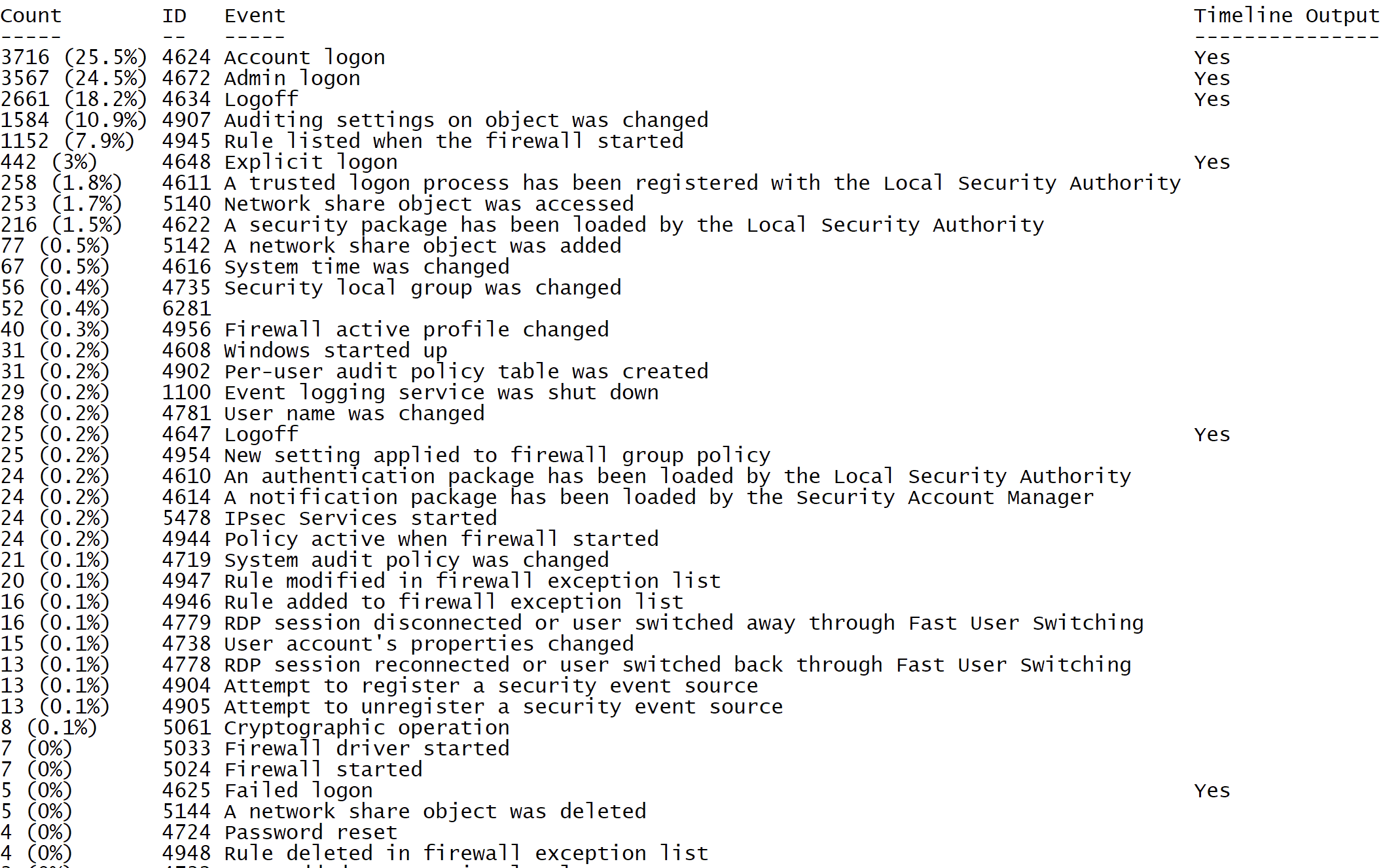
        - SecurityEventID_Statistics : Output event ID statistics
        - EasyToReadSecurityLogonTimeline : Output essy to read event ID statics
        - SecurityLogonTimeline : Output a condensed timeline of user logons based on the Security log
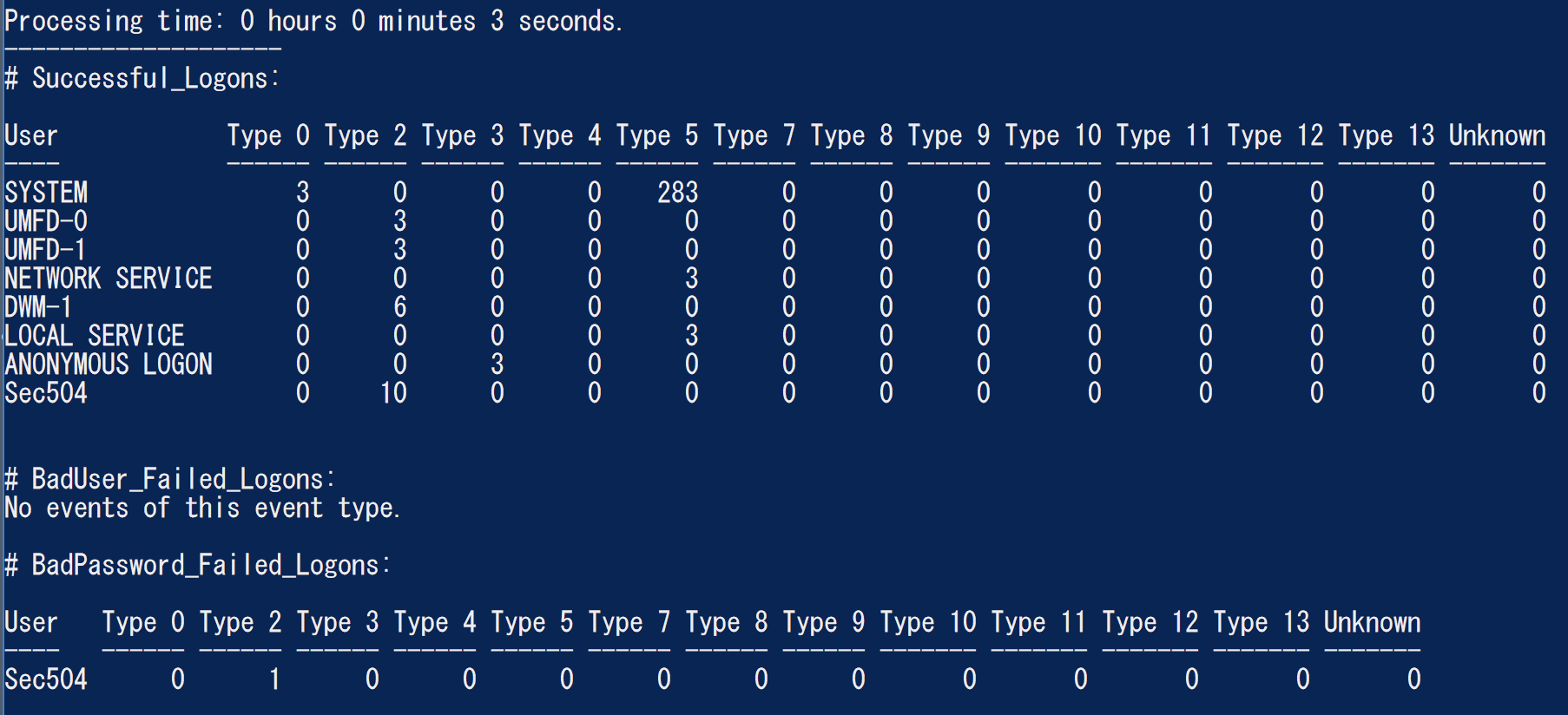
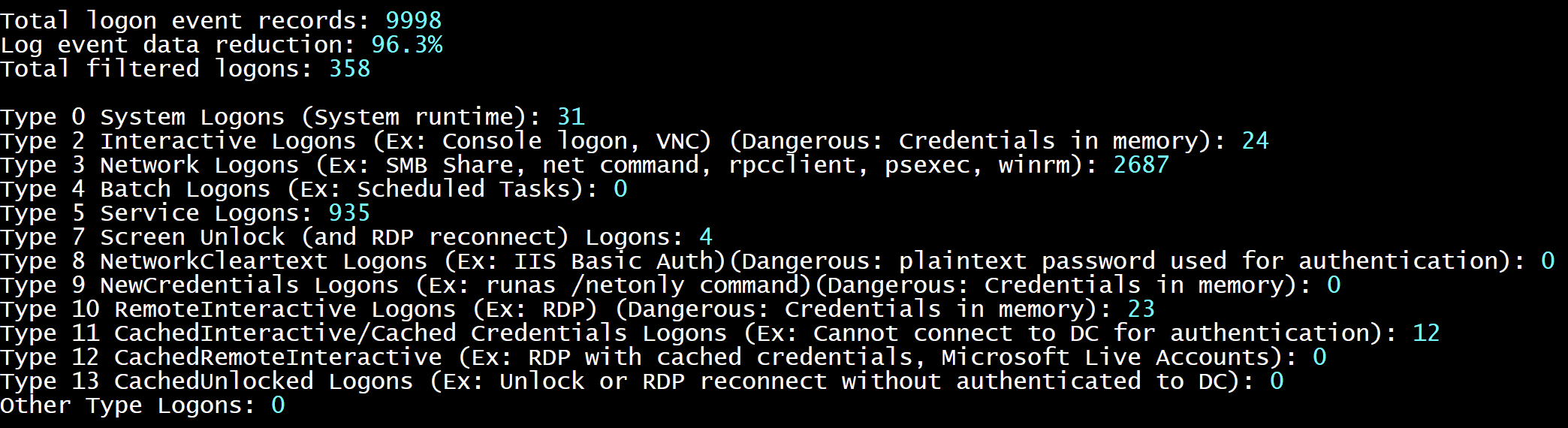
        - SecurityAuthenticationSummary : Output a summary of authentication events for each logon type based on the Security log

    Analysis Options:
        - StartTimeline " <YYYY-MM-DD HH:MM:SS> " : Specify the start of the timeline
        - EndTimeline " <YYYY-MM-DD HH:MM:SS> " : Specify the end of the timeline

    - LogonTimeline Analysis Options:
        - IsDC : Specify if the logs are from a DC

    Output Types ( Default : Standard Output):
        - SaveOutput < outputfile - path > : Output results to a text file
        - OutputCSV : Outputs to CSV
        - OutputGUI : Outputs to the Out-GridView GUI

    General Output Options:
        - USDateFormat : Output the dates in MM - DD - YYYY format ( Default : YYYY - MM - DD)
        - EuropeDateFormat : Output the dates in DD - MM - YYYY format ( Default : YYYY - MM - DD)
        - UTC : Output in UTC time ( default is the local timezone)
        - Japanese : Output in Japanese

    - LogonTimeline Output Options:
        - HideTimezone : Hides the timezone
        - ShowLogonID : Show logon IDs

    Other:
        - ShowContributors : Show the contributors
- QuietLogo : Do not display the WELA logo. / WELA.ps1 - LogFile .Security.evtx - SecurityEventID_Statistics.WELA.ps1 - LogFile .Security.evtx - SecurityLogonTimeline - OutputGUI - UTC.WELA.ps1 - LogFile .DC1 - NTLM - Operational.evtx - AnalyzeNTLM_UsageBasic.WELA.ps1 - LiveAnalysis - SecurityAuthenticationSummary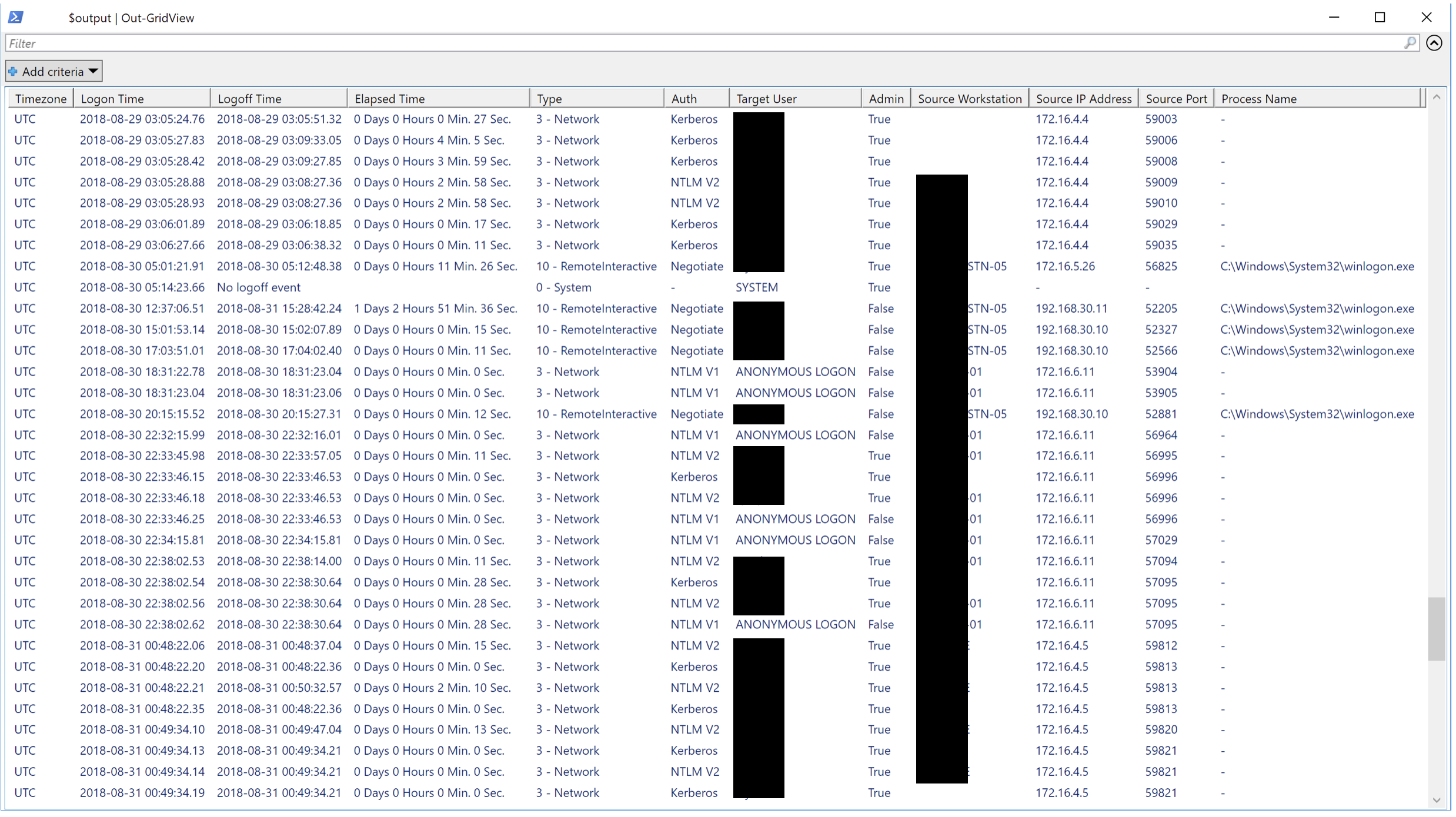
Adoraríamos qualquer forma de contribuição. As solicitações de tração são as melhores, mas solicitações de recursos, notificando -nos de bugs, etc ... também são muito bem -vindos.





