WELA
v1.0.0 alpha release


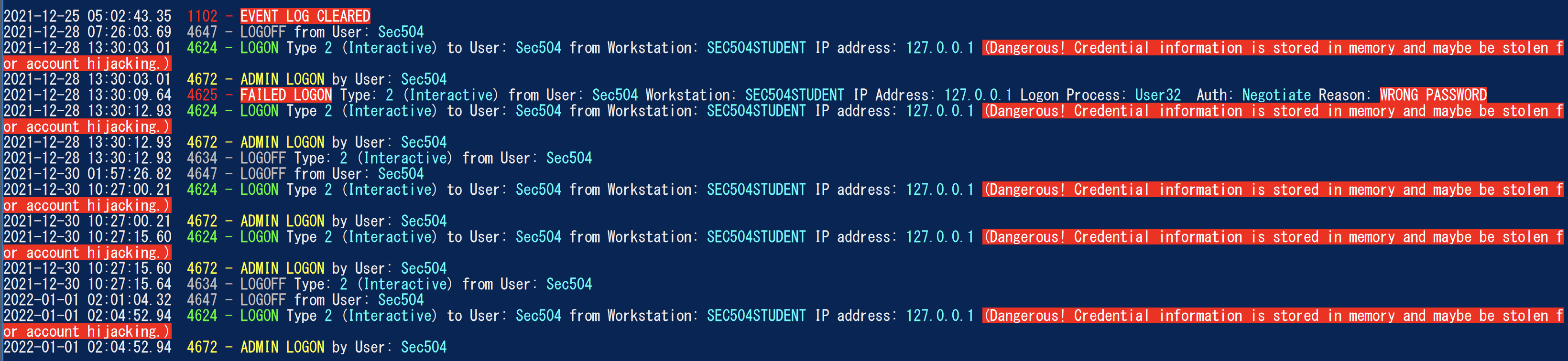
Windows Event Log Analyzer) zielt darauf ab, das Schweizer Armee für Windows -Event -Protokolle zu sein. Derzeit ist die größte Funktionalität von Wela darin, eine leicht zu analysierende Anmeldezeitleiste zu erstellen, um die schnelle Forensik und die Reaktion der Vorfälle zu unterstützen. Der Anmeldezeitplan von Wela enthält nur die nützlichen Informationen in mehreren Anmeldungsprotokolleinträgen (4624, 4634, 4647, 4672, 4776) in einzelne Ereignisse, führen Sie Datenreduzierung durch, indem Sie rund 90% des Rauschens ignoriert und alle schwer zu lesenden Daten (z.
Unter Windows PowerShell 5.1 getestet, kann jedoch mit früheren Versionen funktionieren. Es wird leider nicht mit PowerShell Core funktionieren, da es keine integrierten Funktionen zum Lesen von Windows-Ereignisprotokollen gibt.
** ANMERKUNGEN: ** Die letzte Einhaltung der Sigma -Regel in Wela ist Juli 2021. Wenn Sie die neuesten Sigma -Regeln für die Erkennung von EVTX verwenden möchten, verwenden Sie bitte Hayabusa. **
Verwenden Sie im Moment bitte einen Windows PowerShell 5.1. Sie benötigen einen lokalen Administratorzugriff für die Live -Analyse.
    Analysis Source (Specify one):
        - LiveAnalysis : Creates a timeline based on the live host ' s log
        -LogFile <path-to-logfile> : Creates a timelime from an offline .evtx file
        -LogDirectory <path-to-logfiles> (Warning: not fully implemented.) : Analyze offline .evtx files
        -RemoteLiveAnalysis : Creates a timeline based on the remote host ' s log

    Analysis Type (Specify one):
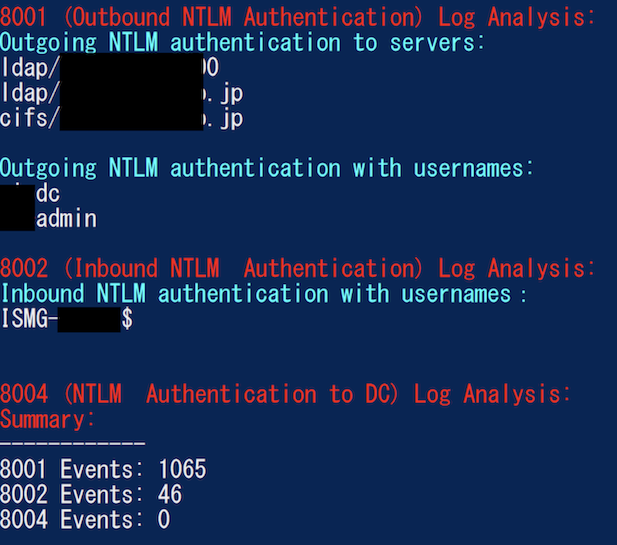
        - AnalyzeNTLM_UsageBasic : Returns basic NTLM usage based on the NTLM Operational log
        - AnalyzeNTLM_UsageDetailed : Returns detailed NTLM usage based on the NTLM Operational log
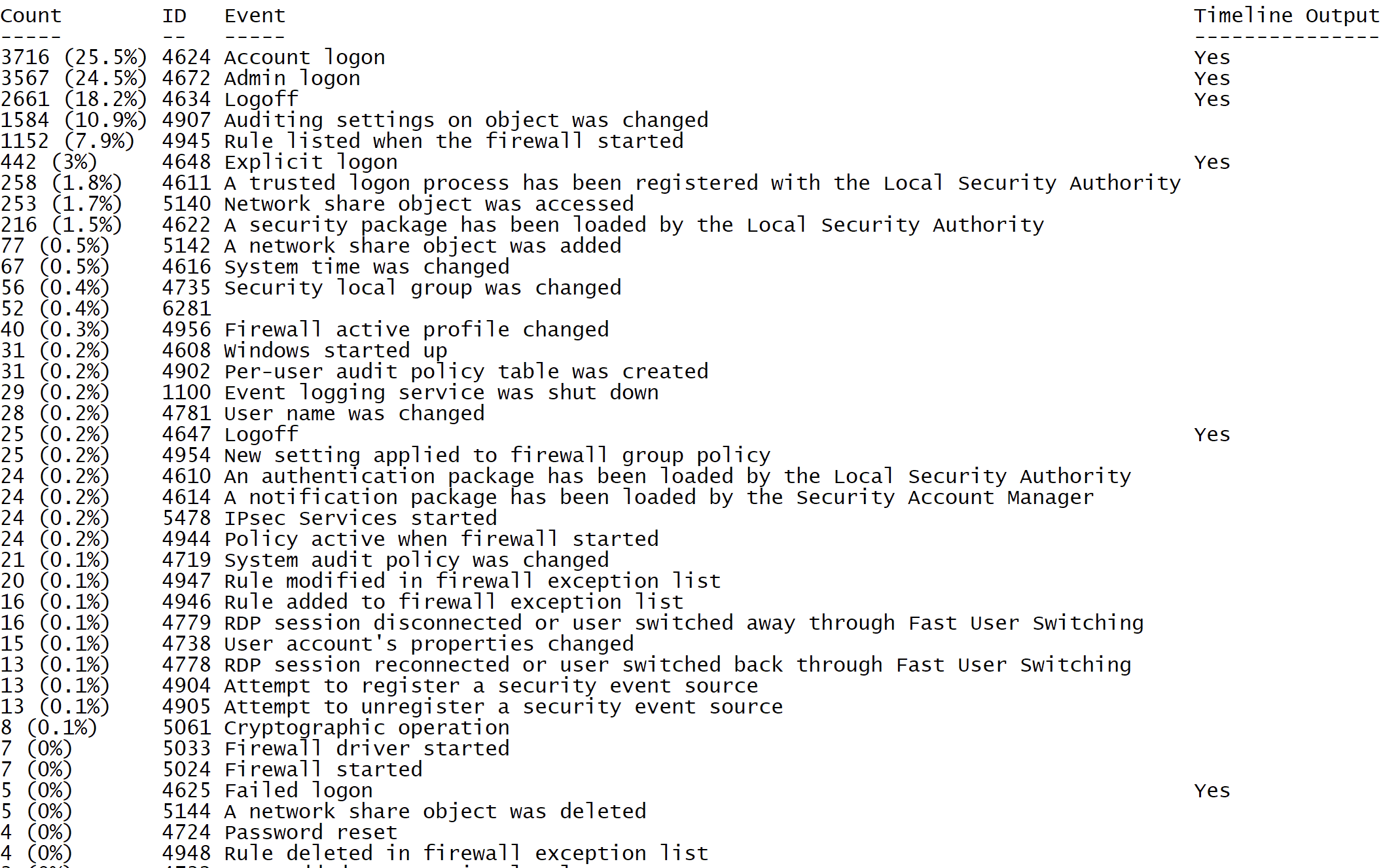
        - SecurityEventID_Statistics : Output event ID statistics
        - EasyToReadSecurityLogonTimeline : Output essy to read event ID statics
        - SecurityLogonTimeline : Output a condensed timeline of user logons based on the Security log
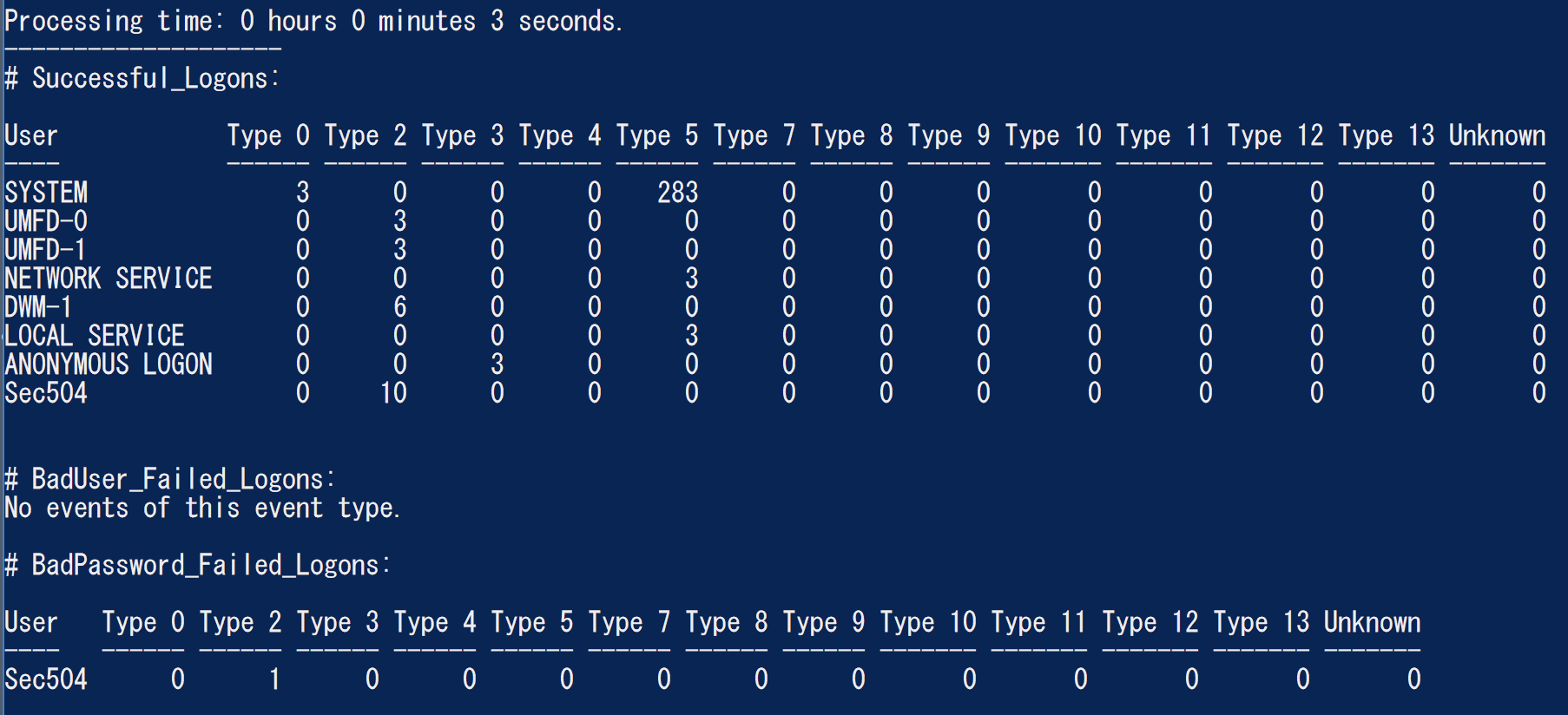
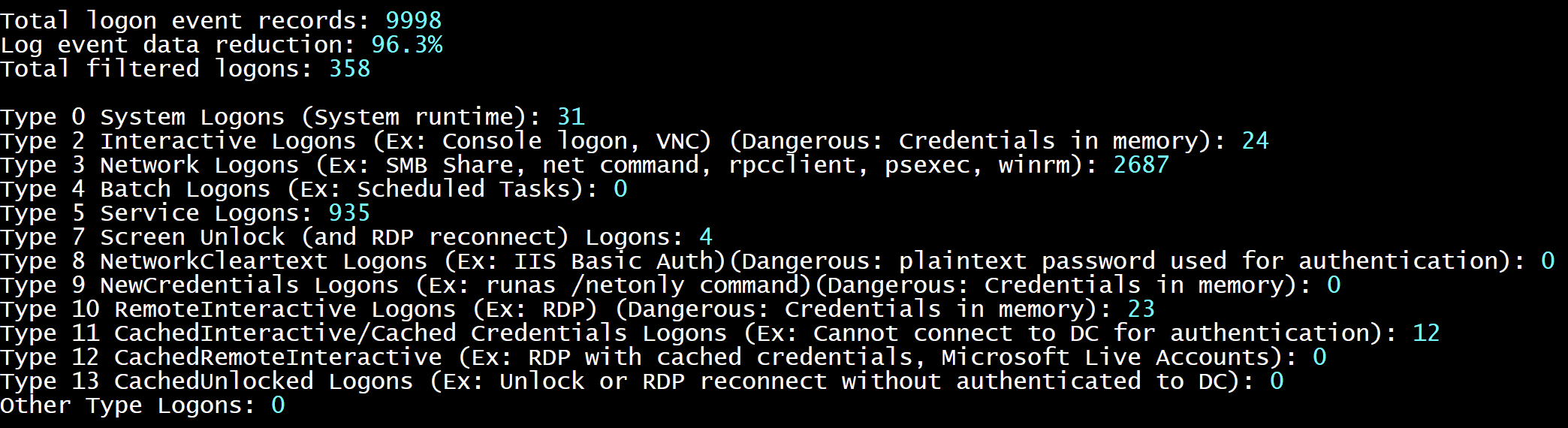
        - SecurityAuthenticationSummary : Output a summary of authentication events for each logon type based on the Security log

    Analysis Options:
        - StartTimeline " <YYYY-MM-DD HH:MM:SS> " : Specify the start of the timeline
        - EndTimeline " <YYYY-MM-DD HH:MM:SS> " : Specify the end of the timeline

    - LogonTimeline Analysis Options:
        - IsDC : Specify if the logs are from a DC

    Output Types ( Default : Standard Output):
        - SaveOutput < outputfile - path > : Output results to a text file
        - OutputCSV : Outputs to CSV
        - OutputGUI : Outputs to the Out-GridView GUI

    General Output Options:
        - USDateFormat : Output the dates in MM - DD - YYYY format ( Default : YYYY - MM - DD)
        - EuropeDateFormat : Output the dates in DD - MM - YYYY format ( Default : YYYY - MM - DD)
        - UTC : Output in UTC time ( default is the local timezone)
        - Japanese : Output in Japanese

    - LogonTimeline Output Options:
        - HideTimezone : Hides the timezone
        - ShowLogonID : Show logon IDs

    Other:
        - ShowContributors : Show the contributors
- QuietLogo : Do not display the WELA logo. / WELA.ps1 - LogFile .Security.evtx - SecurityEventID_Statistics.WELA.ps1 - LogFile .Security.evtx - SecurityLogonTimeline - OutputGUI - UTC.WELA.ps1 - LogFile .DC1 - NTLM - Operational.evtx - AnalyzeNTLM_UsageBasic.WELA.ps1 - LiveAnalysis - SecurityAuthenticationSummary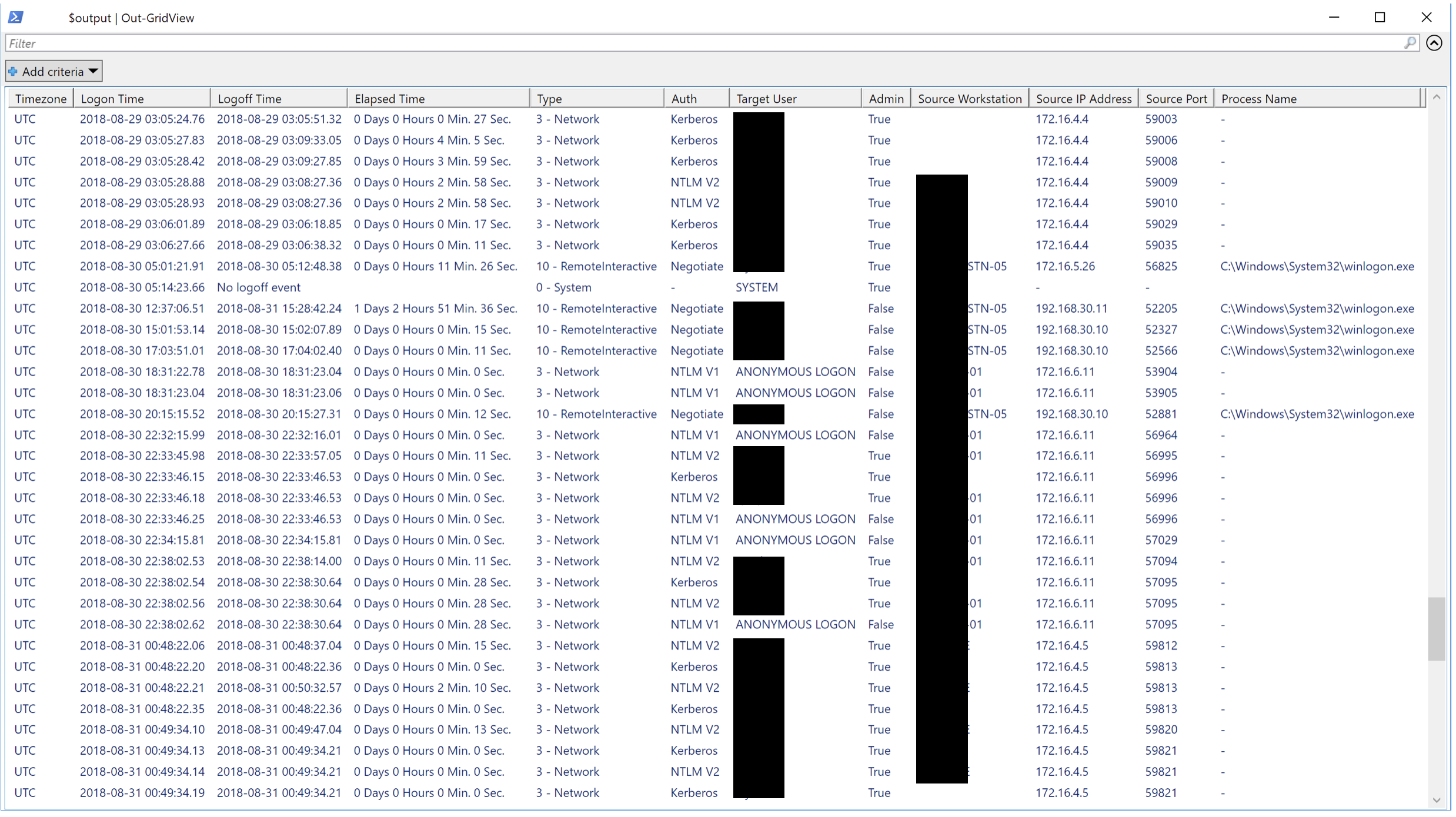
Wir würden jede Form des Beitrags lieben. Pull -Anfragen sind die besten, aber Feature -Anfragen, die Benachrichtigung über Fehler usw. sind ebenfalls sehr willkommen.





