WELA
v1.0.0 alpha release


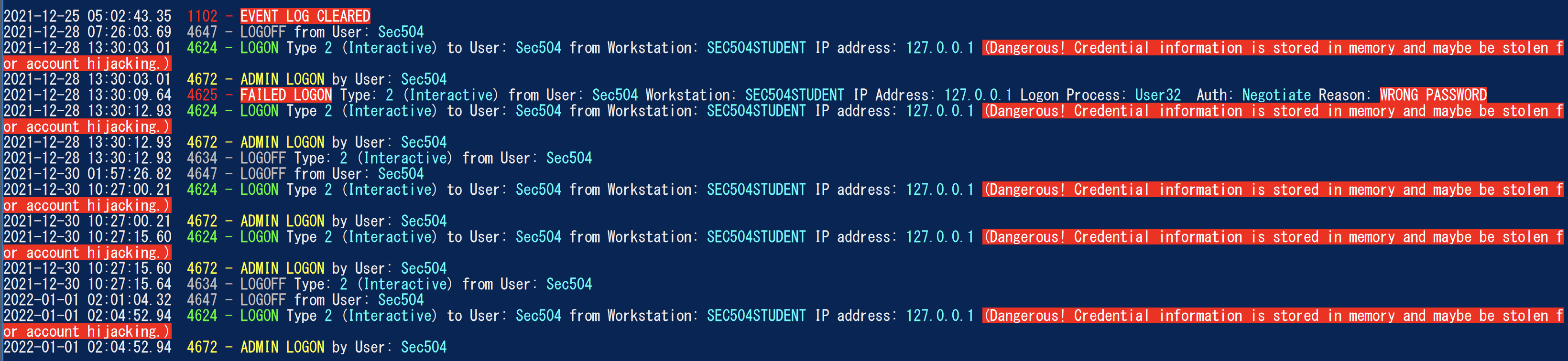
Windows Event Log Analyzer) bertujuan untuk menjadi pisau tentara Swiss untuk log acara windows. Saat ini, fungsionalitas terbesar WEDA adalah menciptakan timeline logon yang mudah dianalisis untuk membantu membantu dalam forensik cepat dan respons insiden. Generator Garis Batas Logon WEDA hanya akan mengkonsolodasi informasi yang berguna dalam beberapa entri log logon (4624, 4634, 4647, 4672, 4776) menjadi satu peristiwa, melakukan pengurangan data dengan mengabaikan sekitar 90% dari noise, dan akan mengubah data yang sulit dibaca (seperti kode status hex) menjadi format yang dapat dibaca manusia.
Diuji pada Windows PowerShell 5.1 tetapi dapat bekerja dengan versi sebelumnya. Sayangnya itu tidak akan berfungsi dengan PowerShell Core karena tidak ada fungsionalitas bawaan untuk membaca log acara Windows.
** Catatan: ** Kepatuhan aturan sigma terakhir di WEDA adalah Juli 2021.Jika Anda ingin menggunakan aturan sigma terbaru untuk deteksi EVTX, silakan gunakan Hayabusa. **
Saat ini, silakan gunakan Windows PowerShell 5.1. Anda akan memerlukan akses administrator lokal untuk analisis langsung.
    Analysis Source (Specify one):
        - LiveAnalysis : Creates a timeline based on the live host ' s log
        -LogFile <path-to-logfile> : Creates a timelime from an offline .evtx file
        -LogDirectory <path-to-logfiles> (Warning: not fully implemented.) : Analyze offline .evtx files
        -RemoteLiveAnalysis : Creates a timeline based on the remote host ' s log

    Analysis Type (Specify one):
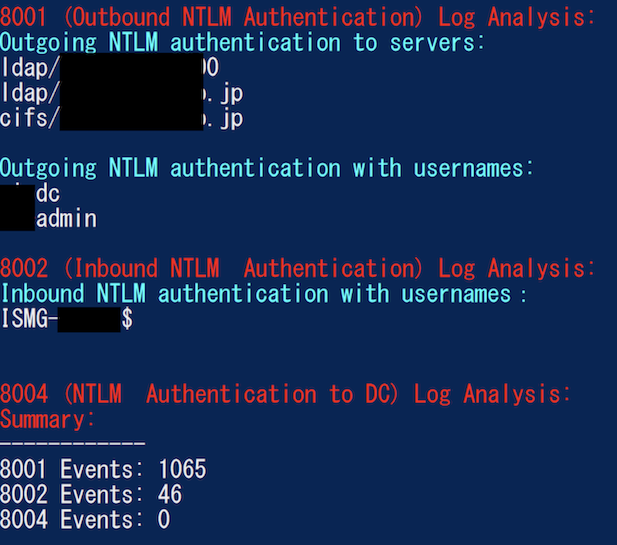
        - AnalyzeNTLM_UsageBasic : Returns basic NTLM usage based on the NTLM Operational log
        - AnalyzeNTLM_UsageDetailed : Returns detailed NTLM usage based on the NTLM Operational log
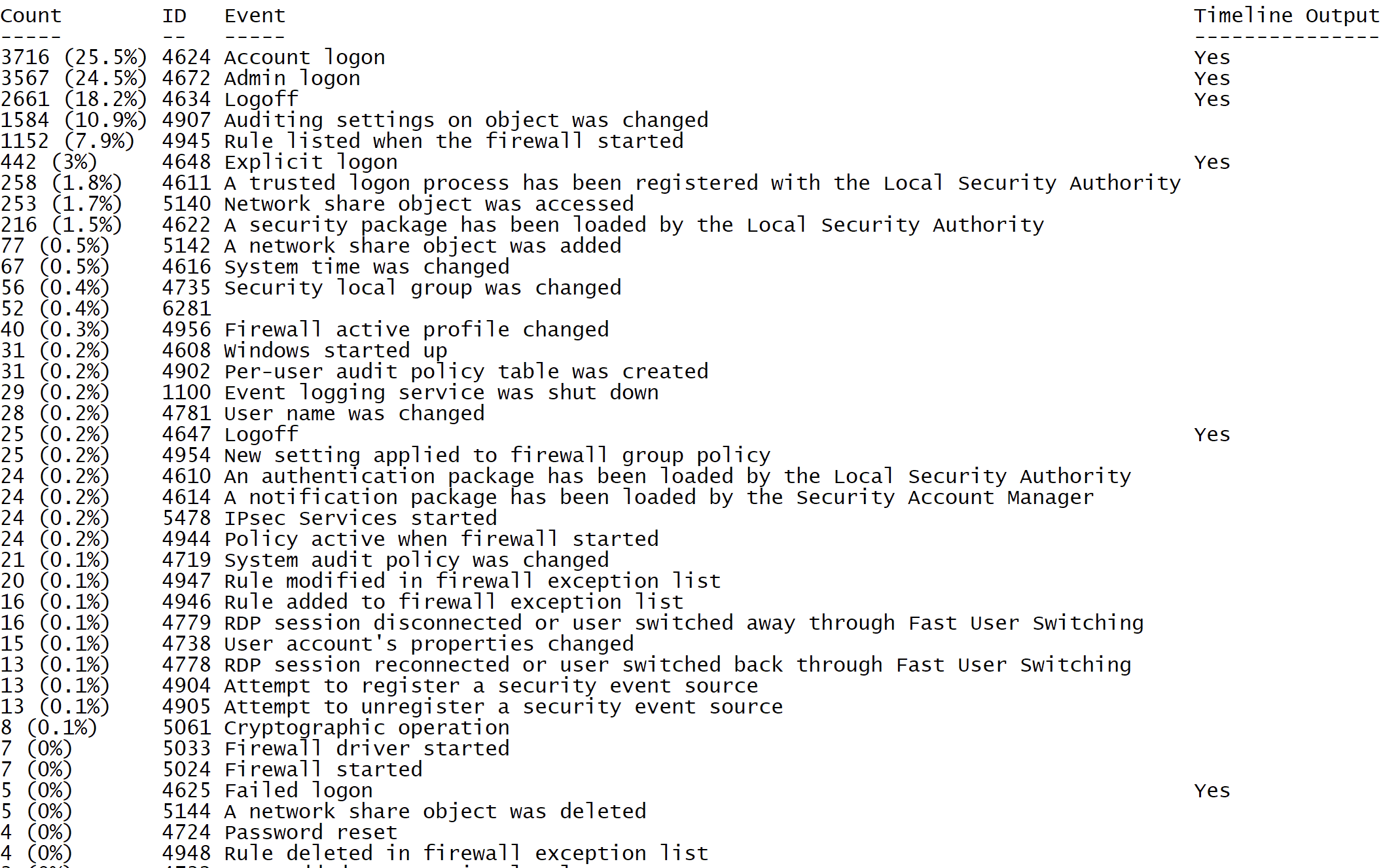
        - SecurityEventID_Statistics : Output event ID statistics
        - EasyToReadSecurityLogonTimeline : Output essy to read event ID statics
        - SecurityLogonTimeline : Output a condensed timeline of user logons based on the Security log
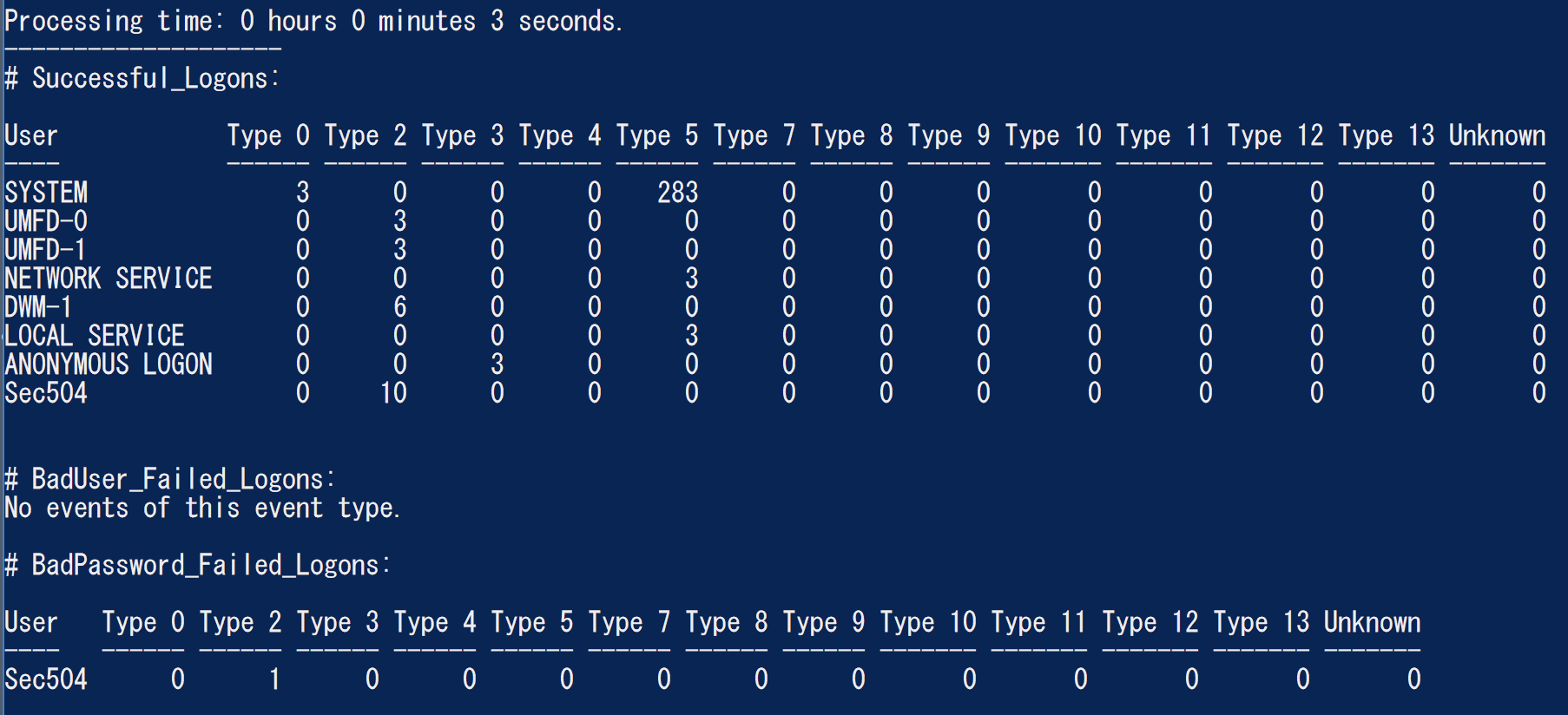
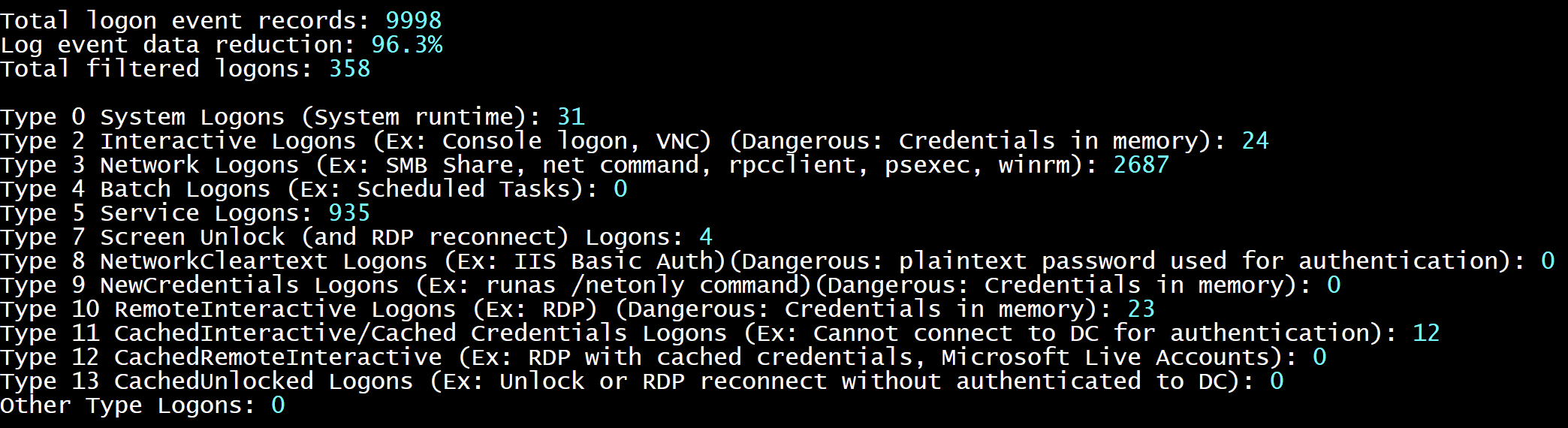
        - SecurityAuthenticationSummary : Output a summary of authentication events for each logon type based on the Security log

    Analysis Options:
        - StartTimeline " <YYYY-MM-DD HH:MM:SS> " : Specify the start of the timeline
        - EndTimeline " <YYYY-MM-DD HH:MM:SS> " : Specify the end of the timeline

    - LogonTimeline Analysis Options:
        - IsDC : Specify if the logs are from a DC

    Output Types ( Default : Standard Output):
        - SaveOutput < outputfile - path > : Output results to a text file
        - OutputCSV : Outputs to CSV
        - OutputGUI : Outputs to the Out-GridView GUI

    General Output Options:
        - USDateFormat : Output the dates in MM - DD - YYYY format ( Default : YYYY - MM - DD)
        - EuropeDateFormat : Output the dates in DD - MM - YYYY format ( Default : YYYY - MM - DD)
        - UTC : Output in UTC time ( default is the local timezone)
        - Japanese : Output in Japanese

    - LogonTimeline Output Options:
        - HideTimezone : Hides the timezone
        - ShowLogonID : Show logon IDs

    Other:
        - ShowContributors : Show the contributors
- QuietLogo : Do not display the WELA logo. / WELA.ps1 - LogFile .Security.evtx - SecurityEventID_Statistics.WELA.ps1 - LogFile .Security.evtx - SecurityLogonTimeline - OutputGUI - UTC.WELA.ps1 - LogFile .DC1 - NTLM - Operational.evtx - AnalyzeNTLM_UsageBasic.WELA.ps1 - LiveAnalysis - SecurityAuthenticationSummary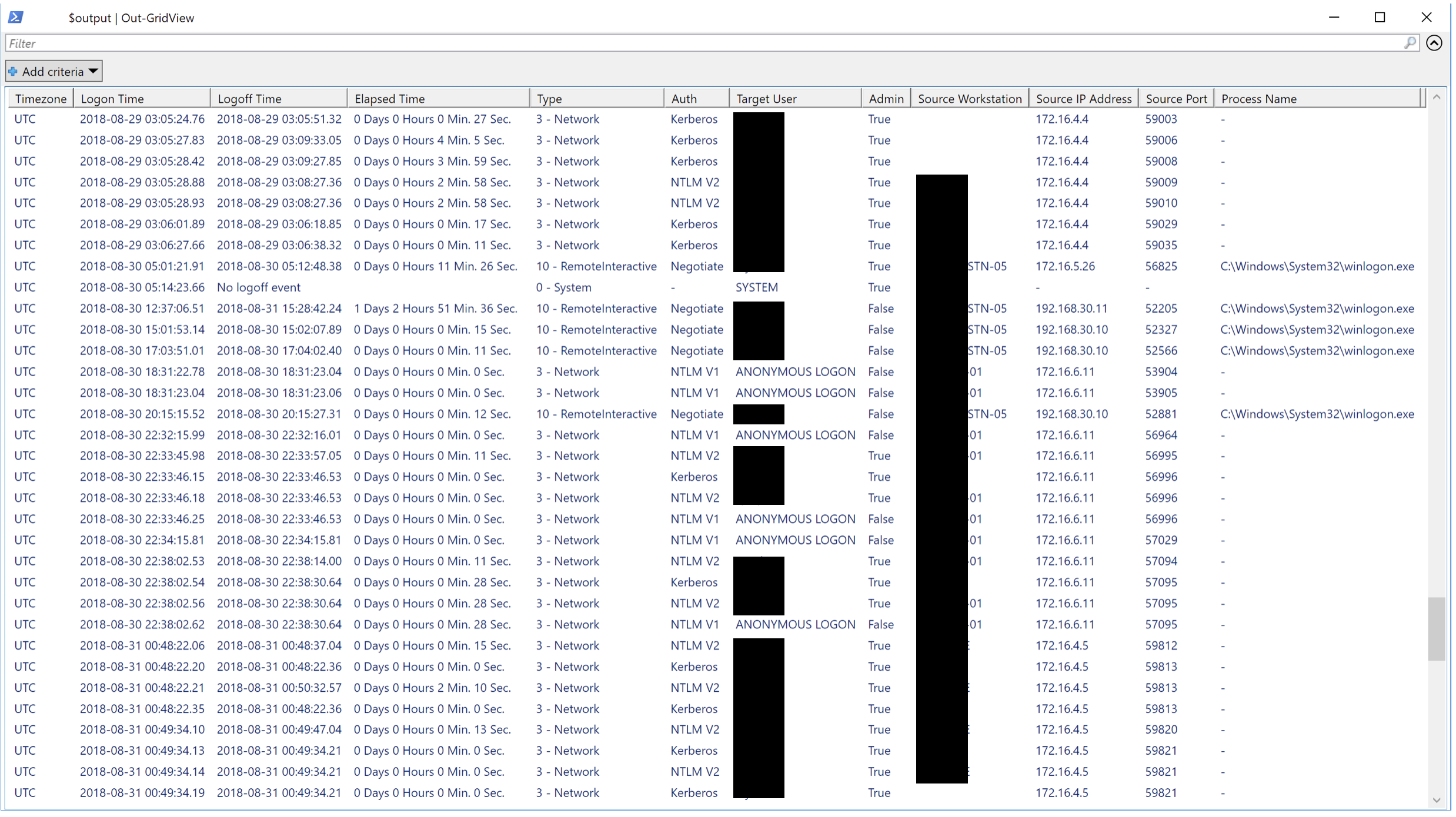
Kami akan menyukai segala bentuk kontribusi. Permintaan tarik adalah yang terbaik tetapi permintaan fitur, memberi tahu kami tentang bug, dll ... juga sangat disambut.





