WELA
v1.0.0 alpha release


Windows Event Log Analyzer)는 Windows 이벤트 로그 용 스위스 군대 나이프가되는 것을 목표로합니다. 현재 Wela의 가장 큰 기능은 빠른 법의학 및 사고 대응을 돕기 위해 분석하기 쉬운 로그온 타임 라인을 만들고 있습니다. WELA의 로그온 타임 라인 생성기는 여러 로그온 로그 항목 (4624, 4634, 4647, 4672, 4776)에서 단일 이벤트로 유용한 정보 만 통합하고 노이즈의 약 90%를 무시하여 데이터 감소를 수행하며, 읽기 데이터 (예 : HEX 상태 코드)를 인간 읽기 가능한 형식으로 변환합니다.
Windows PowerShell 5.1에서 테스트되었지만 이전 버전에서 작동 할 수 있습니다. 불행히도 Windows 이벤트 로그를 읽는 내장 기능이 없으므로 PowerShell Core에서는 작동하지 않습니다.
** 참고 : ** WELA의 마지막 시그마 규칙 준수는 2021 년 7 월입니다. EVTX 감지에 최신 시그마 규칙을 사용하려면 hayabusa를 사용하십시오. **.
현재 Windows PowerShell 5.1을 사용하십시오. 라이브 분석을 위해 현지 관리자 액세스가 필요합니다.
    Analysis Source (Specify one):
        - LiveAnalysis : Creates a timeline based on the live host ' s log
        -LogFile <path-to-logfile> : Creates a timelime from an offline .evtx file
        -LogDirectory <path-to-logfiles> (Warning: not fully implemented.) : Analyze offline .evtx files
        -RemoteLiveAnalysis : Creates a timeline based on the remote host ' s log

    Analysis Type (Specify one):
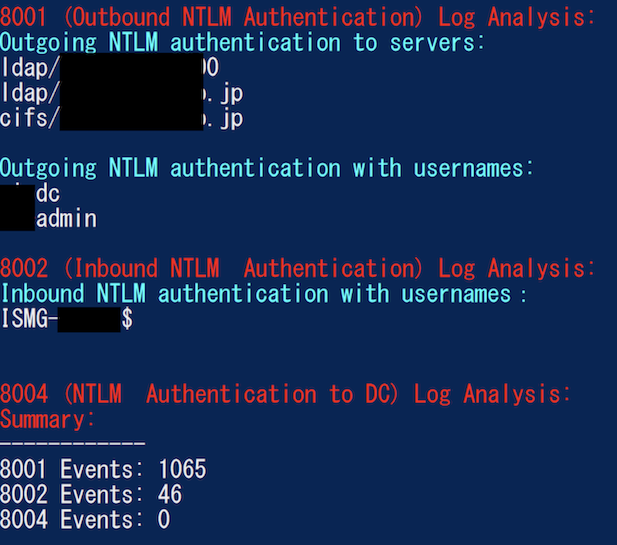
        - AnalyzeNTLM_UsageBasic : Returns basic NTLM usage based on the NTLM Operational log
        - AnalyzeNTLM_UsageDetailed : Returns detailed NTLM usage based on the NTLM Operational log
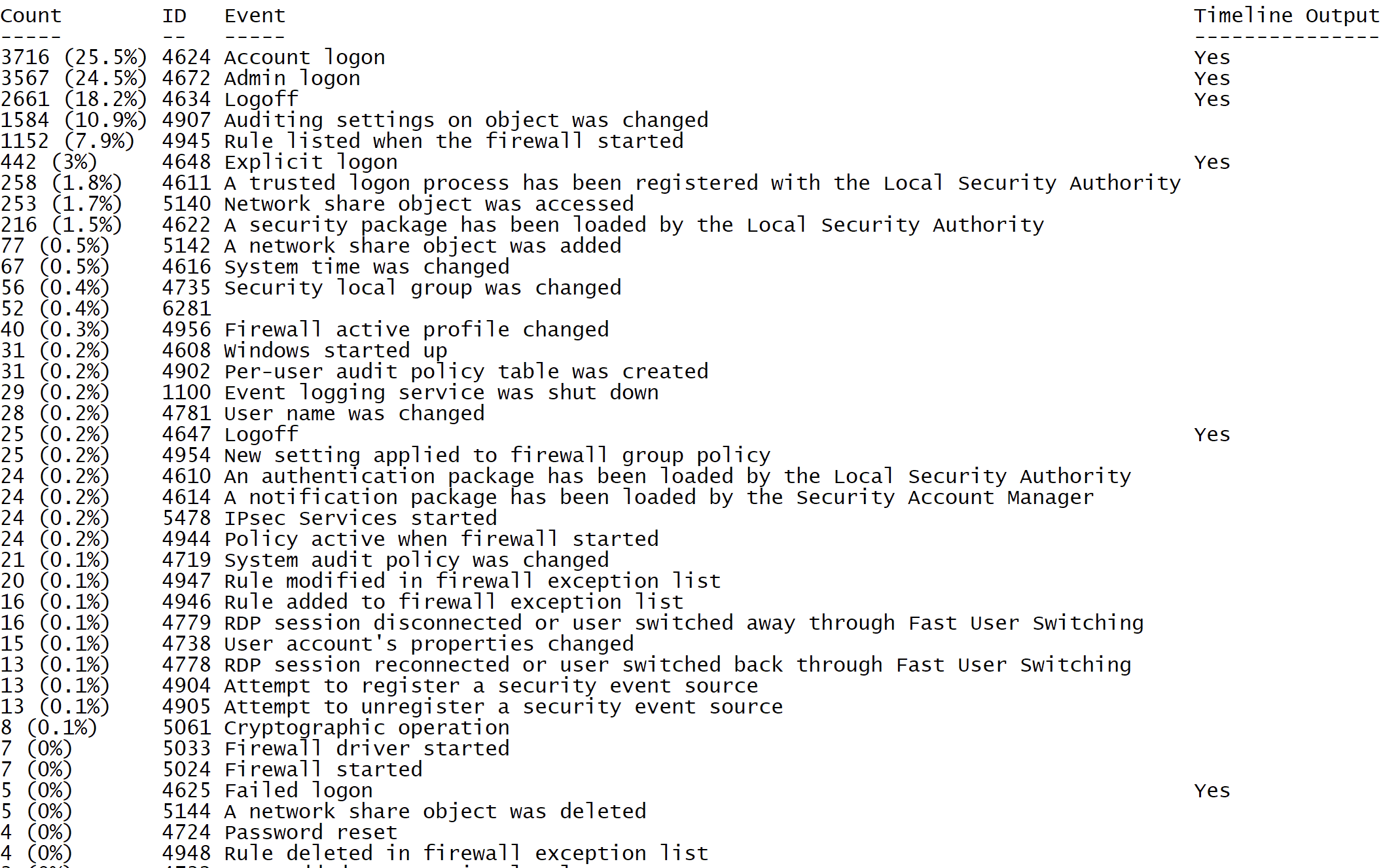
        - SecurityEventID_Statistics : Output event ID statistics
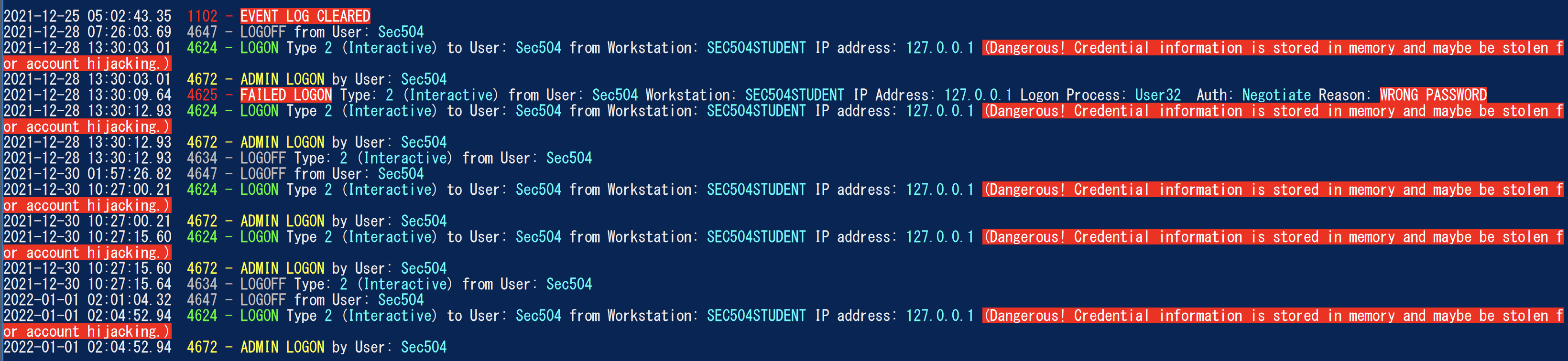
        - EasyToReadSecurityLogonTimeline : Output essy to read event ID statics
        - SecurityLogonTimeline : Output a condensed timeline of user logons based on the Security log
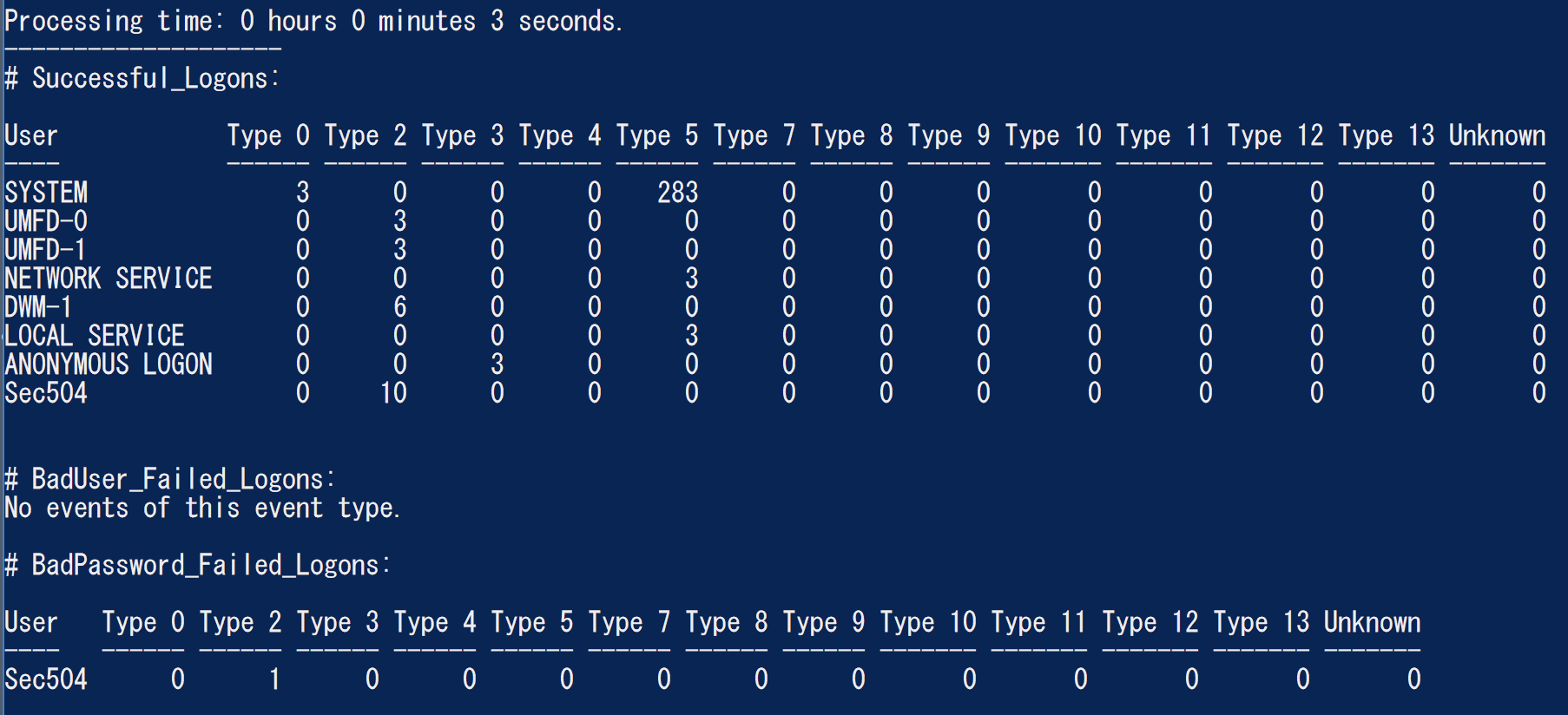
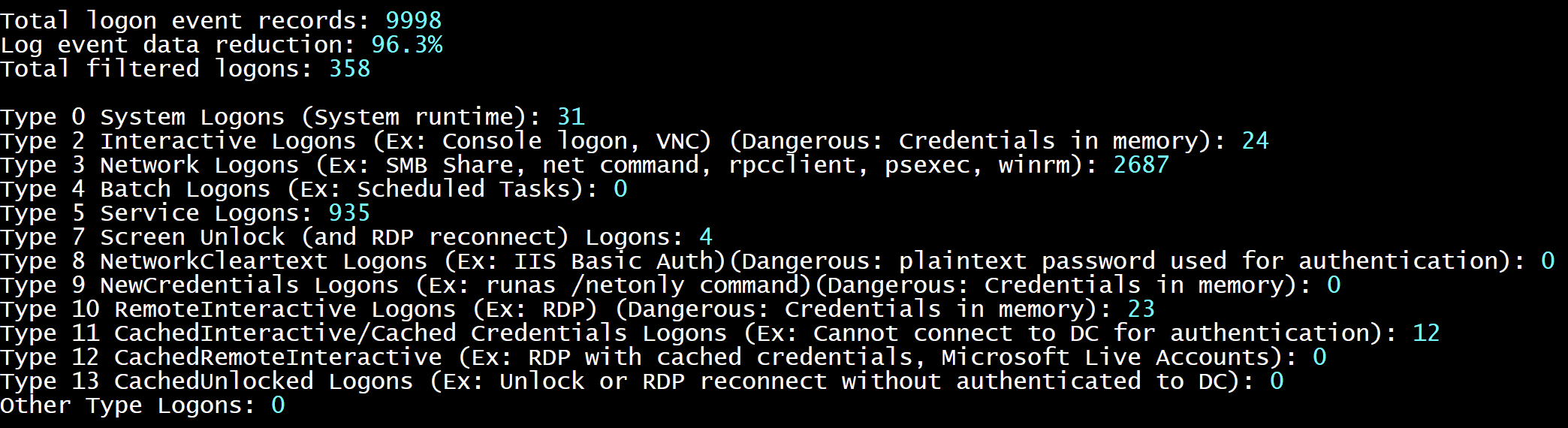
        - SecurityAuthenticationSummary : Output a summary of authentication events for each logon type based on the Security log

    Analysis Options:
        - StartTimeline " <YYYY-MM-DD HH:MM:SS> " : Specify the start of the timeline
        - EndTimeline " <YYYY-MM-DD HH:MM:SS> " : Specify the end of the timeline

    - LogonTimeline Analysis Options:
        - IsDC : Specify if the logs are from a DC

    Output Types ( Default : Standard Output):
        - SaveOutput < outputfile - path > : Output results to a text file
        - OutputCSV : Outputs to CSV
        - OutputGUI : Outputs to the Out-GridView GUI

    General Output Options:
        - USDateFormat : Output the dates in MM - DD - YYYY format ( Default : YYYY - MM - DD)
        - EuropeDateFormat : Output the dates in DD - MM - YYYY format ( Default : YYYY - MM - DD)
        - UTC : Output in UTC time ( default is the local timezone)
        - Japanese : Output in Japanese

    - LogonTimeline Output Options:
        - HideTimezone : Hides the timezone
        - ShowLogonID : Show logon IDs

    Other:
        - ShowContributors : Show the contributors
- QuietLogo : Do not display the WELA logo. / WELA.ps1 - LogFile .Security.evtx - SecurityEventID_Statistics.WELA.ps1 - LogFile .Security.evtx - SecurityLogonTimeline - OutputGUI - UTC.WELA.ps1 - LogFile .DC1 - NTLM - Operational.evtx - AnalyzeNTLM_UsageBasic.WELA.ps1 - LiveAnalysis - SecurityAuthenticationSummary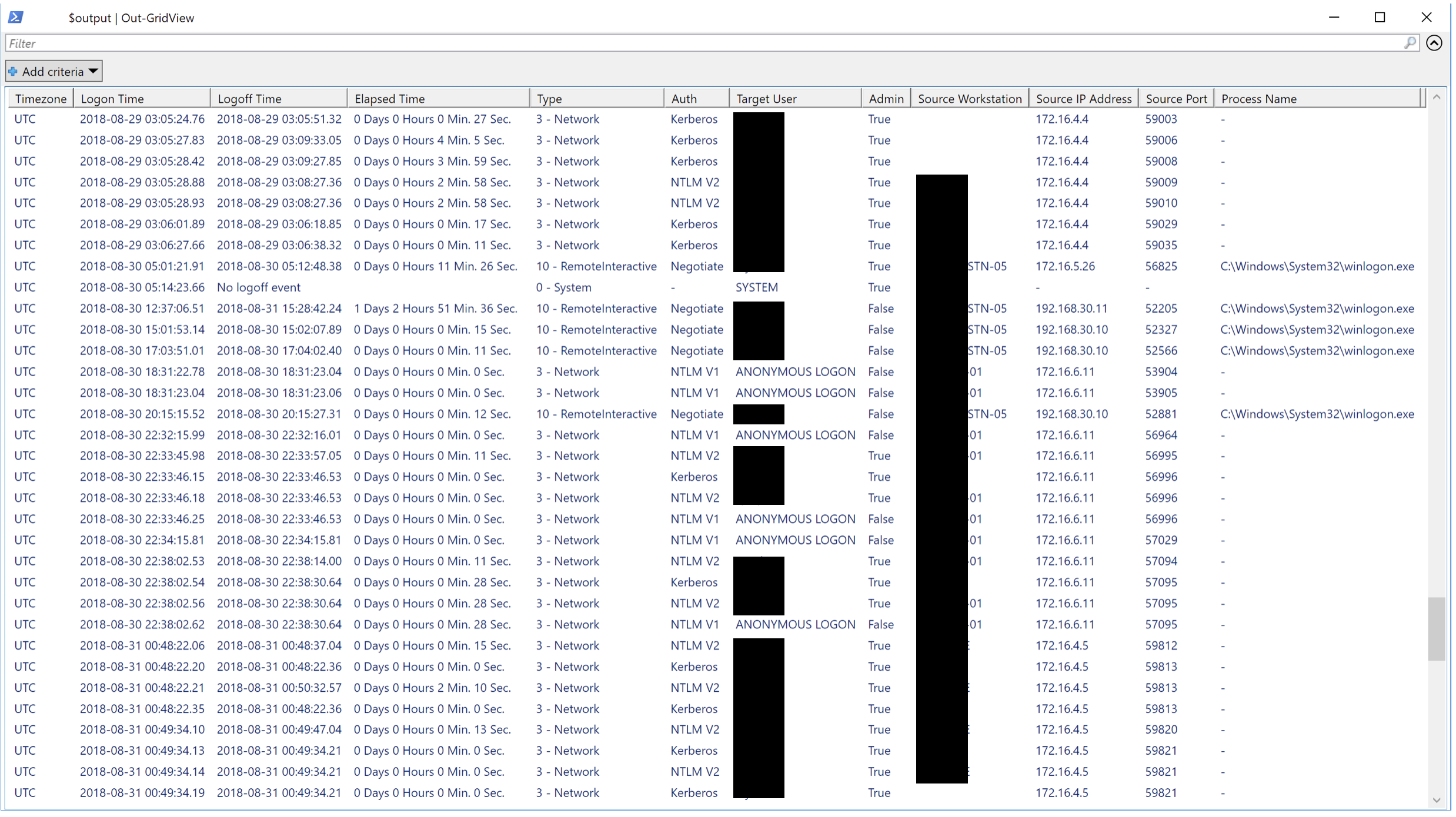
우리는 어떤 형태의 기여를 좋아할 것입니다. 풀 요청이 가장 좋지만 버그 등을 알리는 기능 요청도 매우 환영합니다.





