WELA
v1.0.0 alpha release


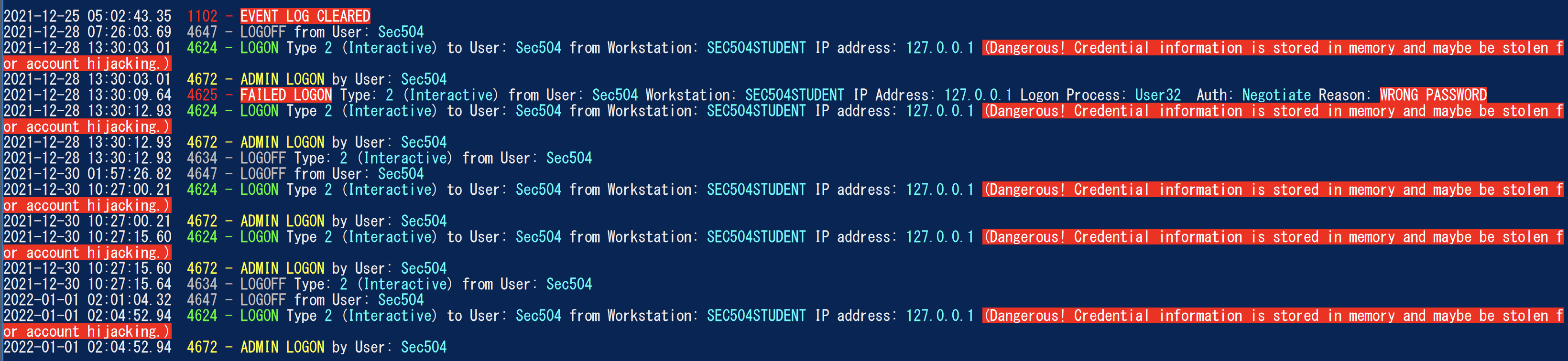
يهدف محلل سجل الأحداث Windows) إلى أن يكون سكين الجيش السويسري لسجلات أحداث Windows. حاليًا ، تتمثل أعظم وظائف Wela في إنشاء جدول زمني لتسجيل التحليل من أجل التسجيل للمساعدة في الطب الشرعي السريع والاستجابة للحوادث. سيقوم مولد خط الزمني بتسجيل الدخول من Wela بتوحيد المعلومات المفيدة فقط في إدخالات سجل تسجيل الدخول المتعددة (4624 ، 4634 ، 4647 ، 4672 ، 4776) في أحداث واحدة ، وإجراء تخفيض البيانات عن طريق تجاهل حوالي 90 ٪ من الضوضاء ، وسيقوم بتحويل أي بيانات صعبة (مثل رموز حالة HEX) إلى شكل قابلة للقراءة البشرية.
تم اختباره على Windows PowerShell 5.1 ولكن قد يعمل مع الإصدارات السابقة. لن تعمل للأسف مع PowerShell Core حيث لا توجد وظائف مدمجة لقراءة سجلات أحداث Windows.
** ملاحظات: ** آخر امتثال لقاعدة Sigma في ويل هو يوليو 2021. إذا كنت ترغب في استخدام أحدث قواعد Sigma للكشف عن Evtx ، يرجى استخدام Hayabusa. **
في الوقت الحالي ، يرجى استخدام Windows PowerShell 5.1. ستحتاج إلى وصول المسؤول المحلي للتحليل المباشر.
    Analysis Source (Specify one):
        - LiveAnalysis : Creates a timeline based on the live host ' s log
        -LogFile <path-to-logfile> : Creates a timelime from an offline .evtx file
        -LogDirectory <path-to-logfiles> (Warning: not fully implemented.) : Analyze offline .evtx files
        -RemoteLiveAnalysis : Creates a timeline based on the remote host ' s log

    Analysis Type (Specify one):
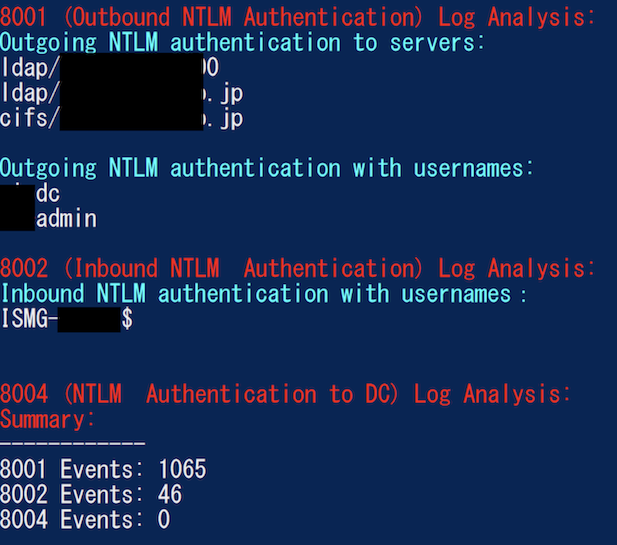
        - AnalyzeNTLM_UsageBasic : Returns basic NTLM usage based on the NTLM Operational log
        - AnalyzeNTLM_UsageDetailed : Returns detailed NTLM usage based on the NTLM Operational log
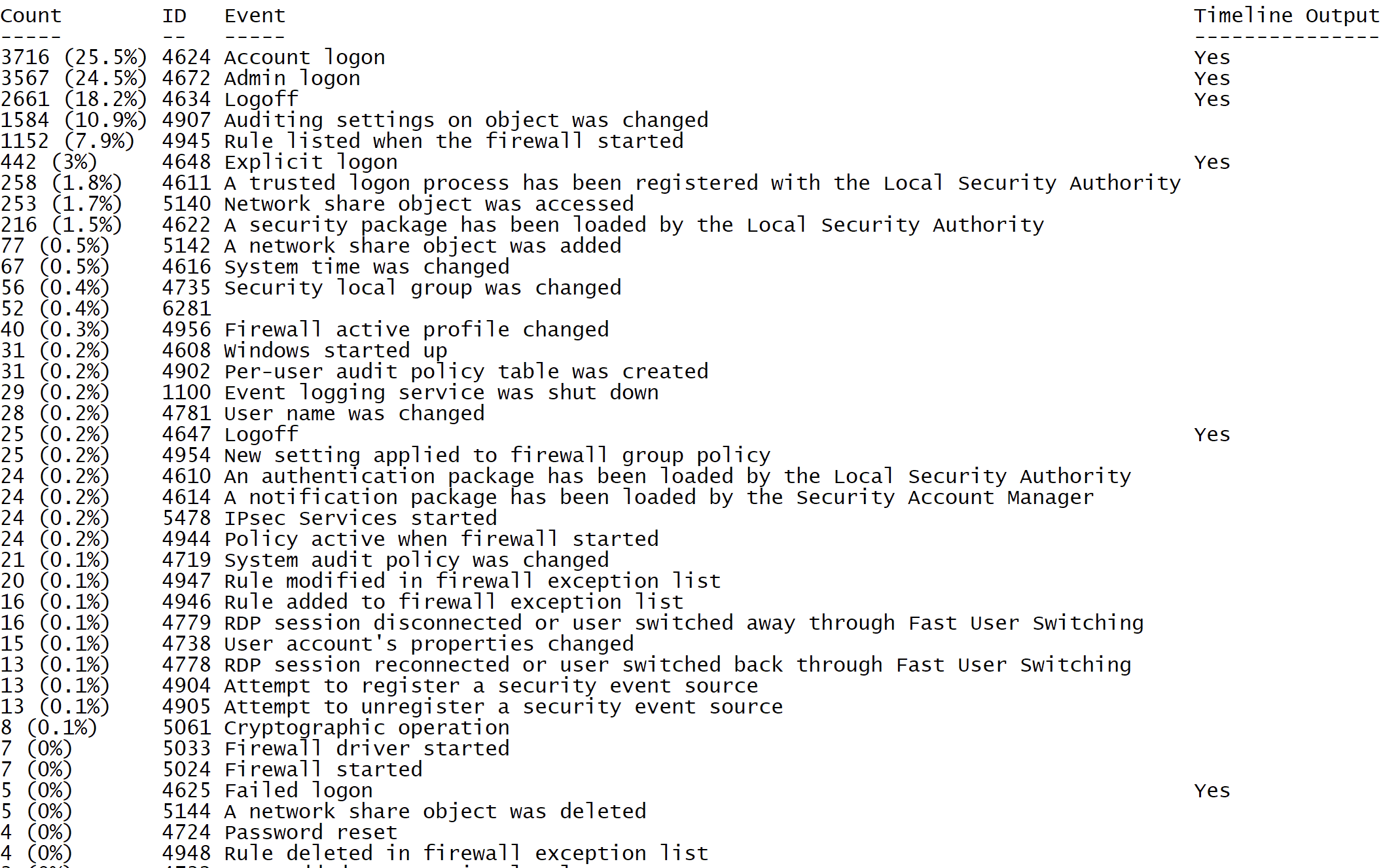
        - SecurityEventID_Statistics : Output event ID statistics
        - EasyToReadSecurityLogonTimeline : Output essy to read event ID statics
        - SecurityLogonTimeline : Output a condensed timeline of user logons based on the Security log
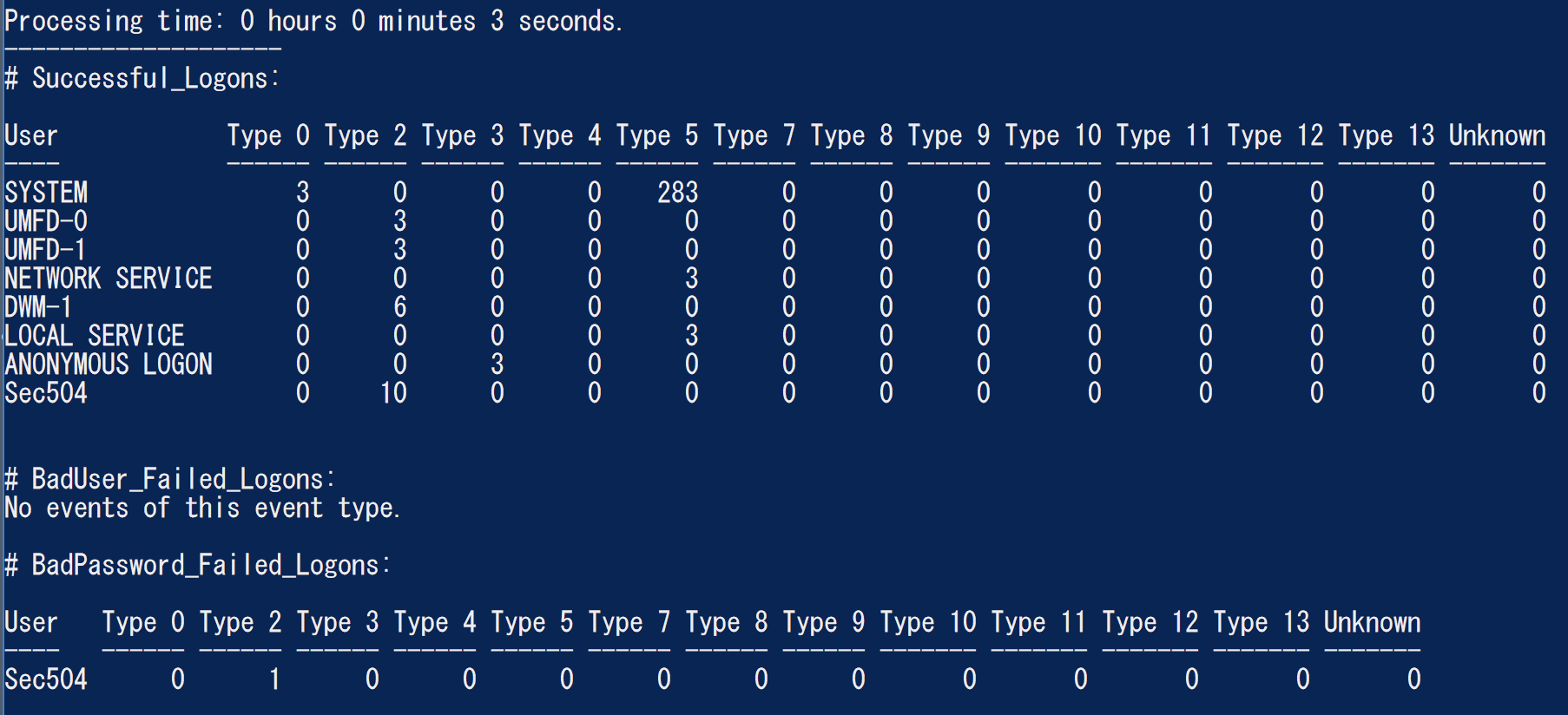
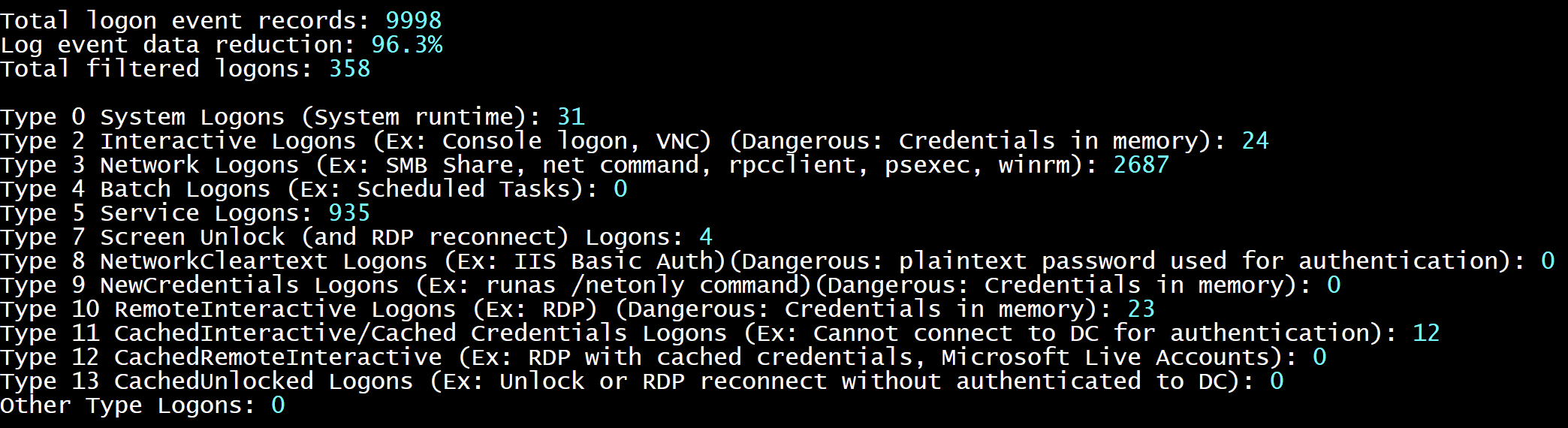
        - SecurityAuthenticationSummary : Output a summary of authentication events for each logon type based on the Security log

    Analysis Options:
        - StartTimeline " <YYYY-MM-DD HH:MM:SS> " : Specify the start of the timeline
        - EndTimeline " <YYYY-MM-DD HH:MM:SS> " : Specify the end of the timeline

    - LogonTimeline Analysis Options:
        - IsDC : Specify if the logs are from a DC

    Output Types ( Default : Standard Output):
        - SaveOutput < outputfile - path > : Output results to a text file
        - OutputCSV : Outputs to CSV
        - OutputGUI : Outputs to the Out-GridView GUI

    General Output Options:
        - USDateFormat : Output the dates in MM - DD - YYYY format ( Default : YYYY - MM - DD)
        - EuropeDateFormat : Output the dates in DD - MM - YYYY format ( Default : YYYY - MM - DD)
        - UTC : Output in UTC time ( default is the local timezone)
        - Japanese : Output in Japanese

    - LogonTimeline Output Options:
        - HideTimezone : Hides the timezone
        - ShowLogonID : Show logon IDs

    Other:
        - ShowContributors : Show the contributors
- QuietLogo : Do not display the WELA logo. / WELA.ps1 - LogFile .Security.evtx - SecurityEventID_Statistics.WELA.ps1 - LogFile .Security.evtx - SecurityLogonTimeline - OutputGUI - UTC.WELA.ps1 - LogFile .DC1 - NTLM - Operational.evtx - AnalyzeNTLM_UsageBasic.WELA.ps1 - LiveAnalysis - SecurityAuthenticationSummary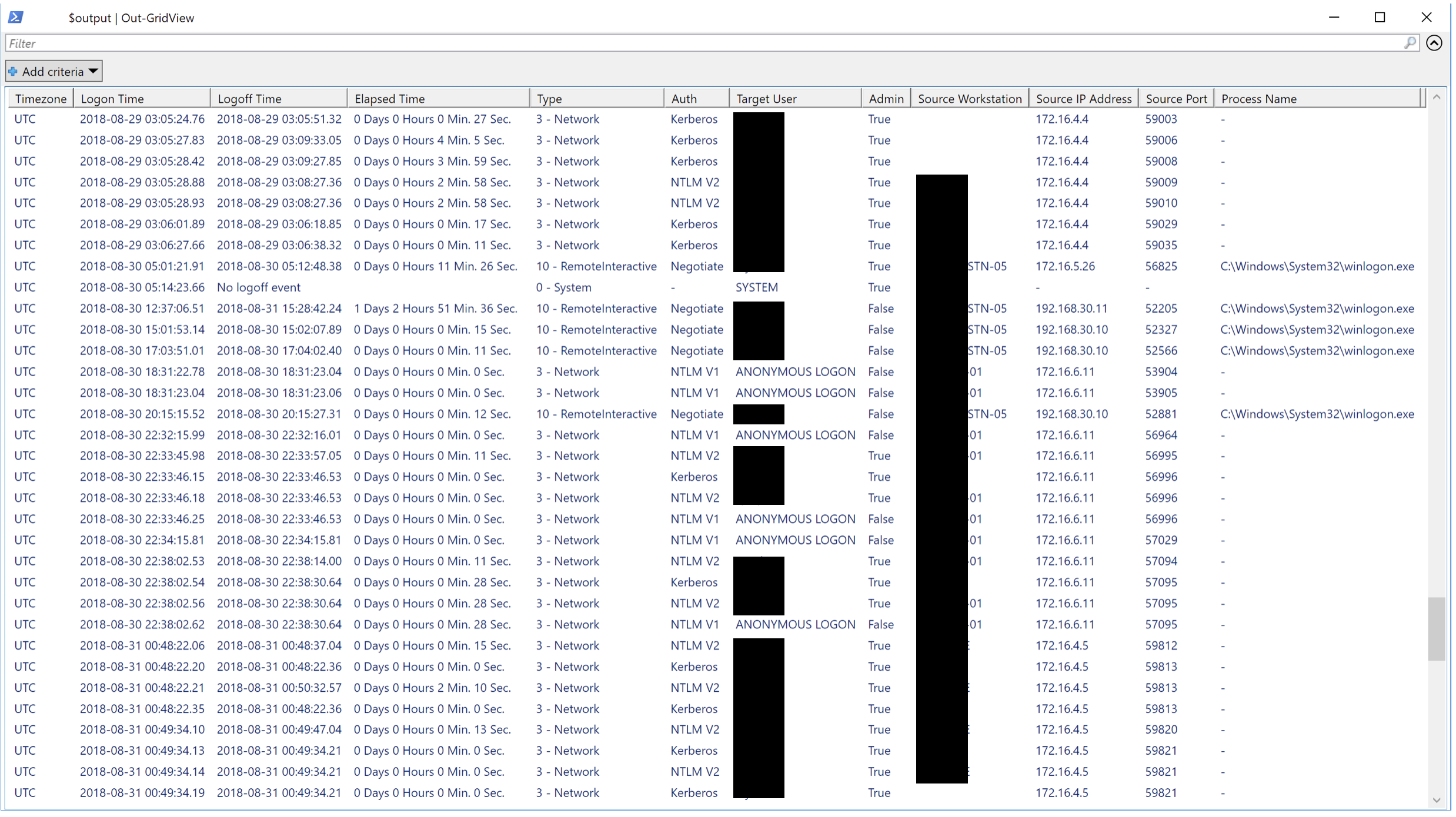
نود أي شكل من أشكال المساهمة. طلبات السحب هي أفضل طلبات الميزات ، وإخطارنا بالبق ، وما إلى ذلك ... أيضًا موضع ترحيب كبير.





