sift
sift-0.15.0

SIFT-это инструмент командной строки, который анализирует и обращает обратные модели программных систем от JVM Bytecode. Он работает путем обработки файлов .class или .jar, используя предопределенные шаблоны, известные как шаблоны системной модели. Эти шаблоны предоставляют знания о технологических стеке или конструкциях, специфичных для проекта, что позволяет инструменту генерировать комплексную модель системы.
Полученная модель системы состоит из объектов, которые описывают структуру и поведение системы.
--diff для анализа влияния новых функций или изменений.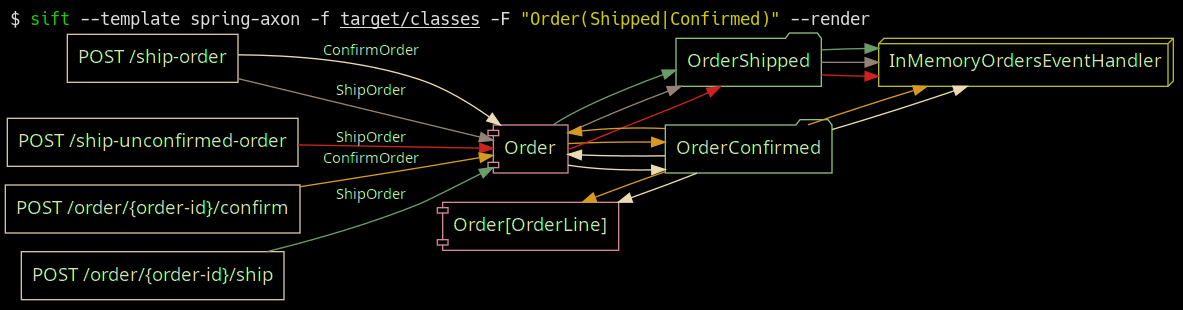
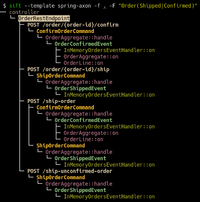
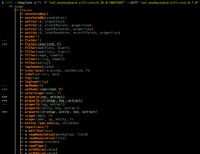
Пружина с шаблоном фреймвообраза аксонов в действии; Фильтрация по отправным и подтвержденным приказам в https://github.com/eugenp/tutoriors/tree/master/axon.
 Usage: sift [OPTIONS]

  Sift is a command-line tool that analyzes and reverse models software system designs
  from JVM bytecode.

Template options:
  -t, --template TEMPLATE               The template producing the system model.
  -l, --list-templates                  Print all installed templates.
  -T, --list-entity-types               Lists entity types defined by template.
  -f, --class-dir, --classes PATH|URI|MAVEN_COORD
                                        Provide class input as a directory, JAR file, URI
                                        (pointing to a JAR), or Maven coordinate.
  -d, --diff FILE_JSON|URI|MAVEN_COORD  Compare the system model from '-f' with another,
                                        specified as a JSON file (previously saved System
                                        Model), class input as a directory, JAR file, URI
                                        (pointing to a JAR), or Maven coordinate.
  --profile                             Print execution times and input/output for the
                                        executed template.
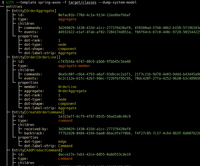
  -D, --dump-system-model               Print all entities along with their properties and
                                        metadata.

Entity tree/graph options:
  -L, --max-depth INT                   Max display depth of the tree.
  -F, --filter REGEX                    Filter nodes by label. (repeatable)
  -S, --filter-context REGEX            Filter nodes by label, while also including
                                        sibling nodes. (repeatable)
  -e, --exclude REGEX                   Exclude nodes when label matches REGEX.
                                        (repeatable)
  -c, --column [all|element-id|element-type|entity-type]
                                        Columns to display. (repeatable)
  -E, --exclude-type ENTITY_TYPE        Exclude entity types from tree. (repeatable)
  -r, --tree-root ENTITY_TYPE           Tree built around requested entity type.
                                        (repeatable)
  --no-emoji                            Disables printing emoji in entity labels.

Visualization options:
  -R, --render                          Render entities with graphviz's DOT language.
  --edge-layout [spline|polyline|ortho]
                                        Sets the layout for the lines between nodes.
                                        (default: spline)

Serialization options:
  -s, --save FILE_JSON  Save the resulting system model as json.
  --load FILE_JSON      Load a previously saved system model.

Debug options:
  --debug                               Print log/logCount statements from the executed
                                        template.
  -X, --debug-inverse-trace             Print the inverse element trace for the elements
                                        specified with --debug-element-traces
  -x, --debug-element-trace ELEMENT_ID  Print all element traces leading to the specified
                                        elements

Miscellaneous options:
  -a, --ansi [none|ansi16|ansi256|truecolor]
                                        Override automatically detected ANSI support.
  --stacktrace                          Print stacktrace to stderr if an error occurs
  --version                             Print version and release date.
  -m, --maven-repository VALUE          Additional maven repositories to use for
                                        downloading artifacts. Maven central
                                        (https://repo1.maven.org/maven2/) and local user
                                        repositories are always included.
  --statistics                          Print internal statistics about the system model
                                        template context.
  --generate-completion [bash|zsh|fish]
  -h, --help                            Show this message and exit

Examples:
  sift --template spring-axon -f my-spring-project
  Model the system using the "spring-axon" template on the classes in the
  "my-spring-project" directory.

  sift -t spring-axon -f . -F "Order(Created|Shipped)"
  Model the system using the "spring-axon" template on the current directory's
  classes, filter nodes containing the regular expression "Order(Created|Shipped)".

  sift -t spring-axon -f . --diff feature-01.json
  Compare the current design of the system using the "spring-axon" template on
  the classes in the current directory against a previously saved system model
  from "feature-01.json" and show the differences.

  sift -t sift -f "net.onedaybeard.sift:core:0.13.0" --diff "net.onedaybeard.sift:core:0.9.0"
  Compare two different versions of the DSL API using the 'sift' template, specified
  by their maven coordinates.
Системная модель описывает структуру и отношения сущностей в системе. Сущность - это объект или компонент в системе, уникально идентифицированный классом, методом, полевым, параметром или общей подписью.
Организации классифицируются по их Entity.Type . Тип сущности представляет любую примечательную часть системы. Например, типы могут включать контроллеры REST, HTTP -конечные точки, входящие/исходящие сообщения, RDS, репозитории и многое другое.
$ sift --template spring-axon -f target/classes --list-entity-types
entity types of spring-axon
  1 aggregate
  2 aggregate-ctor
  1 aggregate-member
  6 command
  6 command-handler
  1 controller
 13 endpoint
  7 event
  7 event-handler
  7 event-sourcing-handler
  1 projection
  3 query
  4 query-handler
Шаблоны системных моделей описывают, как определяются объекты в данном технологическом стеке и/или конструкциях, специфичных для проектов. Шаблоны записаны в декларативном DSL и используются для производства системной модели из классов ввода. DSL предоставляет абстракции высокого уровня для идентификации и взаимосвязанных сущностей из структуры класса или использования.
В приведенном ниже коде показан простой шаблон модели системной модели, который идентифицирует контроллеры REST и HTTP -конечные точки в системе и ассоциирует две сущности.
 val controller = Entity . Type ( " controller " )
val endpoint = Entity . Type ( " endpoint " )

template {
    // iterate over all input classes
    classes {
        annotatedBy< RestController >() // filter classes
        entity(controller)            // mark remaining as 'controller'
        methods {                     // iterate all controller methods
            annotatedBy< Endpoint >()   // filter @Endpoint methods
            entity(endpoint)

            // associate controllers with their endpoints
            controller[ " endpoints " ] = endpoint
        }
    }
}
Входные элементы (классы, методы, параметры, поля, общие сигнатуры) обрабатываются партиями, линейными. Выполнение шаблона модели системной модели может быть представлена в противоречии с помощью --profile .
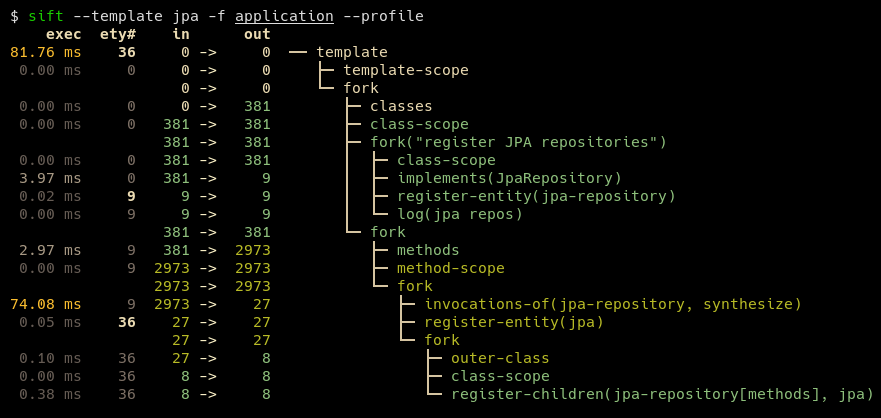
Типичный шаблон может быть выражен в примерно 100-200 строках кода. Некоторые шаблоны, например, для JPA и JDBI, особенно короче. Пользовательские шаблоны могут включать несколько существующих шаблонов, чтобы лучше описать базовую систему, а также сохраняя полученную DSL.
SIFT требует Java 17 или более позднего времени.
Для пользователей окон, рекомендуется запустить SIFT под WSL, пока не появятся правильные пути Windows.
Самый простой способ установить SIFT - клонировать репозиторий и запустить mvn install , а затем скопировать sift.zsh | sh в место на $PATH , например:
mvn install из Project Root. Это устанавливает SIFT ~/.local/share/sift/binsift.zsh , либо sift.sh to ~/.local/bin/sift main филиал всегда указывает на последнюю Commit.
Если установлены GraAlvm и Native-Image, может быть построен нативный бинарный бинар с помощью Profile Maven native-image : mvn install -P native-image . Полученный бинарник будет расположен в ~/.local/share/sift/bin/sift . sift.zsh и sift.sh впервые проверяют, доступен ли собственный двоичный файл, в противном случае он пытается запустить банку.
Нативный двоичный файл значительно быстрее, чем JAR, но он может вызвать проблемы, если ему необходимо десериализировать системную модель (через --load или --diff ) или шаблон модели системной модели, содержащий неизвестные типы (например, от withValue() ).







