sift
sift-0.15.0

Siftは、JVM Bytecodeからソフトウェアシステム設計を分析および逆転させるコマンドラインツールです。システムモデルテンプレートとして知られる事前定義されたテンプレートを使用して、。クラスまたは.jarファイルを処理することで動作します。これらのテンプレートは、テクノロジースタックまたはプロジェクト固有の構成に関する知識を提供します。これにより、ツールはシステムの包括的なモデルを生成できます。
結果のシステムモデルは、システムの構造と動作を記述するエンティティで構成されています。
--diffオプションを使用して、新機能や変更の影響を分析します。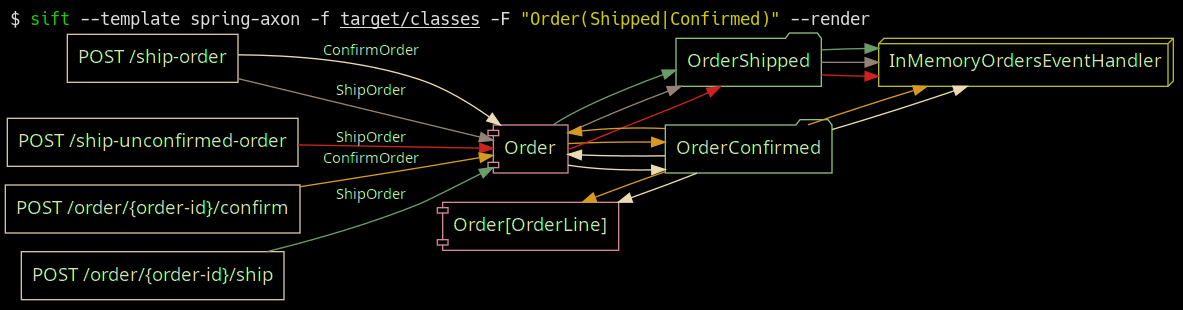
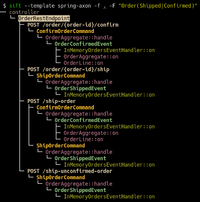
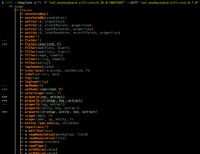
Axon Frameworkテンプレートが動作しているスプリングブート。 https://github.com/eugenp/tutorials/tree/master/axonで出荷および確認された注文のフィルタリング。
 Usage: sift [OPTIONS]

  Sift is a command-line tool that analyzes and reverse models software system designs
  from JVM bytecode.

Template options:
  -t, --template TEMPLATE               The template producing the system model.
  -l, --list-templates                  Print all installed templates.
  -T, --list-entity-types               Lists entity types defined by template.
  -f, --class-dir, --classes PATH|URI|MAVEN_COORD
                                        Provide class input as a directory, JAR file, URI
                                        (pointing to a JAR), or Maven coordinate.
  -d, --diff FILE_JSON|URI|MAVEN_COORD  Compare the system model from '-f' with another,
                                        specified as a JSON file (previously saved System
                                        Model), class input as a directory, JAR file, URI
                                        (pointing to a JAR), or Maven coordinate.
  --profile                             Print execution times and input/output for the
                                        executed template.
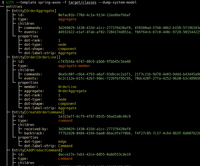
  -D, --dump-system-model               Print all entities along with their properties and
                                        metadata.

Entity tree/graph options:
  -L, --max-depth INT                   Max display depth of the tree.
  -F, --filter REGEX                    Filter nodes by label. (repeatable)
  -S, --filter-context REGEX            Filter nodes by label, while also including
                                        sibling nodes. (repeatable)
  -e, --exclude REGEX                   Exclude nodes when label matches REGEX.
                                        (repeatable)
  -c, --column [all|element-id|element-type|entity-type]
                                        Columns to display. (repeatable)
  -E, --exclude-type ENTITY_TYPE        Exclude entity types from tree. (repeatable)
  -r, --tree-root ENTITY_TYPE           Tree built around requested entity type.
                                        (repeatable)
  --no-emoji                            Disables printing emoji in entity labels.

Visualization options:
  -R, --render                          Render entities with graphviz's DOT language.
  --edge-layout [spline|polyline|ortho]
                                        Sets the layout for the lines between nodes.
                                        (default: spline)

Serialization options:
  -s, --save FILE_JSON  Save the resulting system model as json.
  --load FILE_JSON      Load a previously saved system model.

Debug options:
  --debug                               Print log/logCount statements from the executed
                                        template.
  -X, --debug-inverse-trace             Print the inverse element trace for the elements
                                        specified with --debug-element-traces
  -x, --debug-element-trace ELEMENT_ID  Print all element traces leading to the specified
                                        elements

Miscellaneous options:
  -a, --ansi [none|ansi16|ansi256|truecolor]
                                        Override automatically detected ANSI support.
  --stacktrace                          Print stacktrace to stderr if an error occurs
  --version                             Print version and release date.
  -m, --maven-repository VALUE          Additional maven repositories to use for
                                        downloading artifacts. Maven central
                                        (https://repo1.maven.org/maven2/) and local user
                                        repositories are always included.
  --statistics                          Print internal statistics about the system model
                                        template context.
  --generate-completion [bash|zsh|fish]
  -h, --help                            Show this message and exit

Examples:
  sift --template spring-axon -f my-spring-project
  Model the system using the "spring-axon" template on the classes in the
  "my-spring-project" directory.

  sift -t spring-axon -f . -F "Order(Created|Shipped)"
  Model the system using the "spring-axon" template on the current directory's
  classes, filter nodes containing the regular expression "Order(Created|Shipped)".

  sift -t spring-axon -f . --diff feature-01.json
  Compare the current design of the system using the "spring-axon" template on
  the classes in the current directory against a previously saved system model
  from "feature-01.json" and show the differences.

  sift -t sift -f "net.onedaybeard.sift:core:0.13.0" --diff "net.onedaybeard.sift:core:0.9.0"
  Compare two different versions of the DSL API using the 'sift' template, specified
  by their maven coordinates.
システムモデルは、システム内のエンティティの構造と関係を説明します。エンティティは、システム内のオブジェクトまたはコンポーネントであり、クラス、メソッド、フィールド、パラメーター、または汎用署名によって一意に識別されます。
エンティティは、 Entity.Typeによって分類されます。エンティティタイプは、システムの注目に値する部分を表します。たとえば、タイプには、レストコントローラー、HTTPエンドポイント、インバウンド/アウトバウンドメッセージ、RDS、リポジトリなどが含まれます。
$ sift --template spring-axon -f target/classes --list-entity-types
entity types of spring-axon
  1 aggregate
  2 aggregate-ctor
  1 aggregate-member
  6 command
  6 command-handler
  1 controller
 13 endpoint
  7 event
  7 event-handler
  7 event-sourcing-handler
  1 projection
  3 query
  4 query-handler
システムモデルテンプレートは、特定のテクノロジースタックおよび/またはプロジェクト固有のコンストラクト内でエンティティがどのように識別されるかを説明します。テンプレートは宣言的なDSLで記述され、入力クラスからシステムモデルを生成するために使用されます。 DSLは、クラスの構造または使用状況からエンティティを識別および相互に関連付けるための高レベルの抽象化を提供します。
以下のコードは、システム内のRESTコントローラーとHTTPエンドポイントを識別し、2つのエンティティを関連付ける単純なシステムモデルテンプレートを示しています。
 val controller = Entity . Type ( " controller " )
val endpoint = Entity . Type ( " endpoint " )

template {
    // iterate over all input classes
    classes {
        annotatedBy< RestController >() // filter classes
        entity(controller)            // mark remaining as 'controller'
        methods {                     // iterate all controller methods
            annotatedBy< Endpoint >()   // filter @Endpoint methods
            entity(endpoint)

            // associate controllers with their endpoints
            controller[ " endpoints " ] = endpoint
        }
    }
}
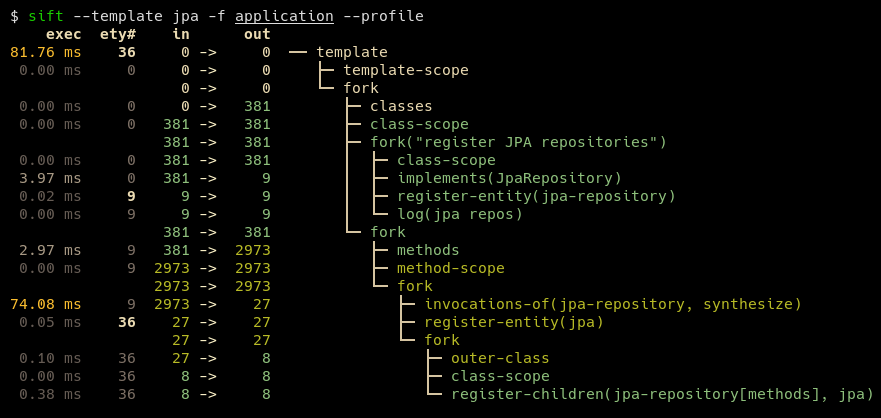
入力要素(クラス、メソッド、パラメーター、フィールド、一般的な署名)は、ラインごとにバッチで処理されます。システムモデルテンプレートの実行は、 --profileオプションで内省することができます。
典型的なテンプレートは、約100〜200行のコードで表現できます。 JPAやJDBIのテンプレートなどの一部のテンプレートは、特に短くなっています。ユーザー定義のテンプレートには、基礎となるシステムをより適切に記述しながら、結果のDSLを簡潔に保つために、複数の既存のテンプレートを含めることができます。
SiftにはJava 17以降のランタイムが必要です。
ウィンドウユーザーの場合、適切なWindowsパスが配置されるまで、WSLの下でSiftを実行することをお勧めします。
SIFTをインストールする最も簡単な方法は、リポジトリをクローンしてmvn installを実行し、sift.zsh | shを$PATHの場所にコピーすることです。
mvn install 。これにより~/.local/share/sift/binにSiftがインストールされますsift.zshまたはsift.shのいずれかを~/.local/bin/siftにコピーしますmainブランチは常に最新リリースのコミットを指しています。
Graalvmとネイティブイメージがインストールされている場合、 native-image Mavenプロファイル: mvn install -P native-imageでネイティブバイナリを構築できます。結果のバイナリは~/.local/share/sift/bin/siftに配置されます。 sift.zshとsift.sh 、最初にネイティブバイナリが利用可能かどうかを確認します。それ以外の場合は、瓶を実行しようとします。
ネイティブバイナリは瓶よりもかなり高速ですが、システムモデル(via --loadまたは--diff )または未知のタイプを含むシステムモデルテンプレート(eg from withValue() )を脱必要にする必要がある場合に問題を引き起こす可能性があります。







