sift
sift-0.15.0

SIFT هي أداة سطر الأوامر تحلل وعكس تصميمات نظام البرمجيات من JVM Bytecode. تعمل عن طريق معالجة ملفات .class أو .jar باستخدام قوالب محددة مسبقًا تعرف باسم قوالب نموذج النظام. توفر هذه القوالب المعرفة حول مداخن التكنولوجيا أو بنيات خاصة بالمشروع ، والتي تمكن الأداة من إنشاء نموذج شامل للنظام.
يتكون نموذج النظام الناتج من كيانات تصف بنية النظام وسلوكه.
--diff لتحليل تأثير الميزات أو التغييرات الجديدة.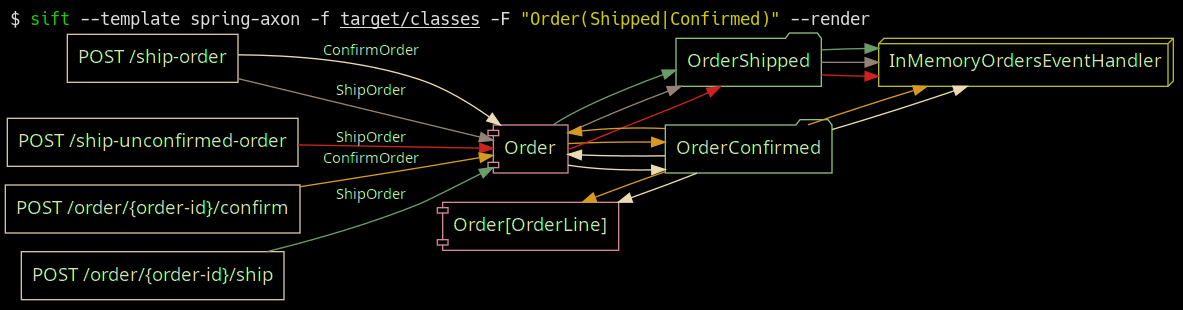
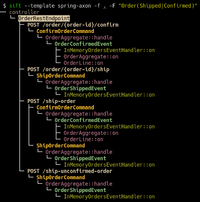
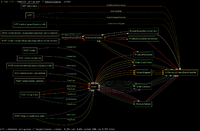
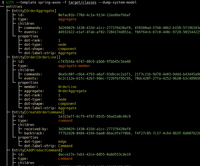
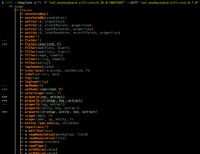
الربيع-بوت مع قالب إطار محور عصبي في العمل ؛ تصفية على الطلبات المشحونة والمؤكدة في https://github.com/eugenp/tutorials/tree/master/axon.
 Usage: sift [OPTIONS]

  Sift is a command-line tool that analyzes and reverse models software system designs
  from JVM bytecode.

Template options:
  -t, --template TEMPLATE               The template producing the system model.
  -l, --list-templates                  Print all installed templates.
  -T, --list-entity-types               Lists entity types defined by template.
  -f, --class-dir, --classes PATH|URI|MAVEN_COORD
                                        Provide class input as a directory, JAR file, URI
                                        (pointing to a JAR), or Maven coordinate.
  -d, --diff FILE_JSON|URI|MAVEN_COORD  Compare the system model from '-f' with another,
                                        specified as a JSON file (previously saved System
                                        Model), class input as a directory, JAR file, URI
                                        (pointing to a JAR), or Maven coordinate.
  --profile                             Print execution times and input/output for the
                                        executed template.
  -D, --dump-system-model               Print all entities along with their properties and
                                        metadata.

Entity tree/graph options:
  -L, --max-depth INT                   Max display depth of the tree.
  -F, --filter REGEX                    Filter nodes by label. (repeatable)
  -S, --filter-context REGEX            Filter nodes by label, while also including
                                        sibling nodes. (repeatable)
  -e, --exclude REGEX                   Exclude nodes when label matches REGEX.
                                        (repeatable)
  -c, --column [all|element-id|element-type|entity-type]
                                        Columns to display. (repeatable)
  -E, --exclude-type ENTITY_TYPE        Exclude entity types from tree. (repeatable)
  -r, --tree-root ENTITY_TYPE           Tree built around requested entity type.
                                        (repeatable)
  --no-emoji                            Disables printing emoji in entity labels.

Visualization options:
  -R, --render                          Render entities with graphviz's DOT language.
  --edge-layout [spline|polyline|ortho]
                                        Sets the layout for the lines between nodes.
                                        (default: spline)

Serialization options:
  -s, --save FILE_JSON  Save the resulting system model as json.
  --load FILE_JSON      Load a previously saved system model.

Debug options:
  --debug                               Print log/logCount statements from the executed
                                        template.
  -X, --debug-inverse-trace             Print the inverse element trace for the elements
                                        specified with --debug-element-traces
  -x, --debug-element-trace ELEMENT_ID  Print all element traces leading to the specified
                                        elements

Miscellaneous options:
  -a, --ansi [none|ansi16|ansi256|truecolor]
                                        Override automatically detected ANSI support.
  --stacktrace                          Print stacktrace to stderr if an error occurs
  --version                             Print version and release date.
  -m, --maven-repository VALUE          Additional maven repositories to use for
                                        downloading artifacts. Maven central
                                        (https://repo1.maven.org/maven2/) and local user
                                        repositories are always included.
  --statistics                          Print internal statistics about the system model
                                        template context.
  --generate-completion [bash|zsh|fish]
  -h, --help                            Show this message and exit

Examples:
  sift --template spring-axon -f my-spring-project
  Model the system using the "spring-axon" template on the classes in the
  "my-spring-project" directory.

  sift -t spring-axon -f . -F "Order(Created|Shipped)"
  Model the system using the "spring-axon" template on the current directory's
  classes, filter nodes containing the regular expression "Order(Created|Shipped)".

  sift -t spring-axon -f . --diff feature-01.json
  Compare the current design of the system using the "spring-axon" template on
  the classes in the current directory against a previously saved system model
  from "feature-01.json" and show the differences.

  sift -t sift -f "net.onedaybeard.sift:core:0.13.0" --diff "net.onedaybeard.sift:core:0.9.0"
  Compare two different versions of the DSL API using the 'sift' template, specified
  by their maven coordinates.
يصف نموذج النظام هيكل وعلاقات الكيانات داخل النظام. الكيان هو كائن أو مكون داخل النظام ، تم تحديده بشكل فريد بواسطة فئة أو طريقة أو حقل أو معلمة أو توقيع عام.
يتم تصنيف الكيانات من قبل Entity.Type . يمثل نوع الكيان أي جزء جدير بالملاحظة من النظام. على سبيل المثال ، يمكن أن تتضمن الأنواع وحدات التحكم في REST ونقاط نهاية HTTP والرسائل الواردة/الخارجية و RDS والمستودعات والمزيد.
$ sift --template spring-axon -f target/classes --list-entity-types
entity types of spring-axon
  1 aggregate
  2 aggregate-ctor
  1 aggregate-member
  6 command
  6 command-handler
  1 controller
 13 endpoint
  7 event
  7 event-handler
  7 event-sourcing-handler
  1 projection
  3 query
  4 query-handler
تصف قوالب نموذج النظام كيفية تحديد الكيانات في مكدس تقنية معين و/أو بنيات خاصة بالمشروع. تتم كتابة القوالب في DSL التصريحي وتستخدم لإنتاج نموذج النظام من فئات الإدخال. يوفر DSL تجريدات عالية المستوى لتحديد الكيانات المترابطة من بنية الفصل أو الاستخدام.
يعرض الرمز أدناه قالب نموذج النظام البسيط الذي يحدد وحدات التحكم في REST ونقاط نهاية HTTP داخل النظام وربط الكيانين.
 val controller = Entity . Type ( " controller " )
val endpoint = Entity . Type ( " endpoint " )

template {
    // iterate over all input classes
    classes {
        annotatedBy< RestController >() // filter classes
        entity(controller)            // mark remaining as 'controller'
        methods {                     // iterate all controller methods
            annotatedBy< Endpoint >()   // filter @Endpoint methods
            entity(endpoint)

            // associate controllers with their endpoints
            controller[ " endpoints " ] = endpoint
        }
    }
}
تتم معالجة عناصر الإدخال (الفئات ، والطرق ، والمعلمات ، والحقول ، والتوقيعات العامة) على دفعات ، خط تلو الآخر. يمكن تنفيذ تنفيذ قالب نموذج النظام مع الخيار --profile .
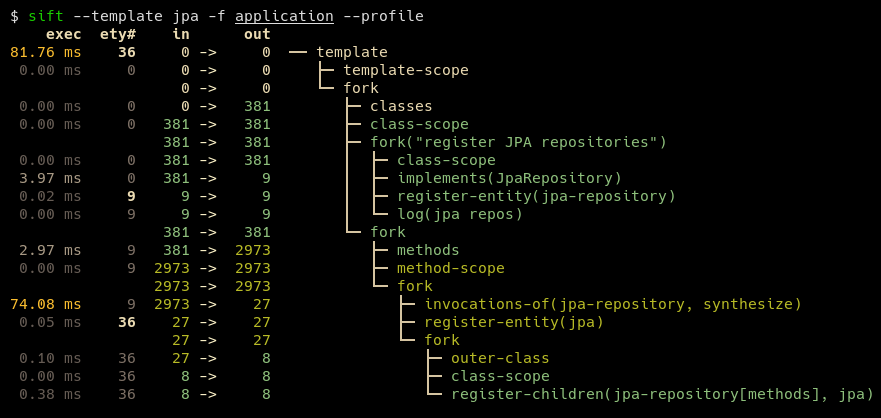
يمكن التعبير عن قالب نموذجي في حوالي 100-200 سطر من الكود. بعض القوالب ، مثل تلك الخاصة بـ JPA و JDBI ، أقصر بشكل ملحوظ. يمكن أن تتضمن القوالب المعرفة من قبل المستخدم قوالب متعددة موجودة لوصف النظام الأساسي بشكل أفضل مع الحفاظ على موجز DSL الناتج.
يتطلب SIFT جافا 17 أو وقت التشغيل.
بالنسبة لمستخدمي النوافذ ، يوصى بتشغيل SIFT تحت WSL ، حتى يتم وضع مسارات Windows المناسبة.
أسهل طريقة لتثبيت SIFT هي استنساخ المستودع وتشغيل mvn install ، ثم نسخ sift.zsh | sh إلى موقع على $PATH ، على سبيل المثال:
mvn install من جذر المشروع. هذا يثبت SIFT على ~/.local/share/sift/binsift.zsh أو sift.sh إلى ~/.local/bin/sift يشير الفرع main دائمًا إلى أحدث الالتزام بالإصدار.
إذا تم تثبيت Graalvm و Native-Imagage ، فيمكن تصميم ثنائي أصلي مع ملف تعريف Maven native-image : mvn install -P native-image . سيتم وضع الثنائي الناتج في ~/.local/share/sift/bin/sift . يتحقق sift.zsh و sift.sh أولاً إذا كان الثنائي الأصلي متاحًا ، وإلا فإنه يحاول تشغيل الجرة.
يكون الثنائي الأصلي أسرع بكثير من الجرة ، ولكنه يمكن أن يسبب مشكلات إذا كان بحاجة إلى إلغاء تمييز نموذج النظام (عبر --load أو --diff ) أو قالب نموذج النظام الذي يحتوي على أنواع غير معروفة (على سبيل المثال من withValue() ).







