sift
sift-0.15.0

SIFT는 JVM Bytecode의 소프트웨어 시스템 설계를 분석하고 리버스 모델링하는 명령 줄 도구입니다. 시스템 모델 템플릿으로 알려진 사전 정의 된 템플릿을 사용하여 .class 또는 .jar 파일을 처리하여 작동합니다. 이 템플릿은 기술 스택 또는 프로젝트 별 구성에 대한 지식을 제공하여 도구가 시스템의 포괄적 인 모델을 생성 할 수 있도록합니다.
결과 시스템 모델은 시스템의 구조와 동작을 설명하는 엔티티로 구성됩니다.
--diff 옵션을 사용하여 새로운 기능이나 변경의 영향을 분석하십시오.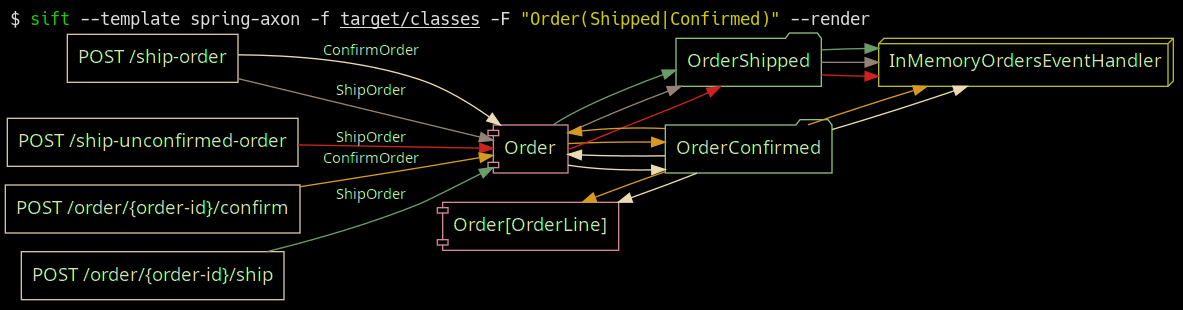
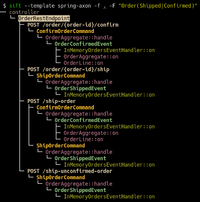
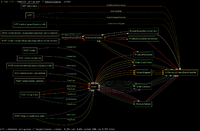
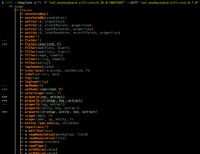
축삭 프레임 워크 템플릿이 작동하는 스프링 부츠; https://github.com/eugenp/tutorials/tree/master/axon에서 배송 및 확인 주문 필터링.
 Usage: sift [OPTIONS]

  Sift is a command-line tool that analyzes and reverse models software system designs
  from JVM bytecode.

Template options:
  -t, --template TEMPLATE               The template producing the system model.
  -l, --list-templates                  Print all installed templates.
  -T, --list-entity-types               Lists entity types defined by template.
  -f, --class-dir, --classes PATH|URI|MAVEN_COORD
                                        Provide class input as a directory, JAR file, URI
                                        (pointing to a JAR), or Maven coordinate.
  -d, --diff FILE_JSON|URI|MAVEN_COORD  Compare the system model from '-f' with another,
                                        specified as a JSON file (previously saved System
                                        Model), class input as a directory, JAR file, URI
                                        (pointing to a JAR), or Maven coordinate.
  --profile                             Print execution times and input/output for the
                                        executed template.
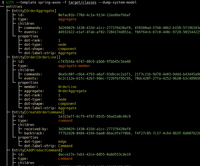
  -D, --dump-system-model               Print all entities along with their properties and
                                        metadata.

Entity tree/graph options:
  -L, --max-depth INT                   Max display depth of the tree.
  -F, --filter REGEX                    Filter nodes by label. (repeatable)
  -S, --filter-context REGEX            Filter nodes by label, while also including
                                        sibling nodes. (repeatable)
  -e, --exclude REGEX                   Exclude nodes when label matches REGEX.
                                        (repeatable)
  -c, --column [all|element-id|element-type|entity-type]
                                        Columns to display. (repeatable)
  -E, --exclude-type ENTITY_TYPE        Exclude entity types from tree. (repeatable)
  -r, --tree-root ENTITY_TYPE           Tree built around requested entity type.
                                        (repeatable)
  --no-emoji                            Disables printing emoji in entity labels.

Visualization options:
  -R, --render                          Render entities with graphviz's DOT language.
  --edge-layout [spline|polyline|ortho]
                                        Sets the layout for the lines between nodes.
                                        (default: spline)

Serialization options:
  -s, --save FILE_JSON  Save the resulting system model as json.
  --load FILE_JSON      Load a previously saved system model.

Debug options:
  --debug                               Print log/logCount statements from the executed
                                        template.
  -X, --debug-inverse-trace             Print the inverse element trace for the elements
                                        specified with --debug-element-traces
  -x, --debug-element-trace ELEMENT_ID  Print all element traces leading to the specified
                                        elements

Miscellaneous options:
  -a, --ansi [none|ansi16|ansi256|truecolor]
                                        Override automatically detected ANSI support.
  --stacktrace                          Print stacktrace to stderr if an error occurs
  --version                             Print version and release date.
  -m, --maven-repository VALUE          Additional maven repositories to use for
                                        downloading artifacts. Maven central
                                        (https://repo1.maven.org/maven2/) and local user
                                        repositories are always included.
  --statistics                          Print internal statistics about the system model
                                        template context.
  --generate-completion [bash|zsh|fish]
  -h, --help                            Show this message and exit

Examples:
  sift --template spring-axon -f my-spring-project
  Model the system using the "spring-axon" template on the classes in the
  "my-spring-project" directory.

  sift -t spring-axon -f . -F "Order(Created|Shipped)"
  Model the system using the "spring-axon" template on the current directory's
  classes, filter nodes containing the regular expression "Order(Created|Shipped)".

  sift -t spring-axon -f . --diff feature-01.json
  Compare the current design of the system using the "spring-axon" template on
  the classes in the current directory against a previously saved system model
  from "feature-01.json" and show the differences.

  sift -t sift -f "net.onedaybeard.sift:core:0.13.0" --diff "net.onedaybeard.sift:core:0.9.0"
  Compare two different versions of the DSL API using the 'sift' template, specified
  by their maven coordinates.
시스템 모델은 시스템 내 엔티티의 구조와 관계를 설명합니다. 엔티티는 시스템 내의 객체 또는 구성 요소이며, 클래스, 메소드, 필드, 매개 변수 또는 일반 서명으로 고유하게 식별됩니다.
엔티티는 자신의 Entity.Type 로 분류됩니다. 엔티티 유형은 시스템의 주목할만한 부분을 나타냅니다. 예를 들어, 유형에는 REST 컨트롤러, HTTP 엔드 포인트, 인바운드/아웃 바운드 메시지, RD, 리포지토리 등이 포함될 수 있습니다.
$ sift --template spring-axon -f target/classes --list-entity-types
entity types of spring-axon
  1 aggregate
  2 aggregate-ctor
  1 aggregate-member
  6 command
  6 command-handler
  1 controller
 13 endpoint
  7 event
  7 event-handler
  7 event-sourcing-handler
  1 projection
  3 query
  4 query-handler
시스템 모델 템플릿은 주어진 기술 스택 및/또는 프로젝트 별 구성 내에서 엔티티가 식별되는 방법을 설명합니다. 템플릿은 선언적 DSL로 작성되며 입력 클래스에서 시스템 모델을 생성하는 데 사용됩니다. DSL은 클래스 구조 또는 사용에서 엔티티를 식별하고 상호 연결하기위한 높은 수준의 추상화를 제공합니다.
아래 코드는 시스템 내에서 REST 컨트롤러 및 HTTP 엔드 포인트를 식별하고 두 엔티티를 연결하는 간단한 시스템 모델 템플릿을 보여줍니다.
 val controller = Entity . Type ( " controller " )
val endpoint = Entity . Type ( " endpoint " )

template {
    // iterate over all input classes
    classes {
        annotatedBy< RestController >() // filter classes
        entity(controller)            // mark remaining as 'controller'
        methods {                     // iterate all controller methods
            annotatedBy< Endpoint >()   // filter @Endpoint methods
            entity(endpoint)

            // associate controllers with their endpoints
            controller[ " endpoints " ] = endpoint
        }
    }
}
입력 요소 (클래스, 메소드, 매개 변수, 필드, 일반 서명)는 배치, 라인별로 처리됩니다. 시스템 모델 템플릿의 실행은 --profile 옵션으로 내성 될 수 있습니다.
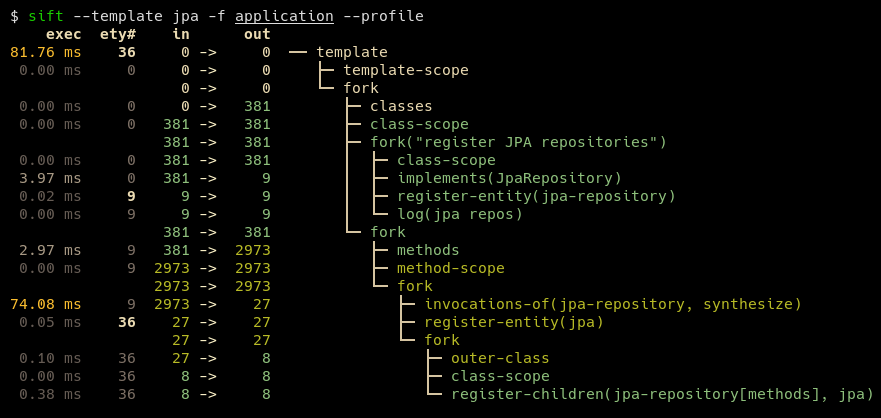
일반적인 템플릿은 약 100-200 줄의 코드로 표현할 수 있습니다. JPA 및 JDBI와 같은 일부 템플릿은 특히 짧습니다. 사용자 정의 템플릿에는 기존 템플릿이 포함되어있어 기본 시스템을 더 잘 설명하고 결과 DSL을 간결하게 유지할 수 있습니다.
SIFT에는 Java 17 이상 런타임이 필요합니다.
Window 사용자의 경우 적절한 Windows 경로가 설치 될 때까지 WSL에서 Sift를 실행하는 것이 좋습니다.
Sift를 설치하는 가장 쉬운 방법은 저장소를 복제하고 mvn install 실행 한 다음 Sift.zsh | SH를 $PATH 의 위치로 복사하는 것입니다.
mvn install . 이것은 Sift에 ~/.local/share/sift/bin 에 설치됩니다sift.zsh 또는 sift.sh ~/.local/bin/sift 로 복사하십시오 main 브랜치는 항상 최신 릴리스 커밋을 가리 킵니다.
Graalvm 및 Native 이미지가 설치된 경우, native-image Maven 프로파일 : mvn install -P native-image 로 기본 바이너리를 구축 할 수 있습니다. 결과 바이너리는 ~/.local/share/sift/bin/sift 에 위치합니다. sift.zsh 및 sift.sh 먼저 기본 바이너리를 사용할 수 있는지 확인하십시오. 그렇지 않으면 항아리를 실행하려고합니다.
기본 바이너리는 JAR보다 상당히 빠르지 만 시스템 모델 ( --load 또는 --diff ) 또는 알려지지 않은 유형을 포함하는 시스템 모델 템플릿 (예 : withValue() )의 시스템 모델 템플릿을 제외 해야하는 경우 문제를 일으킬 수 있습니다.







