sift
sift-0.15.0

SIFT是一種命令行工具,可從JVM字節碼分析和反向模型軟件系統設計。它通過使用稱為系統模型模板的預定義模板來處理.class或.jar文件來運行。這些模板提供了有關技術堆棧或特定項目構造的知識,該模板使工具能夠生成系統的全面模型。
最終的系統模型由描述系統的結構和行為的實體組成。
--diff選項分析新功能或更改的影響。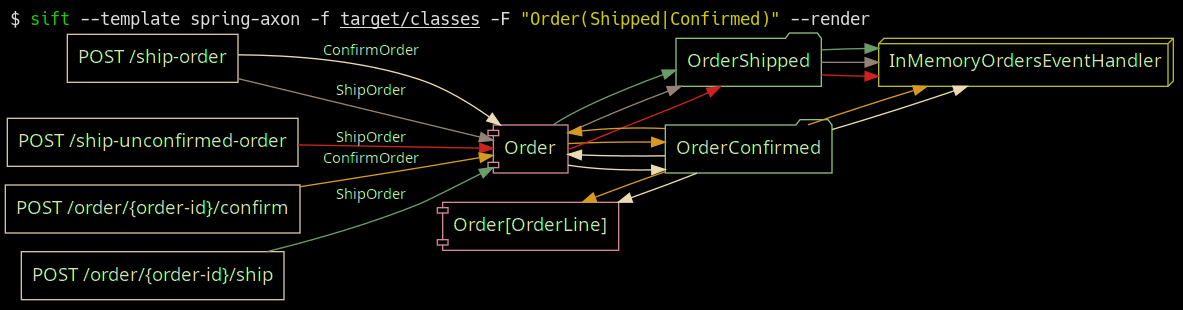
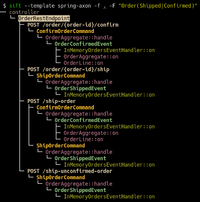
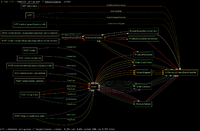
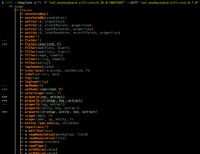
帶有軸突框架模板的彈簧靴;在https://github.com/eugenp/tutorials/tree/master/axon中過濾和確認的訂單。
 Usage: sift [OPTIONS]

  Sift is a command-line tool that analyzes and reverse models software system designs
  from JVM bytecode.

Template options:
  -t, --template TEMPLATE               The template producing the system model.
  -l, --list-templates                  Print all installed templates.
  -T, --list-entity-types               Lists entity types defined by template.
  -f, --class-dir, --classes PATH|URI|MAVEN_COORD
                                        Provide class input as a directory, JAR file, URI
                                        (pointing to a JAR), or Maven coordinate.
  -d, --diff FILE_JSON|URI|MAVEN_COORD  Compare the system model from '-f' with another,
                                        specified as a JSON file (previously saved System
                                        Model), class input as a directory, JAR file, URI
                                        (pointing to a JAR), or Maven coordinate.
  --profile                             Print execution times and input/output for the
                                        executed template.
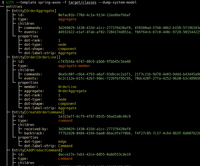
  -D, --dump-system-model               Print all entities along with their properties and
                                        metadata.

Entity tree/graph options:
  -L, --max-depth INT                   Max display depth of the tree.
  -F, --filter REGEX                    Filter nodes by label. (repeatable)
  -S, --filter-context REGEX            Filter nodes by label, while also including
                                        sibling nodes. (repeatable)
  -e, --exclude REGEX                   Exclude nodes when label matches REGEX.
                                        (repeatable)
  -c, --column [all|element-id|element-type|entity-type]
                                        Columns to display. (repeatable)
  -E, --exclude-type ENTITY_TYPE        Exclude entity types from tree. (repeatable)
  -r, --tree-root ENTITY_TYPE           Tree built around requested entity type.
                                        (repeatable)
  --no-emoji                            Disables printing emoji in entity labels.

Visualization options:
  -R, --render                          Render entities with graphviz's DOT language.
  --edge-layout [spline|polyline|ortho]
                                        Sets the layout for the lines between nodes.
                                        (default: spline)

Serialization options:
  -s, --save FILE_JSON  Save the resulting system model as json.
  --load FILE_JSON      Load a previously saved system model.

Debug options:
  --debug                               Print log/logCount statements from the executed
                                        template.
  -X, --debug-inverse-trace             Print the inverse element trace for the elements
                                        specified with --debug-element-traces
  -x, --debug-element-trace ELEMENT_ID  Print all element traces leading to the specified
                                        elements

Miscellaneous options:
  -a, --ansi [none|ansi16|ansi256|truecolor]
                                        Override automatically detected ANSI support.
  --stacktrace                          Print stacktrace to stderr if an error occurs
  --version                             Print version and release date.
  -m, --maven-repository VALUE          Additional maven repositories to use for
                                        downloading artifacts. Maven central
                                        (https://repo1.maven.org/maven2/) and local user
                                        repositories are always included.
  --statistics                          Print internal statistics about the system model
                                        template context.
  --generate-completion [bash|zsh|fish]
  -h, --help                            Show this message and exit

Examples:
  sift --template spring-axon -f my-spring-project
  Model the system using the "spring-axon" template on the classes in the
  "my-spring-project" directory.

  sift -t spring-axon -f . -F "Order(Created|Shipped)"
  Model the system using the "spring-axon" template on the current directory's
  classes, filter nodes containing the regular expression "Order(Created|Shipped)".

  sift -t spring-axon -f . --diff feature-01.json
  Compare the current design of the system using the "spring-axon" template on
  the classes in the current directory against a previously saved system model
  from "feature-01.json" and show the differences.

  sift -t sift -f "net.onedaybeard.sift:core:0.13.0" --diff "net.onedaybeard.sift:core:0.9.0"
  Compare two different versions of the DSL API using the 'sift' template, specified
  by their maven coordinates.
系統模型描述了系統內實體的結構和關係。實體是系統中的對像或組件,由類,方法,字段,參數或通用簽名獨特地識別。
實體由其Entity.Type分類。實體類型代表系統中任何值得注意的部分。例如,類型可以包括REST控制器,HTTP端點,入站/出站消息,RDS,存儲庫等。
$ sift --template spring-axon -f target/classes --list-entity-types
entity types of spring-axon
  1 aggregate
  2 aggregate-ctor
  1 aggregate-member
  6 command
  6 command-handler
  1 controller
 13 endpoint
  7 event
  7 event-handler
  7 event-sourcing-handler
  1 projection
  3 query
  4 query-handler
系統模型模板描述瞭如何在給定技術堆棧和/或特定於項目的構造中識別實體。這些模板以聲明性的DSL編寫,用於從輸入類中產生系統模型。 DSL提供了高級抽象,用於識別和相互關聯的實體與階級結構或使用。
下面的代碼顯示了一個簡單的系統模型模板,該模板可以標識系統內的REST控制器和HTTP端點,並將兩個實體關聯。
 val controller = Entity . Type ( " controller " )
val endpoint = Entity . Type ( " endpoint " )

template {
    // iterate over all input classes
    classes {
        annotatedBy< RestController >() // filter classes
        entity(controller)            // mark remaining as 'controller'
        methods {                     // iterate all controller methods
            annotatedBy< Endpoint >()   // filter @Endpoint methods
            entity(endpoint)

            // associate controllers with their endpoints
            controller[ " endpoints " ] = endpoint
        }
    }
}輸入元素(類,方法,參數,字段,通用簽名)分批按線處理。系統模型模板的執行可以與--profile選項相比。
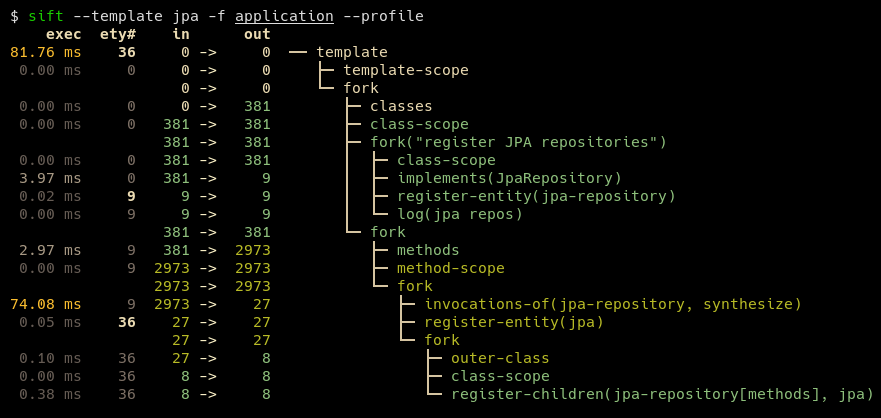
典型的模板可以用約100-200行的代碼表示。一些模板,例如JPA和JDBI的模板,顯著較短。用戶定義的模板可以包含多個現有模板,以更好地描述基礎系統,同時還可以保持最終的DSL簡潔。
SIFT需要Java 17或更高版本的運行時間。
對於Window用戶,建議在WSL下進行篩選,直到適當的Windows路徑到位為止。
安裝SIFT的最簡單方法是克隆存儲庫並運行mvn install ,然後將SIFT.ZSH | SH複製到$PATH上的位置,例如:
mvn install 。這將SIFT安裝到~/.local/share/sift/binsift.zsh或sift.sh複製到~/.local/bin/sift main分支總是指向最新的發布提交。
如果安裝了GRAALVM和本機圖像,則可以使用native-image Maven配置文件: mvn install -P native-image構建本機二進制。所得的二進制將位於~/.local/share/sift/bin/sift中。 sift.zsh和sift.sh首先檢查本機二進制是否可用,否則嘗試運行jar。
本機二進製文件比JAR快得多,但是如果需要對系統模型(VIA --load或--diff )或包含未知類型的系統模型(例如,來自withValue() )的系統模型模板,則可能會引起問題。







