sift
sift-0.15.0

SIFT เป็นเครื่องมือบรรทัดคำสั่งที่วิเคราะห์และย้อนกลับระบบซอฟต์แวร์แบบจำลองการออกแบบจาก JVM Bytecode มันทำงานโดยการประมวลผลไฟล์. class หรือ. jar โดยใช้เทมเพลตที่กำหนดไว้ล่วงหน้าที่รู้จักกันในชื่อเทมเพลตโมเดลระบบ เทมเพลตเหล่านี้ให้ความรู้เกี่ยวกับสแต็คเทคโนโลยีหรือโครงสร้างเฉพาะโครงการซึ่งช่วยให้เครื่องมือสามารถสร้างแบบจำลองที่ครอบคลุมของระบบ
โมเดลระบบผลลัพธ์ประกอบด้วยเอนทิตีที่อธิบายโครงสร้างและพฤติกรรมของระบบ
--diff เพื่อวิเคราะห์ผลกระทบของคุณสมบัติหรือการเปลี่ยนแปลงใหม่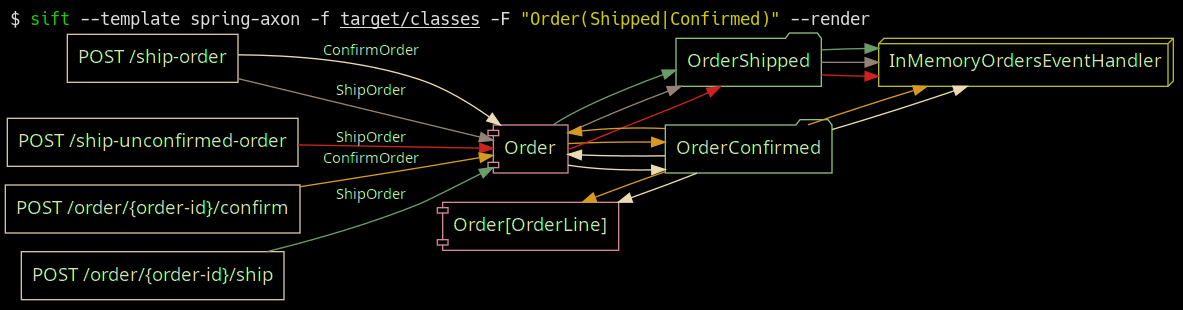
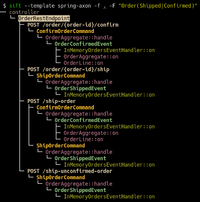
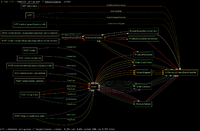
สปริง-บูทพร้อมเทมเพลตเฟรมเวิร์ก Axon ในการดำเนินการ; การกรองคำสั่งซื้อที่จัดส่งและยืนยันใน https://github.com/eugenp/tutorials/tree/master/axon
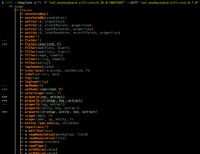
 Usage: sift [OPTIONS]

  Sift is a command-line tool that analyzes and reverse models software system designs
  from JVM bytecode.

Template options:
  -t, --template TEMPLATE               The template producing the system model.
  -l, --list-templates                  Print all installed templates.
  -T, --list-entity-types               Lists entity types defined by template.
  -f, --class-dir, --classes PATH|URI|MAVEN_COORD
                                        Provide class input as a directory, JAR file, URI
                                        (pointing to a JAR), or Maven coordinate.
  -d, --diff FILE_JSON|URI|MAVEN_COORD  Compare the system model from '-f' with another,
                                        specified as a JSON file (previously saved System
                                        Model), class input as a directory, JAR file, URI
                                        (pointing to a JAR), or Maven coordinate.
  --profile                             Print execution times and input/output for the
                                        executed template.
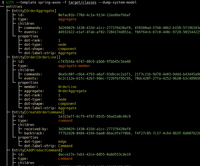
  -D, --dump-system-model               Print all entities along with their properties and
                                        metadata.

Entity tree/graph options:
  -L, --max-depth INT                   Max display depth of the tree.
  -F, --filter REGEX                    Filter nodes by label. (repeatable)
  -S, --filter-context REGEX            Filter nodes by label, while also including
                                        sibling nodes. (repeatable)
  -e, --exclude REGEX                   Exclude nodes when label matches REGEX.
                                        (repeatable)
  -c, --column [all|element-id|element-type|entity-type]
                                        Columns to display. (repeatable)
  -E, --exclude-type ENTITY_TYPE        Exclude entity types from tree. (repeatable)
  -r, --tree-root ENTITY_TYPE           Tree built around requested entity type.
                                        (repeatable)
  --no-emoji                            Disables printing emoji in entity labels.

Visualization options:
  -R, --render                          Render entities with graphviz's DOT language.
  --edge-layout [spline|polyline|ortho]
                                        Sets the layout for the lines between nodes.
                                        (default: spline)

Serialization options:
  -s, --save FILE_JSON  Save the resulting system model as json.
  --load FILE_JSON      Load a previously saved system model.

Debug options:
  --debug                               Print log/logCount statements from the executed
                                        template.
  -X, --debug-inverse-trace             Print the inverse element trace for the elements
                                        specified with --debug-element-traces
  -x, --debug-element-trace ELEMENT_ID  Print all element traces leading to the specified
                                        elements

Miscellaneous options:
  -a, --ansi [none|ansi16|ansi256|truecolor]
                                        Override automatically detected ANSI support.
  --stacktrace                          Print stacktrace to stderr if an error occurs
  --version                             Print version and release date.
  -m, --maven-repository VALUE          Additional maven repositories to use for
                                        downloading artifacts. Maven central
                                        (https://repo1.maven.org/maven2/) and local user
                                        repositories are always included.
  --statistics                          Print internal statistics about the system model
                                        template context.
  --generate-completion [bash|zsh|fish]
  -h, --help                            Show this message and exit

Examples:
  sift --template spring-axon -f my-spring-project
  Model the system using the "spring-axon" template on the classes in the
  "my-spring-project" directory.

  sift -t spring-axon -f . -F "Order(Created|Shipped)"
  Model the system using the "spring-axon" template on the current directory's
  classes, filter nodes containing the regular expression "Order(Created|Shipped)".

  sift -t spring-axon -f . --diff feature-01.json
  Compare the current design of the system using the "spring-axon" template on
  the classes in the current directory against a previously saved system model
  from "feature-01.json" and show the differences.

  sift -t sift -f "net.onedaybeard.sift:core:0.13.0" --diff "net.onedaybeard.sift:core:0.9.0"
  Compare two different versions of the DSL API using the 'sift' template, specified
  by their maven coordinates.
แบบจำลองระบบอธิบายโครงสร้างและความสัมพันธ์ของเอนทิตีภายในระบบ เอนทิตีเป็นวัตถุหรือส่วนประกอบภายในระบบที่ระบุโดยคลาส, เมธอด, ฟิลด์, พารามิเตอร์หรือลายเซ็นทั่วไป
เอนทิตีถูกจัดหมวดหมู่โดย Entity.Type ประเภทเอนทิตีแสดงถึงส่วนที่สำคัญของระบบ ตัวอย่างเช่นประเภทอาจรวมถึงตัวควบคุม REST, จุดสิ้นสุด HTTP, ข้อความขาเข้า/ขาออก, RDS, ที่เก็บและอื่น ๆ
$ sift --template spring-axon -f target/classes --list-entity-types
entity types of spring-axon
  1 aggregate
  2 aggregate-ctor
  1 aggregate-member
  6 command
  6 command-handler
  1 controller
 13 endpoint
  7 event
  7 event-handler
  7 event-sourcing-handler
  1 projection
  3 query
  4 query-handler
เทมเพลตโมเดลระบบอธิบายถึงวิธีการระบุเอนทิตีภายในสแต็กเทคโนโลยีที่กำหนดและ/หรือโครงสร้างเฉพาะโครงการ เทมเพลตถูกเขียนใน DSL ที่ประกาศและใช้ในการสร้างแบบจำลองระบบจากคลาสอินพุต DSL ให้นามธรรมระดับสูงสำหรับการระบุและเชื่อมโยงหน่วยงานจากโครงสร้างคลาสหรือการใช้งาน
รหัสด้านล่างแสดงเทมเพลตโมเดลระบบอย่างง่ายที่ระบุตัวควบคุม REST และจุดสิ้นสุด HTTP ภายในระบบและเชื่อมโยงทั้งสองเอนทิตี
 val controller = Entity . Type ( " controller " )
val endpoint = Entity . Type ( " endpoint " )

template {
    // iterate over all input classes
    classes {
        annotatedBy< RestController >() // filter classes
        entity(controller)            // mark remaining as 'controller'
        methods {                     // iterate all controller methods
            annotatedBy< Endpoint >()   // filter @Endpoint methods
            entity(endpoint)

            // associate controllers with their endpoints
            controller[ " endpoints " ] = endpoint
        }
    }
}
องค์ประกอบอินพุต (คลาส, วิธี, พารามิเตอร์, ฟิลด์, ลายเซ็นทั่วไป) ถูกประมวลผลเป็นแบทช์, บรรทัดต่อบรรทัด การดำเนินการของเทมเพลตโมเดลระบบสามารถสร้างสรรค์ด้วยตัวเลือก --profile โปรไฟล์
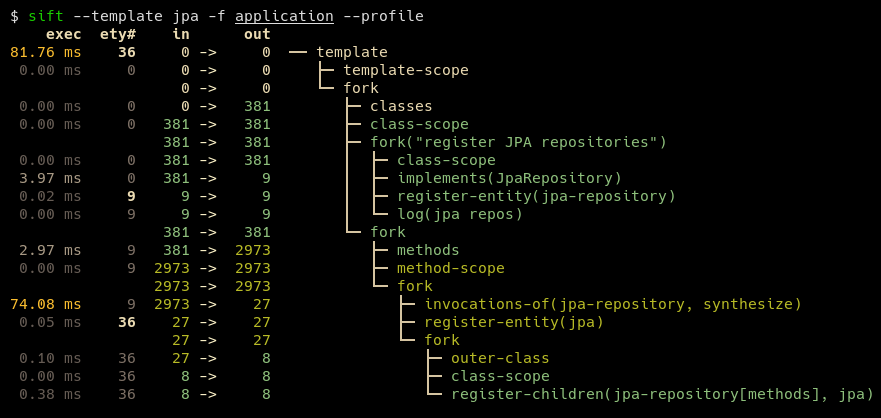
เทมเพลตทั่วไปสามารถแสดงได้ในรหัสประมาณ 100-200 บรรทัด เทมเพลตบางแบบเช่นสำหรับ JPA และ JDBI นั้นสั้นกว่า เทมเพลตที่ผู้ใช้กำหนดอาจรวมถึงเทมเพลตที่มีอยู่หลายรายการเพื่ออธิบายระบบพื้นฐานในขณะที่ยังรักษา DSL ที่ได้ผลลัพธ์
SIFT ต้องใช้ Java 17 หรือใหม่กว่า Runtime
สำหรับผู้ใช้หน้าต่างขอแนะนำให้เรียกใช้ SIFT ภายใต้ WSL จนกว่าจะมีเส้นทาง Windows ที่เหมาะสม
วิธีที่ง่ายที่สุดในการติดตั้ง SIFT คือการโคลนที่เก็บและเรียกใช้ mvn install จากนั้นคัดลอก sift.zsh | sh ไปยังตำแหน่งบน $PATH เช่น:
mvn install จาก Project Root การติดตั้ง sift เป็น ~/.local/share/sift/binsift.zsh หรือ sift.sh ถึง ~/.local/bin/sift สาขา main ชี้ไปที่การเปิดตัวล่าสุด
หากติดตั้ง Graalvm และ Native-Image สามารถสร้างไบนารีดั้งเดิมได้ด้วยโปรไฟล์ Maven native-image : mvn install -P native-image ไบนารีผลลัพธ์จะอยู่ใน ~/.local/share/sift/bin/sift sift.zsh และ sift.sh ตรวจสอบก่อนว่ามีไบนารีดั้งเดิมหรือไม่มิฉะนั้นจะพยายามเรียกใช้ขวด
ไบนารีดั้งเดิมนั้นเร็วกว่าขวดอย่างมาก แต่อาจทำให้เกิดปัญหาได้หากจำเป็นต้องใช้โมเดลระบบ (ผ่าน --load หรือ - - - - - - -หรือ --diff ) หรือเทมเพลตโมเดลระบบที่มีประเภทที่ไม่รู้จัก (เช่น withValue() )







